How to Activate vidIQ for YouTube, Features, Errors & Fixes (Complete Tutorial)

Introduction to vidIQ for YouTube
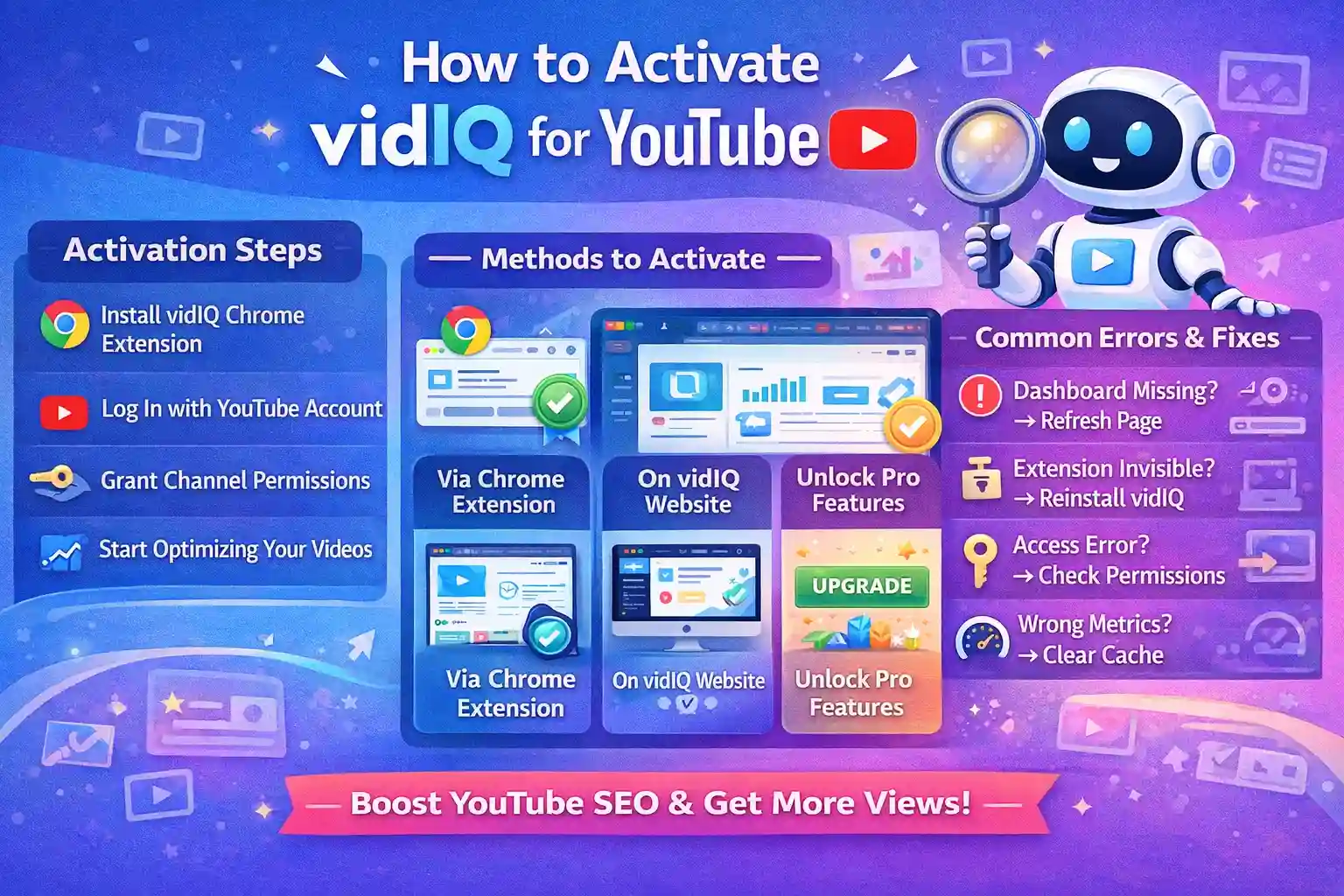
Growing a successful YouTube channel in 2026 requires more than just uploading videos—it needs data-driven optimization, SEO strategies, and competitor analysis. vidIQ for YouTube is an industry-leading tool that empowers creators to optimize content, track analytics, discover trending topics, and grow channels faster.
With features like keyword research, SEO scoring, competitor insights, and real-time analytics, vidIQ helps creators make smarter decisions, improve visibility, and increase subscribers and watch time. However, many users experience issues like activation errors, missing analytics, or feature restrictions, which can be resolved with the correct setup and troubleshooting.
Benefits of vidIQ for YouTube Creators: In-Depth Analysis
1. Boost Video Rankings
vidIQ helps your videos rank higher on YouTube search and suggested videos by optimizing critical metadata. It analyzes your video titles, descriptions, tags, and hashtags to ensure your content aligns with what users are actively searching for. By providing SEO scores and recommendations, vidIQ ensures that your videos get discovered more easily, which can significantly increase views, engagement, and subscriber growth over time.
Key Features:
Suggests optimized titles with high-ranking keywords.
Recommends the most effective tags based on competition and search volume.
Highlights trending phrases in your niche for better visibility.
2. Keyword Research & SEO Insights
One of vidIQ’s strongest features is its ability to provide data-driven keyword suggestions. Creators can identify trending search terms, analyze keyword difficulty, and evaluate which keywords will give the best reach for their niche. With vidIQ, you can track SEO scores for your videos, ensuring each upload is optimized to attract more viewers.
Key Features:
Shows the search volume, competition, and relevancy of keywords.
Suggests long-tail keywords to target specific audiences.
Helps identify gaps in your content strategy with SEO insights.
3. Competitor Analysis
vidIQ allows creators to analyze top-performing channels and videos in their niche. By understanding what works for your competitors, you can adapt your content strategy and improve engagement. It also provides insights into the tags, keywords, and descriptions used by other creators, giving you an edge in optimizing your videos.
Key Features:
Tracks competitor channel growth and video performance.
Identifies trends and high-performing video formats in your niche.
Provides actionable data for outperforming similar channels.
4. Analytics & Performance Tracking
With vidIQ, you can monitor key metrics for every video and your overall channel. This includes views, watch time, engagement, retention rate, and subscriber growth. By analyzing this data, creators can identify which types of content resonate with their audience, enabling smarter content planning and strategy optimization.
Key Features:
Track daily and weekly channel performance trends.
Identify which videos generate the most engagement.
Compare performance across multiple videos or playlists.
5. Time-Saving Automation
vidIQ streamlines content optimization with automated suggestions for tags, templates, and descriptions. This reduces the manual effort needed to research and optimize every video individually, freeing up more time for content creation. Automation ensures your videos are always SEO-ready, improving the chance of ranking higher on YouTube search results.
Key Features:
Auto-suggests SEO-friendly titles, descriptions, and tags.
Provides bulk optimization options for multiple videos at once.
Recommends hashtags, thumbnail ideas, and trending keywords automatically.
6. Trend Alerts
Staying ahead of trends is critical for YouTube success. vidIQ offers real-time alerts for trending topics in your niche, helping creators identify viral content opportunities before competitors. This ensures your channel is always aligned with what viewers are searching for and engaging with.
Key Features:
Notifies about trending videos and topics.
Suggests content ideas that are likely to get higher engagement.
Helps plan timely videos around events, holidays, or viral challenges.
7. Collaboration Tools
For creators managing teams or multiple channels, vidIQ provides tools to streamline workflow and collaboration. You can assign tasks, manage uploads, and monitor content performance across multiple accounts. These tools ensure that your team stays organized and efficient, reducing missed optimization opportunities.
Key Features:
Multi-user account management for teams.
Workflow tracking and content assignment.
Collaboration dashboards for performance review.
8. Channel Health Monitoring
vidIQ gives creators a holistic view of their channel’s SEO and content strategy. It monitors overall channel health, identifies weak points, and provides suggestions for improvement. From tag optimization to video engagement metrics, creators can track progress over time and adjust strategies to maximize growth.
Key Features:
SEO audit for the entire channel.
Insights into best-performing content and areas needing improvement.
Alerts for declining trends in engagement or audience retention.
Methods to Activate vidIQ for YouTube
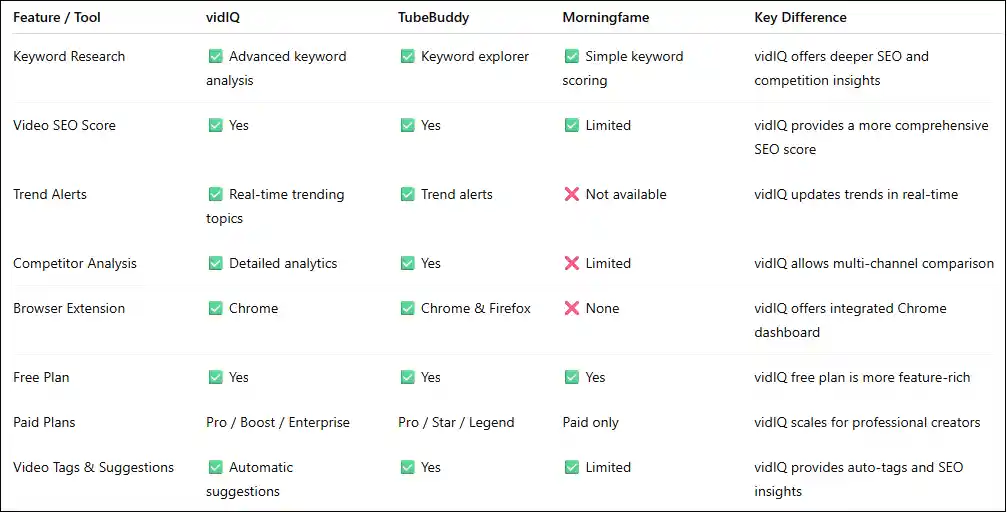
✅ Method 1: Activate via Chrome Extension
Install the vidIQ Chrome extension from the Chrome Web Store.
Log in using your YouTube or Google account.
Grant permission to access your channel analytics.
vidIQ dashboard appears on your YouTube videos for SEO insights.
✅ Method 2: Activate via vidIQ Website
Visit vidIQ official website.
Sign up or log in using your YouTube account.
Choose a plan: Free, Pro, Boost, or Enterprise.
Complete activation by linking your YouTube channel.
Access features like keyword tools, analytics, and channel audit.
✅ Method 3: Activate Pro Features
Upgrade to Pro, Boost, or Enterprise plan.
Verify payment and plan activation.
Pro features unlock automatically on your dashboard.
Use advanced keyword research, trend alerts, and competitor tracking.
❌ Common vidIQ Errors & How to Fix Them
🔴 Error 1: vidIQ Dashboard Not Showing
Cause: Browser cache, extension issues, or YouTube permissions
Fix: Clear cache, reinstall extension, refresh YouTube page
🔴 Error 2: vidIQ Not Working on Videos
Cause: Free account limitation or browser restrictions
Fix: Upgrade plan or try different browser
🔴 Error 3: Analytics Not Updating
Cause: API sync delay
Fix: Wait 24 hours, check account connection, re-sync channel
🔴 Error 4: Keyword Tools Disabled
Cause: Free plan restrictions
Fix: Upgrade to Pro or Boost for full access
🔴 Error 5: Login Errors
Cause: Google account conflict
Fix: Log out of other Google accounts, clear cache, and login again
Conclusion
vidIQ for YouTube is a must-have tool for creators in 2026 aiming to boost views, optimize SEO, and grow their channels efficiently. From keyword research and trend alerts to competitor analysis and channel auditing, vidIQ provides actionable insights that help creators make data-driven decisions.
By following proper activation methods and applying error fixes, YouTubers can maximize the platform’s potential. Whether you’re a beginner or an experienced content creator, vidIQ remains a strategic investment for sustainable growth on YouTube.
Frequently Asked Questions (FAQs)
vidIQ is used to improve YouTube SEO, analyze performance, track competitors, and increase views and subscribers
Yes, basic features are free, but advanced analytics require Pro, Boost, or Enterprise plans.
Absolutely. Even free plan users can optimize tags, keywords, and descriptions.
Limited mobile support; full features are accessible on desktop browsers.
Clear browser cache, update Chrome, and ensure proper account connection.
Yes, vidIQ supports multiple channels for team accounts.
Yes, it provides trending keywords and topic suggestions.
Most metrics update in real-time, some may take 24 hours.
Yes, it follows YouTube API compliance and does not violate TOS.
No, it optimizes content and SEO to help your audience grow organically.