

How to Activate Windows 10 Enterprise | Step-by-Step Guide for Smooth Activation

1. Introduction
Windows 10 Enterprise is designed for organizations that require advanced security, management, and productivity tools. It includes all the features of Windows 10 Pro, plus additional tools for enterprise-level deployments and data protection.
Key benefits include:
- Advanced Security Features: Windows Defender Credential Guard, Device Guard, and BitLocker encryption safeguard sensitive business data.
- Enhanced Device and App Management: IT teams can enforce policies, deploy updates, and control applications using Group Policy and Microsoft Endpoint Manager.
- Long-Term Support (LTSC): Enterprise editions can receive long-term servicing channel updates, minimizing disruptions to mission-critical operations.
- Virtualization Support: Hyper-V enables businesses to create virtual environments for testing software or running multiple operating systems.
Why Activation Matters: Activation is not just a legal requirement; it ensures your system has access to all features, security updates, and Microsoft support. Unactivated systems may run in a restricted mode and miss critical updates.
2. Features of Windows 10 Enterprise
1. Advanced Security and Data Protection
Windows 10 Enterprise provides multiple layers of protection for corporate devices and data.
Key capabilities include:
- BitLocker Drive Encryption – Helps protect data stored on system and removable drives.
- Microsoft Defender Antivirus – Provides built-in malware and threat protection.
- Windows Defender Credential Guard – Uses virtualization-based security to help protect credential information on supported configurations.
- Secure Boot – Helps prevent unauthorized boot software from loading.
- Windows Firewall – Controls inbound and outbound network traffic.
Microsoft documents Credential Guard as an Enterprise capability that can be managed through Group Policy, WMI, or PowerShell and requires appropriate hardware and virtualization support.
2. Application Control with AppLocker
AppLocker allows organizations to create policies controlling which applications, scripts, installers, DLLs, and packaged apps users can run. Administrators can create rules based on publishers, file paths, hashes, or other file attributes.
AppLocker can also be deployed in audit-only mode before enforcement, allowing administrators to evaluate the impact of a policy.
3. Enterprise Identity and State Roaming
Windows 10 Enterprise can integrate with Microsoft Entra ID and organizational identity infrastructure. Enterprise State Roaming can synchronize supported Windows settings across eligible devices associated with a user's Microsoft Entra identity. Microsoft notes that current Enterprise State Roaming requirements include Windows 10 version 22H2 or later, Microsoft Entra-joined or hybrid-joined devices, and appropriate licensing.
4. Advanced Device and Policy Management
Enterprise environments can centrally manage Windows devices using technologies such as:
- Group Policy
- Mobile Device Management (MDM)
- Microsoft Configuration Manager
- Microsoft Intune
- Microsoft Entra ID
This allows administrators to manage security settings, applications, device configurations, and organizational policies across multiple computers.
5. Hyper-V Virtualization
Windows 10 Enterprise supports Hyper-V, allowing compatible computers to host virtual machines.
Common uses include:
- Software testing
- Development environments
- Running multiple operating systems
- Application compatibility testing
- Isolated laboratory environments
Hardware virtualization capabilities such as CPU virtualization and SLAT are required for many Hyper-V and virtualization-based security scenarios.
6. Remote and Enterprise Connectivity
Windows 10 Enterprise supports enterprise networking and remote-access technologies. Depending on the Windows release and organizational infrastructure, businesses can use VPN, DirectAccess, and other managed connectivity solutions to provide access to corporate resources.
7. Windows To Go — Legacy Feature
Windows To Go was a Windows 10 Enterprise and Education feature that allowed a Windows workspace to boot from a supported USB-connected external drive. However, Microsoft removed Windows To Go beginning with Windows 10 version 2004, so it should not be presented as a current feature of later Windows 10 releases.
Useful Windows 10 Enterprise Commands
1. Check Windows Edition
DISM /Online /Get-CurrentEdition
2. Check Windows Version and Build
winver
Or:
Get-ComputerInfo | Select-Object WindowsProductName, WindowsVersion, OsBuildNumber
3. Check Activation Status
slmgr /xpr
For detailed licensing information:
slmgr /dlv
4. Check BitLocker Status
Run Command Prompt as Administrator:
manage-bde -status
For the system drive:
manage-bde -status C:
5. Check Hyper-V Status
Get-WindowsOptionalFeature -Online -FeatureName Microsoft-Hyper-V-All
To enable Hyper-V on a supported installation:
Enable-WindowsOptionalFeature -Online -FeatureName Microsoft-Hyper-V -All
A restart may be required.
6. View Hyper-V Virtual Machines
Get-VMStart a virtual machine:
Start-VM -Name "VMName"
Replace VMName with the name of the virtual machine.
7. Check AppLocker Policies
Get-AppLockerPolicy -Effective
To view the local AppLocker policy:
Get-AppLockerPolicy -Local
You can open the Local Security Policy console with:
secpol.msc
8. Update Group Policy
gpupdate /force
To generate a detailed policy report:
gpresult /h "%USERPROFILE%\Desktop\GroupPolicyReport.html"
9. Check Microsoft Entra Device Registration
dsregcmd /status
This is useful for checking Microsoft Entra registration and related device-identity information. Microsoft specifically recommends dsregcmd /status when troubleshooting Enterprise State Roaming and device registration.
10. Check Windows Firewall Profiles
Get-NetFirewallProfileTo view firewall rules:
Get-NetFirewallRule3. Methods to Activate Windows 10 Enterprise
There are three primary methods to activate Windows 10 Enterprise:
3.1 Using a Product Key
A product key is a 25-character code purchased from Microsoft or authorized resellers. It uniquely identifies your copy of Windows.
Steps:
- Press Win + I → Settings → Update & Security → Activation.
- Click Change Product Key.
- Enter your 25-character key carefully.
- Click Next and wait for verification.
Tip: Keep your product key secure. Losing it may complicate future activation.
3.2 Using a Digital License
A digital license is linked to your Microsoft account, eliminating the need for a product key. If you purchased Windows 10 Enterprise online, the license may already be associated with your account.
Steps:
- Sign in with your Microsoft account associated with the license.
- Go to Settings → Update & Security → Activation.
- Click Activate Windows if prompted.
Benefits: Easier reactivation after hardware upgrades and reduced risk of errors.
3.3 Using KMS Activation (Volume Licensing)
KMS (Key Management Service) is used in organizations with multiple devices. It allows centralized activation without contacting Microsoft for each machine.
Steps:
- Open Command Prompt as Administrator.
- Type slmgr /ipk YOUR-KMS-KEY → Press Enter.
- Type slmgr /skms yourKMSserver.domain.com → Press Enter.
- Type slmgr /ato → Press Enter.
- Verify activation with slmgr /dlv.
Note: Only volume license customers should use KMS.
4. Common Errors While Activating Windows 10 Enterprise and Fixes
Even after following standard steps, activation issues can occur. Here are common errors and how to fix them:
4.1 Error 0xC004F074 – KMS Server Unavailable
Cause: System cannot connect to KMS server.
Fix: Connect to your organization’s network or VPN and retry.
4.2 Error 0xC004C003 – Invalid Product Key
Cause: The product key is incorrect or blocked.
Fix: Double-check for typos or contact Microsoft support for a valid key.
4.3 Error 0x803F7001 – No Valid License Found
Cause: Windows cannot detect a valid license.
Fix: Sign in with the Microsoft account linked to your digital license.
4.4 General Troubleshooting
- Run the Windows Activation Troubleshooter: Settings → Update & Security → Activation → Troubleshoot.
- Ensure system date and time are correct.
- Temporarily disable firewalls or VPNs that might block activation.
5. Licensing in Windows 10 Enterprise
Windows 10 Enterprise licenses are available in two main forms:
- Volume Licensing (KMS/MAK)
Ideal for organizations with multiple devices. KMS allows centralized management, while MAK (Multiple Activation Key) is used for a limited number of activations. - Retail Licenses / Digital Licenses
Purchased directly from Microsoft or online vendors. Digital licenses are tied to a Microsoft account for easy reactivation.
Key Points:
- Always ensure your license is legitimate to avoid compliance issues.
- Track all licenses centrally in an organization to prevent loss or unauthorized use.
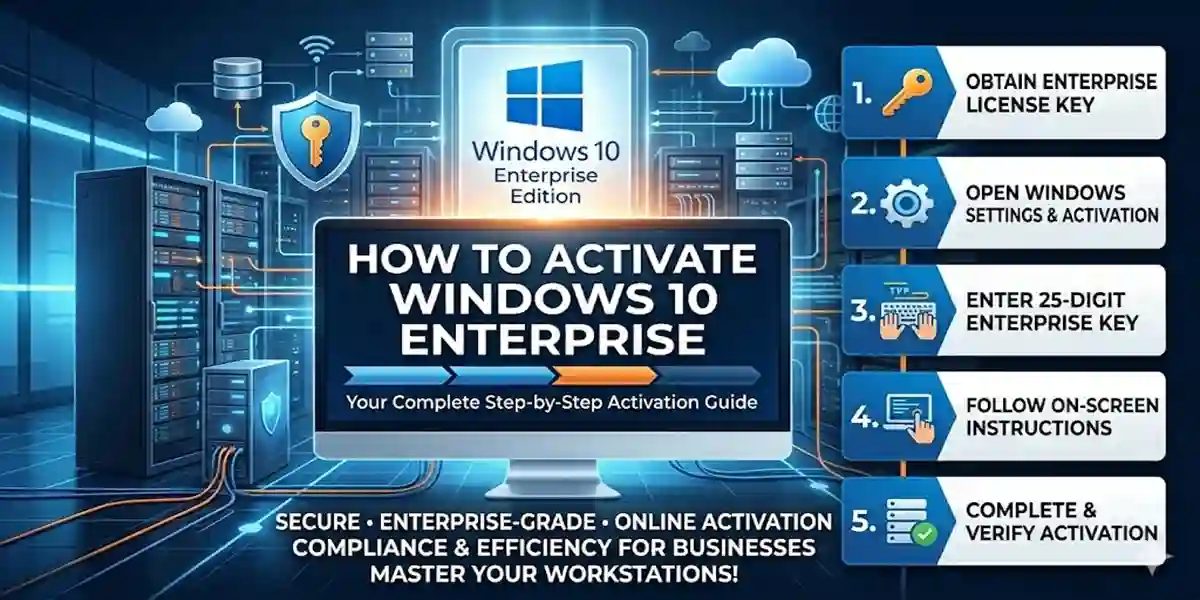
6. Step-by-Step Activation Guide
Follow this complete guide to activate Windows 10 Enterprise:
- Check Activation Status: Settings → Update & Security → Activation.
- Prepare License: Ensure your product key or digital license is ready.
- Connect to Internet: Required for verification.
- Choose Activation Method: Product Key, Digital License, or KMS.
- Verify Activation: Confirm Windows is activated with a digital license.
- Restart PC: Ensure all features are unlocked.
7. Conclusion
Activating Windows 10 Enterprise is essential for unlocking its full functionality, advanced security, and management features. Using a product key, digital license, or KMS, you can ensure your system is genuine, secure, and eligible for updates. Proper activation also reduces errors, improves compliance, and guarantees access to Microsoft support. By following this guide, businesses and individuals can maximize the benefits of Windows 10 Enterprise while avoiding common pitfalls.
Frequently Asked Questions (FAQ)
A: No. Only Enterprise keys or digital licenses are valid for activation.
A: Go to Settings → Update & Security → Activation to view the status.
A: Yes, unless you reinstall Windows or make major hardware changes.
A: Only KMS allows limited offline activation for volume licenses.
A: Contact Microsoft support or check your purchase confirmation email for the key.