

How to Activate Windows 11 Enterprise and Fix Common Activation Errors

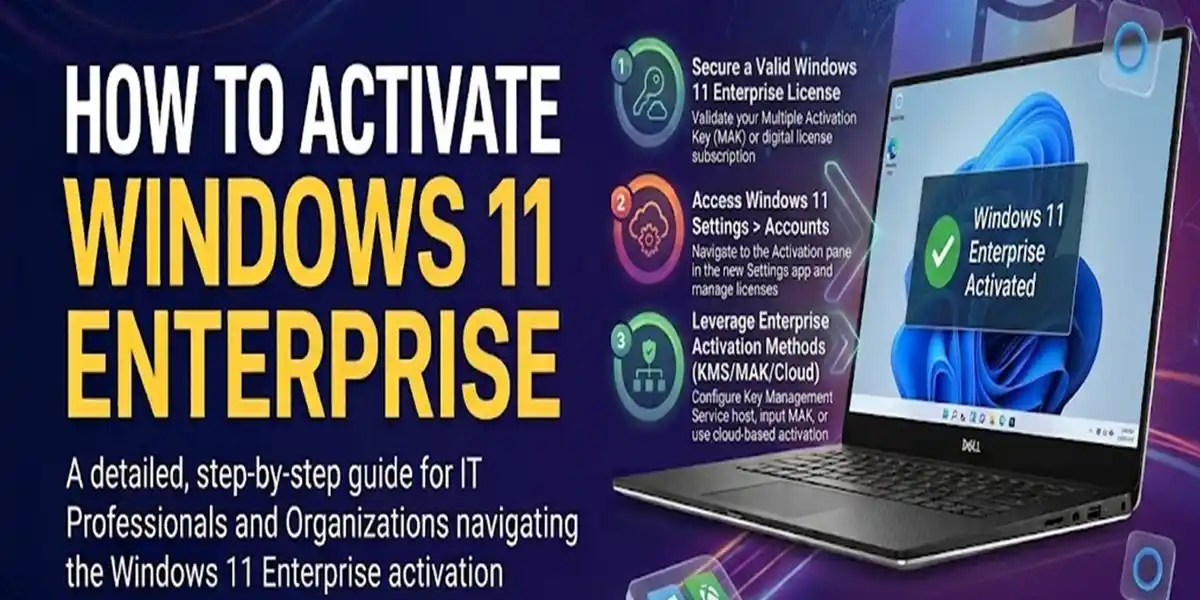
Introduction
Windows 11 Enterprise is Microsoft’s most advanced operating system designed specifically for enterprises, large organizations, government institutions, and IT-managed environments. It is built to deliver maximum security, centralized management, cloud integration, and high-performance computing capabilities across multiple devices.
Unlike consumer editions such as Windows Home or Windows Pro, Windows 11 Enterprise focuses on enterprise-level features such as advanced security policies, device control, virtualization, identity protection, and large-scale IT administration tools. These features make it ideal for organizations that require strict data protection, controlled access, and centralized management.
One of the most important steps after installation is activation, which ensures the operating system is legally licensed and fully functional. Without activation, users may face limitations such as restricted personalization options, disabled enterprise features, and a persistent “Activate Windows” watermark on the screen.
Activation is essential not only for unlocking features but also for ensuring system security, receiving updates, and maintaining compliance with Microsoft licensing policies.
Key Features of Windows 11 Enterprise
1. Advanced Security Architecture
Security is one of the most important components of Windows 11 Enterprise. The operating system combines hardware-based security, identity protection, encryption, threat detection, and application controls to create multiple layers of defense.
Key Security Components:
- Microsoft Defender Antivirus
- Microsoft Defender Firewall
- BitLocker Drive Encryption
- Secure Boot
- Virtualization-Based Security (VBS)
- Credential Guard
- Windows Hello for Business
- Microsoft Defender Application Control
How It Works
These security technologies work together to help protect business systems against malware, ransomware, unauthorized access, credential theft, and other common security threats.
Hardware-backed security features can provide additional protection during system startup, while Windows security services continuously monitor applications, files, network activity, and authentication attempts.
2. BitLocker Drive Encryption
BitLocker provides full-volume encryption for supported Windows devices. It protects information stored on internal drives by encrypting the data so that unauthorized users cannot easily access it outside the normal Windows authentication environment.
Key Benefits:
- Protects business data if a device is lost or stolen
- Helps prevent offline access to encrypted drives
- Protects sensitive files from unauthorized users
- Supports recovery-key-based data recovery
- Works with TPM-enabled hardware for enhanced protection
For example, if an encrypted drive is removed from a computer and connected to another system, the protected data remains encrypted rather than being immediately accessible.
Administrators can check BitLocker status using:
manage-bde -status
To view BitLocker-related settings, users can also search for Manage BitLocker in Windows.
3. Group Policy Management
Group Policy gives IT administrators centralized control over Windows computers, users, applications, and security settings.
Organizations can use policies to establish consistent configurations across large numbers of devices.
Common Group Policy Uses:
- Password and authentication policies
- Software restrictions
- Windows Update configuration
- Firewall settings
- User permissions
- Device restrictions
- Security configuration
- Desktop and system settings
The Local Group Policy Editor can be opened with:
gpedit.msc
For domain-managed environments, administrators can use Active Directory-based Group Policy to apply policies across organizational units and computers.
This makes centralized policy management particularly valuable for businesses with large Windows deployments.
4. Hyper-V Virtualization
Windows 11 Enterprise supports Hyper-V, Microsoft's built-in virtualization platform.
Hyper-V allows compatible computers to run virtual machines, enabling multiple operating systems or isolated computing environments to operate on the same physical hardware.
Common Use Cases:
- Software development
- Application testing
- Virtual laboratories
- Training environments
- Server testing
- Operating-system testing
- Isolated workloads
Virtual machines can have their own:
- Virtual CPU
- Memory allocation
- Virtual storage
- Network configuration
- Operating system
Administrators can launch Hyper-V Manager by running:
virtmgmt.msc
Hyper-V can be enabled through:
Control Panel → Programs → Turn Windows features on or off → Hyper-V
Hardware virtualization must be supported and enabled in the system firmware for Hyper-V to operate.
5. Application Control and Security Policies
Windows 11 Enterprise provides organizations with tools for controlling which applications can execute on managed devices.
Depending on the Windows configuration and organizational policies, administrators can use technologies such as AppLocker and Microsoft Defender Application Control to restrict unauthorized software.
Benefits:
- Prevents unauthorized applications from running
- Reduces the risk of malicious software execution
- Supports application control policies
- Helps maintain standardized business environments
- Provides additional protection against unwanted software
AppLocker policies can be managed through:
Local Security Policy / Group Policy → Application Control Policies → AppLocker
This is especially useful in environments where users should only run approved applications.
6. Remote Access and Cloud Integration
Windows 11 Enterprise is designed to integrate with Microsoft's broader identity and device-management ecosystem.
Organizations can combine Windows Enterprise with services and technologies such as:
- Microsoft Entra ID
- Microsoft Intune
- Remote Desktop
- Microsoft Defender
- Windows Autopilot
- Microsoft 365
Note: Microsoft Entra ID is the current name for the service previously known as Azure Active Directory (Azure AD).
Cloud integration allows organizations to manage identities, devices, applications, and security policies across distributed environments.
For example, Microsoft Intune can be used to manage supported Windows devices remotely, while Microsoft Entra ID can provide cloud-based identity and authentication capabilities.
7. Enterprise Data Protection
Enterprise environments often need to prevent corporate information from being accidentally shared or transferred to unauthorized locations.
Windows and Microsoft's broader security ecosystem provide data-protection technologies designed to help organizations control access to business information.
Depending on the organization's Microsoft licensing and configuration, administrators can implement policies for:
- Corporate data access
- Application permissions
- Data sharing
- Device compliance
- Cloud application access
- Information protection
These controls can help separate organizational requirements from normal personal-device activity and reduce the risk of accidental data exposure.
8. Long-Term Stability and Controlled Updates
Enterprise deployments require predictable update management because unexpected changes can disrupt business applications and workflows.
Windows 11 Enterprise provides organizations with additional tools for managing the Windows servicing lifecycle.
Administrators can control and plan:
- Quality updates
- Feature updates
- Restart policies
- Update deployment
- Compatibility testing
- Device maintenance schedules
Organizations can test updates before broad deployment and use management policies to coordinate maintenance across their device fleet.
Windows Update settings can be opened using:
ms-settings:windowsupdate
For enterprise environments, update management can also be integrated with Microsoft management and deployment technologies.
9. Windows Hello for Business
Windows Hello for Business provides passwordless authentication options for supported enterprise environments.
Users may authenticate using supported methods such as:
- PIN
- Fingerprint
- Facial recognition
- Security credentials
Biometric authentication depends on compatible hardware.
Windows Hello can provide a convenient authentication experience while using device-backed security technologies to protect credentials.
10. Virtualization-Based Security
Virtualization-Based Security (VBS) uses hardware virtualization capabilities to isolate sensitive security functions from the normal Windows operating environment.
VBS can work alongside technologies such as:
- Credential Guard
- Hypervisor-protected Code Integrity (HVCI)
- Secure Boot
- TPM
These technologies can make it more difficult for certain types of malware or unauthorized processes to compromise protected system components.
Administrators can check virtualization and security information using:
msinfo32
The System Information window provides details about virtualization-based security and related configuration when available.
Why Activation is Important?
Activation of Windows 11 Enterprise is necessary because it:
- Unlocks full enterprise features
- Enables security updates
- Removes watermark restrictions
- Ensures legal compliance
- Improves system stability and performance
Without activation, the system runs in limited mode with restricted functionality.
Methods to Activate Windows 11 Enterprise
1. Product Key Activation Method
Steps:
- Open Settings
- Go to System > Activation
- Click “Change Product Key”
- Enter valid 25-character key
- Restart system
Use Case:
- Retail licenses
- Enterprise-issued keys
2. Digital License Activation
Process:
- System automatically verifies license
- Activation completes in background
Benefits:
- No manual key required
- Fast activation
- Cloud-based verification
3. KMS Activation (Corporate Environment)
Process:
- Connect to organization network
- System detects KMS server
- Activation runs automatically
- Periodic renewal happens
Benefits:
- Bulk activation
- Central IT control
- Automatic renewal
4. CMD Activation Tools (slmgr commands)
Check status:
slmgr /xpr
Install key:
slmgr /ipk XXXXX-XXXXX-XXXXX-XXXXX-XXXXX
Activate system:
slmgr /ato
View details:
slmgr /dlv
Licensing Overview
Windows 11 Enterprise licensing is typically available through:
- Microsoft Volume Licensing
- Enterprise Agreements
- Microsoft 365 E3/E5 subscriptions
- KMS activation servers
Types of Licenses:
- Retail License
- OEM License
- Volume License
- Subscription-based License
Proper licensing ensures legal compliance and full feature access.
Common Activation Errors and Fixes
Error 0xC004F074
Cause:
KMS server not reachable.
Fix:
- Check internet connection
- Verify DNS settings
- Sync system time
Error 0xC004C003
Cause:
Invalid or blocked product key.
Fix:
- Use valid license key
- Avoid reused keys
- Contact IT admin
Error 0x8007232B
Cause:
DNS failure.
Fix:
- Change DNS to Google DNS
- Restart router
- Reconnect network
Activation Watermark Issue
Fix:
- Run slmgr /ato
Enter valid product key
License Expiry Issue
Fix:
- Reconnect to KMS network
Renew activation
Conclusion
Activating Windows 11 Enterprise is a critical step that ensures the operating system functions at its highest potential within enterprise and professional environments. It is not only about enabling full access to features but also about ensuring system integrity, security, and long-term reliability for organizational use. Once properly activated, the system gains access to essential enterprise tools such as advanced security layers, centralized device management, virtualization support, and continuous Microsoft updates that keep the system protected against evolving cyber threats.
Proper activation also guarantees legal compliance, which is extremely important for businesses and IT infrastructures that must adhere to licensing regulations. Without activation, systems may face limitations such as restricted personalization, disabled enterprise tools, and persistent activation warnings, which can affect productivity and workflow efficiency.
Whether activation is done through a product key, digital license linked to a Microsoft account, CMD-based tools like slmgr, or KMS activation in corporate networks, each method ensures that the system is validated and ready for professional use. These activation methods collectively help maintain stability across multiple devices and ensure seamless IT administration.
Frequently Asked Questions (FAQ)
It is used for enterprise-level IT management and security.
Yes, using KMS or digital license.
It triggers Windows activation.
Due to KMS server connection failure.
Yes, it has advanced security and control features.