Our support team is available 24/7 to help with installation and activation problems. Visit our Support page for assistance.
Autodesk Infoworks
Rated 5.00 out of 5 based on 18 customer ratings
(18 customer reviews)RsĀ 12,835 Original price was: RsĀ 12,835.RsĀ 12,664Current price is: RsĀ 12,664.
Here at Codesforever, we sell only authentic Autodesk InfoWorks activation codes. Order today for advanced water system modeling and enjoy rapid delivery!
26
Items sold in last 3 minutes
66
People watching this product now!
Description
Experts in water resource management, urban planning, and hydraulic modeling can benefit from Autodesk InfoWorks, a state-of-the-art program for managing and simulating water distribution, drainage, and wastewater systems. This robust application streamlines the process of designing, analyzing, and optimizing intricate water networks by combining GIS data with high-tech simulation capabilities. Codesforever sells only official Autodesk InfoWorks activation codes and licence keys, so you know you're getting the real deal. You'll also get fast digital delivery, excellent customer service, and low prices, so you can start using the program right away.
Whether you're optimizing water distribution systems, managing flood risks, or designing urban drainage systems, Autodesk InfoWorks gives you the scalability and accuracy you need to finish the job well. Codesforever is the go-to option for professionals that value dependability and performance because of its stellar reputation for providing certified software licenses.

Features
Robust Hydraulic Modeling: With Autodesk InfoWorks, you can model your water distribution, stormwater, and wastewater networks in great detail. Perform precise analyses of pressures, flows, and water quality indicators.
Dynamic Scenario Analysis: Find the best setup for your water system by simply testing several design scenarios. By doing so, you can enhance system resilience and predict performance under various scenarios.
Data Visualization with Seamless GIS Integration: Use powerful GIS mapping tools to superimpose simulation findings on top of geographic data. With this, you can see your water network as it really is in the actual world.
With interactive reporting, you can make individualized visuals and reports to help you communicate with stakeholders and government agencies.
An Interface That Is Easy to Use
You can concentrate on technical problems instead of software complexities thanks to the intuitive dashboard's modern interface, which streamlines navigation and lowers the learning curve.
Personalize your workspace to have quick access to the tools and functions you use most.
The ability to scale and adapt
Autodesk InfoWorks can adapt to your project's size and scope, from small-scale to large-scale urban networks, thanks to its robust analysis capabilities.
Workflow Automation: Automated calculations and updates keep your models current, reducing manual input.
Better Protection and Administration of Data
The program fully supports data encryption and backup, ensuring that critical project data is managed safely.
Consistent Updates: Your license already includes the most recent updates and security patches, so you can rest assured that you are always protected.
The Autodesk Knowledge Network has more details about data security features.

Installation Guide
First Thing First: Get Your Hands on It!
Go over the Codesforever page for Autodesk InfoWorks. An immediate email with your activation code, license key, and a safe download link will be sent to you when you finish the purchase.
Refer to our Secure Checkout Process for more information on how to make a safe and painless purchase.
Second Step: Get the Installer Files
Get the setup file by clicking the link in your email. For maximum performance with Autodesk InfoWorks, make sure your system satisfies all of the minimal requirements.
For additional information on software and hardware compatibility, see to the Autodesk System Requirements (External Link).
Third, launch the installation wizard.
Get the setup wizard started and then just follow the on-screen prompts. Select an installation directory, accept the End-User License Agreement (EULA), and, if necessary, choose any custom parameters. Installation is made easy and friendly with this step-by-step guide.
Refer to our extensive Installation Guide for further information (Internal Link).
Stage 4: Enable Your Program
Launch Autodesk InfoWorks after installation and enter the licence key and activation code supplied by Codesforever. Upon successful activation, the software will authenticate your details and unlock all functionalities.
Visit Autodesk Support if you need activation help.
The Fifth Step: Set Up Your Desk
Adjust the parameters to meet the needs of your project. You can tweak the simulation's parameters, establish reporting tools, and customize the settings for your GIS connection. To make sure everything is working properly, run an initial simulation.
Why Choose Codesforever?
Rest assured of Originality
All of the Autodesk InfoWorks licenses sold by Codesforever are authentic. To protect you from the dangers of counterfeit software, we employ a stringent quality control process to guarantee that the product you receive is an authentic, fully supported one.
To see why experts rely on us, check out our customer testimonials (internal link).
Affordable Rates
Our premium software licenses are priced competitively, so you can rest assured that you will receive great value from us with no surprises.
Check out Capterra for a price comparison.
Prompt Electronic Shipping
Your Autodesk InfoWorks License Key and Activation Code will be sent to you digitally, so you may access them right away. You can begin working on your project without delay or physical media thanks to our streamlined procedure.
Outstanding Assistance to Customers
Installation, activation, and troubleshooting assistance is accessible around the clock from our committed support team. From the moment you make your purchase to the final setup, we want everything to go off without a hitch.
Constant Improvements for the Future
You can be certain that your Autodesk InfoWorks software will always be up-to-date with the newest technical developments and industry standards thanks to the perpetual updates and security patches that come with your licence.
FAQ
Is the Autodesk InfoWorks licence genuine
Yes, every activation code and licence key sold by Codesforever is 100% genuine and verified.
Ā
How quickly do I receive my activation code?
Your activation code and licence key are delivered instantly via email upon purchase
What system requirements do I need?
Check the system requirements in the product documentation or visit the Autodesk Knowledge Network for detailed information.
What if I encounter issues during installation?
Autodesk InfoWorks is an indispensable tool for water resource and infrastructure engineers seeking to optimize drainage and water management systems. Its advanced simulation capabilities, comprehensive GIS integration, and user-friendly interface make it the go-to solution for precise hydraulic modeling and design. By purchasing your genuine Autodesk InfoWorks Activation Code and Licence Key from Codesforever, you ensure a reliable, cost-effective, and immediately accessible solution that elevates your project performance.
Empower your design and analysis capabilities with Autodesk InfoWorks. Invest in your professional futureābuy your genuine activation code today from Codesforever and experience the benefits of advanced water system modeling firsthand.
Please note here in above article term "activation code , license key" means email license i.e (we will assign license to your email id) will be given . For more detail refer "Must Read" Tab.
Reviews (18)
18 reviews for Autodesk Infoworks
1-5 of 18 reviews
Sorry, no reviews match your current selections
Add a review
Currently, we are not accepting new reviews
Must-Read Before Purchasing Our Software
š Product Overview: Autodesk Subscription (1-Year)
- Duration: 1-Year Subscription
- Device Limit: 1 Device Only
- Compatibility: Version years 2023 through 2027 for all Autodesk products (AutoCAD, Revit, 3ds Max, etc.).
- Edition Type: Educational version with full functionality and all features.
- Delivery Method: Digital delivery via Email Only (takes 0 to 24 hours maximum, usually much faster).
- Older Versions Available: Support for editions like 2020, 2021, 2022, 2024, or 2025. Contact via WhatsApp or email at [email protected].
ā Why Choose This Offer?
- 100% Genuine License: Authentic Autodesk subscription.
- Official Download: Secure, direct download straight from the official Autodesk website (no sketchy third-party links).
- Elite 24/7 Support: Free, expert technical assistance available 7 days a week.
- Top-Rated Reliability: Backed by a stellar 4.9/5 average rating from thousands of satisfied users.
- Certified Expertise: Official partner for global giants (Microsoft, McAfee, Parallels, Kaspersky, etc.many more).
- Unbeatable Pricing: Legally reselling verified, "pre-owned" licenses in compliance with the CJEU ruling of 3 July 2012.
š ļø How to Choose Your AutoCAD Edition (2024ā2027)
- Match Your Hardware:
- Older Systems: Choose AutoCAD 2024 for smooth, optimized performance without lag.
- Modern Workstations: Select AutoCAD 2025, 2026, or 2027 to leverage enhanced processing speeds and advanced features.
- Check Feature Updates: Review Autodeskās official release notes to find smarter workflows, cloud integrations, and toolsets matching your daily tasks.
- Coordinate with Your Team: Confirm requirements with clients, subcontractors, or collaborators to prevent file compatibility friction across shared projects.
š Getting Started in 3 Easy Steps
- Purchase: Complete your order.
- Receive Email: Wait for your digital delivery details.
- Start Designing: Select your edition, Download, log in, and activate instantly.
ā Frequently Asked Questions (FAQ)
- How will I receive my license after purchase?
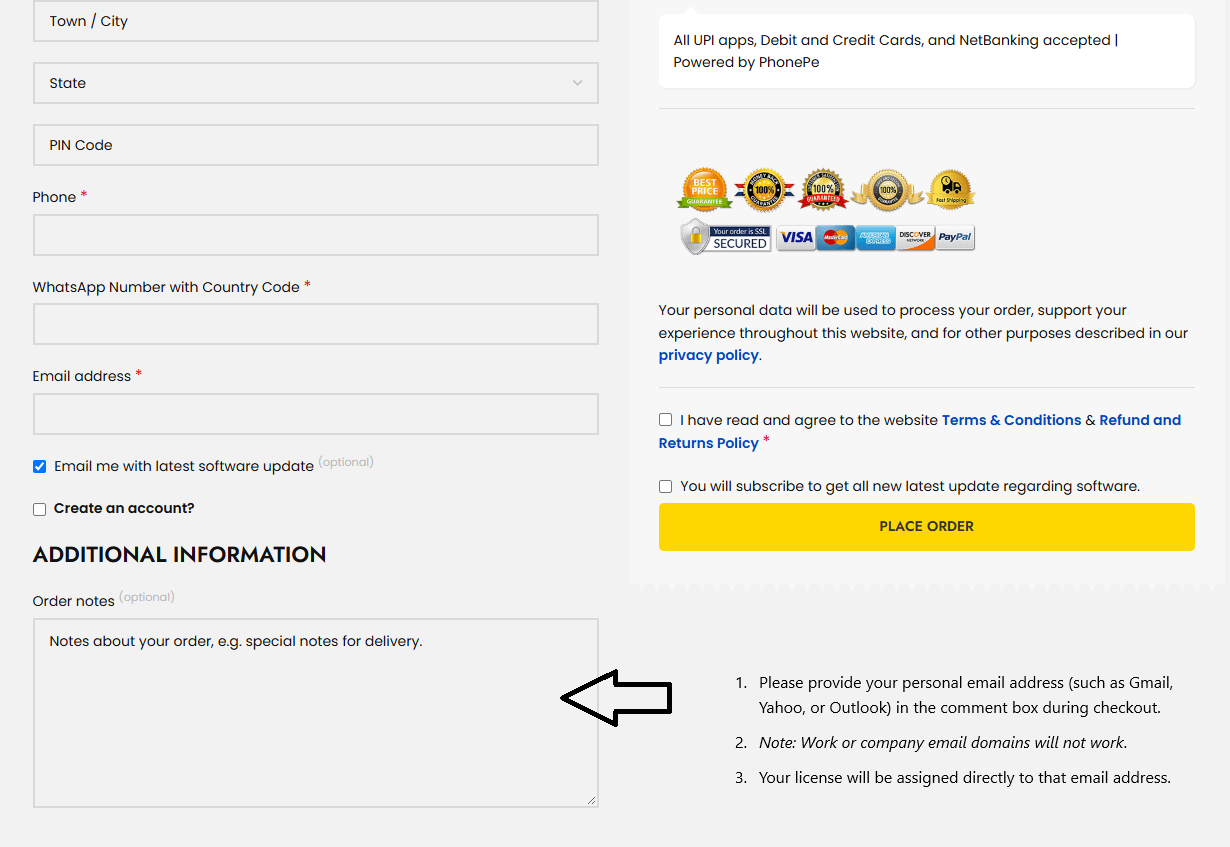
- Enter your email at checkout: Provide a personal email address (e.g., Gmail, Yahoo, Outlook) in the additional information - Order note box. (Note: Work or company email domains will not work).

- License assignment: Your license will be assigned directly to that email address.
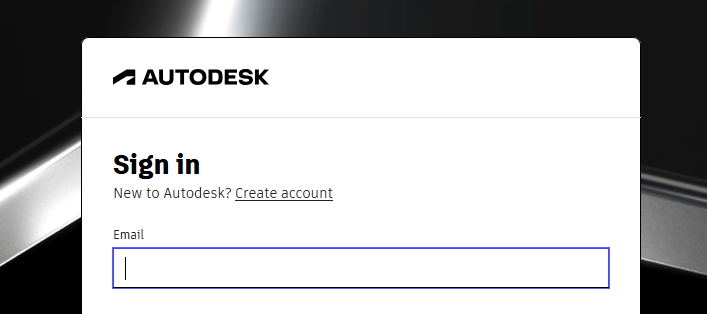
- Access software: Log in to the official Autodesk website using the same email to download and install.
- What should I do if I run into activation issues?
- Contact the free technical support team with a quick description and screenshots of the issue for a fast resolution.
- Can I buy a permanent (perpetual) Autodesk license?
- No. Autodesk has permanently transitioned to a subscription-only model (monthly, annual, or multi-year terms) to ensure ongoing access to security patches, feature updates, cloud services, and technical support. please note : Special term and condition applicable to this product . this product is non returnable , non refundable , non transferable under any situation. if you buy still buy this product it means you agree with this term and condition. it is strictly for educational use only
For commercial use kindly buy commercial version only Ā - https://codesforever.com/autodesk-commercial/
Related products
3ds Max | Download | Windows | Multilanguage | 1 Year ā Student Version
Rated 4.99 out of 5
(84)
RsĀ 2,481 – RsĀ 4,278Price range: RsĀ 2,481 through RsĀ 4,278
Select options
This product has multiple variants. The options may be chosen on the product page

autodesk 3ds Max | Download | Windows | Multilanguage | 1 Year ā Student Version
Rated 5.00 out of 5
(69)
Select options
This product has multiple variants. The options may be chosen on the product page

Autodesk Alias AutoStudio for Windows | Download | Windows | Multilanguage | 1 Year – Student Version
Rated 5.00 out of 5
(68)
Select options
This product has multiple variants. The options may be chosen on the product page

Autodesk AutoCAD for Mac | Download | Mac | Multilanguage | 1 Year – Student Version
Rated 5.00 out of 5
(112)
Select options
This product has multiple variants. The options may be chosen on the product page

Autodesk AutoCAD Architecture for Windows | Download | Windows | Multilanguage | 1 Year – Student Version
Rated 5.00 out of 5
(77)
Select options
This product has multiple variants. The options may be chosen on the product page

Autodesk Inventor for Windows | 1 Year Student License
Rated 5.00 out of 5
(92)
Select options
This product has multiple variants. The options may be chosen on the product page
Autodesk Inventor Professional For Windows
Rated 5.00 out of 5
(76)
Select options
This product has multiple variants. The options may be chosen on the product page
Autodesk Maya LT | Download | Windows | Multilanguage | 1 Year ā Student Version
Rated 5.00 out of 5
(91)
Select options
This product has multiple variants. The options may be chosen on the product page


I appreciate the clean design and easy navigation. Itās very intuitive to use.
Well worth the investment. This software does everything I need and more.
Support was available instantly and resolved my issue right away.
Incredible value! This software has saved me countless hours, and itās worth every cent.
This is the best purchase Iāve made in a long time. Highly recommended!