

-54%
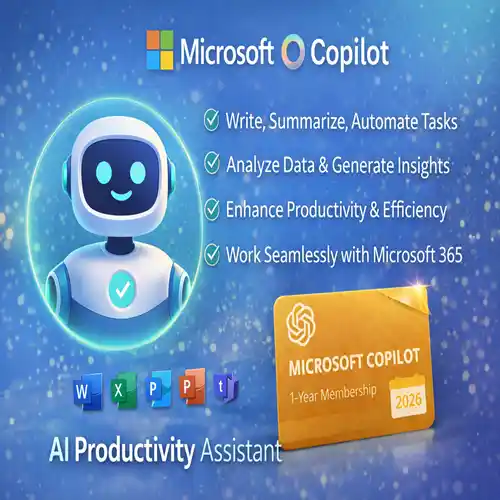
Microsoft Copilot 1-Year Subscription | AI-Powered Productivity Assistant for 2026
Original price was: Rs 16,086.Rs 7,359Current price is: Rs 7,359.
Microsoft Copilot 1-Year Subscription is an AI-powered productivity assistant for Microsoft 365 apps like Word, Excel, PowerPoint, Outlook, and Teams. It helps users automate tasks, analyze data, write smarter, and collaborate efficiently, boosting productivity for professionals, businesses, and students in 2026.
17
Items sold in last 3 minutes
6 in stock
149
People watching this product now!
Description
Microsoft Copilot 1-Year Subscription
In 2026, AI is no longer a futuristic concept — it’s a core component of modern workflows. Among the most transformative tools available today is Microsoft Copilot, an AI assistant integrated across the Microsoft 365 ecosystem. Whether you’re drafting content, analyzing data, automating workflows, or collaborating with teams, Copilot helps unlock productivity like nothing before.
This article explains everything you need to know about the Microsoft Copilot 1-Year Subscription — including its key features, benefits, licensing options, comparisons with competitors, real-world use cases, and why it’s worth considering for individuals and businesses.
What Is Microsoft Copilot?
Microsoft Copilot is an AI-powered assistant built into Microsoft 365 applications such as Word, Excel, Outlook, PowerPoint, Teams, and more. Using advanced AI models, Copilot enhances productivity by helping users:
-
Draft text and documents
-
Generate ideas and summaries
-
Analyze data and create insights
-
Automate routine processes
-
Improve communications and collaboration
Unlike standalone AI chat tools, Copilot is deeply integrated with your Microsoft 365 environment, bringing contextual intelligence to the tools you already use daily.
A Microsoft Copilot 1-Year Subscription unlocks full access to Copilot’s premium capabilities for a full year, offering predictable pricing and uninterrupted AI support.
Key Features of Microsoft Copilot
Microsoft Copilot delivers features designed to improve productivity across personal, professional, and enterprise workflows. Here’s a detailed look at what you get:
1. AI Assistance in Microsoft 365 Apps
Copilot is integrated directly into familiar apps like:
-
Word: Draft documents, rewrite text, generate outlines, and improve grammar.
-
Excel: Analyze data, generate pivot tables, create formulas, and produce visual insights.
-
PowerPoint: Create slide decks based on text prompts or existing content.
-
Outlook: Summarize email threads, suggest replies, and prioritize messages.
-
Teams: Generate meeting summaries, action items, and follow-up tasks.
This deep integration eliminates switching between separate AI tools, making it intuitive and efficient.
2. Natural Language AI Interaction
Copilot uses natural language understanding. You can ask it to perform tasks such as:
-
“Create a monthly sales summary from this data.”
-
“Rewrite this paragraph to be more formal.”
-
“Generate presentation slides for our project plan.”
This conversational approach reduces friction and shortens task time.
3. Contextual Awareness Within Documents
One of Copilot’s strongest capabilities is context awareness. It reads content within your document or spreadsheet and provides suggestions that are relevant to your specific context, not generic responses.
4. Enhanced Data Insight and Analytics
Copilot turns data into insights. In Excel, for example, you can:
-
Ask for trend analysis
-
Generate charts and graphs
-
Detect outliers
-
Forecast future performance
This makes Copilot a powerful companion for business analysts and finance teams.
5. Automated Routine Tasks
Copilot automates repetitive tasks such as:
-
Creating meeting agendas and summaries
-
Managing to-do lists
-
Organizing emails
-
Formatting reports
This automation frees up time for higher-value work.
Benefits of a Microsoft Copilot
Investing in a year-long subscription provides more than just access — it provides value, efficiency, and strategic advantage.
1. Predictable Cost & Greater Value
A 1-year subscription helps users and organizations plan budgets more effectively with predictable pricing and no monthly renewals.
2. Consistent AI Support
Unlike free or limited AI access, a yearly plan ensures continuous, reliable access — especially important during peak usage times when demand is high.
3. Enhanced Productivity Across Roles
From executives to analysts to marketers, Copilot enhances daily workflows by:
-
Reducing manual effort
-
Speeding up document creation
-
Improving data interpretation
-
Lowering time spent on routine tasks
4. Collaboration Made Smarter
Microsoft Copilot boosts teamwork by summarizing discussions, tracking action items, and improving shared documents in real time.
5. Professional-Grade Output
Copilot enables professional results — whether it’s data analysis, executive summaries, or customer presentations.
Microsoft Copilot Licensing Options
Microsoft Copilot is licensed as an add-on to Microsoft 365, typically under subscription models. Key options include:
1. Monthly Subscription
A flexible, short-term plan ideal for trial or temporary needs.
2. 1-Year Subscription (Best Value)
Provides priority AI capabilities for a full year with predictable costs. Excellent for professionals and teams relying on Copilot consistently.
3. Enterprise Licensing
Large organizations can integrate Copilot into enterprise MS 365 plans with volume licensing and centralized management.
4. Trial or Pilot Programs
Microsoft often offers trial periods for organizations to test Copilot capabilities before full subscription.
Microsoft Copilot vs Top Competitors
When evaluating the Microsoft Copilot 1-Year Subscription, it’s important to understand how it compares to alternatives in the AI assistant space.
🆚 Copilot vs ChatGPT Plus
| Feature | Microsoft Copilot | ChatGPT Plus |
|---|---|---|
| Integration | Deep with Microsoft 365 | Standalone service |
| Core Strength | Productivity apps (Word, Excel, Outlook) | General AI interaction |
| Context Awareness | Yes, based on your document | Limited context retention |
| Real-Time Data | Integrated with Office data | No native app integration |
| Best For | Business productivity workflows | Creative writing, coding, broad AI queries |
🆚 Copilot vs Google Gemini
| Feature | Microsoft Copilot | Google Gemini |
|---|---|---|
| Primary Ecosystem | Microsoft 365 | Google Workspace |
| Document Integration | Strong (Word, Excel, etc.) | Strong (Docs, Sheets, Gmail) |
| AI Model | Microsoft + OpenAI | Google Gemini Advanced |
| Best Use | Enterprise workflows | Multimodal AI tasks |
🆚 Copilot vs AI in Other Suites (Notebooks, CRM tools)
Many software suites now embed AI (e.g., CRM systems with AI helpers), but Copilot’s strength lies in its ecosystem-wide reach across productivity tools many businesses already rely on.
Reviews (6)
6 reviews for Microsoft Copilot 1-Year Subscription | AI-Powered Productivity Assistant for 2026
Clear filtersYou must be logged in to post a review.
Must Read Before Purchasing
Frequently bought together
Microsoft Copilot 1-Year Subscription | AI-Powered Productivity Assistant for 2026
Original price was: Rs 16,086.Rs 7,359Current price is: Rs 7,359.
Microsoft Office 2024 Professional Plus License for Windows ( 1 User, Lifetime Validity )
Original price was: Rs 11,588.Rs 588Current price is: Rs 588.
Nuance Power PDF Advanced V2.1 | 1PC -1User | windows (Edit, Convert, Secure, Fill, Sign and Share)
Original price was: Rs 8,470.Rs 998Current price is: Rs 998.
Microsoft Copilot 1-Year Subscription | AI-Powered Productivity Assistant for 2026
Original price was: Rs 16,086.Rs 7,359Current price is: Rs 7,359.
Power BI Desktop | 1PC 1 User 1 Year License
Original price was: Rs 84,709.Rs 1,800Current price is: Rs 1,800.
Related products

3D Rendering Software License | Lumion- Enscape
Price range: Rs 10,268 through Rs 13,348
Select options
This product has multiple variants. The options may be chosen on the product page

Autodesk Commercial License all Products
Price range: Rs 16,942 through Rs 73,243
Select options
This product has multiple variants. The options may be chosen on the product page

CorelDraw Graphics Suite 1-Year Subscription ESD | Commercial License | Multilingual
Original price was: Rs 41,584.Rs 33,028Current price is: Rs 33,028.

Intuit Quickbooks Enterprise Accountant Edition 2024 US
Original price was: Rs 16,685.Rs 7,957Current price is: Rs 7,957.
Microsoft Office 2024 Professional Plus License for Windows ( 1 User, Lifetime Validity )
Original price was: Rs 11,588.Rs 588Current price is: Rs 588.
Microsoft Office Home and Student 2024 for 1 User | Windows & Mac
Original price was: Rs 14,375.Rs 10,097Current price is: Rs 10,097.
SketchUp Pro Commercial license – 3D Design Tool
Original price was: Rs 47,060.Rs 25,584Current price is: Rs 25,584.
Maria García (verified owner) –
The payment options were convenient and secure, which gave me peace of mind.
Yasmin Ali (verified owner) –
Support was extremely responsive and helpful. Very satisfied!
Michael Nguyen (verified owner) –
This software has completely transformed how I work. Couldn’t be happier!
Henry Wallace (verified owner) –
I couldn’t ask for a better solution. It’s easy to use and extremely reliable.
María José Hernández (verified owner) –
Buying was a breeze. I had the software installed within minutes.
William Brown (verified owner) –
This product is exactly what I’ve been looking for. So happy I found it!