

Is Microsoft Office 2021 a Good Investment in 2026?

Introduction
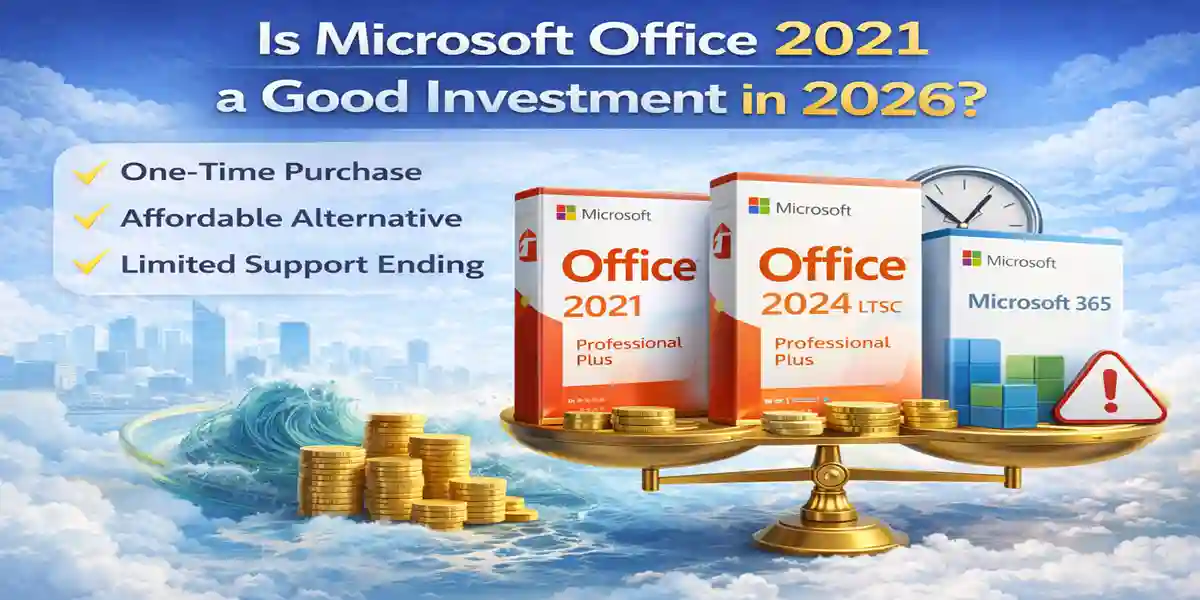
In 2026, users looking for a stable and reliable Office suite face important choices. You can opt for the latest Office 2024 LTSC Professional Plus, continue with the dependable Office 2021 Professional Plus, or subscribe to Microsoft 365 for ongoing updates and cloud integration.
While Microsoft 365 offers cloud tools and regular updates, the spotlight in 2026 clearly shines on Office 2024 LTSC Professional Plus, thanks to its modern interface, performance improvements, and one-time purchase model.
This guide dives deep into all three options, helping you choose the best Office version for your workflow, productivity needs, and long-term value.
Office 2024 LTSC Professional Plus: The Premier Choice in 2026
If you want the latest Office features without committing to a subscription, Office 2024 LTSC Professional Plus is the ideal choice. Released as the successor to Office 2021, this version delivers enhanced performance, a modern interface, and faster responsiveness across Word, Excel, PowerPoint, Outlook, and other Office apps.
Unlike subscription-based models, Office 2024 LTSC is a one-time purchase, providing lifetime access and updates for performance and security. It’s particularly suitable for:
Businesses that need stable, long-term Office solutions.
Students who want the latest tools without recurring costs.
Home users seeking a reliable, modern productivity suite.
Key Benefits of Office 2024 LTSC Professional Plus
1. Enhanced Performance — Faster load times and more stable, crash-resistant operation across Word, Excel, PowerPoint, and Outlook, including full session recovery that restores every document open at the time of a crash, not just the active one.
2. Modern, Intuitive Interface — A refreshed Fluent Design experience across every app, streamlining navigation and reducing the time spent hunting through menus for everyday tasks.
3. Perpetual License, Zero Subscription — A genuine one-time purchase: pay once, use it for the life of the version, with no recurring monthly or annual fees tied to continued access.
4. Broader File Format Compatibility — Native support for OpenDocument Format (ODF) 1.4 across Word, Excel, and PowerPoint improves interoperability with LibreOffice and other ODF-based tools your team or external partners may already use.
5. Meaningful Productivity Upgrades — New Excel chart types and dynamic array functions, expanded Outlook search and meeting tools, and document sharing/commenting improvements across the suite.
One honest clarification worth making: Office LTSC is explicitly built as an on-premises, offline-first product — Microsoft has been direct that it does not include real-time cloud collaboration, AI-driven automation, or the cloud-backed security features found in Microsoft 365. If your organization needs those specifically, Microsoft 365 is the better fit; LTSC's value proposition is stability, offline reliability, and one-time ownership instead.
Who it's actually built for: Office 2024 LTSC Professional Plus remains Microsoft's current on-premises release, and it's a strong fit for regulated devices, disconnected or air-gapped systems, and organizations upgrading from Office 2019 or 2021 that specifically need a fixed, long-term-supported feature set rather than continuous cloud-connected updates.
Office 2021 Professional Plus: Still Reliable, But Aging
While Office 2021 Professional Plus remains an affordable and functional option, it is beginning to show its age in 2026. It provides essential Office apps, including Word, Excel, PowerPoint, Outlook, Publisher, Access, and basic Teams integration.
The main advantage of Office 2021 is its simplicity and one-time purchase model, making it suitable for users who prefer offline functionality and cost-effectiveness.
Who Should Consider Office 2021 in 2026?
Users operating in offline or secure environments.
Individuals who only need essential Office functionality.
Those seeking a budget-friendly, one-time purchase option.
However, with mainstream support ending in October 2026, Office 2021 is becoming a temporary solution. Users looking for performance enhancements and modern features should consider upgrading to Office 2024 LTSC Professional Plus.
Microsoft 365: Subscription and Cloud-Based Options
Microsoft 365 offers:
Continuous updates and feature enhancements
Cloud storage and automatic synchronization
Advanced collaboration tools
While these benefits are appealing for teams and cloud-centric users, the subscription cost and constant internet requirement may not suit everyone. For those who prefer one-time licensing and offline reliability, Office 2024 LTSC or Office 2021 is often the better choice.
Comparing Cost and Features in 2026
Office 2024 LTSC Professional Plus
Purchase Model: One-time ($79.99)
Updates: Security & performance improvements
AI Tools: Enhanced performance (not AI-integrated)
Collaboration: Manual setup
Cloud Storage: Optional
Devices Supported: 1 PC
Office 2021 Professional Plus
Purchase Model: One-time ($59.99)
Updates: Security only
AI Tools: ❌
Collaboration: ❌
Cloud Storage: Manual
Devices Supported: 1 PC
Microsoft 365 Family
Purchase Model: Subscription ($69.99 half-yearly)
Updates: Continuous updates
AI Tools: ✅
Collaboration: ✅
Cloud Storage: Included
Devices Supported: Multiple devices
Why Office 2024 LTSC Stands Out in 2026
For modern users, Office 2024 LTSC Professional Plus offers:
One-time purchase convenience
Enhanced performance and interface
Perpetual license with future-proof compatibility
Ideal for business, education, and home users
Compared to Office 2021, it has faster operation, improved user experience, and extended support. Compared to Microsoft 365, it avoids recurring subscription fees while providing stability and offline functionality.
Formulas and Tools in Office 2024 LTSC
Office 2024 LTSC Professional Plus comes with enhanced formulas and productivity tools, including:
Advanced Excel formulas for data analysis
Enhanced PivotTables and data visualization tools
New PowerPoint templates and transitions
Faster Outlook search and mail management
These improvements make it the best choice for users who need reliable, powerful, and modern productivity software.
Licenses
Single-User License: Ideal for home users or students on a single PC.
Multi-User License: Teams can share one license across devices (per company policy).
Enterprise License: Volume licensing for organizations with multiple users.
Subscription vs One-Time Purchase: One-time purchase models (Office 2021 and 2024 LTSC) are ideal for offline, budget-conscious users, while Microsoft 365 is better for cloud collaboration.
Conclusion
In 2026, Office 2024 LTSC Professional Plus clearly leads the pack. While Office 2021 remains functional and cost-effective, its support is ending soon, and it lacks performance improvements. Microsoft 365 is excellent for cloud users but comes with recurring costs and dependency on internet connectivity.
For most users seeking stability, long-term performance, and a one-time purchase, Office 2024 LTSC Professional Plus is the smartest investment in 2026.
Frequently Asked Questions (FAQs)
Yes. Office 2024 offers improved speed, modern interface, enhanced formulas, and future-proof compatibility while keeping the one-time purchase model.
No, it will still function, but you will no longer receive security updates or official support.
Office 2024 includes performance improvements, updated interface, and longer support. It’s built on newer technology for modern workflows.
Not necessarily. If you plan to use Office on one or two devices for multiple years, a one-time purchase (Office 2021 or 2024) can be more cost-effective.
No, both versions are licensed per device. If you need multiple devices, Microsoft 365 Family may be more practical.
Genuine, Official Keys: Authentic software at affordable prices.
Instant Activation: Get your key instantly and download securely.
24/7 Support: Dedicated technical assistance for installation and activation.