

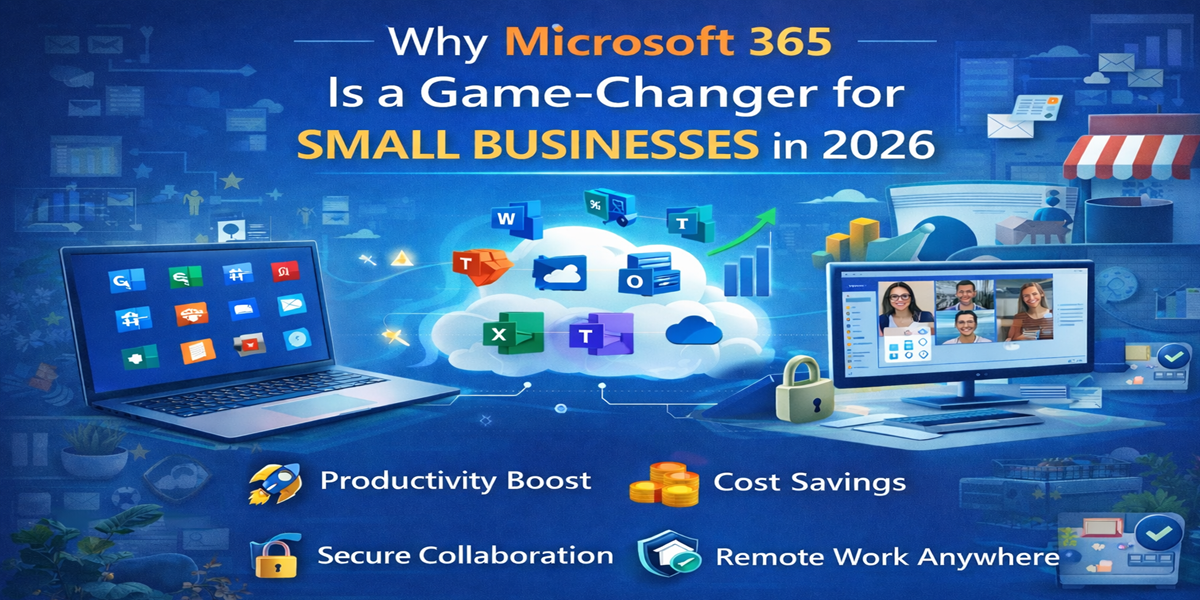
Why Microsoft 365 Is a Game-Changer for Small Businesses in 2026

Introduction
In today’s fast-paced digital era, small businesses face mounting pressure to remain productive, secure, and competitive. Limited resources, rising customer expectations, and increased market competition make it essential for businesses to adopt technologies that streamline operations while enhancing collaboration. Microsoft 365 has emerged as a game-changing solution, combining cloud-based tools for communication, automation, data management, and security—all under a single platform.
Whether you’re managing projects, coordinating remote teams, or analyzing business performance, Microsoft 365 equips small businesses with everything needed to operate efficiently and scale confidently. In this guide, we will explore the benefits, features, integrations, and strategies that make Microsoft 365 a must-have in 2026.
What is Microsoft 365?
Microsoft 365 is a subscription-based cloud productivity suite designed for businesses of all sizes. Unlike traditional software that relies on one-time purchases, Microsoft 365 delivers continuous updates, ensuring your team has access to the latest features, security patches, and AI-powered tools.
By moving to the cloud, businesses eliminate the need for expensive IT infrastructure and maintenance, while also gaining flexibility to work from anywhere.
Key Applications and Features
Microsoft 365 combines a variety of tools that cover productivity, collaboration, automation, and security needs. Here’s a deeper look:
1. Word, Excel, and PowerPoint – Productivity Essentials
- Word: Create professional documents, contracts, reports, and marketing materials with real-time collaboration and AI-powered editing tools.
- Excel: Analyze business data efficiently, from simple budgeting spreadsheets to advanced financial models with dynamic formulas and Power Query integrations.
- PowerPoint: Build engaging presentations with design suggestions, multimedia integration, and collaborative editing for team projects.
Why it matters: Small businesses can save time, reduce errors, and maintain professional standards across all business documentation.
2. Outlook – Email and Calendar Management
Outlook provides a centralized hub for email communication, calendar scheduling, and task management. Features include:
- Smart inbox organization and prioritization
- Integration with Teams and SharePoint for seamless collaboration
- Scheduling assistant for meetings across teams and time zones
Why it matters: Professional communication becomes easier, ensuring no emails or meetings slip through the cracks—critical for small teams with limited administrative support.
3. Teams – Collaboration Made Easy
Microsoft Teams offers:
- Real-time chat and video conferencing
- File sharing and co-authoring documents
- Integration with apps like Planner, OneNote, and third-party tools
Why it matters: Teams eliminates the friction of email threads, allows remote teams to stay aligned, and keeps all project communication in one place.
4. OneDrive & SharePoint – Secure Cloud Storage
- OneDrive: Personal cloud storage for team members to access files anywhere
- SharePoint: Collaborative intranet and document management system for team-wide file access and version control
Why it matters: Small businesses can eliminate the risk of data loss, manage permissions, and enable secure file sharing without relying on physical servers.
5. Power Automate & Power BI – Workflow Automation and Analytics
- Power Automate: Automates repetitive tasks such as approvals, notifications, and data synchronization between apps
- Power BI: Turns raw data into actionable insights with visual dashboards and reports
Why it matters: Automation reduces manual workload, increases efficiency, and enables data-driven decisions even for small teams with limited resources.
Benefits of Microsoft 365 for Small Businesses
- Cost Efficiency – Subscription model reduces upfront costs and maintenance expenses.
- Scalability – Easily add users, storage, or features as your business grows.
- Enhanced Collaboration – Real-time collaboration and remote accessibility improve team productivity.
- Advanced Security – Built-in AI security, encryption, and compliance tools protect sensitive business data.
- Continuous Innovation – Frequent updates ensure access to cutting-edge features without downtime.
Integrations and Ecosystem
Microsoft 365 works seamlessly with hundreds of apps and services:
- CRM Tools: Dynamics 365, Salesforce
- Marketing Tools: Mailchimp, HubSpot
- Project Management: Trello, Asana
- Third-Party Productivity Apps: Slack, Zoom
This flexibility allows small businesses to build a tech ecosystem tailored to their workflow without disrupting existing tools.
Tips to Maximize Microsoft 365 in 2026
- Leverage AI Features: Use Microsoft Copilot in Word and Excel for writing, summarizing, and automating complex tasks.
- Secure Your Data: Enable multi-factor authentication and regular backup strategies.
- Train Your Team: Conduct short workshops or use Microsoft Learn for staff to stay updated on new features.
- Automate Workflows: Set up repetitive tasks with Power Automate to save hours of manual work weekly.
- Monitor Business Metrics: Use Power BI dashboards to track KPIs, sales, and operational efficiency.
Why Small Businesses Are Switching to Microsoft 365
1. Cost-Effective and Flexible Subscription Model
Small businesses often operate on tight budgets, and managing costs is critical. Microsoft 365 offers a subscription-based pricing model, eliminating the need for large upfront software purchases.
Benefits include:
- Tiered Plans: Businesses can choose from Basic, Standard, and Premium plans based on needs and scale.
- Predictable Costs: Monthly or annual subscriptions allow for better financial planning.
- Cloud Infrastructure: Avoids costly on-site servers and IT maintenance.
For example, a small marketing agency with 10 employees can start with Microsoft 365 Business Basic, paying per user per month, and easily scale up as the business grows.
2. Enterprise-Grade Security for Small Business Protection
Small businesses are prime targets for cyberattacks, making security a top priority. Microsoft 365 offers enterprise-grade protection against phishing, ransomware, and unauthorized access.
Key security features include:
- Multi-Factor Authentication (MFA): Adds a second verification step for account logins.
- Advanced Threat Protection (ATP): Detects and blocks sophisticated malware and phishing attacks.
- Data Encryption: Protects emails and files both in transit and at rest.
- Conditional Access: Allows administrators to define rules on who can access sensitive data based on device, location, and risk level.
With these tools, even small teams without dedicated IT departments can maintain a secure digital environment.
3. Enhanced Collaboration and Communication
Microsoft 365 is not just about productivity—it’s about teamwork. Collaboration is essential for small businesses, especially with remote or hybrid work setups.
Microsoft Teams is at the heart of this collaboration:
- Integrated Chat and Video Calls: Employees can communicate instantly and switch between chat and video seamlessly.
- Document Collaboration: Teams can work on Word, Excel, and PowerPoint files in real-time, preventing version control issues.
- Project Management: Teams allows task assignment, deadline tracking, and integration with Planner.
OneDrive and SharePoint complement Teams by providing secure cloud storage, ensuring employees can access documents anywhere without worrying about file duplication or loss.
For example, a small design studio can use Teams to share mockups with clients, get instant feedback, and collaborate on updates in real-time—all from different locations.
4. Flexibility and Accessibility
One of the main advantages of Microsoft 365 is flexibility. Employees can access tools and files from any device, whether they’re at the office, at home, or on the go.
- Cross-Device Access: Desktop, mobile, and tablet compatibility ensures uninterrupted workflows.
- Seamless Syncing: Changes automatically sync across devices.
- Offline Access: Work offline and sync changes later, which is useful for employees traveling or with unreliable internet.
This flexibility is essential for modern small businesses, where teams may be distributed across cities or countries.
5. Boost Productivity with AI and Automation
Microsoft 365 isn’t just about tools—it’s about working smarter. AI and automation features reduce manual tasks and provide insights to drive better decision-making.
Examples include:
- Outlook Focused Inbox: Prioritizes important emails automatically.
- Excel’s AI-Powered Insights: Analyzes data patterns and generates actionable insights.
- Microsoft MyAnalytics: Offers insights into personal productivity, including meeting and focus time.
- Power Automate: Automates repetitive tasks like invoice approvals, notifications, and CRM updates.
For a small e-commerce business, automating order notifications, data entry, and customer follow-ups can save dozens of hours weekly, allowing the team to focus on strategy and growth.
6. Seamless Integration with Other Tools
Microsoft 365 integrates with a wide range of popular business applications, centralizing operations:
- CRM Integration: Connects with Salesforce, HubSpot, or Zoho CRM to manage customer relationships efficiently.
- Project Management Tools: Integrates with Trello, Asana, and Monday.com to streamline workflows.
- Collaboration Apps: Works with Slack, Zoom, and other tools to unify communications.
This centralization reduces app switching, minimizes errors, and saves time, which is invaluable for small teams wearing multiple hats.
7. Scalable Solution for Growing Businesses
Microsoft 365 grows with your business. As your team expands, so do your IT needs.
- Flexible Subscription Plans: Upgrade from Business Basic to Premium as you grow.
- Add Users and Storage Easily: Add employees or cloud storage without hardware upgrades.
- Adaptable Features: Enable new tools like Microsoft Forms, Power BI, or Advanced Threat Protection as needed.
This scalability ensures small businesses can adapt quickly without disruption, making Microsoft 365 a future-proof choice.
Conclusion
Microsoft 365 is more than just a suite of productivity apps—it’s a complete cloud-based ecosystem designed to help small businesses grow, collaborate, and operate securely. With its flexible subscription plans, enterprise-grade security, AI-powered productivity tools, and seamless integrations with other business apps, Microsoft 365 empowers small businesses to work smarter, not harder.
By adopting Microsoft 365, small teams can:
- Collaborate in real-time from anywhere using Teams, SharePoint, and OneDrive.
- Protect sensitive data with multi-layered security features, including MFA and Advanced Threat Protection.
- Automate repetitive tasks with Power Automate to save valuable time.
- Make data-driven decisions using AI-powered tools like Excel Ideas and MyAnalytics.
- Scale effortlessly as their business grows without heavy IT investments.
Whether your business is transitioning to remote work, streamlining workflows, or seeking growth opportunities, Microsoft 365 provides the tools, flexibility, and security to succeed in today’s fast-paced digital landscape.
Frequently Asked Questions (FAQs)
Microsoft 365 is a cloud-based subscription service offering continuous updates, collaboration tools, and cloud storage. Unlike Office 2019, which is a one-time purchase with limited features, Microsoft 365 provides access to the latest apps, security updates, and online collaboration tools.
Yes! Microsoft 365 scales for businesses of all sizes, including startups and small teams. Even a single-user business can leverage its cloud storage, collaboration, and automation tools effectively.
Microsoft 365 uses enterprise-grade security, including data encryption, multi-factor authentication (MFA), and Advanced Threat Protection (ATP) to safeguard emails, files, and business operations against cyber threats.
Absolutely. Microsoft 365 is designed for remote and hybrid work, allowing employees to access files, communicate via Teams, and collaborate on documents from any device, anywhere in the world.
Yes. Microsoft 365 integrates seamlessly with popular apps like Salesforce, Trello, Slack, HubSpot, and Zoom, centralizing workflows and increasing team efficiency.
It combines cloud storage, real-time collaboration, AI-powered tools, and workflow automation to reduce manual tasks, save time, and streamline business processes. Features like Power Automate and MyAnalytics help teams focus on high-value work.