

Autodesk Revit 2019 Ultimate Guide | BIM Software for Architecture, Engineering & Construction

Introduction
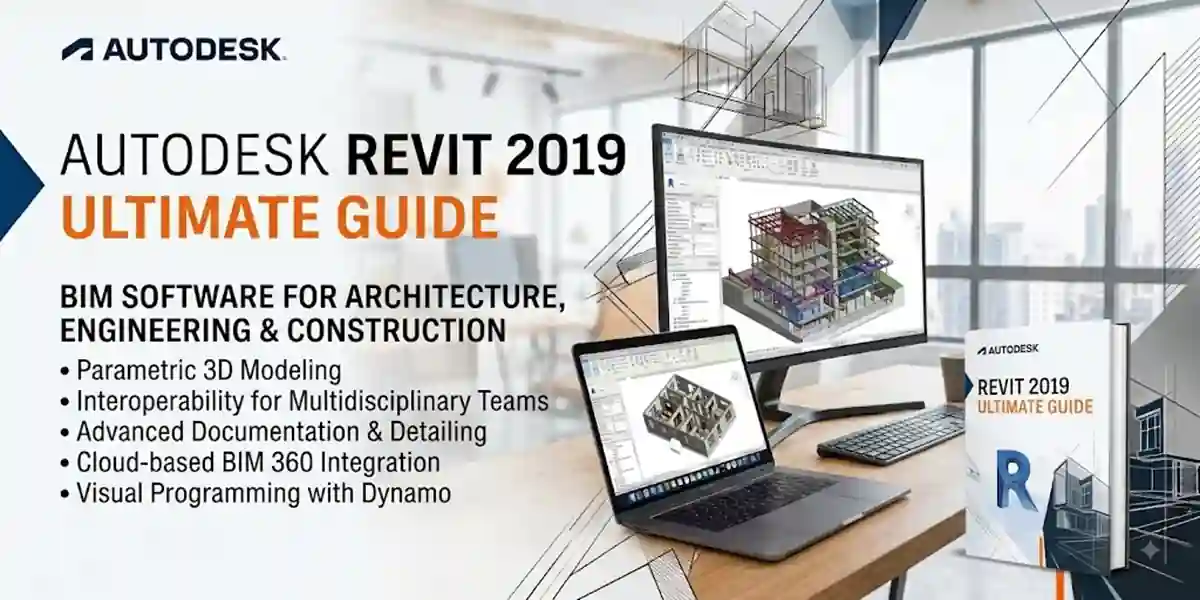
Autodesk Revit 2019 is one of the most powerful Building Information Modeling (BIM) software solutions designed for architects, engineers, structural designers, MEP professionals, and construction specialists. It provides an advanced platform for creating intelligent 3D building models, generating accurate documentation, managing construction workflows, and improving collaboration between different project teams.
Unlike traditional CAD software that focuses mainly on 2D drawings, Autodesk Revit uses a BIM-based approach where every element in a project contains intelligent information. Walls, doors, windows, structural components, electrical systems, mechanical equipment, and plumbing elements are connected through a single coordinated model. This allows professionals to design, analyze, modify, and document complete building projects more efficiently.
Activating Autodesk Revit 2019 correctly is an important step after installation because activation verifies that the software is connected with a valid Autodesk license. A properly activated installation provides access to all available features and ensures a stable working environment.
Autodesk provides different licensing options depending on the user type, including subscription-based licensing, Autodesk Account sign-in activation, and network licensing for organizations. The activation process has become easier compared with older versions because Autodesk uses account-based authentication for many products.
Autodesk Revit 2019 Features
1. Advanced BIM Modeling
The biggest feature of Revit 2019 is intelligent BIM modeling.
Instead of creating separate drawings, users create a complete building model.
Benefits:
- Better project coordination
- Faster design changes
- Reduced errors
- Improved documentation
2. Improved User Interface
Revit 2019 includes a refined interface designed for professional workflows.
Features include:
- Organized ribbon tools
- Customizable workspace
- Improved navigation
- Faster access to commands
3. Enhanced 3D Views
Revit 2019 provides improved visualization capabilities.
Users can create:
- Realistic 3D models
- Walkthroughs
- Design presentations
- Client demonstrations
4. Tabbed Views
One important improvement in Revit 2019 is enhanced view management.
Users can easily manage:
- Multiple floor plans
- Sections
- Elevations
- 3D views
This improves productivity when working on complex projects.
5. Better Collaboration Tools
Modern construction projects require teamwork.
Revit 2019 supports:
- Cloud collaboration
- Multiple user workflows
- Project sharing
- Central models
Teams can work together more efficiently.
6. Improved Rendering Capabilities
Revit 2019 provides professional visualization tools.
Users can create:
- Realistic materials
- Lighting effects
- Interior views
- Exterior presentations
7. Parametric Components
Revit uses intelligent objects called families.
Examples:
- Doors
- Windows
- Furniture
- Equipment
- Structural components
Each object contains information that can be edited and managed.
8. Documentation Tools
Revit automatically creates:
- Construction drawings
- Schedules
- Sheets
- Reports
- Quantity information
This saves significant time compared with manual drafting.
9. MEP System Design
Revit 2019 provides tools for designing complex building systems.
Supported systems include:
- HVAC
- Electrical
- Plumbing
- Fire protection
10. Compatibility With Other Autodesk Products
Revit works with other Autodesk solutions, including:
- AutoCAD
- Navisworks
- BIM Collaborate tools
- Autodesk Construction Cloud
This creates a connected design workflow.
Preparing Your System Before Activation
Before activating Autodesk Revit 2019, complete these preparation steps.
1. Update Windows
Install the latest Windows updates.
Benefits:
- Better compatibility
- Improved security
- Fewer installation errors
2. Check Autodesk Account
Make sure you have:
- Valid Autodesk account
- Assigned Revit license
- Correct login credentials
3. Disable Background Applications
Before installation:
Close:
- Antivirus scans
- Download managers
- Other design applications
This prevents installation conflicts.
4. Check Available Storage
Revit requires enough storage for:
- Installation files
- Libraries
- Templates
- Project files
Keep additional free space for future projects.
Autodesk Revit 2019 License Types
Autodesk provides different licensing models.
1. Single User Subscription License
This is commonly used by individual professionals.
Activation process:
- Install Revit
- Open software
- Sign in with Autodesk Account
- License verification completes automatically.
2. Network License
Used by companies and institutions.
Features:
- Multiple users
- Central license management
- Server-based activation
Methods to Activate Autodesk Revit 2019
Autodesk Revit 2019 activation verifies that your software installation is connected with a valid Autodesk license. The activation method depends on the type of license you own. Autodesk provides different activation options such as Autodesk Account sign-in, serial number activation, and network licensing.
Before starting activation, make sure:
- Revit 2019 is installed correctly.
- Your computer has an active internet connection.
- Windows date and time are correct.
- Autodesk Desktop Licensing Service is working.
- You have a valid Autodesk license.
- Your Autodesk Account has Revit assigned to it.
Method 1: Activate Autodesk Revit 2019 Using Autodesk Account
This is the recommended method for users with Autodesk subscription licenses.
Autodesk Account activation allows users to verify their license by signing in with their Autodesk ID instead of manually entering license details.
Steps:
- Open Autodesk Revit 2019.
- Wait for the activation window.
- Select:
Sign In with Autodesk ID
- Enter your Autodesk email address.
- Enter your password.
- Allow Revit to verify your subscription.
- After successful authentication, Revit will open with full licensed access.
This method is commonly used for individual subscription users.
Method 2: Activate Revit 2019 Using Serial Number and Product Key
Some older Autodesk licenses use serial number-based activation.
You need:
- Autodesk serial number
- Product key
- Autodesk Account details
Activation Process:
- Start Autodesk Revit 2019.
- Open the License Information section.
- Select:
Activate Product
- Choose:
Enter Serial Number
- Enter your license information.
- Connect to Autodesk servers.
- Complete activation.
Older standalone licenses may require serial number and product key verification.
Method 3: Activate Autodesk Revit 2019 Using Network License
Network licensing is commonly used by:
- Engineering companies
- Universities
- Large organizations
A network license allows multiple users to access Revit through a centralized license server.
Requirements:
- Network license agreement
- License server information
- Proper network configuration
Steps:
- Install Revit 2019 on client computers.
- Select network license option.
- Enter license server details.
- Revit communicates with the license server.
- The application becomes available according to license availability.
Autodesk supports network licensing options for multi-user environments.
Method 4: Reactivate Autodesk Revit 2019 After Hardware Changes
Sometimes Revit may request activation again after:
- Changing hardware
- Reinstalling Windows
- Moving the software to another computer
- Changing user accounts
Solution:
- Open Revit.
- Select the user account menu.
- Choose:
Manage License
- Sign out.
- Sign in again with the licensed Autodesk Account.
Autodesk allows users to manage license information through the software license manager.
Autodesk Revit 2019 Commands and Troubleshooting Formulas
The following commands help diagnose system and licensing issues.
1. Check Windows System Information
Open Command Prompt:
msinfo32This displays:
- Operating system information
- Processor details
- Installed memory
- System configuration
Useful for checking whether your PC meets Revit requirements.
2. Check Network Connection
Command:
ping www.autodesk.comPurpose:
- Checks internet connectivity
- Helps diagnose activation connection problems
3. Open Windows Services
Command:
services.mscCheck Autodesk services such as:
- Autodesk Desktop Licensing Service
- Autodesk Genuine Service
Restarting these services can resolve licensing communication issues.
4. Open Autodesk Installation Folder
Common installation location:
C:\Program Files\Autodesk\Check whether Revit files are installed correctly.
5. Open AppData Autodesk Folder
Location:
%appdata%\AutodeskContains:
- User settings
- Configuration files
- Application preferences
6. Clear Temporary Files
Command:
%temp%Remove unnecessary temporary files that may interfere with installation.
7. Check Windows Date and Time
Activation requires correct system time.
Command:
timedate.cplVerify:
- Correct date
- Correct time zone
Automatic time synchronization
Common Autodesk Revit 2019 Activation Errors and Fixes
Error 1: "License Manager is Not Functioning"
Causes:
- Damaged licensing service
- Missing Autodesk components
- Installation problems
Fix:
- Restart Windows.
- Open Services.
- Restart Autodesk Licensing Service.
- Install the latest Autodesk licensing updates.
- Restart Revit.
Error 2: "Unable to Connect to Autodesk Servers"
Causes:
- Internet problems
- Firewall restrictions
- Proxy settings
Fix:
Check:
- Internet connection
- Firewall permissions
- VPN settings
- System date and time
Autodesk activation requires communication with Autodesk licensing services.
Error 3: "Invalid Serial Number"
Causes:
- Incorrect license details
- Wrong product version
- License not assigned
Fix:
- Sign in to Autodesk Account.
- Check Products and Services.
- Verify Revit license information.
- Enter correct details.
Autodesk recommends checking license details from the Autodesk Account portal.
Error 4: Autodesk Account Sign-In Failure
Causes:
- Incorrect password
- Browser authentication issue
- Network restrictions
Solutions:
Try:
- Restart Revit.
- Sign out from Autodesk Account.
- Clear Autodesk sign-in cache.
- Sign in again.
Error 5: Trial Version Expired
Causes:
- Trial period completed
- Wrong Autodesk account
- License not assigned
Fix:
- Purchase or access a valid license.
- Sign in with the correct Autodesk Account.
- Confirm Revit is assigned to your account.
Error 6: Revit Opens in Viewer Mode
Causes:
- License verification failed
- Expired subscription
- Missing activation
Fix:
- Check Autodesk Account.
- Verify license assignment.
- Restart licensing services.
Error 7: Installation Completed but Activation Does Not Start
Causes:
- Corrupted installation
- Missing updates
- Antivirus blocking files
Fix:
- Restart computer.
- Disable antivirus temporarily during repair.
- Repair Autodesk installation.
- Install updates.
Error 8: Revit 2019 Crashes After Activation
Causes:
- Graphics driver problems
- Low system resources
- Corrupted preferences
Fix:
Update:
- Graphics drivers
- Windows updates
- Autodesk components
Also:
- Reduce unnecessary background applications.
Increase available RAM.
Conclusion
Autodesk Revit 2019 remains a powerful BIM solution for architects, engineers, and construction professionals. With advanced modeling tools, intelligent building components, collaboration features, and documentation capabilities, Revit 2019 helps users create accurate and efficient building designs.
Activating Autodesk Revit 2019 requires a valid license and correct authentication through Autodesk Account, serial number activation, or network licensing. Following the correct activation process ensures that users can access the complete software features without interruptions.
Most activation issues are caused by simple problems such as incorrect account information, network restrictions, outdated licensing components, or damaged installation files. By following the troubleshooting methods, commands, and solutions explained in this guide, users can resolve common Revit 2019 activation problems effectively.
A properly activated Revit 2019 installation provides a reliable BIM environment for creating professional architectural designs, structural models, and MEP systems.
Frequently Asked Questions (FAQs)
You can activate Revit 2019 by signing in with your Autodesk Account or entering valid license information depending on your license type.
Yes, Revit 2019 is still used for BIM projects, especially where companies maintain older workflows.
No. A valid Autodesk license is required for activation.
Common causes include:
- Internet issues
- License problems
- Account mismatch
- Licensing service errors
Restart Autodesk licensing services, update components, and verify your license information.
Yes, Revit 2019 is designed specifically for BIM-based architecture, engineering, and construction workflows.