

Autodesk Robot Structural Analysis 2022 | Advanced Structural Analysis & Design

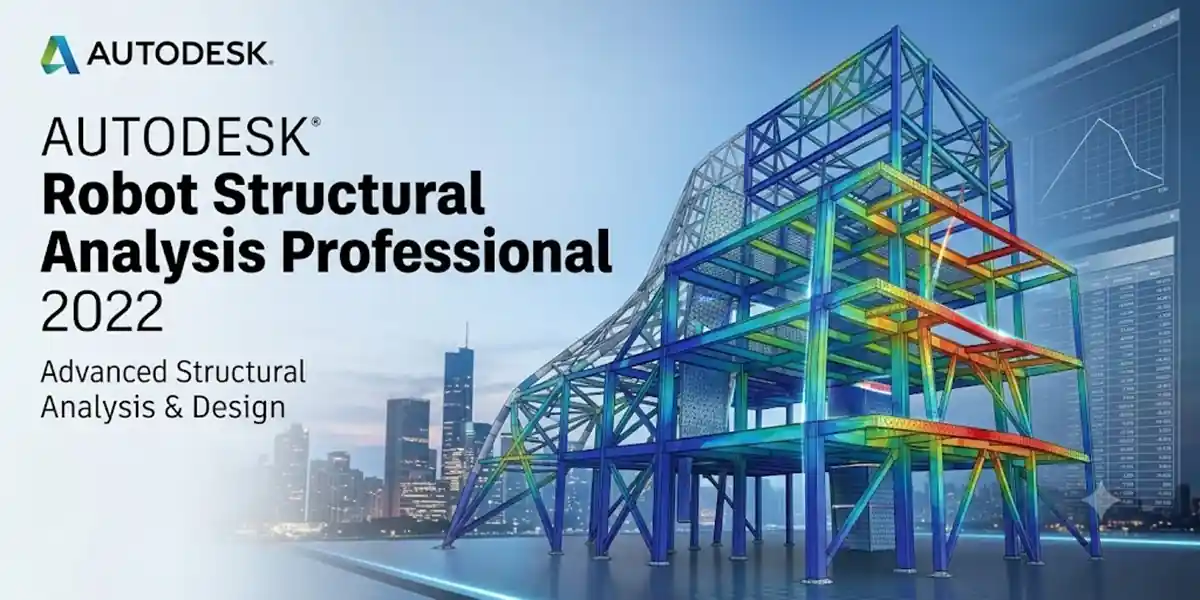
Introduction
Structural engineering demands uncompromising accuracy, rigorous computational speed, and seamless BIM integration. Autodesk Robot Structural Analysis Professional 2022 stands at the forefront of advanced finite element analysis (FEA) platforms, offering engineers powerful tools to model, simulate, and verify complex structures under linear, non-linear, dynamic, seismic, and wind loading conditions.
Whether designing high-rise reinforced concrete frames, long-span structural steel trusses, or intricate timber and aluminum connections, activating Robot Structural Analysis Professional 2022 correctly ensures uninterrupted access to international design codes, dynamic solver engines, and real-time bi-directional links with Autodesk Revit.
Setting up modern Autodesk software requires a firm grasp of cloud-identity security models, background licensing services, and command-line management tools. Moving away from legacy offline serial activations means engineering teams must understand Named User Single Sign-On (SSO) authentication, Network License Manager (NLM) configurations, and identity service repairs.
This comprehensive guide covers everything structural engineers, CAD managers, and BIM coordinators need to know to install, configure, activate, and troubleshoot Autodesk Robot Structural Analysis Professional 2022 across all standalone, enterprise, educational, and network environments.
What is Autodesk Robot Structural Analysis Professional 2022?
Autodesk Robot Structural Analysis Professional 2022 is an enterprise-grade structural calculation and simulation environment. Designed specifically for civil and structural engineers, it bridges the gap between architectural BIM modeling and structural physical performance verification.
Key Features & Capabilities
Robot Structural Analysis Professional 2022 delivers advanced engineering features built for modern structural analysis:
Advanced Finite Element Meshing (FEA): Automatic generation and refinement of 1D, 2D, and 3D finite element meshes for complex slabs, shear walls, shells, and structural solids.
Dynamic, Seismic & Non-Linear Analysis: Execute modal analysis, response spectrum analysis, time-history analysis, non-linear p-delta effects, cable element analysis, and push-over analysis for seismic engineering.
Global Design Code Compliance: Access over 60 international design codes and 40+ national building codes (including Eurocodes, ACI, AISC, BS, AS, and GB standards) for steel, concrete, timber, and aluminum code checking.
Direct Bi-Directional Revit Link: Transfer structural geometry, boundary conditions, cross-sections, and analytical models seamlessly between Autodesk Revit and Robot Structural Analysis without losing data integrity.
Direct Analysis Method (DAM): Calculate second-order P-Big Delta and P-small delta effects automatically according to AISC 360-16 specifications for structural steel frame stability.
Wind Load Simulation: Perform virtual wind tunnel testing using computational fluid dynamics (CFD) to analyze wind pressure distributions across irregular building geometries prior to physical testing.
Strategic Benefits for Engineering Teams
Investing in proper deployment and activation of Robot Structural Analysis Professional 2022 delivers clear operational advantages:
Accelerated Project Delivery: Bi-directional synchronization with BIM platforms eliminates duplicate manual data entry between drafting and structural calculation phases.
Reduced Material Costs: High-precision FEA optimization tools allow engineers to refine rebar layouts, section depths, and plate thicknesses, reducing structural material overhead while maintaining safety factors.
Unmatched Multi-Disciplinary Coordination: Structural analysis models tie directly into broader Architecture, Engineering, and Construction (AEC) Collection workflows, reducing site clashes and design revisions.
Enterprise Scalability: Seamless switching between floating network seats and dedicated individual cloud access allows engineering firms to scale seat allocations based on project demand.
Step-by-Step Installation Guide
1.Download the Setup Package:Retrieve installer binaries directly from official portals.
Log into your Autodesk Account Portal (manage.autodesk.com).
Navigate to All Products and Services and locate Robot Structural Analysis Professional.
Select version 2022, target architecture Windows 64-bit, and your desired interface language.
Click Download to retrieve the setup package (Autodesk_Robot_Structural_Analysis_Professional_2022_Win_64bit_dlm.sfx.exe).
2.Extract Installation Files:Unpack system dependencies to a local directory.
Right-click the downloaded executable file and select Run as Administrator.
Specify an extraction folder (Default location: C:\Autodesk\).
Allow the installer to unpack core mechanical libraries, structural solvers, and setup files.
3.Run Setup Wizard:Install core binaries and international code databases.
Open Setup.exe from the extracted folder if the wizard does not launch automatically.
Click Install on this computer.
Read and accept the Autodesk License and Services Agreement, then click Next.
Choose your preferred regional design codes and national material databases.
Click Install and wait for the wizard to finalize file copying.
Activation Methods & Licensing Pathways
Autodesk Robot Structural Analysis Professional 2022 utilizes cloud-based Named User Single Sign-On (SSO) authentication alongside traditional Network License Manager (NLM) setups. Product Key 547N1 is used during enterprise registration or command-line license resets.
              ┌─────────────────────────────────────────────────────────────┐

              │    Launch Robot Structural Analysis Professional 2022       │

              └──────────────────────────────┬──────────────────────────────┘

                                             │

                    ┌────────────────────────┴────────────────────────┐

                    ▼                                                 ▼

         [ Single-User / Named ]                           [ Multi-User / Enterprise ]

                    │                                                 │

       ┌────────────┴────────────┐                       ┌────────────┴────────────┐

       ▼                         ▼                       ▼                         ▼

(Method 1: SSO Login)    (Method 2: Key)           (Method 3: NLM)    (Method 4: Edu)
Method 1: Named User / Autodesk ID (Standard Subscription)
Launch Robot Structural Analysis Professional 2022 from your Desktop or Start Menu.
On the Let's Get Started screen, click Sign In with your Autodesk ID (or Single-User).
Enter the email address and password associated with your active subscription.
The system validates your access token online and opens the main structural workspace.
Method 2: Serial Number & Product Key (Standalone / Legacy)
Launch the application.
Select Enter a serial number on the initial welcome screen.
Click Activate.
Enter your 11-digit Serial Number and the official Robot Structural Analysis Professional 2022 Product Key: 547N1.
Click Next to complete software registration.
Method 3: Network License Manager (NLM / Multi-User)
Launch the software and select Use a Network License.
Select your server architecture (Single License Server or Redundant License Server).
Type the Server Hostname or local IP Address running your FlexLM service.
Click Done to check out a floating license seat.
Method 4: Educational License Activation
Sign into the Autodesk Education Portal.
Confirm your student or educator eligibility status.
Download Robot Structural Analysis Professional 2022 under your student profile.
Launch the application and select Sign in with your Autodesk ID to register your 1-year renewable educational entitlement.
Command-Line Licensing Administration Tools
Robot Structural Analysis Professional 2022 relies on the Autodesk Desktop Licensing Service (ADLS). System administrators can query, adjust, or reset software authorization parameters directly from the Command Prompt (CMD) using AdskLicensingInstHelper.exe.
Command 1: Navigate to Licensing Helper Directory
Open Command Prompt as Administrator and change directory to the helper location:
DOS
cd %CommonProgramFiles(x86)%\Autodesk Shared\AdskLicensing\Current\helper\
Command 2: Reset Licensing Mode to Initial Prompt
To return the application to its clean "Let's Get Started" state using Product Key 547N1:
DOS
AdskLicensingInstHelper change -pk 547N1 -pv 2022.0.0.F -lm ""
Command 3: Switch to Network Licensing Mode
To reconfigure the software to pull seats from a network license server without reinstalling:
DOS
AdskLicensingInstHelper change -pk 547N1 -pv 2022.0.0.F -lm NETWORK -ls "your_server_hostname"
Command 4: Clear Stored Login Credentials
Clear temporary session authentication files to resolve login loops:
DOS
del /f /q "%localappdata%\Autodesk\Web Services\LoginState.xml"

rmdir /s /q "%appdata%\Autodesk\ADUT"
Common Licensing Errors & Step-by-Step Fixes
Error 0.0.0 (Network License Not Available): Occurs when the software loses connection to the license server, ports 2080 or 27000–27009 are blocked by a firewall, or the CascadeInfo.cas file is corrupted.
Fix: Check network/VPN connections, unblock license ports in Windows Firewall, or delete CascadeInfo.cas from C:\ProgramData\Autodesk\Adlm\.
License Error [1.1.0] / Service Unavailable: Triggered when the Autodesk Desktop Licensing Service stops running or lacks execution permissions.
Fix: Press Win + R, type services.msc, locate Autodesk Desktop Licensing Service, set Startup Type to Automatic, and click Start.
System Licensing Error / Identity Timeout: Caused by corrupted single sign-on components or invalid local identity cache files.
Fix: End all Autodesk processes in Task Manager, delete %LocalAppData%\Autodesk\Web Services\LoginState.xml, and reinstall the Autodesk Identity Manager component.
Product Key Mismatch Error: Occurs when entering standard AutoCAD key (001N1) instead of Robot Structural Analysis key (547N1).
Fix: Re-register the software using Product Key 547N1 via Command Prompt licensing commands.
Conclusion
Deploying and activating Autodesk Robot Structural Analysis Professional 2022 successfully depends on hardware readiness, clean installation steps, and selecting the correct authorization method (Named User SSO, Standalone Key, or Network FlexLM). Leveraging administrative tools like AdskLicensingInstHelper enables engineering teams and CAD administrators to troubleshoot licensing service errors, adjust server paths, and reset local caches without reinstalling software. Maintaining active licensing services, keeping graphics drivers updated, and configuring proper network ports ensures your structural engineering software remains stable, compliant, and production-ready.
Frequently Asked Questions (FAQs)
The official product key for Autodesk Robot Structural Analysis Professional 2022 is
547N1. Standard AutoCAD uses001N1, but547N1is required to install structural code databases and dynamic solver components.
Under a standard single-user subscription, you can install Robot Structural Analysis Professional 2022 on up to 3 separate devices (e.g., an office workstation, home desktop, and laptop). However, active software execution is permitted on only one computer at a time.
Yes. Once single-user licenses complete initial online authentication, the software can operate offline for up to 30 days. After 30 days, an internet connection is required to refresh security credentials. Network (NLM) licenses operate offline if you borrow a license seat from your server before disconnecting.
Open Windows Control Panel > Programs and Features.
Click Autodesk Robot Structural Analysis Professional 2022 and select Uninstall/Change.
Select Add or Remove Features when the setup window opens.
Check the additional national codes or material databases you require and click Update.
This indicates an interrupted background service or stale login token. Open Command Prompt as Administrator and run:
cd %CommonProgramFiles(x86)%\Autodesk Shared\AdskLicensing\Current\helper\
AdskLicensingInstHelper change -pk 547N1 -pv 2022.0.0.F -lm ""
Delete %LocalAppData%\Autodesk\Web Services\LoginState.xml and restart the application to trigger a clean login.
No. Autodesk Robot Structural Analysis is developed exclusively for 64-bit Microsoft Windows operating systems due to complex mathematical solver engines. To run it on Mac hardware, you must use a Windows virtual machine (e.g., Parallels Desktop) or Apple Boot Camp on supported Intel-based Macs.