

Windows Server 2025 License: How It Works and What It Costs

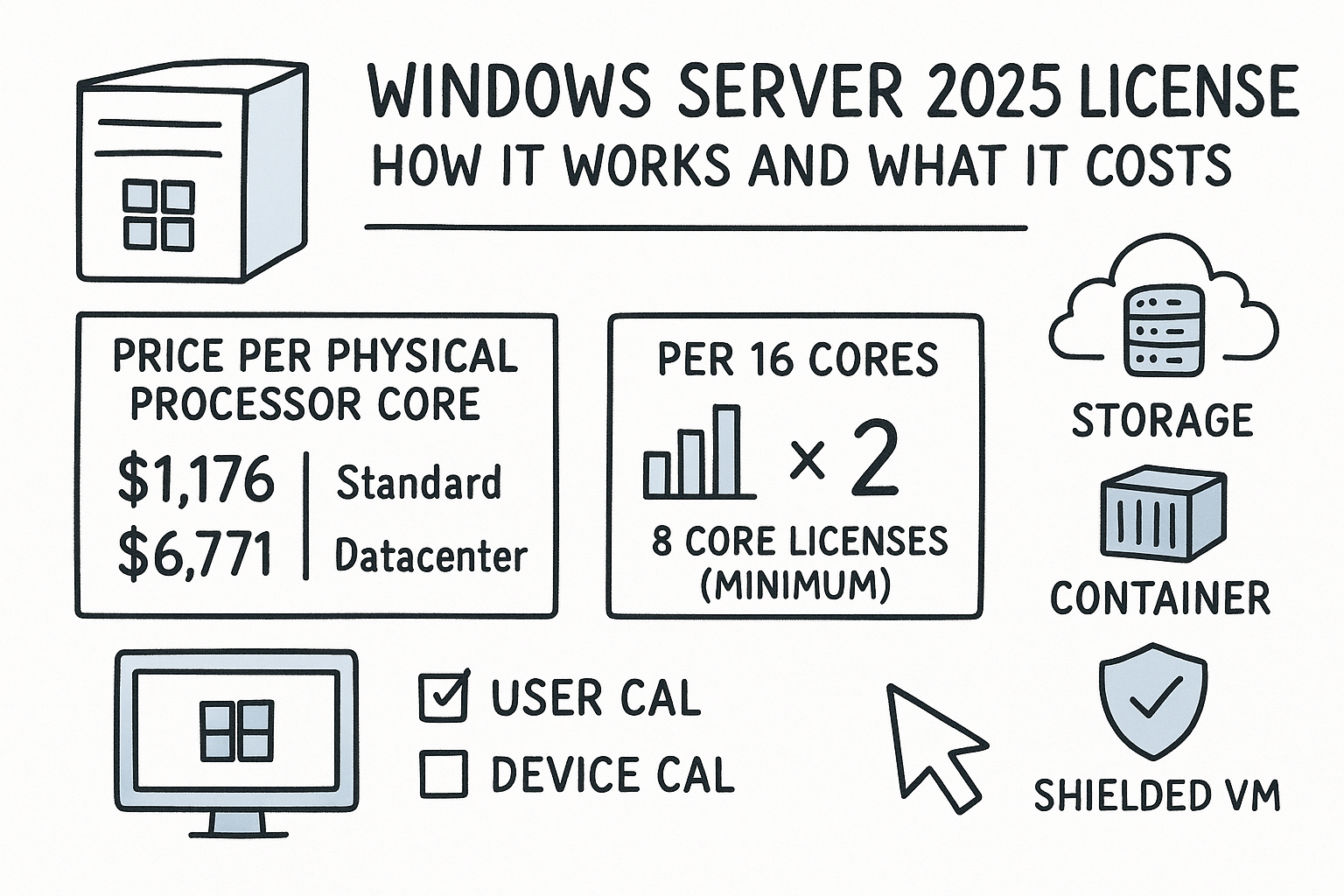
A Windows Server 2025 license is Microsoft’s permission to run the server operating system, and you buy it by the physical processor core, not by the server. Every server needs at least 16 core licenses, you pick Standard or Datacenter, and every user or device that connects also needs a Client Access License (CAL). At Microsoft’s reference prices, 16 cores cost $1,176 for Standard and $6,771 for Datacenter.
Want a lower price than Microsoft’s list? See the Windows Server 2025 lifetime license or the Windows Server 2025 Datacenter key at Codesforever. Keys arrive by email , with free activation support and a replacement if a key fails. Check the price and core limit on the product page before you order.
The edition decides how many virtual machines (VMs) you may run. Standard covers two VMs per full set of core licenses, while Datacenter covers unlimited VMs. Everything else in the quote is arithmetic: cores, packs, and CALs. Get it wrong and you either run unlicensed software or pay thousands of dollars more than you need to.
This guide covers why the license structure matters to your budget, how to count cores and size your purchase, how Standard and Datacenter compare in real numbers, what CALs add, and how to buy safely. Codesforever sells Windows Server license keys, so we hear the same questions before checkout, and the answers below are built around them.
Why the Windows Server 2025 license matters for your budget
The license is priced per core, and the edition changes the price almost sixfold, so a wrong choice moves your budget by thousands of dollars. It also decides what you may legally run on the machine.
What a Windows Server 2025 license costs
Microsoft publishes reference prices for Windows Server 2025, and the Standard and Datacenter figures below are for a 16-core license. Your real quote depends on country, reseller, and volume, so use these numbers to compare options, not as a final price. You can check them on Microsoft’s Windows Server pricing page.
| Option | Reference price | What you get |
|---|---|---|
| Standard, 16 cores | $1,176 | Physical host plus 2 VMs, CALs extra |
| Datacenter, 16 cores | $6,771 | Physical host plus unlimited VMs, CALs extra |
| Pay as you go through Azure Arc | $33.58 per core per month, or $0.046 per hour | Metered billing, covers that one device only |
Pay as you go suits short capacity bursts, not permanent servers. Sixteen cores at $33.58 per core per month is about $537 a month, or roughly $6,447 over a year. That is far more than a perpetual Standard license and close to the price of Datacenter. A permanent Standard license costs less than three months of metered billing on the same 16 cores.
Standard costs $1,176 per 16 cores, Datacenter costs $6,771, and CALs come on top.
Why a wrong count gets expensive
Undercounting is the risky mistake. If your server has 24 physical cores and you license 16, you are running unlicensed software on eight of them. Fixing that later means buying at whatever price is available that day, usually under time pressure.
Overbuying hurts differently. A host that runs four VMs needs two Standard sets, which is $2,352 at list price. Buying Datacenter for that host would waste $4,419. Matching the edition to your real VM count is the single biggest saving available.
Is Windows Server 2025 free to use?
No. Windows Server 2025 requires a paid license for production use. Microsoft offers a 180-day evaluation through its Evaluation Center, which is useful for testing hardware and migrations.
An evaluation copy is not a loophole for real workloads. When the trial ends, you need a purchased license to keep the server legitimate, so budget for it before the test period runs out.
How to calculate your Windows Server 2025 license
Count every physical core in the server, raise that count to the minimums of 8 per processor and 16 per server, then buy that many core licenses in 2-packs and 16-packs. That count is the number that drives your cost.
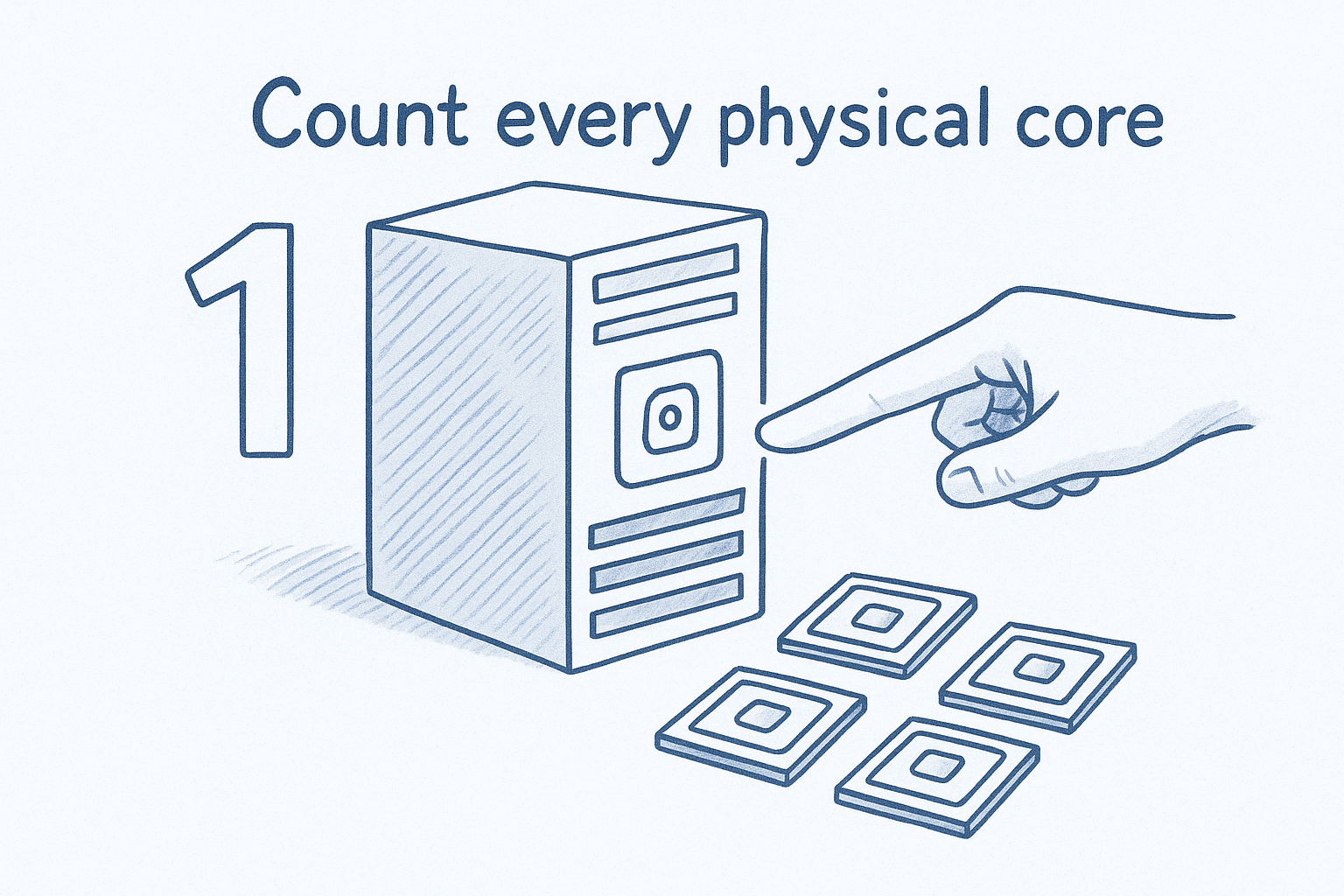
Count every physical core
Windows Server 2025 licenses all physical cores in the server. Microsoft sets two floors: at least 8 core licenses per physical processor and at least 16 per server. These floors apply even when the real core count is lower. The 16-core floor is a Windows Server rule only, so do not carry it over to other products.
| Server configuration | Core licenses needed |
|---|---|
| 1 processor, 4 cores | 16 |
| 2 processors, 6 cores each | 16 |
| 1 processor, 24 cores | 24 |
| 2 processors, 10 cores each | 20 |
| 4 processors, 8 cores each | 32 |
Turning cores off in the BIOS or partitioning them in software does not lower the count under Volume Licensing guidance. Count what is physically installed.
Count physical cores, apply the 8-per-processor and 16-per-server floors, and that number is your license.
Buy the right core packs
Core licenses are sold in 2-packs and 16-packs. A server that needs 16 cores takes one 16-pack, which is the product usually listed as "Windows Server 2025 Standard 16 core license." A 20-core server takes one 16-pack plus two 2-packs.
Compare quotes on the number of cores covered, not just the headline price. A listing for 2 cores looks cheap until you realize you need eight of them.
Licensing by virtual machine
Microsoft also allows licensing each VM instead of the physical host. This path requires Software Assurance or a subscription, and the rules are different: at least 8 core licenses per VM and at least 16 per customer.
Use it when you run Windows Server only as a guest, for example on a third-party hypervisor, or when you need a few extra VMs without stacking a whole host. If Windows Server is the host operating system, the host still needs physical-core licenses.
Standard vs Datacenter: which edition to buy
Choose Standard for physical servers or lightly virtualized hosts, and Windows Server 2025 Datacenter for hosts that run many VMs. At list prices, the break-even point is about 11 VMs on a single host.
What each edition includes
Both editions use the same core-based model and the same RAM ceiling, so the real differences are virtualization rights and a few advanced features. Microsoft also lists an Essentials edition for small organizations, but it is generally bought with new hardware, so this guide sticks to Standard and Datacenter.
| Feature | Standard | Datacenter |
|---|---|---|
| Maximum RAM | 4 PB (5-level paging), 256 TB (4-level) | Same |
| Virtual machines per license set | 2 | Unlimited |
| Hyper-V isolated containers | 2 | Unlimited |
| Windows Server containers | Unlimited | Unlimited |
| Storage Replica | 1 partnership, 1 resource group, one volume up to 2 TB | Unlimited |
| Shielded VMs, software-defined networking | Not included | Included |
If you need Shielded VMs or software-defined networking, the decision is made for you. Those features are Datacenter only.
Where Datacenter becomes cheaper
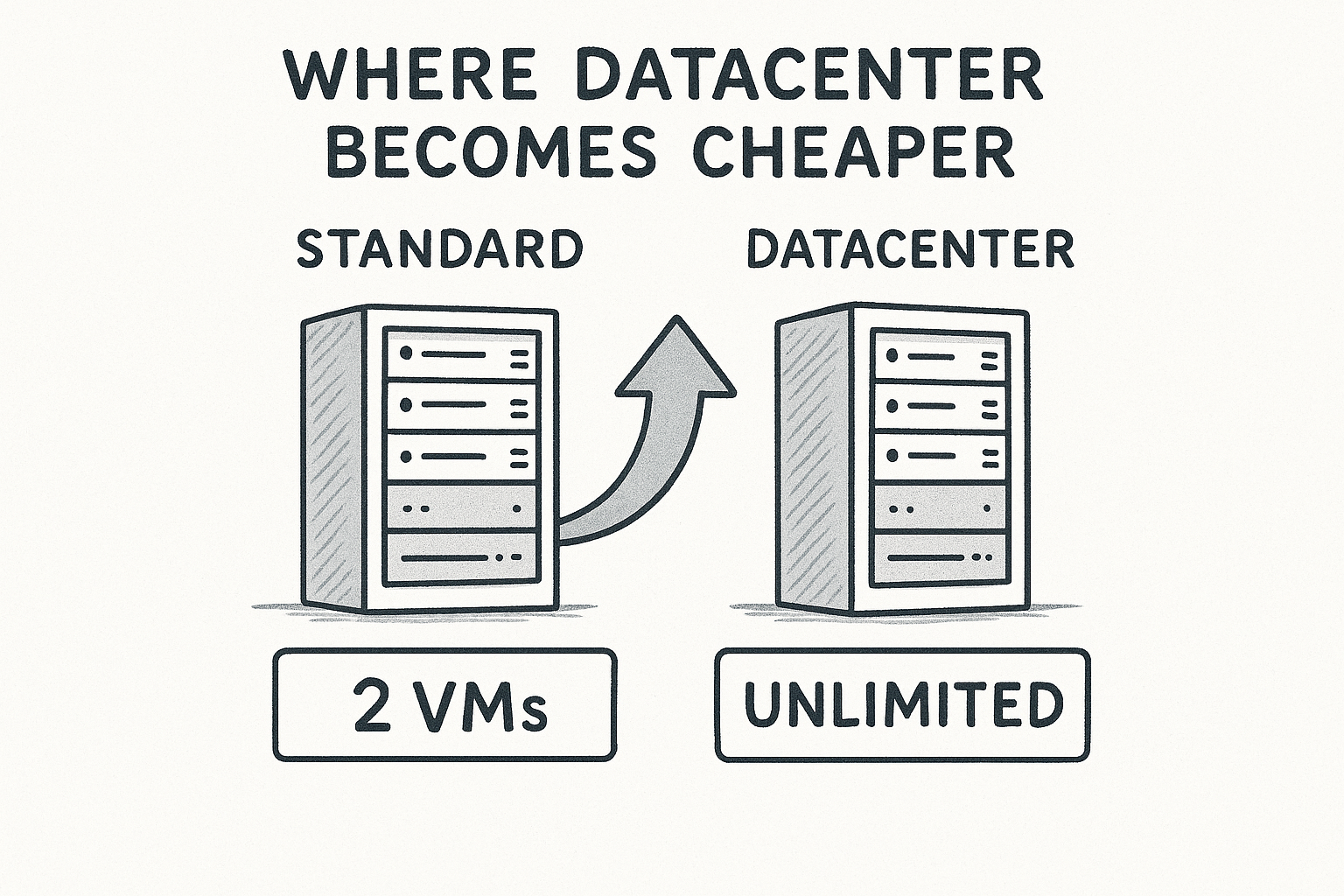
Standard scales by stacking. Each additional full set of core licenses for the host adds two more VMs. A 16-core host needing six VMs therefore takes 48 core licenses, which is three sets. Because both editions are priced per core, the crossover is the same on larger hosts.
| VMs on a 16-core host | Standard core licenses | Standard cost | Datacenter cost |
|---|---|---|---|
| 2 | 16 | $1,176 | $6,771 |
| 4 | 32 | $2,352 | $6,771 |
| 6 | 48 | $3,528 | $6,771 |
| 8 | 64 | $4,704 | $6,771 |
| 10 | 80 | $5,880 | $6,771 |
| 11 or 12 | 96 | $7,056 | $6,771 |
Past ten VMs per host, Datacenter costs less than stacking Standard.
Plan for your peak VM count, not your average. If you occasionally run more than two Standard VMs at the same time, you must license for that peak, because physical-core licenses do not move between hosts on a short-term basis. Hyper-V isolated containers count toward the VM total as well, so include them in your estimate.
CALs and extra costs on top of the core licenses
Every user or device that accesses a Standard or Datacenter server needs a Windows Server CAL, and CALs are bought separately from core licenses. They are the cost that surprises first-time buyers most often.
User CALs, device CALs and version rules
A User CAL covers one person on any number of devices. A Device CAL covers one device used by any number of people. Choose User CALs for staff who connect from a laptop, phone, and desktop, and Device CALs for shared equipment such as shift terminals or a front-desk PC.
Version matters. A 2025 CAL can access servers running 2025, 2022, and 2019, but a 2022 CAL cannot access a 2025 server. If you are upgrading to Windows Server 2025, assume you will need new CALs. Microsoft documents the exceptions, such as access by another licensed server, in its Windows Server 2025 licensing guidance.
RDS CALs and External Connector
Remote Desktop Services (RDS) needs its own RDS CAL in addition to the base CAL. If staff open remote desktop sessions on the server, budget for both.
For people outside your organization, such as customers or partners who are not your employees or onsite contractors, Microsoft offers an External Connector license for each physical server they access. It replaces individual CALs for those external users and is often cheaper when the user count is large or unknown.
Pay as you go and Azure Hybrid Benefit
Pay as you go through Azure Arc changes the CAL math. It includes base Windows Server access, so no Windows Server CALs are needed for standard functionality, though RDS CALs still are. It covers only that device and gives no extra VM rights, so each VM needs its own license.
Azure Hybrid Benefit works the other way. If you own core licenses with active Software Assurance or a qualifying subscription, you can apply them to Windows Server VMs in Azure. For Standard, that is on-premises or Azure, not both, apart from a one-time 180-day migration window.
How to buy a Windows Server 2025 license
Buy through Microsoft, an authorized reseller, or a digital key retailer, depending on whether you need Software Assurance benefits. For a single server that you will keep on one version, a perpetual key is usually the cheapest route to a working Windows Server 2025 license.
Where to buy
Microsoft Store sells the Standard 16-core license, including bundles with 5 or 10 CALs. Microsoft resellers and cloud solution partners quote volume pricing and handle agreements with Software Assurance. Digital key stores such as Codesforever sell discounted perpetual keys, delivered by email, with help for installation and activation.
The trade-off is simple. Software Assurance benefits, such as new version rights, licensing by VM, and Azure Hybrid Benefit, come through a Microsoft volume agreement or subscription. If you only need a standalone license for one server, a key purchase usually costs far less.
A checklist before you pay
Run through these six points before you check out. They catch nearly every mistake we see.
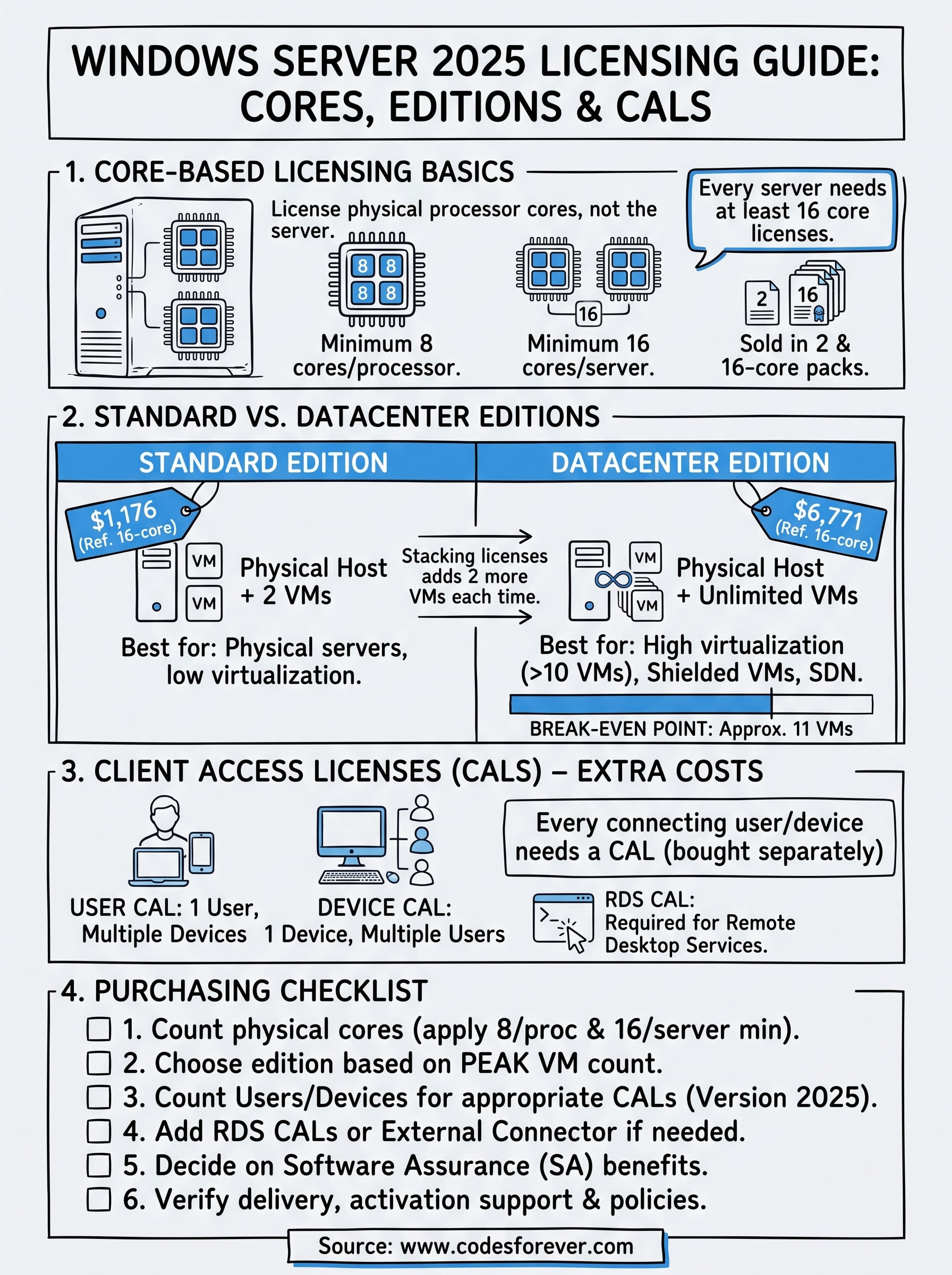
- Confirm the physical core count after the 8-per-processor and 16-per-server floors.
- Choose the edition from your peak VM count, using the stacking table above.
- Count users or devices and pick User or Device CALs, version 2025.
- Add RDS CALs or an External Connector if remote sessions or outside users apply.
- Decide whether you need Software Assurance benefits, which a plain key does not include.
- Check delivery time, activation support, and the replacement or refund policy in writing.
The cheapest license is the one that matches your core count, edition, and CALs on the first purchase.
Quick answers before you buy
How much does a Windows Server 2025 license cost?
At Microsoft’s reference prices, 16 cores cost $1,176 for Standard and $6,771 for Datacenter, with CALs extra. Discounted keys from a seller such as Codesforever cost far less, and the Windows Server 2025 lifetime license page shows the current price.
Where can I buy a Windows Server 2025 key?
Buy from Microsoft or a partner if you need Software Assurance. For a single server, a key seller that delivers by email and offers a replacement or refund is cheaper. Read buyer reviews before you pay.
Do I need CALs with a discounted key?
Yes, unless the listing says CALs are included. Every user or device that connects needs a CAL, and RDS sessions need RDS CALs on top.
Start with the core count
A Windows Server 2025 license comes down to three numbers: physical cores after the minimums, VMs at peak, and users or devices needing CALs. Standard at $1,176 per 16 cores fits most single servers and small VM counts. Datacenter at $6,771 wins once a host runs more than about ten VMs or needs Shielded VMs.
Work through those numbers before you ask for a quote, and the price comparison becomes easy. If you want a discounted key for the edition you have sized, get a Windows Server 2025 license at Codesforever, get instant email delivery, and reach support if activation needs a hand.