

How to Activate Windows Server 2022 Datacenter | Step-by-Step Guide

Introduction
Windows Server 2022 Datacenter is the most advanced edition of Microsoft’s server operating system, designed for large-scale enterprises, virtualization, and cloud workloads. Its features include unlimited virtual machines, advanced security protocols, and flexible storage options.
However, to unlock all its features and ensure compliance, activating Windows Server 2022 Datacenter is essential. Genuine activation enables full updates, security, and access to advanced server tools.
This guide provides a step-by-step approach to activate Windows Server 2022 Datacenter, including methods, common errors, fixes, and FAQs to help IT administrators and businesses deploy the server safely and efficiently.
Features of Windows Server 2022 Datacenter
Before activating, understanding its features highlights why genuine activation matters:
- Unlimited Virtual Machines – Run an unlimited number of VMs on a single host.
- Hotpatching Support – Apply updates without restarting the server.
- Advanced Security Features – Includes Secured-core server, hardware root-of-trust, and virtualization-based security.
- Software-defined Networking (SDN) – Advanced networking for enterprise-scale environments.
- Storage Spaces Direct – High-performance, scalable storage solution.
- Azure Integration – Hybrid cloud management and cloud backup options.
- Container Support – Deploy Windows and Linux containers seamlessly.
Methods to Activate Windows Server 2022 Datacenter
There are multiple reliable methods to activate Windows Server 2022 Datacenter. Below is a detailed guide:
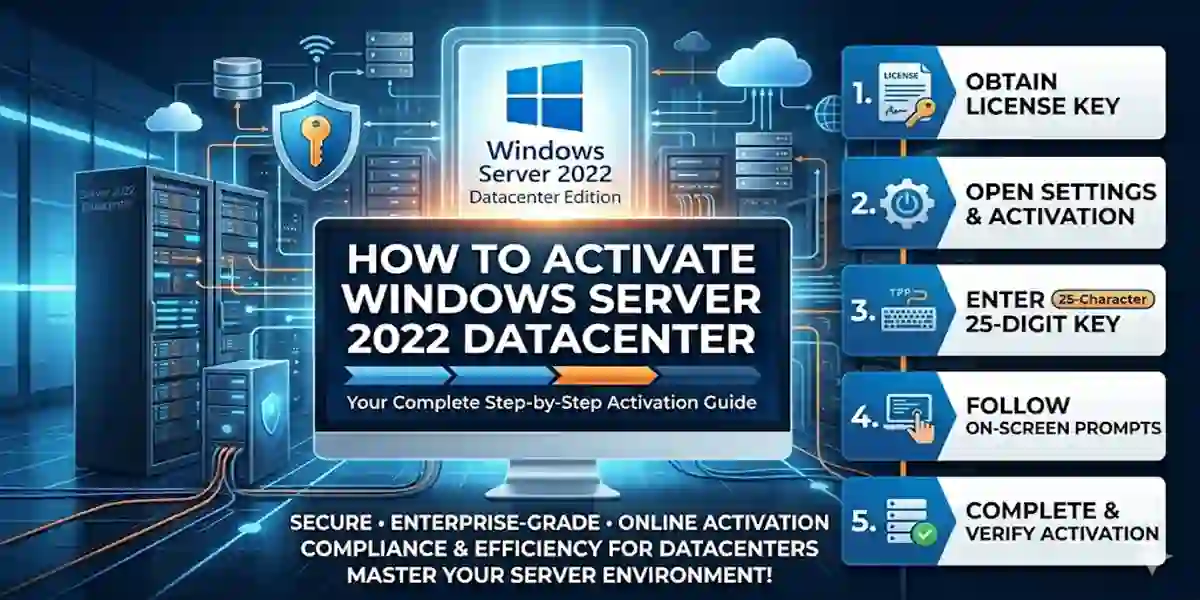
1. Activate Using a Product Key
The most common method uses a 25-character product key purchased from a licensed vendor.
Steps:
- Open Settings > System > Activation.
- Click Change product key.
- Enter the 25-character key and click Next.
- Wait for activation confirmation.
2. Activate Using KMS (Key Management Service)
KMS is ideal for enterprises managing multiple servers.
Steps:
- Open Command Prompt as Administrator.
- Type:
slmgr.vbs /ipk YOUR-KMS-KEY
slmgr.vbs /ato
- Press Enter after each command.
- Wait for activation success confirmation.
3. Activate Using Digital License
For servers linked to a Microsoft account, a digital license ensures automatic activation.
Steps:
- Sign in with the Microsoft account associated with your license.
- Open Settings > Activation.
- Windows Server 2022 will detect the license and activate automatically.
4. Activate via Phone
If online activation fails, phone activation is reliable:
Steps:
- Open Settings > Activation > Activate by Phone.
- Select your country.
- Call Microsoft’s toll-free number.
- Provide the installation ID and enter the confirmation ID.
Common Errors During Activation and Fixes
Even with the correct steps, activation errors may occur. Here’s how to fix them:
1. Error 0xC004F074 (KMS Connection Failed)
Cause: Server cannot connect to KMS.
Fix: Check internet connection, firewall, and try re-entering the KMS key.
2. Error 0xC004C003 (Invalid Product Key)
Cause: Key is blocked or incorrect.
Fix: Verify key authenticity and purchase from trusted sources like codesforever
3. Error 0x8007232B (DNS Name Not Found)
Cause: KMS host not found.
Fix: Configure DNS settings correctly or switch to online activation.
4. Activation Stuck
Fix: Restart server, disable VPN/firewall, or use CMD activation method.
Essential keyboard shortcuts and navigation commands for Windows Server 2022 are organized below, covering general system shortcuts, remote desktop inputs, and quick administrative run commands.
1. General System & Navigation Shortcuts
Windows Key — Open or close the Start Menu.
Windows Key + X — Open the Quick Link menu (gives fast access to Device Manager, Disk Management, PowerShell, etc.).
Ctrl + Shift + Esc — Open Task Manager directly.
Windows Key + R — Open the Run dialog box.
Windows Key + E — Open File Explorer.
Windows Key + Pause/Break — Open System Properties.
Alt + Tab — Switch between open applications.
Windows Key + D — Display or hide the desktop.
Windows Key + L — Lock the server console.
2. Remote Desktop Session Shortcuts (RDP)
When managing Windows Server 2022 remotely via an RDP session, standard key combinations often affect your local machine instead. Use these alternatives inside the remote session:
Ctrl + Alt + End — Opens the equivalent of Ctrl + Alt + Del on the remote server (used to lock, log off, or change passwords).
Alt + Page Up — Switch between programs from left to right inside the RDP session.
Alt + Page Down — Switch between programs from right to left inside the RDP session.
Alt + Insert — Cycle through programs in the order they were started.
Ctrl + Alt + Break — Toggle the remote session between full-screen and windowed mode.
Licensing of Windows Server 2022 Datacenter
Windows Server 2022 Datacenter uses a per-core licensing model, meaning you need a license for every physical processor core in your server. Each server requires a minimum of 16 core licenses per server and 8 cores per processor, ensuring compliance with Microsoft’s licensing terms.
Datacenter edition is ideal for organizations that require unlimited virtual machines (VMs), high-density virtualization, and hybrid cloud integration. With proper licensing, you can maximize performance, enable advanced security features, and ensure uninterrupted access to Windows updates and enterprise support. Always purchase licenses from trusted sources like codesforever to avoid invalid keys or activation issues.
Conclusion
Activating Windows Server 2022 Datacenter is essential to unlock its full enterprise potential, including unlimited VMs, advanced security, hotpatching, and cloud integration. By using a product key, KMS, digital license, or phone activation, you can ensure genuine activation and seamless server performance. Proper licensing not only guarantees compliance but also provides access to updates, support, and critical features. Following this guide, IT administrators and businesses can confidently activate their server, troubleshoot errors, and optimize their infrastructure for security and efficiency. Genuine activation ensures that your Windows Server 2022 Datacenter runs reliably for all enterprise workloads.
Frequently Asked Questions (FAQ)
No, each license is valid for only 1 server unless using a KMS volume license.
Yes, activation remains valid as long as hardware remains unchanged.
Yes, via phone or KMS activation offline methods.
Go to Settings > System > Activation.
Purchase from trusted vendors like codesforever.