Introduction
In today’s fast-paced design world, professionals demand tools that can streamline their workflow, improve accuracy, and provide a variety of specialized functions. AutoCAD All Toolsets by Autodesk is a solution that aims to deliver just that. With a rich history of being a leader in CAD (computer-aided design) software, Autodesk has developed AutoCAD All Toolsets, which bundles several specialized design toolsets into one unified platform. These toolsets are tailored for industries such as architecture, engineering, construction, and manufacturing, making it an indispensable tool for professionals in these fields.
This review dives into the features, functionalities, and unique benefits of AutoCAD All Toolsets, shedding light on how it can elevate your design experience. Whether you’re an architect working on intricate floor plans, an engineer designing mechanical components, or a construction manager creating detailed blueprints, AutoCAD All Toolsets has something to offer. We will also compare the toolsets within AutoCAD and provide insight into the best ways to leverage these tools to maximize productivity.
Key Features of AutoCAD All Toolsets:
1. Multiple Specialized Toolsets in One Platform:
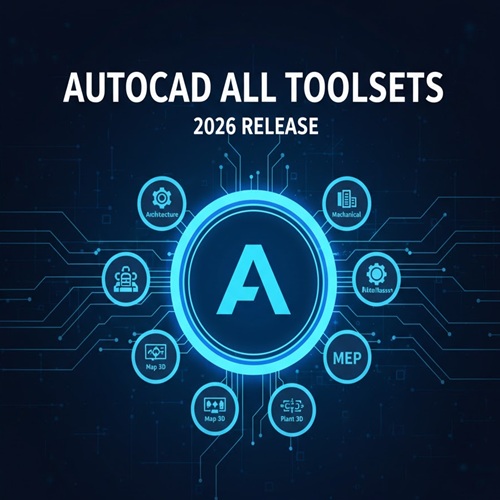
One of the standout features of AutoCAD All Toolsets is the fact that it combines various specialized toolsets for different industries into a single, user-friendly platform. These include:
AutoCAD Architecture: Tailored specifically for architects, it includes intelligent tools for creating and editing architectural designs such as floor plans, elevations, and sections.
AutoCAD Mechanical: A toolset designed for mechanical engineers, featuring comprehensive libraries of parts, tools for sheet metal design, and features that make 2D and 3D modeling faster and more efficient.
AutoCAD Electrical: Ideal for electrical engineers, this toolset provides features such as automation for electrical schematics and comprehensive symbol libraries to speed up electrical system design.
AutoCAD Map 3D: A GIS (Geographic Information System) toolset that aids in mapping and geospatial data integration, allowing civil engineers to integrate data into their designs and analysis.
AutoCAD MEP: Tailored for mechanical, electrical, and plumbing (MEP) professionals, offering tools to design piping, ventilation systems, and electrical layouts.
AutoCAD Raster Design: Allows professionals to edit raster images (like scanned drawings) and convert them into vector drawings for a more streamlined workflow.
AutoCAD Civil 3D: Specifically for civil engineers, this toolset helps with designing infrastructure projects such as roads, highways, drainage, and land development.
These toolsets provide a vast range of industry-specific functions, helping professionals make precise designs quickly and efficiently.
2. Cloud Collaboration and Storage:
In today’s collaborative work environment, cloud-based solutions are indispensable. AutoCAD All Toolsets integrates seamlessly with Autodesk Drive and Autodesk Docs, allowing teams to work collaboratively on designs from different locations. The cloud feature enables real-time collaboration, storage, and version control, eliminating the inefficiencies and confusion that come with managing files across multiple platforms.
AutoCAD Web App: Users can access their designs anywhere via a web browser. The web app allows for lightweight editing and reviewing, which is useful for professionals who need to make quick changes or provide feedback while on the go.
Cloud Storage: Store your drawings securely and access them from any device with Autodesk Drive. This ensures you never lose your work and always have the most up-to-date version available for collaboration.
3. Customization and Automation:
For users looking to enhance their workflow and increase efficiency, AutoCAD All Toolsets offers significant customization options. Users can create custom workflows, add personalized templates, and automate repetitive tasks using AutoLISP, VBA, or Action Recorder.
Customization: You can tailor the interface to suit your personal preferences, from changing the look of the workspace to adjusting the toolbar. This makes it easier to work the way you like.
Automation: With features like Action Recorder, you can record repetitive tasks and assign them to specific commands, saving time on future projects. For complex workflows, AutoLISP scripting allows for advanced automation and customization, creating tools that can be reused for future designs.
4. 2D and 3D Design Capabilities:
While AutoCAD has long been known for its 2D drafting capabilities, the AutoCAD All Toolsets also offers powerful 3D modeling and visualization tools. Whether you need to model a complex 3D mechanical part or visualize architectural designs in 3D, AutoCAD provides the necessary tools for clear representation and analysis.
3D Modeling: Create 3D models with precision using AutoCAD’s 3D modeling tools. Visualize your design in 3D to get a better sense of space, shape, and scale.
Rendering: The rendering tools available in AutoCAD All Toolsets allow you to produce photorealistic images of your designs, which can be used for presentations or client proposals.
Visualization: Built-in visualization tools such as Navisworks allow for real-time visualization of designs, ideal for collaborative projects where visualization is key.
5. Enhanced Documentation and Detailing:
Every industry needs accurate and clear documentation for their designs, and AutoCAD All Toolsets excels in this area. Whether you are creating construction drawings or schematics for a mechanical assembly, AutoCAD helps generate accurate documentation effortlessly.
Annotation Tools: AutoCAD’s advanced annotation tools help add critical details to your design, ensuring that all the necessary information is conveyed to the user.
Detailing: Features like Dynamic Blocks and Sheet Sets help automate the detailing process, allowing you to create, manage, and organize complex drawings with ease.
Comparison Table: AutoCAD Toolsets vs Traditional CAD Software
| Feature | AutoCAD All Toolsets | Traditional CAD Software |
|---|
| Specialized Toolsets | Yes, includes tools for multiple industries like architecture, mechanical, electrical, etc. | Usually limited to general CAD tools |
| Customization | High, with tools like AutoLISP, VBA, and Action Recorder for automation and personalization | Varies, often limited or requires add-ons |
| Cloud Collaboration | Seamless integration with Autodesk Drive and Autodesk Docs for real-time collaboration | Typically not available in traditional CAD software |
| 3D Design and Rendering | Advanced 3D modeling and rendering tools included | Some traditional CAD systems lack comprehensive 3D tools |
| Ease of Use | User-friendly with an intuitive interface and specialized toolsets | Often more complex or requires third-party tools to match AutoCAD’s ease of use |
Conclusion:
In conclusion, AutoCAD All Toolsets by Autodesk offers a comprehensive and powerful CAD solution for professionals in a wide range of industries, from architecture and engineering to construction and manufacturing. By combining multiple specialized toolsets into one platform, AutoCAD enables users to streamline their workflows, reduce the need for multiple software tools, and improve overall productivity.
With cloud-based collaboration, customizable features, and advanced 2D and 3D design capabilities, AutoCAD All Toolsets stands out as an industry leader in CAD software. Whether you’re designing intricate architectural plans, mechanical components, or civil engineering projects, AutoCAD provides the tools you need to get the job done efficiently and accurately.
If you’re looking for an all-in-one design solution that can cater to the specific needs of your industry while providing the flexibility and power required for complex designs, AutoCAD All Toolsets is an investment that will undoubtedly elevate your design work.












For the functionality and ease of use, this software is incredibly affordable.
A great product that doesn’t require an IT background to use effectively.
No issues at all. The payment was quick, and the product was delivered instantly.
No long wait times, and the payment went through securely. Great experience!
Even as a beginner, I found the software very simple and user-friendly.