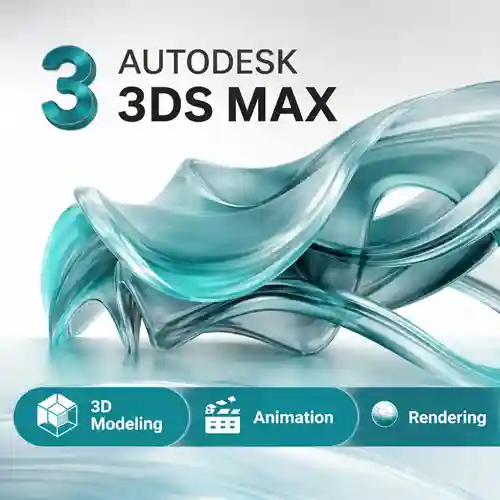
Autodesk 3ds Max | Advanced 3D Rendering & Animation for Professionals

(10 customer reviews)

Original price was: €162.Current price is: €59.

Autodesk 3ds Max is a leading 3D modeling, animation, and rendering software widely used in industries such as gaming, architecture, film, and industrial design. Known for its versatility and powerful tools, Autodesk 3ds Max allows users to create realistic models, complex animations, and high-quality visual effects. With an intuitive interface and robust features, it is ideal for professionals who want to bring their creative ideas to life. In this guide, we will explore Autodesk 3ds Max in detail, discussing its features, uses, and common comparisons with other design software.

14 Items sold in last 3 minutes

6 in stock

131 People watching this product now!
Description

Intorduction

Autodesk 3ds Max has been a staple in the 3D design world for years, helping professionals across various industries create incredible 3D models and animations. Whether you’re working on architectural visualization, game design, or cinematic visual effects, 3ds Max offers the tools and flexibility needed to produce stunning results. From modeling intricate details to rendering photorealistic scenes, Autodesk 3ds Max is the go-to solution for artists and designers.

Features of Autodesk 3ds Max:

  1. 3D Modeling
    Autodesk 3ds Max offers a wide variety of modeling tools, including polygonal modeling, spline-based modeling, and procedural modeling. With these tools, users can create detailed 3D models for characters, environments, and props.

  2. Animation Tools
    Whether you’re creating a simple animation or complex character rigging, 3ds Max provides robust animation tools. Its motion path editor, rigging systems, and keyframe management allow for dynamic animation sequences.

  3. Photorealistic Rendering
    With integrated rendering engines like Arnold, V-Ray, and Scanline, 3ds Max helps you produce realistic lighting, shadows, and textures for a high-quality visual output. This feature is crucial for architects, game developers, and filmmakers.

  4. Advanced Visual Effects (VFX)
    Create stunning visual effects, such as simulations for smoke, fire, water, and particle systems. The Particle Flow and FumeFX integration enhances your ability to make realistic and dynamic effects.

  5. Scene Management
    Autodesk 3ds Max includes tools for scene optimization and management, such as Scene Explorer, which helps manage complex scenes and ensures smoother workflows.

  6. Scripting and Automation
    Customize and automate repetitive tasks with MaxScript and Python scripting. This feature enables users to streamline their processes and improve productivity.

  7. Support for VR and AR
    Create immersive experiences with virtual reality (VR) and augmented reality (AR) tools. 3ds Max allows seamless export to VR/AR devices for design visualization and presentations.

Uses of Autodesk 3ds Max:

  • Architecture and Interior Design
    Architects and interior designers use 3ds Max to create high-quality visualizations and walkthroughs for building designs. The software’s modeling and rendering capabilities help bring architectural concepts to life with photorealistic renderings.

  • Game Development
    Game developers use 3ds Max to create 3D game assets, including characters, environments, and props. Its ability to integrate with game engines like Unreal Engine and Unity makes it a popular tool in the gaming industry.

  • Film and Animation
    3D artists in film and animation use 3ds Max to create complex models, rigs, and animations for visual effects in movies and television shows. It is widely used for character animation, creature modeling, and complex simulations.

  • Product Design and Manufacturing
    Designers in the manufacturing industry use 3ds Max to model product prototypes and visualize manufacturing processes. This helps in creating realistic representations of products before they are manufactured.

Comparison Table: Autodesk 3ds Max vs Competitors

Feature Autodesk 3ds Max Blender Cinema 4D
3D Modeling Tools Polygonal, Spline, and Procedural modeling Polygonal, Sculpting, and Retopology Polygonal, Spline, and Sculpting tools
Animation Tools Rigging, Keyframe animation, Motion paths Rigging, Keyframe animation, NLA Rigging, Motion graphics, Keyframe animation
Rendering Arnold, V-Ray, Scanline Cycles, Eevee Physical Render, Octane Render
Visual Effects (VFX) Particle Flow, FumeFX, Bifrost Smoke, Fluid Simulation MoGraph, Dynamics
Scripting/Customization MaxScript, Python Python, Add-ons C.O.F.F.E.E., Python
VR/AR Integration Yes Yes Yes
Industry Usage Architecture, Film, Game, Product Design Film, Game, Visual Effects Motion Graphics, Animation, Film

Conclusion:

Autodesk 3ds Max is an indispensable tool for professionals in industries like architecture, game development, film production, and product design. With its comprehensive set of features, including advanced 3D modeling, rendering, animation, and visual effects, 3ds Max offers unparalleled flexibility and creativity for artists and designers. The ability to automate tasks, create photorealistic renderings, and collaborate on large-scale projects makes it an industry-standard tool for producing high-quality 3D content.

If you’re looking to enhance your design capabilities, Autodesk 3ds Max provides all the tools you need to turn your creative ideas into stunning 3D visuals. Whether you’re an architect, animator, or game developer, Autodesk 3ds Max can help you unlock your creative potential and elevate your projects to the next level.

Reviews (10)
5
10 reviews
10
0
0
0
0

10 reviews for Autodesk 3ds Max | Advanced 3D Rendering & Animation for Professionals

Clear filters
  1. Oscar Diaz (verified owner)

    Its flexible to use, i wish i get more hands on the tools CONS

  2. David Fernandez (verified owner)

    This is how online purchases should be: fast and easy with no confusing steps.

  3. Dong Wei (verified owner)

    Great site with clear pricing, so I knew exactly what I was getting. Awesome!

  4. Carmen Rodriguez (verified owner)

    I’ve used similar software that costs more and does less. This is a true value.

  5. Liam O’Connor (verified owner)

    I appreciated the smooth transaction and clear instructions on how to get started.

  6. Shannon O’Neil (verified owner)

    Simple process, instant access, and a great product. Very pleased.

  7. Rui Costa (verified owner)

    Great for anyone, even if you have no experience with similar software.

  8. Hilda Ramírez (verified owner)

    I am blown away by the amount of features I got for such a low price.

  9. Leonardo Oliveira (verified owner)

    I love how easy it is to find all the features. The layout is straightforward.

  10. Sofia Rodriguez (verified owner)

    Great communication from customer service. They helped me without delay.

Add a review
Must Read Before Purchasing
If you have any questions, feel free to contact us by WhatsApp or Write to us at [email protected].
It's a Global Edition (International Edition ) activated worldwide.
Canvas account will be sent. Cannot be used to convert existing user IDs/subscription accounts.
Sign in on the Official Portal website and download the product. The Account Details will activate the full version.
Only account details, i.e., system-generated user ID and password, will be sent by email.
Canvas is for 1 year only. Cannot bind with your any account.

Frequently bought together

Original price was: €162.Current price is: €59.
Original price was: €155.Current price is: €23.
Original price was: €86.Current price is: €16.
Original price was: €403.Current price is: €98.
For 3 items
Original price was: €162.Current price is: €59.
Original price was: €853.Current price is: €25.
Original price was: €1,015.Current price is: €84.
For 2 items