Introduction
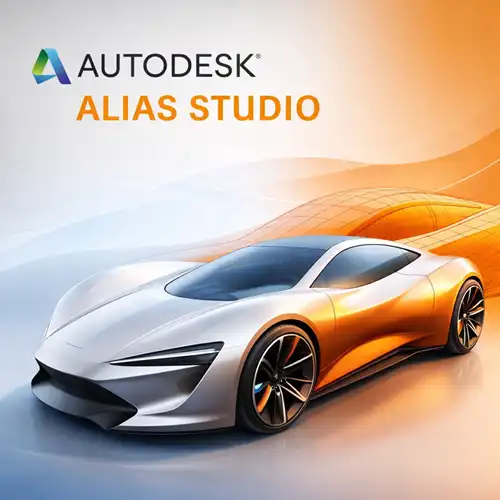
In the world of product design and manufacturing, having access to the right software can make all the difference. Autodesk Alias Studio is one of the leading CAD tools that provide the advanced features and functionality required for high-end product design. Whether you’re working on complex automotive designs, industrial products, or consumer electronics, Alias Studio delivers a comprehensive suite of tools that allows designers to conceptualize, visualize, and refine their designs with precision and efficiency.
Alias Studio has long been favored by design professionals for its powerful design capabilities, including class-A surfacing, ergonomic tools, and seamless integration with other Autodesk products. It offers a range of tools suitable for industrial design, automotive design, and product visualization. This article will explore the core features of Autodesk Alias Studio, its practical applications, a comparison with similar CAD software, and why it’s an essential tool for professionals in high-end product design.
Key Features of Autodesk Alias Studio
Autodesk Alias Studio is a robust toolset that blends advanced modeling techniques with powerful visualization tools. Below are some of the most notable features of Autodesk Alias Studio:
1. Advanced Surface Modeling
Alias Studio is well-known for its class-A surfacing capabilities, which are essential for high-precision, aesthetically complex surfaces. Class-A surfaces are smooth, visually appealing, and mathematically accurate, and are particularly used in industries like automotive and industrial design, where surface quality is paramount.
Precision Surfacing Tools: Alias Studio offers a wide range of precision surfacing tools that ensure smooth, mathematically correct curves and surfaces, allowing designers to achieve the highest level of surface fidelity.
Freeform Surface Creation: The software allows for freeform modeling, giving designers the flexibility to create complex organic shapes that are often seen in product designs, automotive body panels, and consumer products.
2. Parametric and Direct Modeling
Alias Studio supports both parametric modeling (where shapes are defined by parameters and equations) and direct modeling (where objects are modified in an intuitive and direct manner). This dual capability offers a flexible approach to product design, allowing you to make modifications based on design intent or immediate changes to geometry.
Parametric Modeling: Ensures design intent remains intact, making it easy to modify parts or assemblies and see the results in real-time.
Direct Modeling: Provides greater flexibility for quick modifications, which is ideal when working on conceptual designs or iterative design processes.
3. Collaboration and Integration with Other Autodesk Products
Collaboration is made easy with Autodesk Alias Studio’s compatibility with other Autodesk products. Designers can seamlessly integrate Alias Studio with Autodesk’s suite of tools, such as AutoCAD, Revit, and Fusion 360, ensuring that product designs can be shared, reviewed, and improved across various teams.
Shared Data: Alias Studio allows data to be shared with engineers, drafters, and other stakeholders using different Autodesk tools.
Cloud Collaboration: Alias Studio integrates well with cloud-based platforms, allowing real-time collaboration and feedback from teams working remotely.
4. Rendering and Visualization Tools
Visualizing designs before manufacturing is a critical component of high-end product design. Autodesk Alias Studio includes advanced rendering and visualization tools that allow designers to create photorealistic renderings, helping clients and stakeholders understand the look and feel of the product.
Realistic Rendering: Create lifelike images and animations with Alias Studio’s built-in rendering tools, perfect for client presentations or design validation.
Lighting and Materials: Advanced lighting and material libraries give designers the tools they need to accurately represent how materials like metal, plastic, and glass will look in the final product.
5. Ergonomics and Human-Centered Design Tools
Autodesk Alias Studio features ergonomics and human-centered design tools, which are particularly useful for creating consumer-facing products. These tools help designers ensure that the product design is both functional and comfortable to use, particularly when designing automotive interiors, furniture, or other ergonomically sensitive products.
Ergonomic Simulation: Alias Studio can simulate how users will interact with products, offering insight into how to improve the comfort and usability of the design.
Human Factors Integration: It integrates human factors data, such as average body dimensions, into the design process, making it easier to create products tailored to specific user groups.
6. Industrial Design and Styling Tools
Alias Studio also excels in industrial design and styling, enabling designers to create aesthetic, consumer-friendly products. With its sophisticated design tools, Alias Studio allows users to design everything from consumer electronics to automotive interiors.
Styling and Visualization: Allows designers to explore different styles and finishes through advanced 3D modeling tools and simulations.
Product Development Cycle: Alias Studio aids in all stages of the product development cycle, from initial sketches to final design, allowing for efficient transitions between conceptualization and production.
7. Automotive and Transportation Design
Autodesk Alias Studio is highly regarded in the automotive and transportation design industry. It provides advanced surface modeling tools that are used to design complex vehicle bodies, components, and interiors. With Alias Studio, automotive designers can refine their designs to achieve superior aerodynamics, aesthetics, and functionality.
Uses of Autodesk Alias Studio
Autodesk Alias Studio serves professionals in various industries, especially those in industrial design, automotive design, and consumer product development. Here’s how Alias Studio is applied in different sectors:
1. Automotive Design
Autodesk Alias Studio is an industry standard for automotive design, providing a range of features for both conceptual and detailed design work. Designers use it to model complex body panels, internal components, and ergonomic aspects of vehicles.
Surface Modeling: Alias Studio is ideal for designing smooth, visually appealing surfaces for automotive body panels, which are essential for aerodynamics and aesthetics.
Interior Design: It’s also used in designing vehicle interiors, focusing on both aesthetics and ergonomics.
2. Industrial Product Design
In industrial design, Alias Studio is used to create functional, stylish products, from consumer electronics to appliances.
Design Refinement: Alias Studio’s advanced modeling tools make it easy to refine and perfect industrial designs.
Prototyping: Designers use it to create prototypes for product testing, making modifications as needed before moving to manufacturing.
3. Consumer Product Design
For consumer-facing products, Alias Studio helps create ergonomic, aesthetically pleasing designs that are functional and marketable.
Consumer Electronics: Alias Studio is commonly used to design smartphones, laptops, and other electronics, ensuring both functionality and style.
Furniture Design: The ergonomic features also make Alias Studio ideal for designing furniture, ensuring comfort and usability.
4. Entertainment and Digital Media
Alias Studio’s powerful rendering tools make it popular for entertainment design, including movies and video games. Designers and animators use the software to create realistic props and environments.
Comparison: Autodesk Alias Studio vs. Other CAD Software
| Feature | Autodesk Alias Studio | SolidWorks | CATIA | Rhino |
|---|
| Surface Modeling | Advanced (Class-A) | Moderate | Advanced | Moderate |
| Parametric Modeling | Yes | Yes | Yes | Yes |
| Rendering and Visualization | Advanced | Moderate | Advanced | Basic |
| User Interface | Modern and Intuitive | Less Intuitive | Complex | Simple |
| Ergonomics Tools | Yes | No | Yes | No |
| Industry Application | Automotive, Industrial, Consumer | General Engineering | Aerospace, Automotive | Industrial, Architecture |
| Price | Premium | Moderate | High | Affordable |
Autodesk Alias Studio excels in surface modeling, rendering, and design for automotive, industrial, and consumer products. SolidWorks and CATIA are strong competitors but cater more to general engineering and aerospace industries, while Rhino is simpler but less equipped for complex industrial design.
Conclusion
Autodesk Alias Studio is an industry-leading CAD tool that offers advanced features for high-end product design. With its precision surface modeling, ergonomic design tools, and rendering capabilities, Alias Studio is indispensable for designers in fields like automotive, industrial, and consumer product design. It empowers designers to bring their concepts to life with incredible detail and realism, making it the go-to tool for professionals in product development.
Whether you’re designing complex vehicle bodies, creating ergonomic products, or developing innovative consumer electronics, Alias Studio provides the flexibility, precision, and power needed to meet the highest standards of design. While it comes at a premium price, its value is unquestionable for those looking to unlock the full potential of their designs.








David Clark (verified owner) –
I am genuinely impressed. This software is worth every penny.
Ibrahim Al-Saud (verified owner) –
This software is simple to use, but it still offers powerful features.
Lilly Parker (verified owner) –
Incredible value! This software has saved me countless hours, and it’s worth every cent.
César Sánchez (verified owner) –
I’ve been using this for weeks, and I’m thoroughly impressed by its performance.
Isabelle Dupont (verified owner) –
This software is worth every penny. It’s made my job so much easier.
Yuki Takahashi (verified owner) –
I’m incredibly happy with my purchase. It works flawlessly and has saved me so much time.
Laila Hussein (verified owner) –
Support was professional and efficient. I had my issue fixed in no time.
Li Wei (verified owner) –
A great product that doesn’t require an IT background to use effectively.
Silvia Cruz (verified owner) –
A pleasure to use! The layout is intuitive, and I can find everything I need right away.
Rita Branco (verified owner) –
Absolutely fantastic! It does everything I needed and runs perfectly.