Introduction
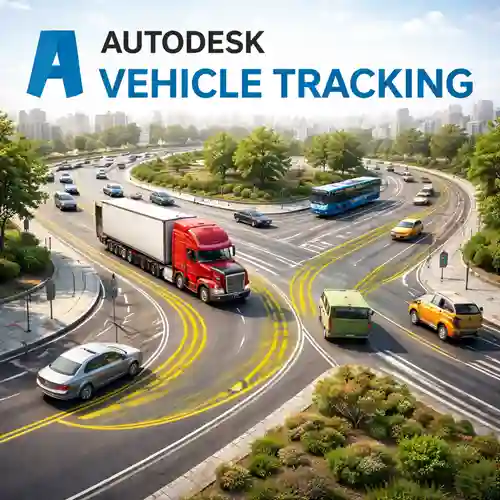
Autodesk Vehicle Tracking is a powerful software tool used for simulating and analyzing vehicle movements within various environments such as parking lots, roadways, and intersections. This tool is primarily used by civil engineers, urban planners, and transportation professionals to design, test, and optimize vehicle pathing, traffic flow, and parking layouts.
The software enables accurate vehicle path simulations and provides real-time feedback about how vehicles interact with the surrounding environment. Whether you’re planning a small parking lot or a large-scale urban traffic system, Autodesk Vehicle Tracking allows for a comprehensive, data-driven approach to ensure designs are practical and functional.
It integrates seamlessly with AutoCAD and Revit, providing engineers with an intuitive and efficient workflow for their vehicle tracking needs.
Key Features
Vehicle Path Analysis
Autodesk Vehicle Tracking simulates real-world vehicle movements with high precision. This includes turning radii, clearance requirements, and maneuverability of various vehicle types (cars, trucks, buses, emergency vehicles).
Parking Layout Design
The software enables the creation of optimized parking layouts. You can model how vehicles will navigate aisles, park in spaces, and turn, ensuring that parking lots and garages are designed for maximum efficiency.
Turning Radius Analysis
Analyze the turning capabilities of different vehicle types, ensuring that your designs account for the necessary space to maneuver safely. This feature is essential for planning tight turns, driveways, or intersections.
Traffic Flow Simulation
Simulate the movement of traffic on roads and highways. The software provides valuable insights into how vehicles will behave at intersections, ramps, and busy urban environments, helping to optimize traffic flow and reduce congestion.
Collision Detection
With built-in collision detection, Autodesk Vehicle Tracking helps you identify potential vehicle-to-vehicle or vehicle-to-object collisions during the simulation phase, ensuring your designs minimize risks during actual implementation.
Integration with Other Autodesk Products
Autodesk Vehicle Tracking integrates seamlessly with AutoCAD Civil 3D, Revit, and other Autodesk products, allowing for smooth data sharing and coordination across all design stages, from planning to execution.
Multi-Vehicle Simulations
3D Visualization
Customizable Vehicle Library
The software comes with a wide variety of pre-configured vehicle types, but users can also add custom vehicle profiles, tailored to specific needs, such as construction vehicles, buses, or delivery trucks.
Report Generation
Generate detailed reports of your simulations, including vehicle movement analysis, turning radius details, and traffic flow optimization suggestions. These reports are essential for project approvals and regulatory compliance.
Uses of Autodesk Vehicle Tracking
Autodesk Vehicle Tracking is used in various industries, especially those involving transportation design and urban planning. Here are some of its primary uses:
Parking Lot Design
Roadway and Intersection Design
Urban Planning
Urban planners use Autodesk Vehicle Tracking to plan city layouts, analyze traffic flow, and ensure that roads, highways, and intersections function efficiently for residents and businesses.
Commercial Development
When designing commercial buildings such as shopping centers, airports, and industrial parks, Autodesk Vehicle Tracking helps optimize traffic circulation and parking for both customers and employees.
Traffic Analysis
Public Transport and Bus Stations
Autodesk Vehicle Tracking helps design transit stations and public transport networks, simulating how buses, trams, and other vehicles will navigate stations, stops, and bus lanes.
Comparison Table: Autodesk Vehicle Tracking vs. Other Vehicle Tracking Software
| Feature | Autodesk Vehicle Tracking | Bentley Vehicle Tracking | Civil 3D (without Vehicle Tracking) |
|---|
| Real-Time Path Simulation | Yes | Yes | No |
| Vehicle Path Analysis | Advanced | Basic | Basic |
| Parking Layout Design | Yes | Limited | No |
| Turning Radius Analysis | Yes | Yes | No |
| Collision Detection | Yes | Yes | No |
| 3D Visualization | Yes | Yes | Limited (via external plugins) |
| Traffic Flow Simulation | Yes | Yes | No |
| Integration with Other Tools | Seamless (AutoCAD, Revit) | Limited (Bentley suite) | Limited (Requires external tools) |
| Customizable Vehicle Library | Yes | Yes | No |
| Report Generation | Yes | Yes | No |
Conclusion
Autodesk Vehicle Tracking is an essential tool for engineers, urban planners, and transportation professionals involved in designing and analyzing vehicle movements within infrastructure projects. Its comprehensive features, including vehicle path analysis, parking layout design, turning radius analysis, and collision detection, make it an indispensable tool for creating efficient, safe, and optimized transportation networks.
Whether you’re working on a small parking lot or a complex urban transportation system, Autodesk Vehicle Tracking ensures that your designs are functional, compliant with regulations, and capable of handling real-world traffic scenarios. The software’s seamless integration with other Autodesk tools, along with its powerful simulation capabilities, offers unmatched flexibility, allowing professionals to visualize and refine their designs before construction begins.
By using Autodesk Vehicle Tracking, professionals can reduce the risk of costly mistakes, improve traffic flow, and optimize infrastructure projects for better long-term performance and sustainability.





Great software that’s easy to learn and use. The setup was simple and intuitive.
Excellent functionality and amazing ease of use. A perfect tool for my business.
Incredible value for money. The software works flawlessly.
Perfect for my needs—easy to set up and runs smoothly.
I appreciate the clean design and easy navigation. It’s very intuitive to use.