

CorelDRAW Graphics Suite 2026 | Latest Professional Design Software for Windows & Mac

Introduction
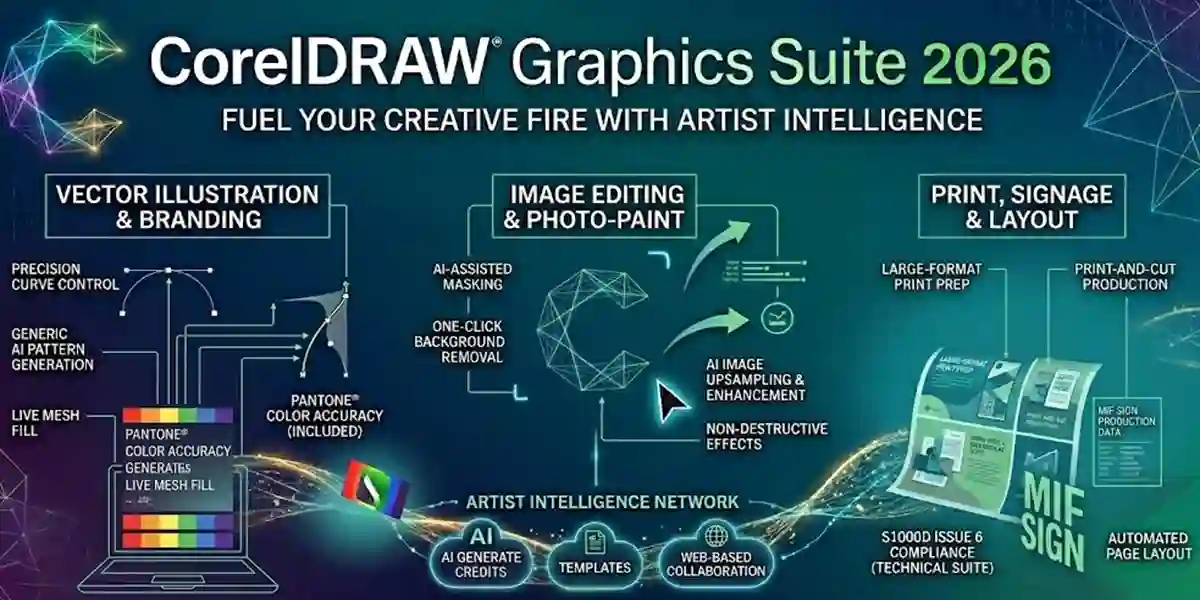
CorelDRAW Graphics Suite 2026 is the latest evolution of Corel’s industry-leading graphic design software, offering powerful tools for professional designers, illustrators, marketers, and creative teams. Compatible with both Windows and Mac, this suite enables users to create high-quality vector graphics, illustrations, layouts, and photo edits with precision and speed.
With CorelDRAW 2026, users gain access to AI-assisted design tools, modern templates, advanced typography, and enhanced collaboration features that allow teams to work together efficiently on projects of any scale. Whether you are designing marketing materials, product labels, logos, web graphics, or print-ready designs, CorelDRAW 2026 provides a complete creative workflow.
Activation and proper licensing are essential to unlock all features, receive updates, and maintain compliance. This comprehensive guide covers common errors and their fixes, activation methods, licensing options, and FAQs, ensuring users can maximize productivity with CorelDRAW 2026.
Common Errors & Fixes
Even professional software can encounter issues during installation or activation. Here are the most common CorelDRAW 2026 errors and detailed solutions:
1. Installation Failed
- Cause: Corrupted installer files, insufficient permissions, or interference from antivirus programs.
- Fix: Re-download the CorelDRAW 2026 installer from the official Corel website. Run the installer as administrator and temporarily disable antivirus software to avoid interruptions. Ensure your system meets minimum hardware and software requirements.
2. Activation Key Not Accepted
- Cause: Entering an invalid, expired, or already-used product key.
- Fix: Double-check your product key for typos. Make sure the key corresponds to the correct edition (e.g., Professional Plus vs Standard). If the problem persists, contact Corel support for verification and assistance.
3. Software Crashes on Launch
- Cause: Conflicting programs, outdated graphics drivers, or corrupted installation.
- Fix: Update graphics drivers to the latest version. Close unnecessary background programs and restart your computer. If crashes continue, uninstall CorelDRAW 2026, then reinstall it.
4. Fonts Not Displaying Properly
- Cause: Missing or corrupted font files.
- Fix: Install any required fonts included with the suite, clear the system’s font cache, and restart CorelDRAW.
5. Export or Print Errors
- Cause: Incorrect settings, unsupported file formats, or outdated printer drivers.
- Fix: Ensure your export or print settings match the required format. Use compatible formats like PDF/X for printing. Update printer drivers and software.
By addressing these common issues, users can maintain smooth performance and productivity in CorelDRAW 2026.
Methods to Activate CorelDRAW Graphics Suite 2026
Proper activation ensures access to all features and updates while maintaining compliance with Corel’s licensing policy.
1. Online Activation (Recommended)
- Launch CorelDRAW 2026.
- Go to Activate Product in the menu.
- Enter your 25-character product key.
- Connect to the internet; Corel will automatically verify the key.
- Once validated, your software is fully activated and ready for use.
2. Offline/Manual Activation
- Open CorelDRAW 2026 → Activate → choose Offline Activation.
- Generate a request code displayed in the software.
- Visit Corel’s activation portal on another device or browser.
- Submit the request code, and Corel will provide a response code.
- Enter this response code into CorelDRAW 2026 to complete activation without internet access.
3. Volume Licensing (Enterprise Deployment)
- Enterprises with multiple installations can use Corel Volume Licensing (CVL).
- This system allows a single license key to activate multiple devices, saving time and streamlining IT management.
- IT administrators can track activations, manage updates, and ensure compliance efficiently.
4. Subscription Activation via Corel Account
- Sign in to your Corel account.
- Link your subscription license for cloud-based access.
- This method provides automatic updates, license management, and easy reactivation across devices.
Proper activation guarantees that users can access AI-powered design tools, modern templates, and collaboration features, making the creative workflow faster and more efficient.
Licensing Information
Understanding CorelDRAW 2026 licensing ensures compliance and long-term usability:
Perpetual License:
- A one-time purchase that allows unlimited use on a single device.
- Ideal for individuals or small teams.
- Does not require ongoing subscription fees.
Subscription License:
- Monthly or yearly subscription plan.
- Provides access to the latest updates, new features, and cloud collaboration tools.
- Allows easier scalability for organizations that require flexibility.
Volume Licensing (Enterprise):
- Designed for organizations needing multiple installations across devices.
- Centralized activation and license tracking.
- Reduces administrative overhead for IT departments.
Corel Account Integration:
- Link your license to a Corel account.
- Simplifies activation and updates.
- Provides an easy way to manage licenses and troubleshoot errors.
By selecting the correct license type, users ensure access to all features while maintaining compliance with Corel’s terms of use.
Conclusion
CorelDRAW Graphics Suite 2026 is a powerful, all-in-one solution for professional designers, illustrators, and creative teams. With support for vector graphics, photo editing, layout design, and typography, it enables users to create high-quality content for both digital and print projects.
The suite offers AI-assisted tools, modern templates, and enhanced collaboration features, making complex design tasks faster and easier. Volume licensing, perpetual licenses, or subscriptions provide flexible options depending on your organization’s needs. Proper activation ensures access to all features and updates while keeping your license compliant.
CorelDRAW 2026 is a must-have tool for any designer looking to enhance productivity, efficiency, and creative output on Windows and Mac platforms.
Frequently Asked Questions (FAQ)
Yes, CorelDRAW 2026 is fully compatible with macOS, providing the same advanced features as the Windows version.
Perpetual licenses are one-time purchases for a single device. Subscription licenses offer continuous updates, cloud access, and flexibility for multiple devices.
Verify your product key, check edition compatibility, ensure a stable internet connection, or use offline/manual activation. Contact Corel support if the issue persists.
Single licenses are limited to one device. For multiple installations, volume licenses or subscriptions are required.
Yes, AI-assisted tools help with layout suggestions, photo enhancements, and vector optimization to accelerate your design workflow.