

How to Activate CorelDRAW Graphics Suite 2026 | Complete Step-by-Step License Activation Guide

Introduction
Corel Corporation CorelDRAW Graphics Suite 2026 is a professional graphic design software package developed for designers, businesses, illustrators, and creative professionals. It provides a complete collection of tools for creating vector graphics, logos, illustrations, page layouts, marketing materials, photo edits, and digital artwork.
With the increasing demand for professional visual content, designers need reliable software that can handle both creative and commercial projects. CorelDRAW Graphics Suite 2026 delivers a powerful combination of vector illustration, image editing, typography, and layout design tools in one integrated platform.
To unlock the complete features of CorelDRAW 2026, users need to complete the activation process using a valid license. Activation verifies the software ownership, enables premium features, provides access to updates, and ensures a smooth workflow without unnecessary limitations.
Many users face activation-related issues such as invalid license messages, account login failures, connectivity problems, or software verification errors. Understanding the correct activation process helps users avoid these problems and start designing efficiently.
This detailed guide explains how to activate CorelDRAW Graphics Suite 2026, including its features, system requirements, activation methods, common errors with solutions, comparison between activated and trial versions, and frequently asked questions.
What is CorelDRAW Graphics Suite 2026?
CorelDRAW Graphics Suite 2026 is an all-in-one professional design solution that combines multiple creative applications for different design requirements.
It is commonly used for:
- Logo design
- Branding materials
- Packaging designs
- Business cards
- Posters and banners
- Social media graphics
- Illustrations
- Product labels
- Digital artwork
- Print production
The software is suitable for:
- Professional graphic designers
- Freelancers
- Marketing agencies
- Printing companies
- Small businesses
- Students
- Creative artists
CorelDRAW 2026 helps users create professional designs with accuracy, flexibility, and creative control.
Why is CorelDRAW Graphics Suite 2026 Activation Important?
Activation is an essential step after installing CorelDRAW Graphics Suite 2026. It confirms that the software is being used with a valid license and allows users to access the complete design environment.
Benefits of Activation:
1. Access to Full Features
Activation unlocks all available tools, effects, templates, and professional design capabilities.
2. Regular Updates
Activated software receives updates that improve performance, security, and compatibility.
3. Better Software Stability
Licensed versions provide a more reliable experience for long-term professional usage.
4. Professional Usage Rights
Businesses and designers can confidently use activated software for commercial projects.
5. Access to Support
Licensed users can access official support resources for troubleshooting and assistance.
Key Features of CorelDRAW Graphics Suite 2026
1. Advanced Vector Illustration
CorelDRAW 2026 offers professional vector drawing tools that allow designers to create accurate and scalable graphics.
Users can design:
- Logos
- Icons
- Illustrations
- Symbols
- Technical graphics
Vector designs can be resized without losing quality, making them perfect for printing and branding.
2. Professional Page Layout Tools
The software includes powerful layout features for creating professional documents.
You can design:
- Brochures
- Catalogs
- Flyers
- Magazines
- Presentations
- Advertisements
The flexible workspace helps organize multiple design elements efficiently.
3. Photo Editing with Corel PHOTO-PAINT
Corel PHOTO-PAINT provides advanced image editing features.
Users can:
- Enhance photos
- Adjust colors
- Remove unwanted objects
- Apply effects
- Create creative compositions
This makes CorelDRAW 2026 suitable for both vector and raster design projects.
4. Advanced Typography Tools
Typography plays an important role in branding and communication.
CorelDRAW 2026 provides:
- Font management
- Text formatting
- Creative text effects
- Letter spacing controls
- Professional text alignment
Designers can create attractive text-based designs easily.
5. Improved File Compatibility
CorelDRAW Graphics Suite 2024 supports various file formats.
Supported formats include:
- SVG
- AI
- PSD
- EPS
- JPG
- PNG
This allows easy collaboration with clients and other design software users.
6. Enhanced Performance
The software provides improved performance with:
- Faster processing
- Better responsiveness
- Optimized workflow
- Improved stability
Professionals can complete complex projects more efficiently.
7. Customizable Interface
Every designer has a different workflow. CorelDRAW 2026 allows users to customize:
- Toolbars
- Workspace layout
- Shortcuts
- Interface settings
This improves productivity and comfort.
8. Professional Color Management
Color accuracy is important for printing and branding.
CorelDRAW provides:
- Color profiles
- Advanced color controls
- Print optimization
This ensures consistent results across different devices.
9. Cloud Collaboration Features
Modern design teams require efficient collaboration.
CorelDRAW 2026 helps users:
- Share files
- Manage projects
- Collaborate with teams
10. Creative Templates and Assets
Users can access creative resources for:
- Business designs
- Marketing materials
- Social graphics
- Professional layouts
Common CorelDRAW Graphics Suite 2026 Activation Errors and Fixes
1. Invalid License Key Error
Problem:
The software does not accept the entered license information.
Causes:
- Incorrect license details
- Typing mistakes
- Expired license
Fix:
- Verify the license information carefully.
- Check spelling and characters.
- Confirm the license validity.
2. Activation Server Connection Error
Problem:
CorelDRAW cannot connect to the activation server.
Causes:
- Poor internet connection
- Firewall restrictions
- Temporary server issues
Fix:
- Check your internet connection.
- Restart your router.
- Allow CorelDRAW through firewall settings.
- Try activation again.
3. Corel Account Login Problem
Problem:
Unable to sign in during activation.
Causes:
- Incorrect email/password
- Account verification issue
Fix:
- Confirm login details.
- Reset password if required.
- Check account status.
4. Activation Limit Reached
Problem:
The software cannot activate because the license is already used.
Causes:
- Previous installation still active
- Device limit exceeded
Fix:
- Deactivate the old installation.
- Check your license agreement.
- Contact official support if needed.
5. Software Remains in Trial Mode
Problem:
CorelDRAW continues showing trial limitations after activation.
Fix:
- Restart the software.
- Sign out and sign in again.
- Verify license status.
6. Outdated Software Version
Problem:
Older installation files cause activation issues.
Fix:
- Install the latest updates.
- Restart your computer.
- Try activation again.
7. Internet Verification Failure
Problem:
The software cannot verify the license online.
Fix:
- Check network settings.
- Disable VPN temporarily.
- Ensure correct date and time settings.
Methods to Activate CorelDRAW Graphics Suite 2026
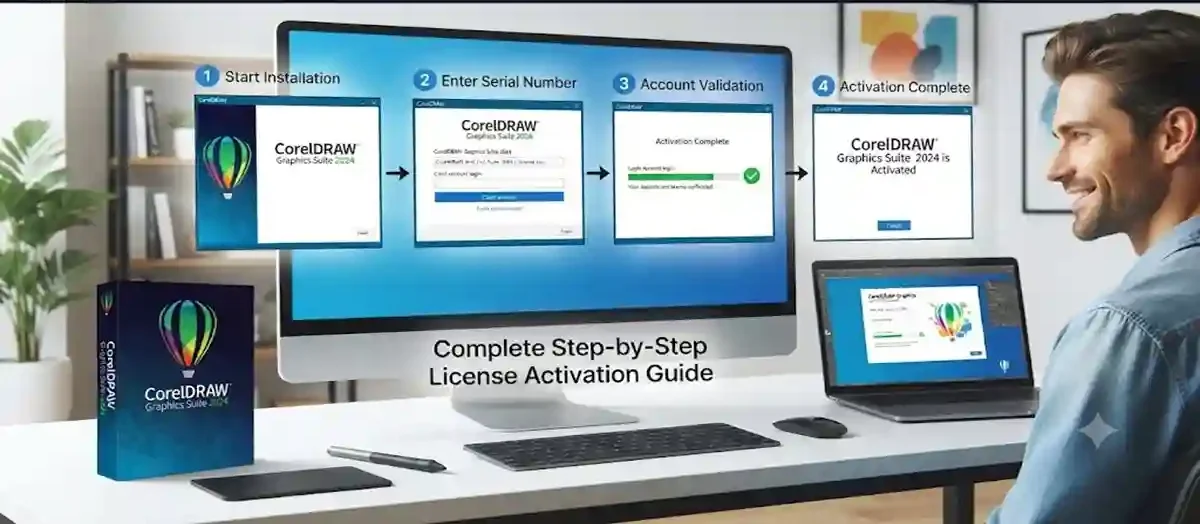
Method 1: Activation Using Product License
Follow these steps:
- Install CorelDRAW Graphics Suite 2024.
- Open the application.
- Select the activation option.
- Enter your valid license information.
- Sign in to your Corel account.
- Complete verification.
- Restart the software.
Your software will be activated after successful verification.
Method 2: Activation Through Corel Account
Steps:
- Launch CorelDRAW 2026.
- Select the login option.
- Enter your registered account details.
- Wait for license verification.
- Activation completes automatically.
Method 3: Subscription Activation
For subscription users:
- Purchase a valid CorelDRAW subscription.
- Install the software.
- Sign in with your subscribed account.
- The license information syncs automatically.
- Start using the complete software.
Tips for Successful Activation
- Use valid license information.
- Keep your Corel account updated.
- Maintain a stable internet connection.
- Update software regularly.
- Avoid unauthorized modifications.
- Keep system settings accurate
CorelDRAW Graphics Suite 2026 introduces a wave of new tools and performance updates centered around "Artist Intelligence"—a design philosophy meant to leverage AI for rapid ideation and automation while keeping the human creator fully in control.
The key tools, features, and workflow updates introduced in the 2026 suite include:
1. New "Artist Intelligence" (AI) Tools
AI Generate Docker/Inspector: A text-to-image prompt-based tool housed in both CorelDRAW and Corel PHOTO-PAINT. It allows you to create original, commercially licensed artwork from scratch, expand sketches, or build concept variations using style presets and color palettes.
Remix Image: An AI-powered image editing function that lets you select existing artwork or photos in your document, type a text prompt detailing requested changes, and merge elements to build mockups or design variations instantly.
AI Background Removal: A one-click tool designed to cleanly separate subjects from backgrounds—highly optimized for complex, fine-detail edges like wispy hair, transparency, and intricate foregrounds.
Precision AI Masking (Corel PHOTO-PAINT): Intelligent object detection that automatically creates exact masks for complex raster selections, drastically speeding up photo retouching workflows.
2. Performance & Speed Enhancements
Up to 3× Faster App Launch: Core architecture optimization significantly reduces startup times and overall system latency.
Smoother Handling: Upgraded font rendering, refined page and export configuration settings, and improved zoom controls make navigating dense multi-page vector documents much smoother.
3. Interface & Ecosystem Updates
Refreshed Modern UI: Features streamlined navigation, cleaner icons, and renewed active-tool coloring designed to look visually consistent across both desktop and browser versions.
CorelDRAW Web Integration: Enhanced cloud file-handling, a redesigned home screen, and access to select smart tools directly inside web browsers.
Platform Optimization: Features native support for modern operating hardware, including specialized performance optimizations for Apple Silicon and macOS Tahoe (macOS 26).
4. Subscriber-Exclusive Content
200+ Cloud Templates: Fresh professionally crafted layouts tailored for branding, social media, signage, and marketing campaigns.
50 New Brushes: Expanded creative brush presets built to jumpstart digital illustration and photo-painting tasks.
Essential keyboard shortcuts and navigation commands for Windows Server 2022 are organized below, covering general system shortcuts, remote desktop inputs, and quick administrative run commands.
1. General System & Navigation Shortcuts
Windows Key — Open or close the Start Menu.
Windows Key + X — Open the Quick Link menu (gives fast access to Device Manager, Disk Management, PowerShell, etc.).
Ctrl + Shift + Esc — Open Task Manager directly.
Windows Key + R — Open the Run dialog box.
Windows Key + E — Open File Explorer.
Windows Key + Pause/Break — Open System Properties.
Alt + Tab — Switch between open applications.
Windows Key + D — Display or hide the desktop.
Windows Key + L — Lock the server console.
2. Remote Desktop Session Shortcuts (RDP)
When managing Windows Server 2022 remotely via an RDP session, standard key combinations often affect your local machine instead. Use these alternatives inside the remote session:
Ctrl + Alt + End — Opens the equivalent of Ctrl + Alt + Del on the remote server (used to lock, log off, or change passwords).
Alt + Page Up — Switch between programs from left to right inside the RDP session.
Alt + Page Down — Switch between programs from right to left inside the RDP session.
Alt + Insert — Cycle through programs in the order they were started.
Ctrl + Alt + Break — Toggle the remote session between full-screen and windowed mode.
Conclusion
CorelDRAW Graphics Suite 2026 is a powerful professional design solution that provides everything needed for creating high-quality graphics, illustrations, layouts, and digital artwork. From advanced vector tools and professional photo editing to typography and page layout features, the software offers a complete creative environment for designers.
Proper activation is essential to unlock the full potential of CorelDRAW 2026. A successfully activated version provides access to premium tools, software updates, improved stability, and professional usage capabilities.
By following the correct activation methods, users can easily complete the setup process and avoid common issues such as license errors, login problems, and connectivity failures. Troubleshooting steps can help resolve most activation challenges quickly.
Whether you are a beginner learning graphic design or a professional managing commercial projects, activating CorelDRAW Graphics Suite 2024 ensures a smooth, secure, and efficient creative workflow.
Always use valid licensing methods to enjoy the best experience and maintain reliable software performance.
Frequently Asked Questions (FAQ)
You can activate it by entering valid license details or signing into your Corel account connected with your license.
Yes, activation is required to unlock full features and remove usage limitations.
Online verification may require an internet connection depending on the license type.
Activation problems can occur due to incorrect license information, internet issues, or account verification problems.
Check your license details, verify your account, and ensure the license is active.