

How to Activate Windows 11 IoT Enterprise 1 PC Without Errors | Ultimate Activation Guide

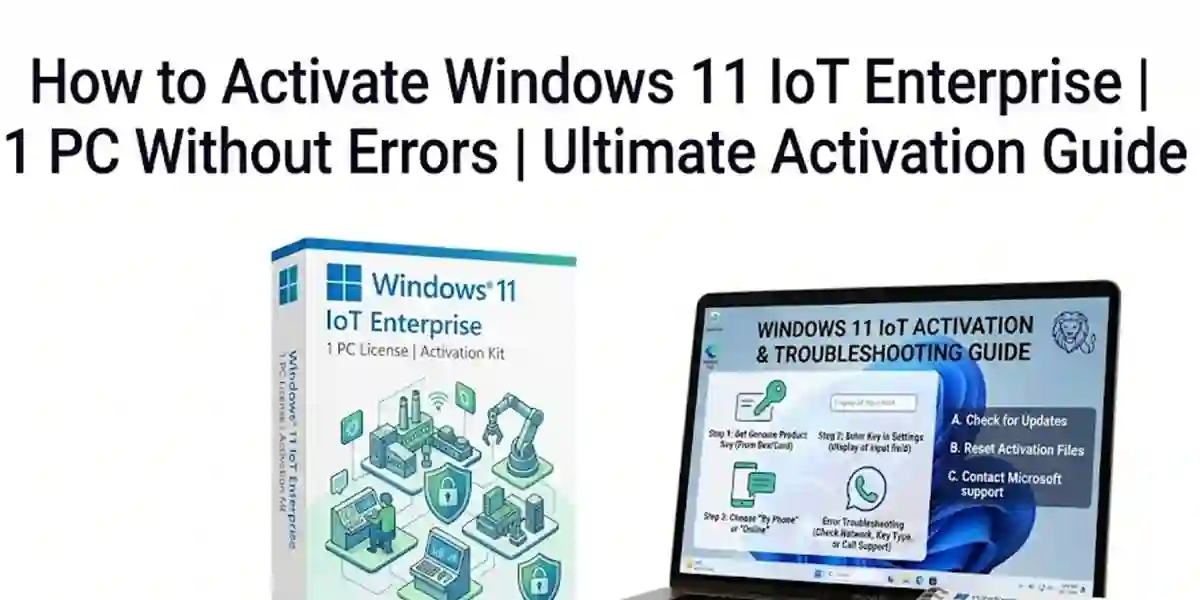
Introduction
Microsoft Windows 11 IoT Enterprise 1 PC is an advanced operating system designed specifically for embedded devices, industrial systems, smart terminals, kiosks, digital signage solutions, healthcare equipment, manufacturing machines, and dedicated business applications. It provides organizations with a secure, reliable, and customizable Windows platform for building modern connected device environments.
Unlike traditional desktop editions, Windows 11 IoT Enterprise is optimized for fixed-purpose devices where continuous operation, security management, controlled user experiences, and long-term stability are essential. It allows manufacturers, developers, and businesses to configure the operating system according to their specific hardware requirements and application needs.
With the rapid growth of the Internet of Things (IoT), organizations require operating systems that can deliver powerful performance while maintaining strong security. Windows 11 IoT Enterprise provides enterprise-level protection, application compatibility, device management capabilities, and flexible customization options for professional deployments.
To unlock the complete functionality of Windows 11 IoT Enterprise 1 PC, proper activation is required. Activation verifies that the operating system license is genuine and correctly assigned to the device. A successfully activated system provides a secure environment with access to supported features and reliable performance.
What is Windows 11 IoT Enterprise 1 PC?
Windows 11 IoT Enterprise is a specialized edition of Windows designed for embedded and dedicated computing environments. It combines the familiar Windows interface with enterprise-level security, customization capabilities, and device management features.
The operating system is built for organizations that require reliable software platforms for specialized hardware.
Windows 11 IoT Enterprise 1 PC is suitable for a single licensed device and provides businesses with the ability to:
- Deploy dedicated applications
- Control system behavior
- Manage device access
- Configure security policies
- Maintain long-term device operation
Unlike consumer versions of Windows, IoT Enterprise focuses on reliability, security, and controlled environments.
Where is Windows 11 IoT Enterprise Used?
1. Industrial Automation Systems
Manufacturing companies use Windows 11 IoT Enterprise for:
- Factory automation systems
- Industrial control machines
- Production monitoring devices
- Smart manufacturing equipment
- Industrial computers
The operating system provides stable performance for environments where downtime can impact productivity.
2. Retail and Commercial Devices
Retail organizations use Windows IoT solutions for:
- Self-service kiosks
- POS terminals
- Digital displays
- Customer information systems
- Interactive screens
Businesses can create secure and controlled user experiences.
3. Healthcare Equipment
Healthcare industries use Windows 11 IoT Enterprise for:
- Medical monitoring devices
- Healthcare terminals
- Diagnostic systems
- Connected medical equipment
Security and reliability make it suitable for professional healthcare applications.
4. Smart Buildings and IoT Solutions
Windows 11 IoT Enterprise supports:
- Smart automation systems
- IoT gateways
- Connected sensors
- Building management systems
Methods to Activate Windows 11 IoT Enterprise 1 PC
Proper activation of Windows 11 IoT Enterprise 1 PC ensures that the operating system is genuine, properly licensed, and ready for secure embedded device deployment. The activation method depends on the license type, deployment environment, and device configuration.
Method 1: Activate Windows 11 IoT Enterprise Using a Valid License
This is the standard activation approach for licensed Windows IoT Enterprise devices.
Steps:
- Install Windows 11 IoT Enterprise on the supported device.
- Connect the device to a stable internet connection.
- Open Settings.
- Navigate to System → Activation.
- Select the activation option.
- Enter the valid license information provided with your device.
- Complete verification.
- Restart the device after successful activation.
After activation, Windows will verify the license status and enable supported features.
Method 2: Activate Through OEM Embedded Licensing
Windows IoT Enterprise is commonly supplied through OEM hardware manufacturers.
In this method:
- The license is connected with approved hardware.
- Activation information is embedded by the manufacturer.
- The device verifies licensing automatically.
This method is widely used for:
- Industrial PCs
- Medical devices
- Kiosk systems
- Manufacturing equipment.
Method 3: Activate Using Digital License
Some Windows IoT Enterprise environments support digital license activation.
Process:
- Connect the device to the internet.
- Sign in or verify the licensed environment.
- Windows checks the license information.
- Activation completes automatically.
Advantages:
- Easy deployment
- Reduced manual configuration
- Better license management
Method 4: Activate Through Enterprise Deployment Tools
Organizations managing multiple Windows IoT devices may use enterprise deployment solutions.
These methods help administrators:
- Configure multiple devices
- Manage licenses
- Deploy operating systems
- Maintain security policies
Commonly used in:
- Manufacturing plants
- Retail networks
- Large IoT deployments
Windows 11 IoT Enterprise Activation Commands & Verification Formulas
Administrators can use Windows command tools to check activation status and licensing information.
1. Check Activation Status Command
Open Command Prompt as Administrator and run:
slmgr /xpr
Purpose:
- Checks whether Windows activation is permanent or requires renewal.
2. Display License Information
Command:
slmgr /dli
Purpose:
- Displays basic license information.
3. Display Detailed License Information
Command:
slmgr /dlv
Purpose:
- Shows detailed licensing information including activation status.
4. Refresh Activation Status
Command:
slmgr /ato
Purpose:
- Attempts online activation verification.
5. Check Windows Version Information
Command:
winver
Purpose:
- Displays Windows version and build details.
6. Check System Information
Command:
systeminfo
Purpose:
- Displays complete system configuration information.
PowerShell Commands for Windows 11 IoT Enterprise Verification
Check Operating System Information
Command:
Get-ComputerInfo
Purpose:
- Displays detailed Windows information.
Check License Status
Command:
Get-CimInstance SoftwareLicensingProduct
Purpose:
- Displays licensing information.
Common Windows 11 IoT Enterprise Activation Errors and Fixes
Activation issues can occur due to incorrect licensing information, connectivity problems, system configuration errors, or hardware changes. Below are common problems and solutions.
Error 1: "Windows Cannot Activate"
Cause:
Possible reasons:
- Incorrect license information
- Internet connection issues
- Activation service problems
- Hardware changes
Fix:
✔ Verify license information
✔ Check internet connectivity
✔ Restart the device
✔ Try activation again
✔ Confirm the license matches the installed edition
Error 2: Invalid Product Key Error
Cause:
This error appears when Windows cannot verify the entered license information.
Reasons:
- Incorrect key entry
- Unsupported edition
- License mismatch
Fix:
- Verify the license details.
- Ensure Windows 11 IoT Enterprise edition is installed.
- Re-enter the license information carefully.
- Contact the authorized license provider if required.
Error 3: Activation Server Unavailable
Cause:
Windows cannot communicate with activation servers.
Possible reasons:
- Internet interruption
- Firewall restrictions
- Temporary server issues
Fix:
✔ Check network connection
✔ Disable unnecessary network restrictions
✔ Verify firewall settings
✔ Try activation later
Error 4: Product Key Already Used
Cause:
The license may already be activated on another device.
Fix:
- Verify device licensing details.
- Remove old deployment if permitted.
- Contact licensing support.
Error 5: Windows Shows "Not Activated" After Installation
Cause:
Common reasons:
- Activation process was incomplete
- Wrong Windows edition installed
- License information not detected
Fix:
- Restart the computer.
- Open activation settings.
- Verify installed Windows edition.
- Complete activation again.
Error 6: Internet Connectivity Activation Error
Cause:
Windows requires online verification but cannot connect.
Fix:
Check:
- Internet connection
- DNS settings
- Network restrictions
- Firewall permissions
Error 7: Hardware Change Activation Problem
Cause:
Major hardware changes may affect license verification.
Examples:
- Motherboard replacement
- Device configuration changes
Fix:
- Verify hardware licensing requirements.
- Reconnect the correct licensed device.
- Contact support if necessary.
Error 8: Windows IoT Edition Compatibility Error
Cause:
The installed Windows version does not match the license.
Fix:
Confirm:
- Correct Windows IoT Enterprise edition
- Correct architecture
- Supported hardware configuration
Error 9: Update Related Activation Issues
Cause:
Outdated system components may affect activation.
Fix:
- Install available Windows updates.
- Restart the device.
- Retry activation.
Error 10: Time and Date Configuration Error
Cause:
Incorrect system date and time can prevent license verification.
Fix:
- Open Date & Time settings.
- Enable automatic time synchronization.
- Restart activation.
Conclusion
Windows 11 IoT Enterprise 1 PC is a powerful operating system designed for organizations that require secure, reliable, and customizable solutions for embedded devices. From industrial automation systems and retail kiosks to healthcare equipment and smart IoT applications, it provides the stability and security needed for modern connected environments.
Successful activation of Windows 11 IoT Enterprise 1 PC is essential to unlock the full capabilities of the operating system. A properly activated license ensures software authenticity, improves system reliability, and allows businesses to maintain secure device deployments.
By following the correct activation methods, users can avoid common problems such as invalid license errors, activation failures, connectivity issues, and compatibility challenges. Using verification commands like slmgr /xpr, slmgr /dli, and slmgr /dlv helps administrators monitor activation status and troubleshoot licensing problems efficiently.
Windows 11 IoT Enterprise stands apart from standard Windows editions because it is specifically designed for dedicated environments where performance, security, and long-term operation are critical. Its advanced customization options, application compatibility, remote management capabilities, and enterprise security features make it an ideal choice for modern IoT solutions.
Frequently Asked Questions (FAQ)
Windows 11 IoT Enterprise 1 PC is a specialized Windows operating system designed for embedded devices, industrial systems, kiosks, and dedicated business solutions.
Activation can be completed using a valid license through supported Windows activation methods provided with the licensed device.
Activation verifies that the software license is genuine and enables complete operating system functionality.
The command:
slmgr /xprcan be used to check activation status.
Common reasons include:
- License mismatch
- Network problems
- Incorrect configuration
- Unsupported installation