

How to Activate Windows 11 Pro for Workstations (Complete 2026 Guide)

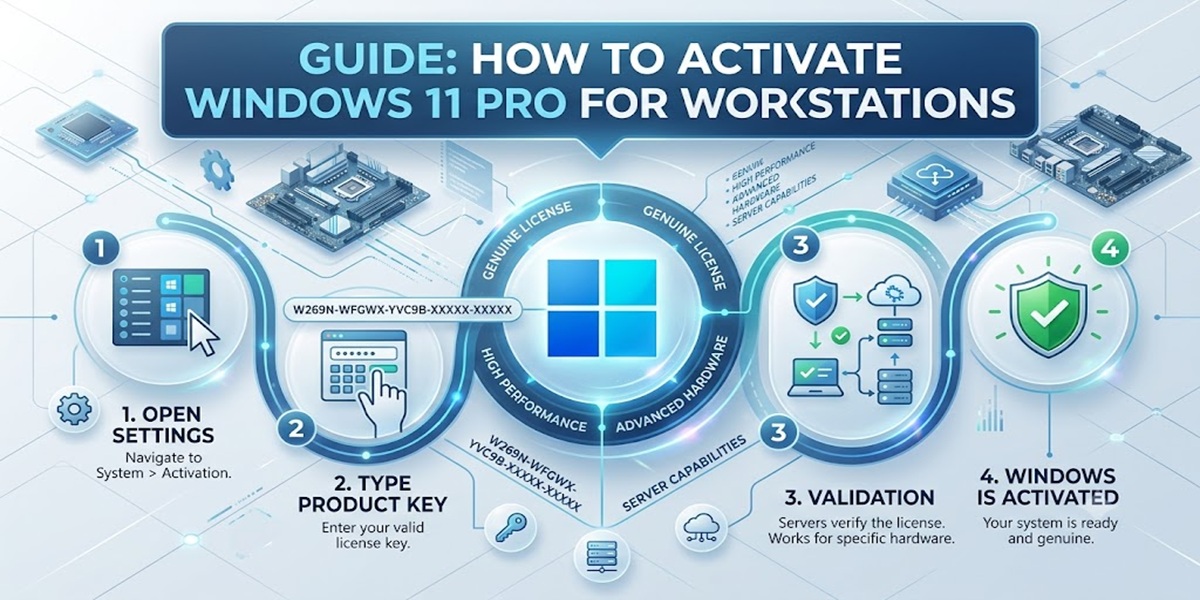
Introduction
Windows 11 Pro for Workstations is Microsoft’s most powerful and advanced operating system designed for high-performance computing environments. It is specially built for engineers, developers, data scientists, architects, and professionals who require extreme system performance, stability, and reliability for demanding workloads.
Unlike standard Windows editions, this workstation version is optimized for heavy tasks such as 3D rendering, AI model training, virtualization, large-scale data processing, and enterprise-level simulations. It supports high-end hardware configurations including multiple CPUs, large RAM capacity, and advanced storage technologies.
However, to unlock its full potential, proper activation is required. Activation ensures that the operating system is genuine, fully licensed, and eligible for Microsoft updates and premium features. Without activation, users may face limitations such as restricted personalization, disabled advanced tools, and activation watermark issues.
Key Features of Windows Pro for Workstations
1. Expanded Multi-CPU Support
Standard Windows Pro editions support up to 2 physical CPUs. Pro for Workstations raises that to up to 4 physical CPUs, including support for server-grade processors like Intel Xeon and AMD Opteron/EPYC — built for compute-heavy workloads like AI training, rendering, and simulation.
2. Massive RAM Support
Pro for Workstations supports up to 6 TB of RAM, compared to 2 TB on standard Pro editions — critical for large in-memory datasets, big 3D scenes, and scientific computing workloads.
3. ReFS (Resilient File System)
ReFS is Microsoft's server-grade file system, built for data integrity on large volumes:
- Automatic corruption detection and repair on fault-tolerant storage (mirrored or parity Storage Spaces)
- Optimized for handling very large data volumes with better resiliency than NTFS
- One limitation worth knowing: Windows can't boot from a ReFS volume — it's for data drives, not your system drive, so NTFS still handles your OS install
4. SMB Direct (RDMA Networking)
SMB Direct uses network adapters with Remote Direct Memory Access (RDMA) to deliver:
- Increased throughput at full network speed
- Very low latency, making remote file shares feel close to locally attached storage
- Low CPU utilization during large file transfers, freeing CPU cycles for other work
5. Persistent Memory (NVDIMM-N) Support
Persistent memory hardware retains data even when the system is powered off, and reads/writes at near-RAM speed rather than disk speed. This lets demanding applications keep critical data instantly accessible without round-tripping to slower storage. It requires specific NVDIMM-N hardware, which remains a niche, higher-cost component.
Why Activation is Important?
Activation of Windows 11 Pro for Workstations ensures:
- Full access to workstation features
- Security and performance updates
- Removal of watermark restrictions
- Legal license compliance
- System stability and optimization
Without activation, the system runs in limited mode.
Methods to Activate
1. Product Key Activation
Steps:
- Open Settings
- Go to System > Activation
- Click “Change Product Key”
- Enter 25-character key
- Restart system
2. Digital License Activation
Steps:
- Sign in with Microsoft account
- System automatically verifies license
- Activation completes in background
3. CMD Activation Method (slmgr Commands)
Check status:
slmgr /xpr
Install key:
slmgr /ipk XXXXX-XXXXX-XXXXX-XXXXX-XXXXX
Activate:
slmgr /ato
View license:
slmgr /dlv
4. KMS Activation (Enterprise Use)
Steps:
- Connect to organization network
- Detect KMS server automatically
- Auto activation + renewal
5. Activation Troubleshooter
Windows built-in tool:
- Detects activation errors
- Fixes license issues
- Restores system activation
Common Errors and Fixes
Error 0xC004F074
Cause: KMS server not reachable
Fix: Check internet, sync time, verify DNS
Error 0xC004C003
Cause: Invalid product key
Fix: Use genuine license key
Error 0x8007232B
Cause: DNS issue
Fix: Change DNS to Google DNS
Activation Watermark Issue
Fix: Run slmgr /ato or re-enter key
License Expiry Issue
Fix: Reconnect network and renew activation
Licensing Overview
Licensing for Windows 11 Pro for Workstations includes:
- Retail License (single PC use)
- OEM License (pre-installed systems)
Each license is valid for one device unless stated otherwise.
Conclusion
Activating Windows 11 Pro for Workstations is essential to unlock its full potential for high-performance and professional workloads. It ensures access to advanced workstation features, system stability, security updates, and legal licensing compliance.
Proper activation also removes restrictions like watermarks and limited functionality, allowing users to fully utilize the power of high-end computing environments. Whether using product key, digital license, CMD commands, or KMS activation, each method ensures a smooth and fully functional experience.
For professionals and enterprises, activation is not optional—it is necessary for maximum productivity, performance, and reliability in 2026.
Frequently Asked Questions (FAQ)
It is used for high-performance computing tasks like AI, engineering, and rendering.
It activates Windows online.
Yes, it supports advanced hardware and performance.
Watermark appears and features are limited.