

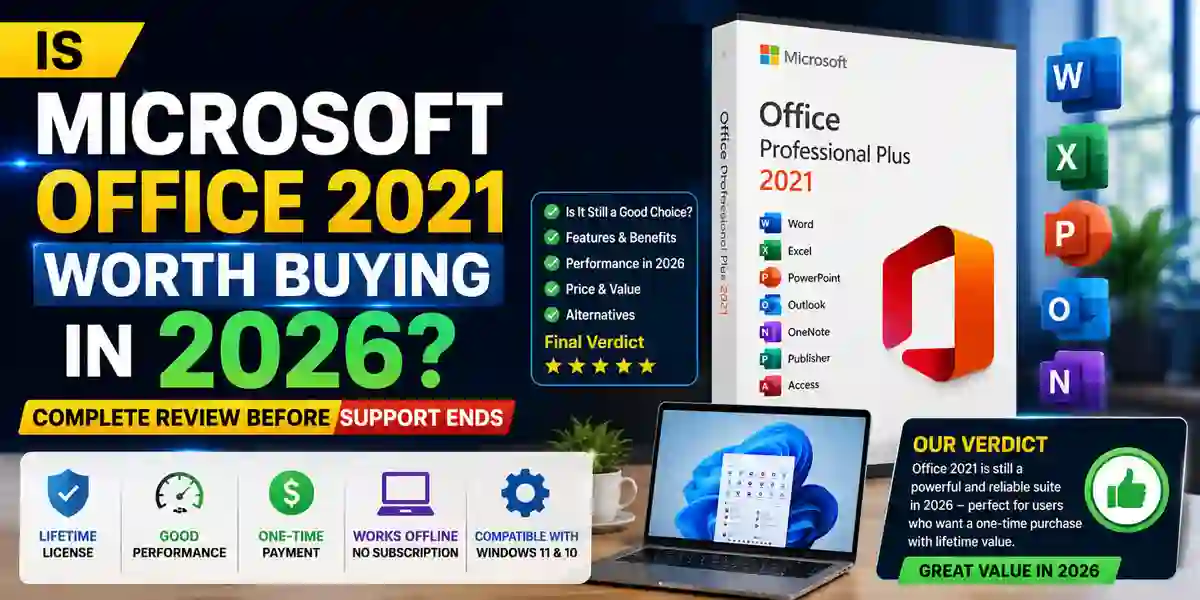
Is Microsoft Office 2021 Worth Buying in 2026? Complete Review Before Support Ends

Introduction
Microsoft Office has remained one of the world's most trusted productivity solutions for decades. From students and professionals to businesses and organizations, millions of users depend on Microsoft Office applications for creating documents, analyzing data, preparing presentations, managing emails, and completing daily productivity tasks.
With newer versions like Microsoft Office 2024 and subscription-based Microsoft 365 available, many users are asking an important question:
Is Microsoft Office 2021 still worth buying in 2026 before support ends?
Microsoft Office 2021 Professional Plus, Home & Business, and other editions continue to provide powerful desktop applications with a traditional one-time purchase license. Unlike Microsoft 365, which requires monthly or yearly payments, Office 2021 allows users to purchase the software once and continue using the installed applications without recurring subscription costs.
Office 2021 remains popular because it provides essential applications such as:
- Microsoft Word 2021
- Microsoft Excel 2021
- Microsoft PowerPoint 2021
- Microsoft Outlook 2021
- Microsoft Access 2021
- Microsoft Publisher 2021
For users who prefer offline productivity, stable performance, and lifetime ownership, Office 2021 continues to be an attractive option.
What Is Microsoft Office 2021?
Microsoft Office 2021 is a standalone desktop productivity suite released by Microsoft as the successor to Office 2019.
Unlike Microsoft 365, Office 2021 follows a perpetual license model, meaning users purchase the software once and can use the installed applications without a subscription.
Office 2021 was designed for users who need:
- Professional productivity applications
- Offline access
- One-time purchase licensing
- Stable software performance
- Long-term usability
It is available in different editions, including:
Microsoft Office 2021 Home & Student
Designed for:
- Students
- Home users
- Personal projects
Includes:
- Word
- Excel
- PowerPoint
Microsoft Office 2021 Home & Business
Designed for:
- Small businesses
- Freelancers
- Professionals
Includes:
- Word
- Excel
- PowerPoint
- Outlook
Microsoft Office 2021 Professional Plus
Designed for:
- Businesses
- Organizations
- Advanced users
Includes:
- Word
- Excel
- PowerPoint
- Outlook
- Access
- Publisher
Is Microsoft Office 2021 Still Supported in 2026?
One of the most important factors before purchasing Office 2021 is understanding its support lifecycle.
Microsoft Office 2021 follows Microsoft's fixed lifecycle policy.
During the support period, users receive:
- Security updates
- Bug fixes
- Stability improvements
However, Office 2021 does not receive:
- Major new features
- Continuous improvements
- AI-powered upgrades available in Microsoft 365
Users considering Office 2021 in 2026 should evaluate how long they plan to use the software.
For users who need basic productivity applications, Office 2021 can still provide excellent value.
For businesses requiring the latest features and cloud collaboration, newer versions may be more suitable.
Microsoft Office 2021 Key Features
1. Microsoft Word 2021 – Professional Document Creation
Microsoft Word 2021 remains one of the most powerful word-processing applications available.
It provides tools for:
- Creating professional documents
- Editing reports
- Designing resumes
- Preparing business proposals
- Writing academic papers
Word 2021 Features:
Improved Performance
Word 2021 provides:
- Faster document loading
- Better responsiveness
- Improved file handling
Modern Document Tools
Users can access:
- Professional templates
- Advanced formatting
- Smart editing tools
- Accessibility features
Collaboration Support
Word 2021 supports:
- Document sharing
- Comments
- Track Changes
- Review tools
2. Microsoft Excel 2021 – Advanced Data Analysis
Excel remains one of the most important tools for businesses and professionals.
Excel 2021 provides powerful functions for:
- Data management
- Financial calculations
- Reporting
- Business analysis
Excel 2021 Features:
Dynamic Array Formulas
Excel 2021 includes modern formulas such as:
FILTER Formula
Example:
=FILTER(A2:C100,C2:C100="Completed")Used for filtering data automatically.
SORT Formula
Example:
=SORT(A2:A100)
Automatically sorts data ranges.
UNIQUE Formula
Example:
=UNIQUE(A2:A100)
Returns unique values from a list.
XLOOKUP Formula
Example:
=XLOOKUP(A2,E:E,F:F)
Used as an advanced replacement for VLOOKUP.
Benefits:
- Faster searching
- Easier formulas
- Better accuracy
3. Microsoft PowerPoint 2021 – Professional Presentations
PowerPoint 2021 helps users create attractive presentations.
Features include:
- Slide design tools
- Presentation templates
- Animation effects
- Media support
- Presenter tools
Useful for:
- Business meetings
- Training sessions
- Educational presentations
- Marketing proposals
4. Microsoft Outlook 2021 – Email and Business Management
Outlook 2021 provides professional communication tools.
Features:
- Email management
- Calendar scheduling
- Contacts organization
- Meeting planning
- Task management
It is especially useful for:
- Businesses
- Corporate users
- Professionals
5. Microsoft Access 2021 Database Management
Access 2021 helps users create and manage databases.
Features include:
- Database creation
- Forms
- Reports
- Queries
- Data management
Suitable for:
- Small businesses
- Inventory systems
- Customer databases
6. Microsoft Publisher 2021
Publisher allows users to create:
- Brochures
- Flyers
- Business cards
- Marketing materials
It is useful for small businesses and creative projects.
Benefits of Buying Microsoft Office 2021 in 2026
1. One-Time Purchase License
The biggest advantage of Office 2021 is its licensing model.
Users pay once and continue using the installed applications.
Advantages:
- No monthly payments
- No subscription renewal
- Predictable cost
2. Works Without Internet
Unlike Microsoft 365, Office 2021 works offline.
This makes it useful for:
- Remote locations
- Secure environments
- Users with limited internet access
3. Stable Performance
Office 2021 provides a stable working environment.
Users avoid:
- Frequent interface changes
- Unexpected feature updates
- Workflow interruptions
4. Professional Office Applications
Users receive powerful desktop applications including:
- Word
- Excel
- PowerPoint
- Outlook
without needing a subscription.
5. Better Privacy Control
Because Office 2021 is primarily desktop-based, organizations have greater control over:
- Data storage
- Documents
- Internal workflow
Microsoft Office 2021 Activation Guide
After installing Office 2021, activation is required to unlock full functionality.
Activation verifies that your copy of Microsoft Office is genuine and properly licensed.
A successful activation provides:
- Full access to applications
- Security updates
- No activation warnings
- Complete editing features
Method 1: Activate Office 2021 Using Product Key
The product key method is one of the most common activation methods.
A Microsoft Office product key usually contains:
XXXXX-XXXXX-XXXXX-XXXXX-XXXXX
Steps:
- Open any Office application.
Example:
- Microsoft Word
- Excel
- PowerPoint
- Sign in with your Microsoft account.
- Enter your Office 2021 product key.
- Follow activation instructions.
- Restart Office application.
After verification, Office becomes activated.
Method 2: Activate Office 2021 Through Microsoft Account
If your license is already linked to your Microsoft account:
Steps:
- Open:
- Sign in.
- Enter your product key.
- Select your account.
- Download and install Office.
- Open Office application.
- Activation completes automatically.
Method 3: Activate Office 2021 Using Command Prompt
IT administrators can use command-line activation methods.
Step 1: Open Command Prompt as Administrator
Search:
CMD
Right-click:
Run as Administrator
Step 2: Navigate to Office Installation Folder
For 64-bit Office:
cd /d %ProgramFiles%\Microsoft Office\Office16
For 32-bit Office:
cd /d %ProgramFiles(x86)%\Microsoft Office\Office16
Step 3: Install Product Key
Command:
cscript ospp.vbs /inpkey:XXXXX-XXXXX-XXXXX-XXXXX-XXXXX
Replace the X values with your genuine Office key.
Step 4: Activate Office
Command:
cscript ospp.vbs /act
Office will attempt activation.
Step 5: Check License Status
Command:
cscript ospp.vbs /dstatus
This displays:
- License status
- Activation information
- Product details
Useful Office 2021 Commands
Check Office License Status
cscript ospp.vbs /dstatus
Remove Existing Product Key
cscript ospp.vbs /unpkey:XXXXX
Install New Product Key
cscript ospp.vbs /inpkey:XXXXX-XXXXX-XXXXX-XXXXX-XXXXX
Activate Office
cscript ospp.vbs /act
Microsoft Office 2021 Common Errors and Fixes
Error 0xC004C060 – Invalid Product Key
Causes:
- Incorrect key
- Used license
- Unsupported edition
Fix:
✔ Verify the product key
✔ Check Office edition compatibility
✔ Use a genuine license
Error 0x80070005 – Activation Failed
Causes:
- Permission problems
- Damaged Office files
- Security software blocking activation
Fix:
- Run Office as administrator
- Repair Office installation
- Restart computer
- Try activation again
Error "Product Activation Failed"
Causes:
- License expired
- Account mismatch
- Internet connection issue
Fix:
✔ Sign out and sign in again
✔ Check Microsoft account
✔ Verify license ownership
Error "Office Cannot Verify Your License"
Causes:
- Damaged installation
- Incorrect account
- Corrupted activation files
Fix:
Run:
Settings → Apps → Microsoft Office → Modify → Quick Repair
If the problem continues, select:
Online Repair
Error Office Applications Keep Asking for Activation
Causes:
- Multiple Office versions installed
- Previous license conflict
Fix:
Remove older Office versions and reinstall Office 2021.
Office 2021 Licensing Explained
Microsoft Office 2021 licenses are available in different formats.
1. Retail License
Retail licenses are purchased separately.
Features:
- Personal ownership
- Transfer options may apply
- Suitable for individual users
2. OEM License
OEM licenses are usually provided with pre-installed systems.
Features:
- Linked to original hardware
- Designed for one computer
3. Volume License
Volume licensing is designed for organizations.
Benefits:
Multiple installations
Central management
Business deployment
Final Recommendation: Is Microsoft Office 2021 Worth Buying in 2026?
Microsoft Office 2021 remains a valuable productivity solution in 2026 for users who want reliable Office applications without subscription payments. It continues to provide powerful tools such as Word, Excel, PowerPoint, Outlook, Access, and Publisher for professional and personal use.
For students, home users, freelancers, and small businesses that need essential Office features, Office 2021 is still a practical and affordable choice.
However, users purchasing a new license and planning long-term usage should consider Microsoft Office 2024 because it offers newer features and a longer future lifespan.
Microsoft 365 remains the best option for users who need cloud storage, collaboration tools, AI features, and continuous updates.
Overall:
- Choose Office 2021 for affordability and offline productivity.
- Choose Office 2024 for a newer perpetual-license experience.
- Choose Microsoft 365 for cloud-based productivity and advanced features.
Before buying Office 2021 in 2026, consider your requirements, budget, and expected usage period. For users who prefer a one-time purchase and reliable desktop applications, Microsoft Office 2021 can still be a smart investment before support ends.
Frequently Asked Questions (FAQ)
Yes, Office 2021 is still worth buying for users who need reliable desktop applications without subscription costs. It is especially suitable for home users, students, and small businesses.
No, Office 2021 does not expire after activation. It is a perpetual license. However, Microsoft support and security updates follow a fixed lifecycle.
Yes, Office 2021 works offline after activation.
Office 2024 is newer and provides longer future support, while Office 2021 is more affordable and still reliable.
Yes, Office 2021 works well with Windows 11.