Office 2024 vs Microsoft 365: Which Productivity Suite Offers More Value in 2026?

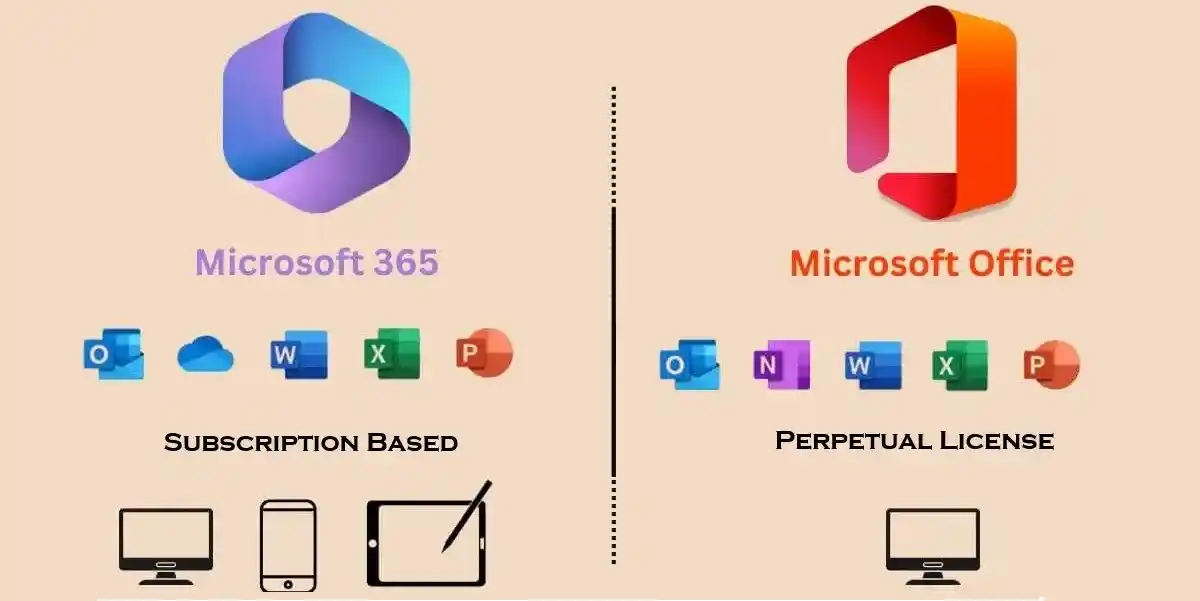
Office 2024 vs Microsoft 365: Which Is Better in 2026?
Choosing between Microsoft Office 2024 and Microsoft 365 is one of the most important software decisions for students, home users, professionals, and small businesses in 2026.
Both products provide access to popular Microsoft productivity applications such as Word, Excel, PowerPoint, and OneNote, but they use very different licensing and pricing models.
Office 2024 is a one-time purchase designed for users who want a traditional desktop Office experience without a recurring subscription. Microsoft 365, on the other hand, is a subscription service that combines Office applications with cloud storage, collaboration tools, ongoing updates, and AI-powered features.
So, which one should you choose?
The answer depends on how you work, how many devices you use, whether you need cloud storage and collaboration, and whether you prefer a one-time purchase or an ongoing subscription.
In this guide, we'll compare Office 2024 vs Microsoft 365 in terms of price, features, updates, licensing, cloud storage, security, device compatibility, activation, and long-term value.
What Is Office 2024?
Microsoft Office 2024 is the latest perpetual version of Microsoft's traditional Office productivity software.
Unlike Microsoft 365, Office 2024 is purchased with a single upfront payment rather than a recurring monthly or yearly subscription.
Depending on the edition, Office 2024 can include applications such as:
- Microsoft Word
- Microsoft Excel
- Microsoft PowerPoint
- Microsoft OneNote
- Microsoft Outlook in applicable editions
Microsoft currently lists Office Home 2024 as a one-time purchase for one PC or Mac. Office Home & Business 2024 adds Outlook and is also licensed for one PC or Mac.
Key Benefits of Microsoft Office 2024
Microsoft Office 2024 delivers a familiar desktop productivity experience with modern improvements across Word, Excel, PowerPoint, Outlook, and OneNote. Designed for users who prefer a one-time Office purchase rather than a recurring Microsoft 365 subscription, Office 2024 provides essential tools for document creation, spreadsheet analysis, presentations, email, note-taking, and everyday professional tasks.
With improved performance, accessibility enhancements, new Excel capabilities, better Word recovery, a refreshed interface, and OpenDocument Format (ODF) 1.4 support, Office 2024 offers a practical solution for users who want a fixed-version Office license.
1. One-Time Purchase and Predictable Licensing
One of the biggest advantages of Office 2024 is its one-time purchase model. Instead of paying a monthly or annual Microsoft 365 subscription fee, users purchase Office 2024 upfront and receive the licensed desktop applications for one PC or Mac.
This approach can make software budgeting easier for users who prefer a fixed-version Office license and do not require the additional cloud services included with Microsoft 365.
2. Professional Office Apps Without a Subscription
Office 2024 provides classic desktop applications such as Microsoft Word, Excel, PowerPoint, and OneNote. Depending on the edition, Outlook is also included—for example, Office Home & Business 2024 includes Word, Excel, PowerPoint, OneNote, and Outlook.
This makes Office 2024 suitable for students, professionals, home users, freelancers, and small businesses that need traditional desktop productivity software.
3. Improved Excel Performance
Excel 2024 includes performance improvements designed to provide a smoother experience when working with complex spreadsheets and multiple workbooks.
These improvements can be useful for users handling financial calculations, business reports, budgets, data analysis, inventory records, and large Excel workbooks.
4. New Excel Functions and Data Analysis Features
Excel 2024 introduces new capabilities that enhance data analysis, calculations, reporting, and spreadsheet organization. These improvements can help users create more effective formulas, manage business information, and build professional reports.
For users who rely on Excel for financial models, dashboards, business analysis, or academic projects, these improvements provide a more capable desktop spreadsheet environment.
5. Enhanced Word Session Recovery
Word 2024 includes improved session recovery capabilities. If Word closes unexpectedly, the application can help recover documents and restore the work session, reducing the risk of losing recent work.
This is particularly useful when creating lengthy reports, business documents, academic assignments, proposals, or other important Word files.
6. Modernized Office User Interface
Office 2024 introduces a refreshed visual experience based on Microsoft Fluent Design principles. The updated interface provides a more consistent appearance across supported Office applications while maintaining the familiar desktop Office workflow.
This makes the transition easier for users upgrading from earlier Office versions while providing a more modern productivity environment.
7. Enhanced PowerPoint Presentation Capabilities
PowerPoint 2024 includes presentation-focused improvements that can help users create more engaging slideshows. Features such as Cameo allow users to integrate a live camera feed into PowerPoint presentations and customize its appearance.
This can be useful for business presentations, online training, demonstrations, educational lessons, webinars, and professional presentations.
8. Built-In Presentation Recording
PowerPoint's recording capabilities allow users to create recorded presentations that can include voice narration, video presence, and ink gestures.
This makes Office 2024 useful for creating training materials, tutorials, educational presentations, demonstrations, and recorded business presentations.
9. Improved Outlook Search and Email Management
Outlook 2024 provides improvements that help users search through email and other mailbox information more efficiently.
Better search capabilities can make it easier to locate important messages, attachments, contacts, and calendar information, especially for users managing busy professional inboxes.
10. Better Meeting and Scheduling Workflows
Outlook 2024 also provides updated meeting-management capabilities designed to make scheduling and calendar organization more convenient.
For professionals who regularly coordinate appointments, meetings, deadlines, and business communications, these improvements can help create a more organized desktop email and calendar workflow.
11. Improved Accessibility Features
Accessibility is an important part of the Office 2024 productivity experience. Microsoft has added and improved accessibility capabilities to help make documents, spreadsheets, presentations, and emails easier to use.
These improvements can benefit users working in professional, educational, and collaborative environments where accessible content is important.
12. OpenDocument Format 1.4 Support
Office 2024 adds support for OpenDocument Format (ODF) 1.4 in Word, Excel, and PowerPoint.
This improves compatibility for users who exchange documents with software that uses the OpenDocument standard and provides support for newer ODF capabilities.
13. Insert Pictures Directly From a Mobile Device
Supported Office 2024 workflows make it easier to bring images from compatible mobile devices into documents, spreadsheets, and presentations.
For example, users can insert pictures from an Android phone into supported Word, Excel, and PowerPoint workflows, reducing the number of steps required to transfer photos before adding them to Office documents.
14. Strong Desktop and Offline-Oriented Workflow
Office 2024 is primarily designed around installed desktop applications, making it suitable for users who prefer working with Word, Excel, PowerPoint, and other Office applications directly on their computer.
However, Office 2024 is not completely disconnected software. Internet access is required for initial setup and activation, periodic activation checks, and keeping the applications updated with available security and quality updates.
15. Designed for One PC or Mac
A major distinction between Office 2024 and Microsoft 365 is the installation model. A one-time Office 2024 purchase is licensed for one PC or Mac.
This makes it a practical choice for users who primarily work from a dedicated computer and do not need the multi-device benefits associated with Microsoft 365 subscriptions.
16. No Microsoft 365 Cloud Storage Included
Office 2024 does not include the cloud services bundled with Microsoft 365 subscriptions. This means services such as the Microsoft 365 subscription-based OneDrive storage package are not part of the standalone Office 2024 purchase.
For users who primarily need desktop Office applications and already have their own preferred storage solution, this can provide a simpler software setup.
17. Security and Quality Updates
Office 2024 continues to receive security and quality updates during its supported lifecycle. However, unlike Microsoft 365 subscription applications, the one-time-purchase edition does not continually receive new feature releases.
This distinction is important for users deciding between a fixed Office version and a subscription that continuously evolves with new features.
18. Familiar Microsoft Office Desktop Experience
For users upgrading from Office 2019, Office 2021, or other previous versions, Office 2024 maintains the familiar desktop productivity model.
Users can continue creating Word documents, Excel spreadsheets, PowerPoint presentations, OneNote notebooks, and Outlook emails through installed applications rather than relying primarily on browser-based Office tools.
19. Suitable for Business, Education, and Personal Productivity
Office 2024 can support a broad range of everyday and professional tasks, including:
- Business document creation
- Financial calculations and budgeting
- Excel data analysis
- PowerPoint presentations
- Academic assignments
- Professional reports
- Email and calendar management
- Personal document management
- Note-taking and organization
- Administrative and office workflows
Its combination of familiar applications and modern improvements makes Office 2024 a versatile desktop productivity solution.
20. Clear Upgrade and Ownership Model
Office 2024 provides a clearly defined one-time purchase model, but users should understand what that means for future upgrades.
A one-time Office 2024 purchase does not include automatic upgrades to future major Office releases. If Microsoft releases another major Office version and users want to move to that version, they will need to purchase the newer release separately.
What Is Microsoft 365?
Microsoft 365 is Microsoft's subscription-based productivity platform.
Instead of buying Office once, you pay a monthly or annual subscription for continued access to applications, services, updates, cloud storage, and other features included with your plan.
Depending on the subscription, Microsoft 365 can include:
- Word
- Excel
- PowerPoint
- Outlook
- OneNote
- OneDrive
- Microsoft Teams
- Microsoft Defender
- Copilot and other AI-powered features in supported plans
Microsoft 365 Personal currently includes use across PCs, Macs, phones, and tablets, with sign-in on up to five devices at once and 1 TB of cloud storage.
Microsoft 365 Family expands the model to multiple people, with up to six users and 1 TB of storage per person.
Office 2024 vs Microsoft 365: Core Differences
The biggest difference is simple:
Office 2024 = One-time purchase
Microsoft 365 = Subscription
Office 2024 is designed for users who want a fixed version of Office applications. Microsoft 365 is designed for people who want a continuously updated productivity ecosystem.
Office 2024
- Pay once
- Use on one PC or Mac
- Classic desktop applications
- Security updates
- No ongoing subscription
- No major-version upgrade included
- No Microsoft 365 cloud services included with the one-time license
Microsoft 365
- Monthly or annual subscription
- Multiple-device access depending on plan
- Latest Office applications
- Continuous feature updates
- OneDrive cloud storage
- Collaboration features
- AI-powered features in supported plans
- Ongoing support
Microsoft's own comparison confirms these differences between the two licensing models.
Office 2024 Cost vs Microsoft 365 Subscription
Price is one of the biggest factors when deciding between Office 2024 and Microsoft 365.
Microsoft's current India pricing lists Office Home 2024 at ₹10,999 as a one-time purchase, while Microsoft 365 Personal is currently listed at ₹6,899 per year. Microsoft 365 Family is ₹8,199 per year.
This creates an important difference in long-term costs.
Office 2024
You make one upfront payment and continue using the purchased version on the licensed computer.
Microsoft 365
You continue paying the subscription fee for continued access to the subscription benefits.
For example, using the currently listed India prices:
- Office Home 2024: ₹10,999 one-time
- Microsoft 365 Personal: ₹6,899/year
- Microsoft 365 Family: ₹8,199/year
These prices can change, so always check Microsoft's current pricing before making a purchase.
Which Is Cheaper?
There isn't a universal answer.
If you need Office on one computer for several years and don't need cloud services, a one-time Office 2024 license can offer strong long-term value.
If you need multiple devices, cloud storage, continuous updates, collaboration, and AI features, Microsoft 365 may provide more value despite its recurring cost.
Office 2024 vs Microsoft 365: Updates
Updates are another major difference.
Office 2024 Updates
Office 2024 receives security updates and bug fixes, but it does not receive the same continuous stream of new features provided to Microsoft 365 subscribers.
This makes Office 2024 attractive to users who prefer stability.
You can become familiar with the interface and workflow without frequently changing features.
Microsoft 365 Updates
Microsoft 365 is continuously updated.
Subscribers receive:
- New features
- Security updates
- Bug fixes
- Performance improvements
- New cloud capabilities
- Supported AI and Copilot features
Microsoft describes Microsoft 365 as providing the latest features and updates throughout the subscription.
Which Update Model Is Better?
Choose Office 2024 if stability is more important than having every new feature.
Choose Microsoft 365 if you want Microsoft to continuously add new functionality.
Cloud Storage: Office 2024 vs Microsoft 365
Cloud storage is one of the biggest advantages of Microsoft 365.
Microsoft 365 Personal currently includes 1 TB of OneDrive storage, while Family provides up to 6 TB total, with 1 TB allocated per person.
This makes Microsoft 365 useful for people who regularly work across multiple devices.
Microsoft 365 Cloud Advantages
With a supported Microsoft 365 plan, you can:
- Store files in OneDrive
- Access documents from multiple devices
- Share files
- Collaborate in real time
- Synchronize files
- Continue working across PC, Mac, phone, and tablet
Office 2024
Office 2024 itself does not include the cloud storage benefits bundled with Microsoft 365.
You can still use Office applications with local files and can use other cloud services separately, but the integrated 1 TB OneDrive benefit is a Microsoft 365 subscription feature.
Offline Work: Which Is Better?
Both products can support offline work after installation and activation.
Office 2024 is particularly suitable for users who primarily work with files stored locally.
Microsoft 365 applications can also work offline after installation and activation, but Microsoft recommends connecting regularly to the internet so the subscription can be verified and applications can remain up to date.
Therefore, it is inaccurate to say that Microsoft 365 is simply an "online-only" Office.
The better distinction is:
Office 2024: local-first, one-time purchase.
Microsoft 365: cloud-connected subscription with offline desktop capabilities.
Device Compatibility and Multi-Device Access
If you use only one computer, Office 2024 may be enough.
If you regularly switch between devices, Microsoft 365 has a major advantage.
Microsoft 365 Personal allows users to sign in on up to five devices simultaneously and use the service across PCs, Macs, phones, and tablets.
Office 2024
A one-time purchase is intended for one PC or Mac.
Microsoft 365
Depending on the plan, you can use Microsoft 365 across:
- Windows PCs
- Macs
- iPhones
- iPads
- Android phones
- Android tablets
This makes Microsoft 365 particularly useful for people who work from home, the office, and while traveling.
AI and Copilot: Office 2024 vs Microsoft 365
Artificial intelligence is becoming an increasingly important part of productivity software in 2026.
Microsoft 365 has a significant advantage here because supported subscription plans include AI-powered Copilot capabilities integrated with applications and services.
Microsoft's current Microsoft 365 Personal offering includes productivity applications with Microsoft Copilot and additional AI usage benefits.
This can help users:
- Draft documents
- Improve writing
- Analyze information
- Create presentations
- Generate ideas
- Work more efficiently
- Automate repetitive tasks
If AI-assisted productivity is one of your main requirements, Microsoft 365 is generally the stronger choice.
Security and Privacy
Security is important whether you choose Office 2024 or Microsoft 365.
Both products benefit from Microsoft's security updates, but their usage models differ.
Office 2024
Office 2024 is attractive to users who prefer to maintain files locally and control their own storage and backup environment.
Microsoft 365
Microsoft 365 provides additional cloud-connected services and security features depending on the subscription.
Microsoft 365 Personal currently includes Microsoft Defender and OneDrive ransomware protection.
For businesses, Microsoft 365 can also provide additional identity, administration, security, and compliance capabilities depending on the plan.
Office 2024 Licensing and Activation
Office 2024 activation should always be completed using a genuine Microsoft license and the official Microsoft activation process.
Depending on the edition and how it was purchased, activation may involve linking the license to a Microsoft account or redeeming a product key.
Microsoft notes that many newer Office 2024 installations use the Microsoft account associated with the Office license rather than requiring the user to repeatedly enter a product key.
Method 1: Activate Office 2024 With a Product Key
If your genuine Office purchase includes a product key:
- Install the correct Office 2024 edition.
- Open Word, Excel, or another Office application.
- Sign in with your Microsoft account.
- Redeem the product key if required.
- Follow the activation prompts.
- Restart the application if requested.
- Confirm that Office shows as activated.
Microsoft recommends redeeming legitimate product keys through its official activation process.
Method 2: Activate Office 2024 Through Your Microsoft Account
For licenses already associated with a Microsoft account:
- Sign in to the Microsoft account used to purchase or redeem Office.
- Open your Microsoft account services or Office installation page.
- Locate the Office license.
- Download the appropriate installer.
- Install Office.
- Sign in using the associated account.
- Allow Office to complete activation.
This is often the simplest method for newer Office installations.
Microsoft 365 Activation
Microsoft 365 works differently because it is subscription-based.
Basic Activation Process
- Purchase or subscribe to Microsoft 365.
- Sign in with your Microsoft account.
- Download Microsoft 365 applications.
- Install Word, Excel, PowerPoint, and other included applications.
- Open an Office application.
- Sign in using the account associated with the subscription.
- Complete the activation process.
Once your subscription is active, the applications use your Microsoft account to verify the license.
Office Activation Commands: What You Should Know
Many websites publish command-line activation instructions for Office. However, it is important to distinguish license diagnostics from unauthorized activation.
Commands should not be used to bypass Microsoft's licensing system.
For Windows troubleshooting, the following commands can help diagnose Windows licensing:
slmgr /xpr
This checks Windows activation expiration information.
slmgr /dli
This displays basic Windows license information.
slmgr /dlv
This displays detailed Windows licensing information.
Office License Diagnostics
On supported volume-license installations, Microsoft's Office Software Protection Platform script may provide license-status information:
cscript ospp.vbs /dstatus
The exact Office installation path can vary depending on the installation architecture and deployment method.
The important distinction is that diagnostic commands are not substitutes for a genuine Office license.
For consumer Office 2024 installations, account-based activation is commonly the appropriate route.
Common Office 2024 Activation Problems
Even genuine Office installations can sometimes encounter activation issues.
"Product Key Is Not Valid"
If Office reports that a product key is invalid, Microsoft says the key may have been blocked or may not be legitimate. Microsoft specifically warns about unauthorized or fraudulently obtained keys sold separately from legitimate software.
What to Do
- Verify that you purchased the correct edition.
- Sign in with the correct Microsoft account.
- Check whether the key has already been redeemed.
- Contact the seller if the key was purchased from a retailer.
- Request a refund if the key has been blocked.
- Purchase software from an authorized source.
Error 0xC004C060
Another Office activation issue is error 0xC004C060.
Microsoft explains that this error means the product key is no longer valid.
Possible causes include:
- Blocked product key
- Unauthorized key
- Incorrect licensing
- Previously abused key
- Incorrect product edition
The safest solution is to verify the license with the original seller or Microsoft and obtain a legitimate replacement if necessary.
Office 2024 vs Microsoft 365 for Students
For students, the best option depends on the available school or university licensing.
Office 2024 May Be Better If:
- You mainly use one laptop.
- You need Word, Excel, and PowerPoint.
- You want a one-time purchase.
- You don't need extensive cloud storage.
- You prefer a stable Office version.
Microsoft 365 May Be Better If:
- Your school provides Microsoft 365.
- You use multiple devices.
- You need OneDrive.
- You collaborate on documents frequently.
- You want the latest features and AI tools.
Before buying, students should check whether their educational institution already provides Microsoft 365.
Office 2024 vs Microsoft 365 for Home Users
For a home user with one computer, Office 2024 can be a straightforward option.
For example, if you mainly:
- Write documents
- Create spreadsheets
- Prepare presentations
- Read and send email
- Work offline
- Use one PC or Mac
then Office 2024 may provide everything you need.
However, Microsoft 365 becomes more attractive if your household has multiple users or devices.
Microsoft 365 Family supports up to six people and provides 1 TB of OneDrive storage per person.
Office 2024 vs Microsoft 365 for Small Businesses
Small businesses should consider more than just the purchase price.
Office 2024 Can Be Suitable For:
- Single-computer workstations
- Offline environments
- Businesses that prefer perpetual software
- Basic Word, Excel, and PowerPoint workflows
- Organizations that don't need cloud collaboration
Microsoft 365 Can Be Better For:
- Remote teams
- Multiple employees
- Shared documents
- Cloud storage
- Teams collaboration
- Multi-device working
- Centralized administration
- Advanced security requirements
For businesses that depend heavily on cloud collaboration, Microsoft 365 generally provides a broader ecosystem.
Office 2024 vs Microsoft 365: Total Cost of Ownership
A simple way to compare the two options is to calculate your total spending over several years.
Let:
- C₀ = initial Office 2024 purchase price
- S = annual Microsoft 365 subscription cost
- t = number of years
Then:
Office 2024
C(t) = C₀
Microsoft 365
C(t) = S × t
This simplified model does not account for discounts, price changes, different editions, taxes, or the additional services included with Microsoft 365.
For example, using Microsoft's current India pricing of ₹10,999 for Office Home 2024 and ₹6,899/year for Microsoft 365 Personal, the simple subscription cost reaches the Office Home 2024 purchase price during the second year.
However, the comparison isn't purely about price.
Microsoft 365 also includes services such as 1 TB of cloud storage, multi-device access, continuous feature updates, and supported AI capabilities.
Therefore, the better question is:
Which package provides the features you actually need?
Simple Decision Formula
You can use this simple decision logic:
IF you want:

One-time payment

+

One computer

+

Classic Office applications

+

No need for extensive cloud services


→ Choose Office 2024
Or:
IF you want:

Multiple devices

+

Cloud storage

+

Continuous updates

+

Collaboration

+

AI features


→ Choose Microsoft 365
Office 2024 vs Microsoft 365: Pros and Cons
Office 2024 Pros
- One-time purchase
- No recurring subscription for the license
- Familiar desktop experience
- Suitable for one PC or Mac
- Security updates
- Good for long-term single-device use
- Useful for users who prefer local workflows
Office 2024 Cons
- No major-version upgrade included
- Limited compared with Microsoft 365 cloud services
- No bundled 1 TB OneDrive storage
- Limited multi-device flexibility
- Fewer continuously added features
- AI capabilities are not equivalent to supported Microsoft 365 plans
Microsoft 365 Pros
- Latest Office applications
- Continuous feature updates
- Multi-device support
- 1 TB OneDrive storage on many personal plans
- Collaboration features
- AI/Copilot features in supported plans
- Useful for families and teams
- Ongoing support
Microsoft 365 Cons
- Recurring subscription cost
- Requires an active subscription for continued access to the full subscription benefits
- Greater dependence on Microsoft account and cloud services
- Some advanced features depend on the specific plan
Which Is Better in 2026?
There is no single winner for everyone.
Choose Office 2024 If:
You want a one-time purchase and mainly use one PC or Mac.
Office 2024 is a strong choice for students, home users, professionals, and small businesses that need traditional Office applications without paying a recurring subscription.
Choose Microsoft 365 If:
You want the latest features, cloud storage, multiple-device access, collaboration, and AI capabilities.
Microsoft 365 is particularly compelling for remote workers, families, entrepreneurs, and teams that rely on cloud-connected workflows.
Final Verdict: Office 2024 vs Microsoft 365
The choice between Office 2024 and Microsoft 365 ultimately depends on your workflow rather than simply which product is newer.
Office 2024 is the better choice for users who want a straightforward, one-time purchase for one PC or Mac. It provides the classic Office applications and security updates without requiring a recurring subscription. It is especially suitable for people who work primarily on one device and don't need extensive cloud services.
Microsoft 365 is the better choice for users who want a complete, continuously updated productivity ecosystem. Its combination of Office applications, OneDrive storage, multi-device access, collaboration features, ongoing updates, security services, and supported AI capabilities makes it more suitable for modern cloud-based workflows.
In simple terms:
Choose Office 2024 for:
One-time purchase + one device + stable Office experience.
Choose Microsoft 365 for:
Subscription + multiple devices + cloud storage + collaboration + latest features + AI.
Before purchasing, compare the exact edition and current Microsoft pricing because included applications, features, and prices can vary by plan and region. Microsoft's current India comparison shows Office Home 2024 at ₹10,999 as a one-time purchase and Microsoft 365 Personal at ₹6,899/year, but these prices may change.
For most users, the decision comes down to one simple question:
Do you want to own a fixed version of Office, or do you want an always-evolving Microsoft 365 service?
That distinction makes it much easier to choose the right productivity solution in 2026.
Frequently Asked Questions (FAQs)
Cost per device and initial activation/installation hiccups, especially if not purchased from reputed seller
Yes—no feature upgrades after purchase, smaller cloud storage, and no multi-device or family plans by default.
Very positive with official and top-rated resellers
Home office professionals, businesses, and users tired of recurring fees or needing guaranteed compatibility and support with their current PC.
Office 2024 is available in both one-time license and Office 365 version 2024 subscription models, depending on the edition and region. Subscription-based options often include additional cloud storage and extra features via Microsoft 365.
Yes. You can create, edit, and access documents offline using installed desktop apps. Cloud-sync and certain AI features will require an internet connection.
Absolutely. With improved AI tools, enhanced security, superior collaboration, and performance boosts, Office 2024 offers a much more modern and future-proof experience than Office 2021.
Yes, it can run on relatively older systems that meet the minimum system requirements, but performance will be significantly better on systems that meet the recommended specs.