Office 2024 vs Microsoft 365: Which Productivity Suite Offers More Value in 2026?

Introduction: Why Microsoft Office 2024 Matters More Than Ever
Choosing between Office 2024 and Microsoft 365 is one of the most common software decisions for home users, students, and small businesses in 2026. Both solutions come from Microsoft, and both include industry-standard apps like Word, Excel, and PowerPoint, but they follow very different pricing and usage models.
If you prefer a one-time purchase, predictable costs, and a stable desktop experience, Office 2024 is usually the smarter long-term productivity suite compared to a recurring Microsoft 365 subscription. This guide breaks down Office 2024 vs Microsoft 365 in terms of cost, updates, cloud features, security, and use cases so you can choose the best option for 2026.
What Is Office 2024?
Office 2024 is Microsoft’s latest one-time purchase (perpetual) version of its classic Office apps. You pay once, get a lifetime license for one PC or Mac, and keep using Word, Excel, PowerPoint, and other included apps for as long as your device supports them.
This makes Office 2024 ideal for users who do not want ongoing monthly or yearly payments and who mainly work on a single computer. You still receive essential security and performance updates, but there are no disruptive interface changes or constant feature experiments.
What Is Microsoft 365?
Microsoft 365 (formerly Office 365) is a subscription-based service that bundles Office apps with cloud storage, collaboration tools, and regular feature updates. Instead of a one-time payment, you pay monthly or yearly for plans like Microsoft 365 Personal, Family, or Business.
Subscribers get access to desktop and online versions of Office apps plus extras such as OneDrive cloud storage, Teams collaboration, and often AI features like Copilot in supported plans. This model suits users who rely heavily on cloud workflows, multi-device access, and always want the latest features.
Office 2024 vs Microsoft 365: Core Differences
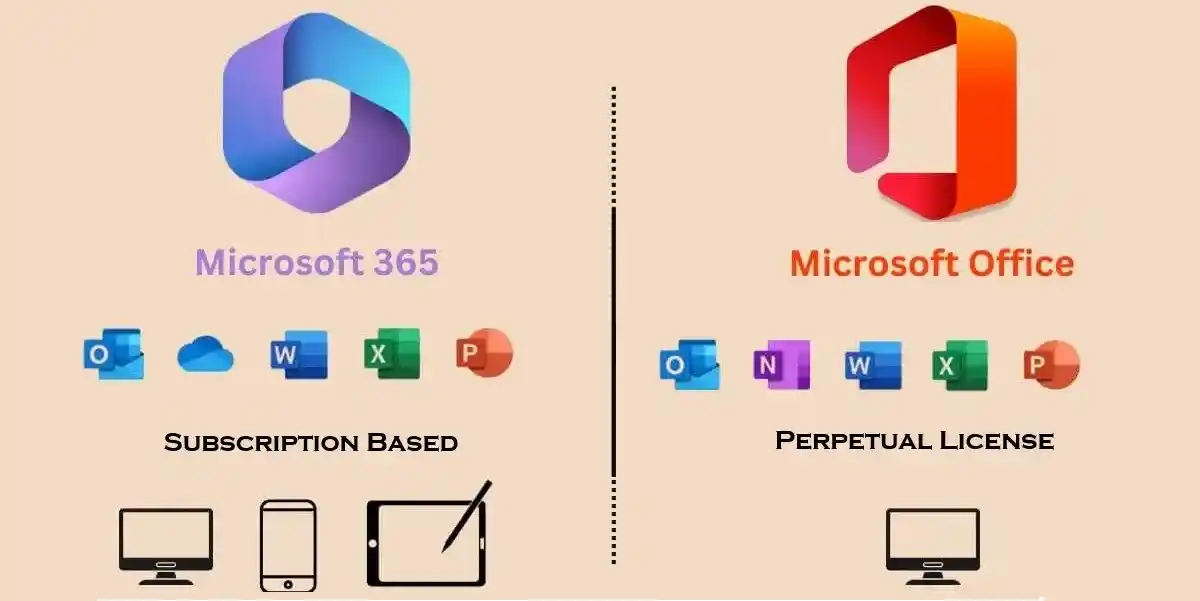
At a high level, the Office 2024 vs Microsoft 365 decision comes down to ownership vs subscription and local vs cloud-centric workflows. Here are the key differentiators:
- Office 2024: One-time purchase, lifetime license for one device, offline-focused, stable feature set.
- Microsoft 365: Ongoing subscription, use on multiple devices (depending on plan), strong cloud integration, continuous feature updates.
For users who dislike recurring fees and constant changes, Office 2024 is usually a better fit, while Microsoft 365 is better for teams and power users who want cloud collaboration and AI.
Office 2024 Cost vs Microsoft 365 Subscription
Pricing is one of the biggest reasons people search for “Office 2024 vs Microsoft 365: which is cheaper?” Office 2024 is sold for a single upfront price per license, while Microsoft 365 charges per user per month or per year and can increase over time.
- With Office 2024, you pay once and can use the apps for many years, so the effective yearly cost usually drops the longer you keep the software.
- With Microsoft 365, you keep paying as long as you want access, and recent announcements show subscription prices can rise over time for many plans.
For budget-conscious students, home users, and small businesses that keep software for 3–5 years or more, Office 2024 often works out significantly cheaper than a Microsoft 365 subscription over the same period.
Do You Really Need Constant Updates?
One of Microsoft 365’s selling points is continuous feature updates, integrations, and AI improvements. However, many users mainly need reliable versions of Word, Excel, and PowerPoint that work the same way every day.
- Office 2024 receives important security and stability updates but does not change its core interface and feature set frequently.
- Microsoft 365 pushes new features and UI changes more often, which can be helpful for advanced users but distracting for those who prefer a consistent environment.
If productivity and muscle memory are more important than experimenting with new features, Office 2024’s stable approach is usually more comfortable and less disruptive.
Cloud vs Local: How You Work
When comparing Office 2024 vs Microsoft 365, cloud integration is another major factor. Microsoft 365 is built around OneDrive and Teams for real-time collaboration, remote access, and multi-device syncing.
- Microsoft 365:
- 1 00 Gb or more of OneDrive storage per user on many plans.
- Real-time co-authoring and collaboration inside Word, Excel, and PowerPoint.
- Seamless work across desktop, web, and mobile devices.
- Office 2024:
- Primarily offline, with files stored locally on your PC or Mac.
- Perfect for users with unreliable internet, strict data policies, or those who simply prefer local storage and traditional file management.
If you rarely collaborate in real time and mostly work on a single computer, Office 2024’s offline model is simpler and more private without always-online dependencies.
Device Compatibility and Access
Both Office 2024 and Microsoft 365 support Windows and macOS, providing robust desktop experiences. The difference is how widely you want to access your documents.
- Office 2024: Designed as a classic desktop suite for one PC or Mac, with lifetime validity for that device.
- Microsoft 365: Depending on the plan, you can install apps on multiple PCs, Macs, tablets, and phones, with cross-device syncing.
If you often edit documents on mobile or switch devices during the day, Microsoft 365’s multi-device access can be useful. But if you mostly work on one laptop or desktop, Office 2024 gives you everything you need without paying extra for multi-device convenience.
Security, Privacy, and Control
Security is central to any Office 2024 vs Microsoft 365 comparison. Both options receive security updates from Microsoft, but they differ in how data is stored and accessed.
- Office 2024: Files stay on your device by default, giving you direct control over storage, backups, and network exposure.
- Microsoft 365: Files often live in OneDrive or SharePoint to enable cloud access and collaboration, which increases reliance on online services and account security.
For organizations with strict data privacy rules, air-gapped networks, or sensitive offline workflows, Office 2024’s local-first model aligns better with security policies.
Methods to Activate Microsoft Office 2024
Method 1: Activate Using Product Key
Steps:
- Install Office 2024.
- Open any Office application.
- Sign in with Microsoft account.
- Enter valid product key.
- Complete activation verification.
Method 2: Activate Through Microsoft Account
Steps:
- Visit Microsoft account page.
- Sign in.
- Connect purchased license.
- Download Office.
- Install and activate.
Methods to Activate Microsoft 365
Method 1: Subscription Account Activation
Steps:
- Purchase Microsoft 365 subscription.
- Sign in with Microsoft account.
- Install Office applications.
- Activation completes automatically.
Method 2: Organization Activation
Businesses can activate Microsoft 365 using:
- Organizational accounts
- Enterprise licensing
- Managed deployment solutions
Office Activation Commands
Check Activation Status
slmgr /xpr
Display License Information
slmgr /dli
Detailed License Information
slmgr /dlv
Office License Status Command
cscript "%ProgramFiles%\Microsoft Office\Office16\OSPP.VBS" /dstatus
Activate Office
cscript "%ProgramFiles%\Microsoft Office\Office16\OSPP.VBS" /act
Who Is Office 2024 Best For?
Office 2024 is often the better choice in 2026 for users who want simple, powerful, and cost-effective Office apps without long-term subscriptions. It is particularly suitable for:
- Students and professionals who need core Office apps for several years on one device.
- Small businesses that value predictable, upfront software costs.
- Organizations with tight data privacy requirements or limited internet connectivity.
- Users who prefer a stable interface and do not want constant feature changes.
For these groups, the combination of one-time payment, offline functionality, and lifetime access makes Office 2024 a smart, practical investment.
Who Should Consider Microsoft 365?
Microsoft 365 still makes sense for users and teams that rely heavily on the cloud and advanced collaboration tools. It is worth considering if:
- You manage a remote or hybrid team that depends on Teams, shared OneDrive folders, and real-time co-authoring.
- You need the full Microsoft ecosystem with advanced security, compliance, and AI features included in higher-tier plans.
- You frequently use multiple devices and want your files and settings to sync everywhere.
In these scenarios, the subscription cost of Microsoft 365 can be justified by the added capabilities and flexibility.
Conclusion
Microsoft Office 2024 remains an excellent choice for users who prefer a traditional one-time purchase model. It provides essential Office applications with reliable performance, offline access, and long-term usability without requiring a monthly or yearly subscription. Students, home users, and professionals who mainly work on a single computer and do not require frequent feature updates may find Office 2024 to be a practical and cost-effective solution.
On the other hand, Microsoft 365 offers a more modern and flexible productivity experience. With continuous updates, cloud storage, advanced collaboration features, AI-powered tools, and better multi-device support, Microsoft 365 is designed for users who want access to the latest technology. Businesses, remote teams, entrepreneurs, and professionals who depend on collaboration and cloud workflows can benefit significantly from Microsoft 365.
In 2026, artificial intelligence has become a major factor in productivity software. Microsoft 365 has an advantage because of its deeper integration with AI-powered features, automation tools, and intelligent assistance capabilities. These features help users create content faster, analyze information more efficiently, and improve daily workflows.
Office 2024, however, continues to provide value for users who prefer simplicity, ownership, and predictable costs. It eliminates subscription concerns and provides a stable environment for users who do not require constant upgrades.
Frequently Asked Questions (FAQs)
What’s the most common complaint?
Cost per device and initial activation/installation hiccups, especially if not purchased from reputed seller
Does Office 2024 Professional Plus lack anything compared to Microsoft 365?
Yes—no feature upgrades after purchase, smaller cloud storage, and no multi-device or family plans by default.
How are activation and support experiences rated?
Very positive with official and top-rated resellers
Who should choose the perpetual version?
Home office professionals, businesses, and users tired of recurring fees or needing guaranteed compatibility and support with their current PC.
Is Microsoft Office 2024 subscription-based?
Office 2024 is available in both one-time license and Office 365 version 2024 subscription models, depending on the edition and region. Subscription-based options often include additional cloud storage and extra features via Microsoft 365.
Does Office 2024 work offline?
Yes. You can create, edit, and access documents offline using installed desktop apps. Cloud-sync and certain AI features will require an internet connection.
Is Office 2024 better than Office 2021?
Absolutely. With improved AI tools, enhanced security, superior collaboration, and performance boosts, Office 2024 offers a much more modern and future-proof experience than Office 2021.
Can Office 2024 run on older computers?
Yes, it can run on relatively older systems that meet the minimum system requirements, but performance will be significantly better on systems that meet the recommended specs.