


PDF 2027 Pro: The 100% Offline Secure PDF Editor & Dark Leak Protection
Original price was: US$188.US$18Current price is: US$18.
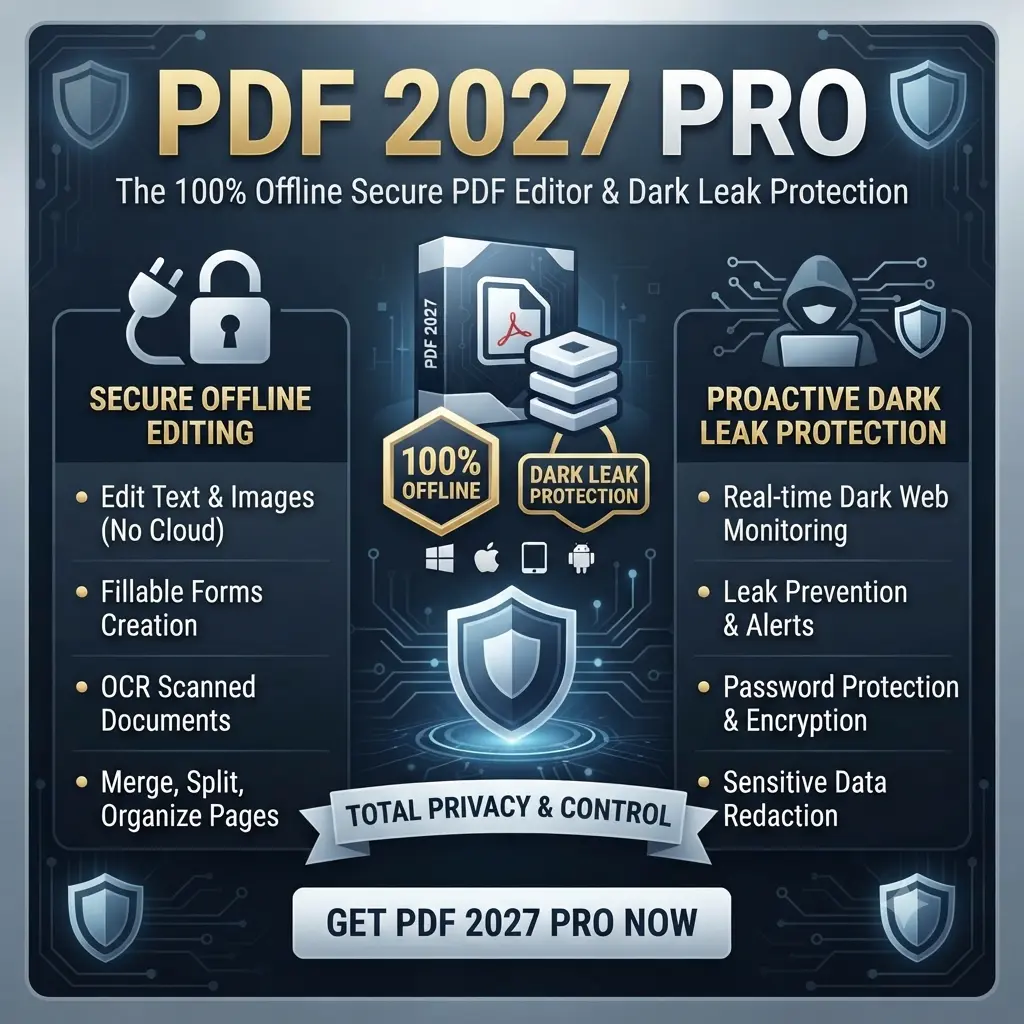
Download PDF 2027 Pro for complete control over your documents. Work in 100% offline mode with all data stored locally on your device—never in the cloud. Because your files never leave your system, it prevents your sensitive data from leaking onto the dark web. Combined with a full suite of professional PDF editing, conversion, and security tools, PDF 2027 Pro keeps your documents private, secure, and accessible anytime.
Take Complete Control of Your Documents with Zero Cloud Risk
Traditional PDF tools force you to upload your confidential contracts, financial records, and personal documents to public cloud servers—exposing you to tracking, data breaches, and accidental leaks. PDF 2027 Pro changes everything.
Engineered for absolute privacy, PDF 2027 Pro runs 100% offline, ensuring your files and data are stored in your system only. Combining a high-performance, Style document toolkit with military-grade data leak security and proactive dark web protection, this is the ultimate cross-platform document solution for Windows .Plus, stay tuned—dedicated versions for Mac, iPad, and Android are launching soon.
Key Features That Drive Sales & Maximum Security
100% Offline Air-Gapped Mode: Work anywhere without internet dependence. Process your documents entirely locally with zero server uploads or tracking cookies.
Stored in Your System Only: Unlike web-based converters that save your files on remote cloud databases, your sensitive information never leaves your device’s secure local storage.
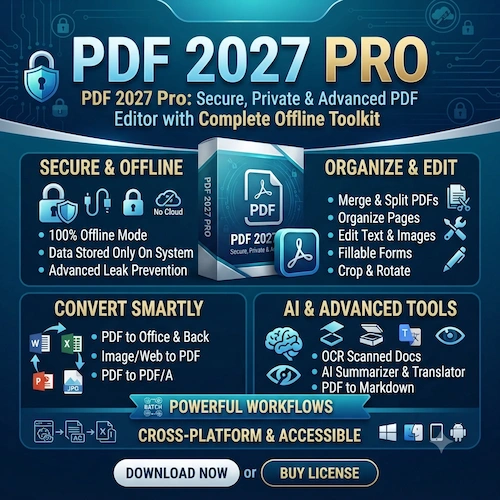
All-in-One Core Toolkit : Merge, split, compress, convert (PDF to Word/Excel/JPG), edit text, run multi-language OCR, and e-sign documents instantly without file-size caps..
Built-In Dark Web Shield: Proactively scans monitored identifiers and account credentials against global dark web breach databases, alerting you instantly if your digital footprint is compromised.
Universal Cross-Platform Ecosystem: Available seamlessly across PDF 2027 Pro for Windows.
Stay tuned—dedicated versions for Mac, iPad, and Android are launching soon.PDF Pro for Mac, PDF for iPad, and PDF 2027 Pro for Android.
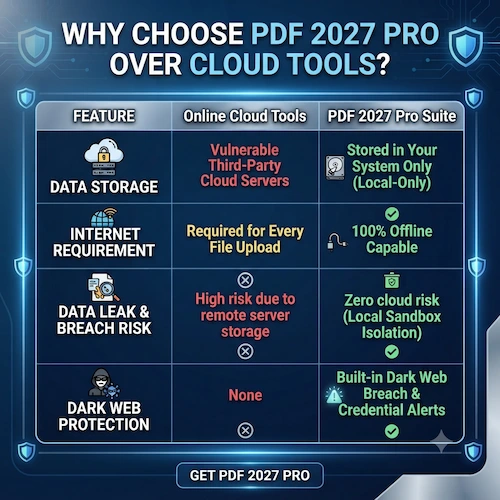
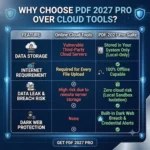
Why Choose PDF 2027 Pro Over Cloud Tools?
| Feature | Online Cloud Tools | PDF 2027 Pro Suite |
| Data Storage | Vulnerable Third-Party Cloud Servers | Stored in Your System Only (Local-Only) |
| Internet Requirement | Required for Every File Upload | 100% Offline Capable |
| Data Leak & Breach Risk | High risk due to remote server storage | Zero cloud risk (Local Sandbox Isolation) |
| Dark Web Protection | None | Built-in Dark Web Breach & Credential Alerts |
Stop compromising your privacy on unsecure public websites. Download PDF 2027 Pro today for Windows—and experience lightning-fast document management where your files stay strictly on your system and under your total control.
Download and Activation Code will be given via Email
1 Year Subscription
Exclusively for Windows. Stay tuned—dedicated versions for Mac, iPad, iPhone, and Android are launching soon.
1 Device 1 User License
. Organize & Optimize PDF
Merge PDF: Combine multiple PDFs into a single document in your preferred order.
Split PDF: Extract specific pages or separate a large PDF into independent files.
Organize Pages: Reorder, delete, or insert pages within a document.
Compress PDF: Reduce file size while retaining visual quality for easier sharing.
Repair PDF: Recover data and fix corrupted or damaged PDF files.
2. Convert PDF (To & From)
PDF to Office: Convert PDFs into editable Word (
.doc/.docx), Excel (.xlsx), and PowerPoint (.pptx) files.Office to PDF: Turn Word, Excel, and PowerPoint documents into PDFs.
Image & Web Conversions: Convert JPGs or live HTML webpages into PDFs, or extract images/pages from a PDF into JPGs.
PDF to PDF/A: Convert files to the ISO-standardized format designed for long-term archiving.
3. Edit & Customize
Edit PDF: Add text, images, shapes, and freehand annotations directly onto pages.
PDF Forms: Create interactive fillable forms (text fields, checkboxes, lists) or fill out existing ones.
Crop & Rotate: Trim page margins or adjust page orientation individually or in bulk.
Page Numbers & Watermarks: Insert customizable page numbering and stamp text or image watermarks for branding/copyright.
Scan to PDF: Capture physical documents via mobile and send them directly to your workspace.
4. PDF Intelligence & AI Tools
OCR PDF: Convert scanned documents into searchable and selectable text.
AI Summarizer: Generate quick summaries of lengthy PDF documents.
Translate PDF: Translate documents using AI while preserving original fonts and layouts.
PDF to Markdown: Convert PDFs into structured Markdown files (retaining headings, tables, and lists) for notes or LLM workflows.
5. Security & Compliance
Protect & Unlock PDF: Encrypt files with passwords or remove existing password restrictions.
Sign PDF (e-Signatures): Sign documents yourself
Redact PDF: Permanently black out and strip sensitive text or graphics from a file.
Compare PDF: View two document versions side-by-side to spot differences.
6. Workflow & Platform Features
Batch Processing & Workflows: Process multiple files simultaneously or chain tools together (e.g., Merge → Compress → Protect) to automate repetitive tasks.
Cross-Platform & Offline Access: Desktop app for offline local processing.
Related products
Adobe Creative Cloud 2026 for Mac – All Apps 12 month Subscription License

Adobe Creative Cloud All Apps – For 1 year License | Digital delivery | Mac or Windows

Buy CorelDRAW Graphics Suite 2025 Commercial License | Mac & PC

CorelDraw Graphics Suite 1-Year Subscription ESD | Commercial License | Multilingual
Microsoft Office Home and Business 2019 for Mac
Microsoft Office | (Multilingual – Global Edition)

Microsoft Office 2024 Home and Business | lifetime Validity

Reviews
There are no reviews yet