

Windows Server License Key: How to Find, Buy, and Activate

The fastest way to get a Windows Server license key is to check where a key already lives: your licensing , your purchase email, or the server’s firmware. If you own none, buy one from Microsoft, your hardware vendor, or a reseller, then install it with slmgr /ipk and activate it with slmgr /ato. KMS client keys, the keys Microsoft publishes, only work when a KMS host on your own network does the activating.
Searching for a key is confusing because the results mix very different things. You find lists of keys that activate nothing, forum threads with no answer, and marketplaces that never explain what they are selling. Retail, OEM, MAK, and KMS keys behave differently. Paste the wrong one into a standalone server and it installs, then refuses to activate. Leave the server on an evaluation copy and it eventually stops being usable.
This guide walks you through the process in order, for Windows Server 2016, 2019, 2022, and 2025. You will learn which key type you need, how to recover a key you already own, where to buy a genuine one and what it costs, how the KMS client keys work, and how to activate and fix errors. Codesforever sells Windows Server keys, so the buying step is covered honestly, free routes included.
What a Windows Server key is and which type you need
A Windows Server product key is a 25-character code that ties a server installation to a license and an edition. The key only proves the license. Cores, user access, and virtual machines are licensed separately, and that is where most buyers get caught.
Four key types, four ways to activate
Every Windows Server key you meet falls into one of four types. Knowing which one you hold decides how you activate.
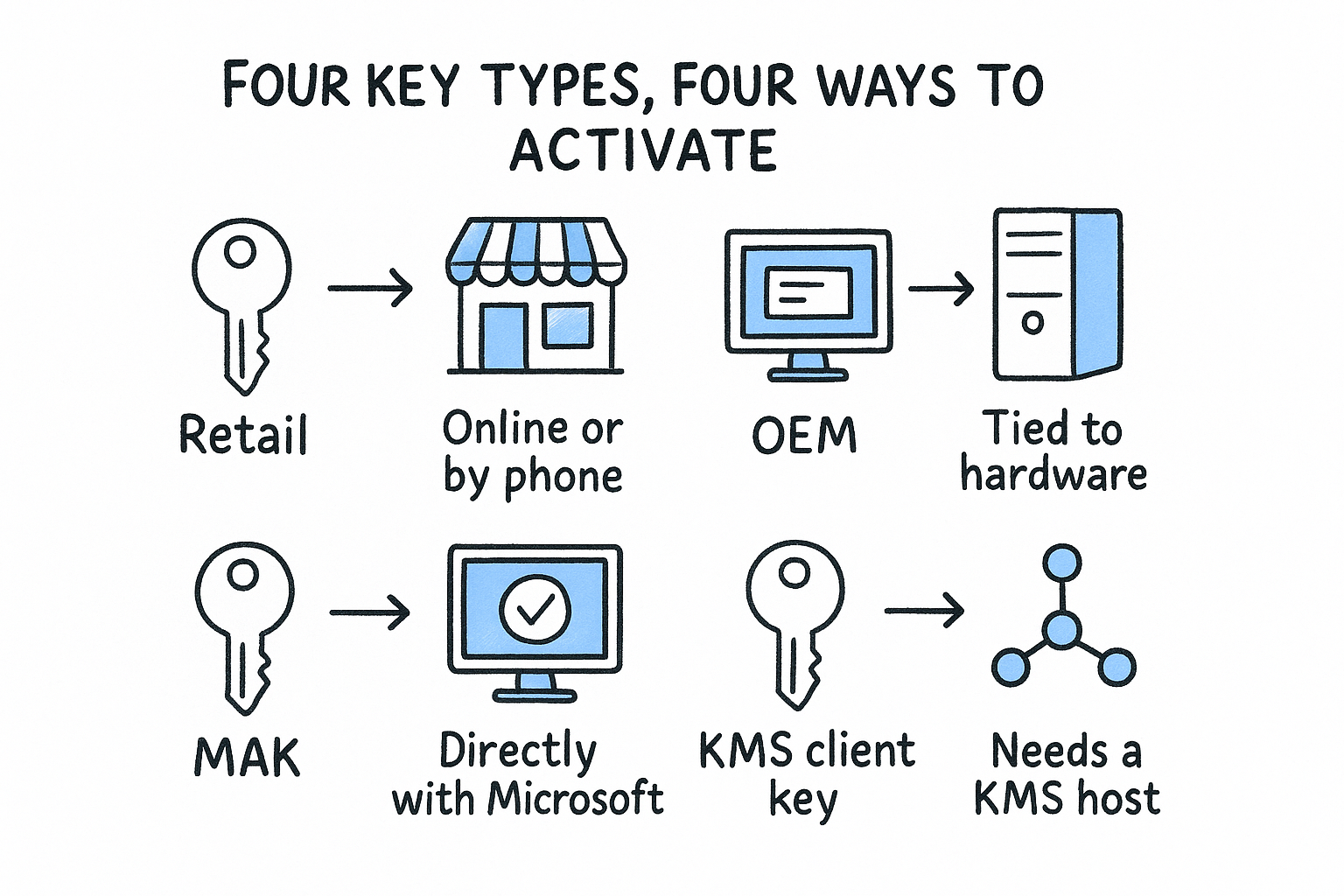
| Key type | Where it comes from | How it activates |
|---|---|---|
| Retail | Microsoft or a reseller | Online or by phone, one server per key |
| OEM | Preinstalled by the hardware maker | Tied to that hardware |
| MAK (Multiple Activation Key) | Volume licensing admin center | Directly with Microsoft, limited activation count |
| KMS client key (GVLK) | Public Microsoft list | Needs a KMS host on your network |
A GVLK is not a license. It is a placeholder that tells the server to look for a KMS host. Microsoft states that these keys are for volume licensing scenarios and won’t activate a retail copy.
A Windows Server license key only works when the key type matches how you plan to activate.
What the key does not cover
Windows Server is licensed by core, with a minimum of 16 cores per server. Standard edition covers two virtual machines, while Datacenter covers unlimited virtual machines. Every user or device that connects to a Standard or Datacenter server also needs a Client Access License (CAL).
Essentials is the exception. It supports up to 25 users and 50 devices without CALs, and it is meant for small offices. Microsoft publishes no KMS client key for Windows Server 2025 Essentials, so plan on a purchased key for that edition. Pick the edition first, because a key for the wrong edition will not convert it without an in-place edition change.
Step 1. Find the key you already own
Before you buy anything, check whether the license already exists. Most "lost" server keys sit in one of three places, and only a few of them can be read from the machine itself.
Check your licensing records
If your organization bought through a VL agreement, the key is in the Microsoft admin center. You need the VL Administrator or Product keys reader role.
- Go to Billing, then Your products, then the Volume licensing tab.
- Under Products and services, select View downloads and keys.
- Search for your Windows Server version and open it.
- Select the Keys tab and copy the key for your License ID.
If you bought retail, search your inbox for the order confirmation or the reseller’s account page. For OEM servers, look for sticker on the chassis, or the vendor’s support portal under the server’s serial number.
Read the key from the server
Some details come straight from the machine. Run these in an elevated PowerShell window:
slmgr /dli
slmgr /dlv
(Get-CimInstance -ClassName SoftwareLicensingService).OA3xOriginalProductKey
The first two show the license status and only the last five characters of the installed key. The third returns a full key only when the OEM stored one in the firmware. It returns nothing on retail or volume installs.
One trap: if the server activates through KMS, the installed key is a GVLK, not your purchased key. Azure virtual machines also activate through Azure’s own KMS service, so they need no key at all.
The server will show you a key’s last five characters, but your records hold the full key.
Step 2. Buy a legitimate Windows Server key
If you have no key, buy one that matches your edition, core count, and user count. Where you buy decides the price, the support, and the paperwork you get.
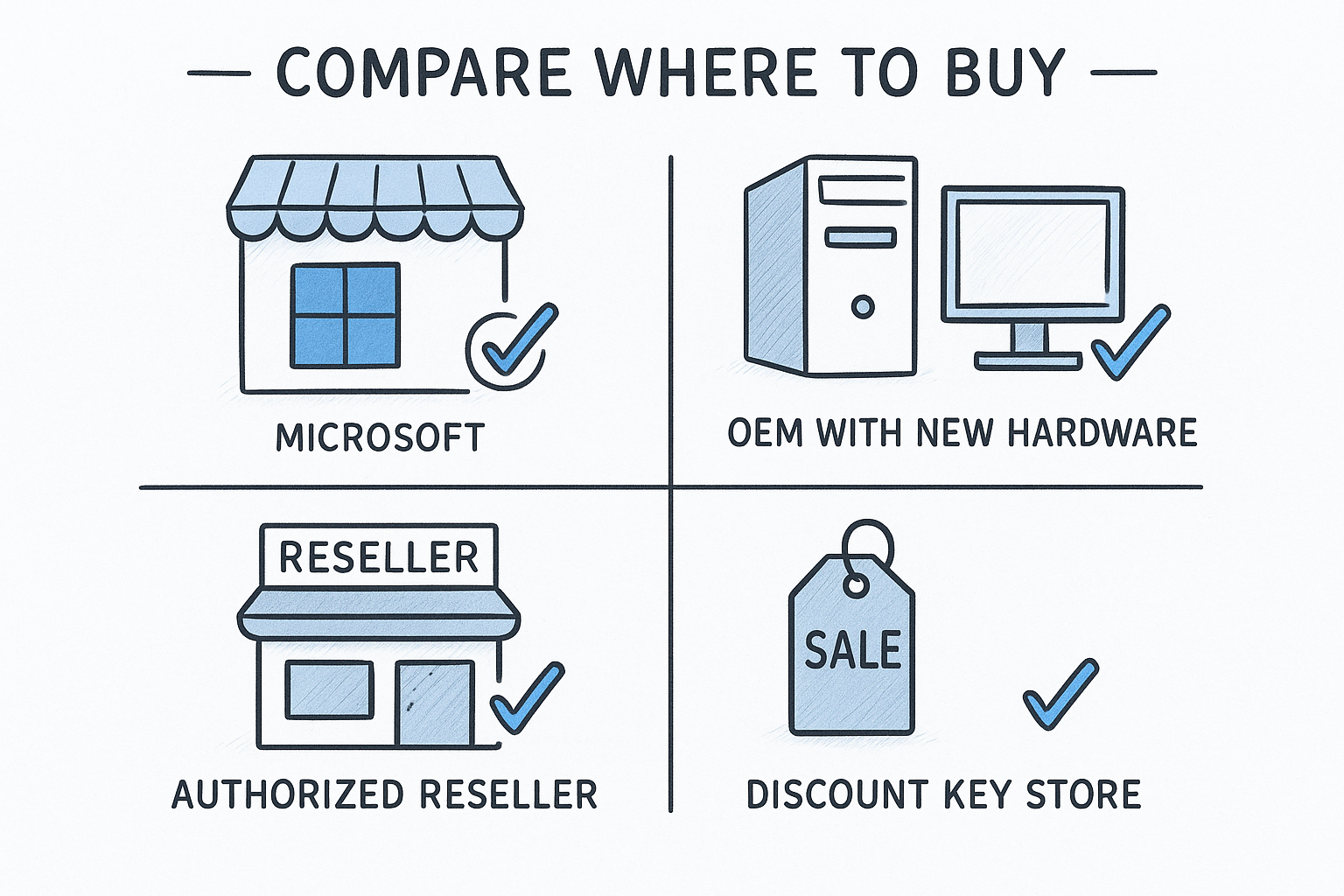
Compare where to buy
| Channel | Best for | Trade-off |
|---|---|---|
| Microsoft or volume licensing | Companies with many servers | Highest list price, paperwork |
| OEM with new hardware | Buying a new physical server | Locked to that hardware |
| Reseller | Retail keys | Mid-range price |
| Discount key store | Labs, small offices, budgets | Check the term |
Microsoft’s list price for a 16-core Standard license is about $1,000 or more, and Datacenter runs to several thousand dollars. See Microsoft’s Windows Server pricing page for current figures. Discounted stores charge a fraction of that.
What discounted keys cost at Codesforever
Codesforever sells lifetime keys for one device, delivered by email. Prices below are in US dollars as listed on the product pages.
| Product | Price |
|---|---|
| Windows Server 2016 Datacenter | US$92 |
| Windows Server 2019 Standard (up to 16 cores) | US$88 |
| Windows Server 2019 Datacenter | US$91 |
| Windows Server 2022 Datacenter (up to 16 cores) with 50 user and device CALs | US$76 |
Windows Server 2025 keys for Standard, Datacenter, and Essentials sit on one product page, where you select your edition. Check that page for the price in your currency.
A worked example: a 12-person office runs one physical server with 16 cores as a file server and domain controller. It needs 16 licensed cores and 12 CALs. The 2022 Datacenter bundle with 50 CALs covers both for US$76, with room to grow.
Check these before you pay
- Edition and version match what you will install.
- Core coverage is at least the server’s physical cores, with a 16-core minimum.
- CALs are included, or you know where to buy them.
- Delivery and refund terms are written down. Codesforever accepts issue reports within 7 days and replies with troubleshooting within 24 hours. If that fails, it provides a replacement key
Discounted keys are a different channel from Microsoft’s, so confirm the license terms fit your use. You can read what other buyers say about Codesforever on its reviews page, which is based on 16,055 reviews.
Match edition, cores, and CALs before you compare prices, because a cheap key for the wrong edition costs more.
Step 3. Use KMS client keys the right way
KMS client keys activate a server only when a KMS host on your network is running. They are not free product keys, and on a standalone server they will not work. If you manage five or more servers, though, they are the standard way to activate at scale.
The KMS client keys by version
These are the GL Keys that Microsoft publishes for Standard, Datacenter, and Essentials editions.
| Edition | KMS client key |
|---|---|
| Server 2025 Standard | TVRH6-WHNXV-R9WG3-9XRFY-MY802 |
| Server 2025 Datacenter | D764K-2NDRG-47T6Q-P8T8W-YP6BF |
| Server 2022 Standard | VDYBN-27WPP-V4HQT-9VMD4-VMK6H |
| Server 2022 Datacenter | WX4NM-KYWYW-QJJR4-XV3QB-6VM23 |
| Server 2019 Standard | N69G4-B89J2-4G8F4-WWYCC-J468C |
| Server 2019 Datacenter | WMDGN-G9PQG-XVVXX-R3X43-63DEG |
| Server 2019 Essentials | WVDHN-86M7X-466P6-VHXV7-YY746 |
| Server 2016 Standard | WC2BQ-8NRM3-FDDYY-2BFGV-KHKlY |
| Server 2016 Datacenter | CB7KF-BWN84-R7R2Y-793K2-8XDNG |
| Server 2016 Essentials | JCKRF-N37P4-C2D82-9YXRT-4M66B |
Microsoft also lists Azure Edition keys for 2022 and 2025 Datacenter. Those are for Azure environments.
What a KMS host needs
The host runs on your network and holds its own KMS host key, which you find in the VL admin center. Windows Server clients need at least five computers requesting activation before the host starts approving them. The activation counts come from physical or virtual machines.
Point a client at the host and activate it:
slmgr /ipk WX4NM-KYWYW-QJJR4-XV3QB-6VM34
slmgr /skms kms01.yourdomain.local
slmgr /ato
Swap in the key for your edition and your host’s name. Clients normally find the host through a DNS SRV record, so /skms is only needed when discovery fails.
Why there is no free key
No legitimate free Windows Server product key exists. The honest free route is Microsoft’s evaluation edition, which runs for a limited trial period, and developers can use dev/test keys that come with certain Visual Studio subscriptions. For production, you need a purchased license.
A KMS client key is a pointer to your own activation server, not a license you can borrow.
Step 4. Install the key and activate the server
Installing the key takes two commands, and checking the result takes a third. Run everything from an elevated Command Prompt or PowerShell window on the server.
Install and activate with slmgr
- Run
slmgr /ipk XXXXX-XXXXX-XXXXX-XXXXX-XXXXXwith your key. - Run
slmgr /atoto activate online. - Run
slmgr /dlvand confirm the status reads Licensed.
No internet on the server? Run slui 4 to open the phone activation wizard, which gives you a number to call. Codesforever customers can activate online or by phone with the key they receive, and support is available on live chat and WhatsApp around the clock.
If the server is running an evaluation copy, convert it with DISM and a purchased key rather than reinstalling:
DISM /online /Set-Edition:ServerStandard /ProductKey:XXXXX-XXXXX-XXXXX-XXXXX-XXXXX /AcceptEula
Use ServerDatacenter for Datacenter. The server restarts during the change, and roles and data stay in place.
Fix common activation errors
| Error | Meaning | Fix |
|---|---|---|
| 0xC004F074 | No KMS host reachable | Run slmgr /skms host, open TCP port 1688 |
| 0xC004F038 | KMS count too low | Reach five servers, or use a MAK |
| 0xC004F050 | Key invalid for this edition | Check edition with DISM /online /Get-CurrentEdition |
| 0x8007232B | KMS SRV record missing in DNS | Add the _vlmcs._tcp record or set the host manually |
Most failures, such as the KMS activation error 0xC004F074, come down to a wrong edition or a blocked network path. Check the edition first, then the network. If both look right and the error persists, contact the seller’s support with the exact error code.
Run
slmgr /dlvafter every activation, because it shows whether the server is licensed or only waiting.
Get your server licensed today
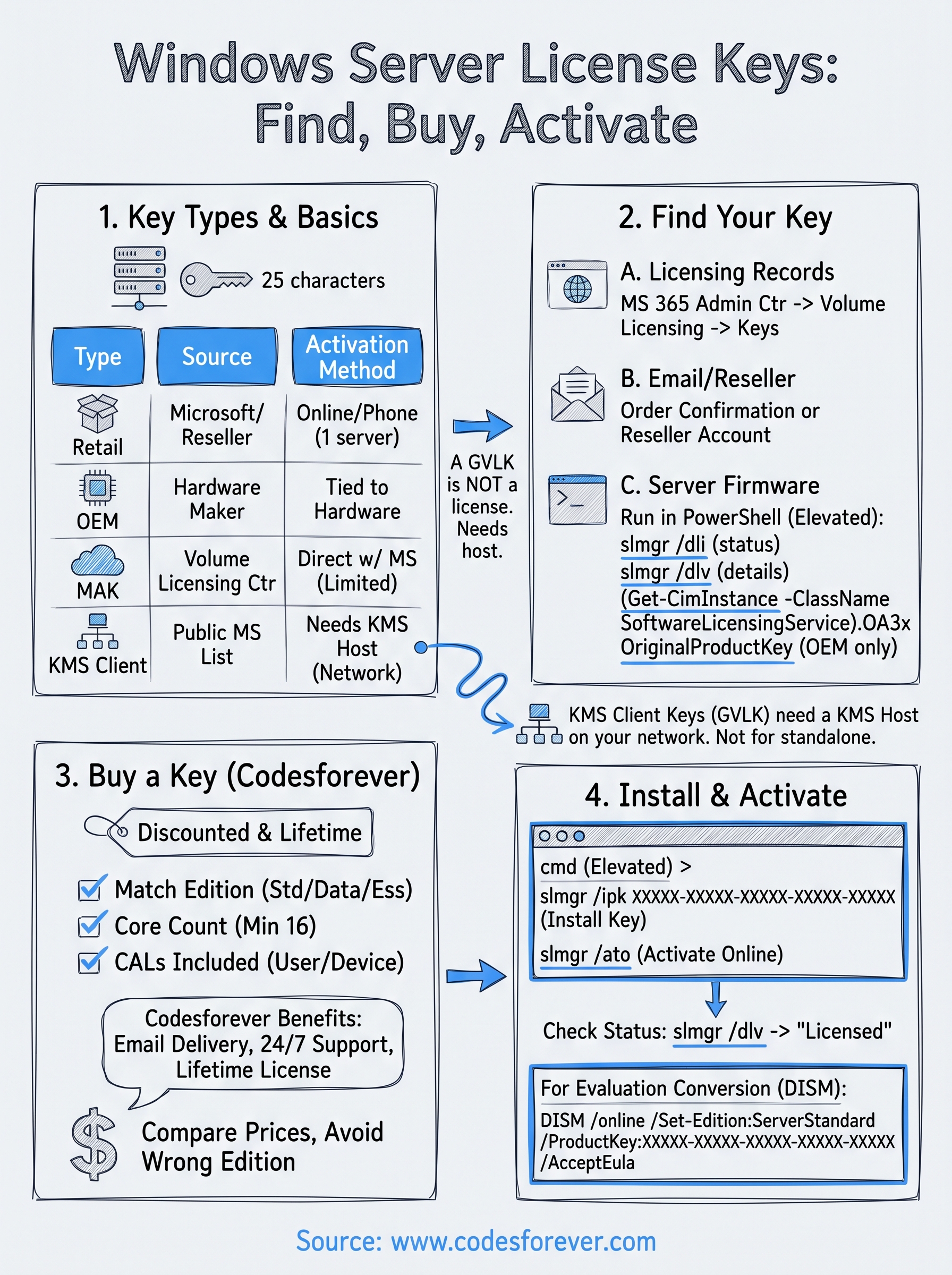
A Windows Server license key comes down to one decision tree. Look in your licensing records and on the server first, buy a matching key if none exists, use KMS client keys only when you run a KMS host, then install and verify with slmgr. Match the edition and core count before you pay, and keep your proof of purchase.
If you need a key now, the Windows Server 2022 Datacenter license with 50 user and device CALs is a lifetime license delivered by email, with activation support available around the clock.