

Adobe Acrobat Standard vs Pro: Which Plan Should You Buy?

Adobe Acrobat Standard vs Pro comes down to one question: do you need more than everyday PDF work? Both are paid subscriptions that create, edit, convert, comment on, and e-sign PDFs. Pro adds OCR for scanned documents, redaction, document comparison, Bates numbering, and print and accessibility tools, for about $5 more per month. If you don’t need those extras, Standard is enough.
This guide covers what each plan costs, a five-question test for choosing, a side-by-side feature table, and what the "DC" and "X" labels in older names mean. It ends with ways to pay less. Searches like "Acrobat Pro DC vs Standard" or "Acrobat Pro or Standard" describe the same two plans, so one comparison covers all of them.
Codesforever has sold software licenses online for over ten years. Buyers want the plan settled before they spend anything, so we kept this comparison practical.
Why the Adobe Acrobat Standard vs Pro choice matters
The choice matters because it fixes a recurring bill and decides which jobs you can do at all. Pro costs $5 more per month than Standard, and that gap repeats every year you subscribe.
What each plan costs
Adobe sells both plans as subscriptions. These are Adobe’s listed US prices, so confirm current rates on Adobe’s plan comparison page before you buy.
| Billing | Acrobat Standard | Acrobat Pro |
|---|---|---|
| Month to month | $24.99 per month | $29.99 per month |
| Annual plan, billed monthly | $14.99 per month | $19.99 per month |
| Annual plan, prepaid | $179.88 per year | $239.88 per year |
Paying month to month is the expensive route. Twelve months of Pro costs $359.88 that way, against $239.88 on the annual plan, a $120 difference. If you know you’ll use the software for a year, commit to the annual plan.
What a wrong pick costs you
Overbuying wastes $60 a year on tools you never open. That is small, but it is pure waste if all you do is merge, edit, and sign PDFs.
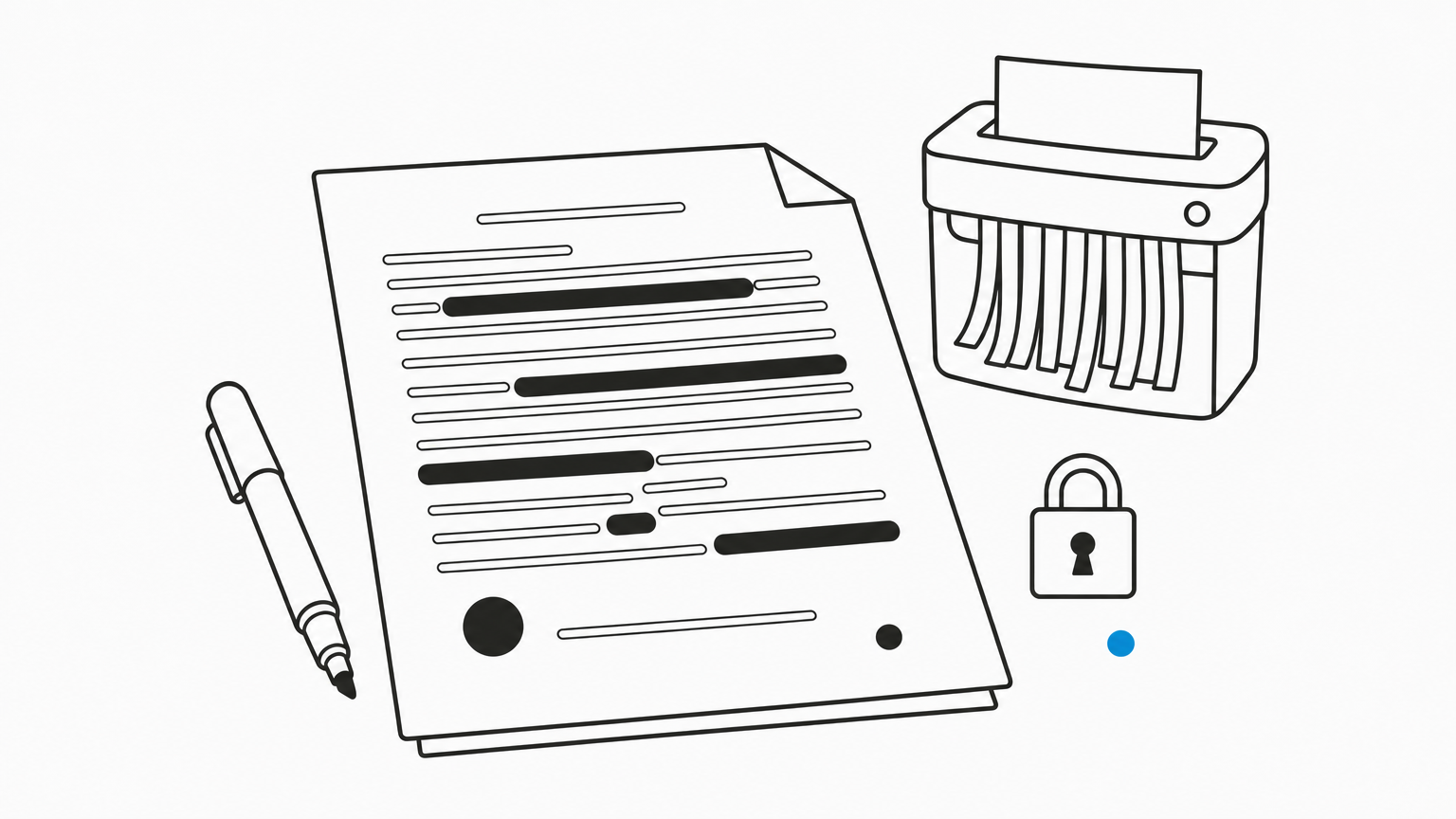
Underbuying costs more. Without redaction, people cover text with black boxes, and the text underneath stays in the file where anyone can select and copy it. Pro’s redaction tool permanently removes the content. If you handle contracts, medical records, or tax files, that tool alone can justify Pro.
If you must remove sensitive text from a PDF, you need Pro’s redaction tool, not a black rectangle.
Adobe Acrobat Standard vs Pro: how to choose
Choose Pro if any one of five triggers applies to you, and choose Standard if none does. The test below takes about a minute.
A five-question test
- Do you use a Mac? Buy Pro. Adobe’s desktop Standard plan has been Windows only, so Mac users need Pro. Check platform support on Adobe’s page before you pay.
- Do you work with scanned paper? If you need to search, copy, or edit text inside scans, you need OCR, which is a Pro feature.
- Do you send documents with confidential data? Redaction is Pro only.
- Do you review revisions or prepare legal filings? Compare Documents and Bates numbering are Pro only.
- Do you produce print files, accessible PDFs, or large batches? Preflight, the accessibility checker, and Action Wizard are Pro only.
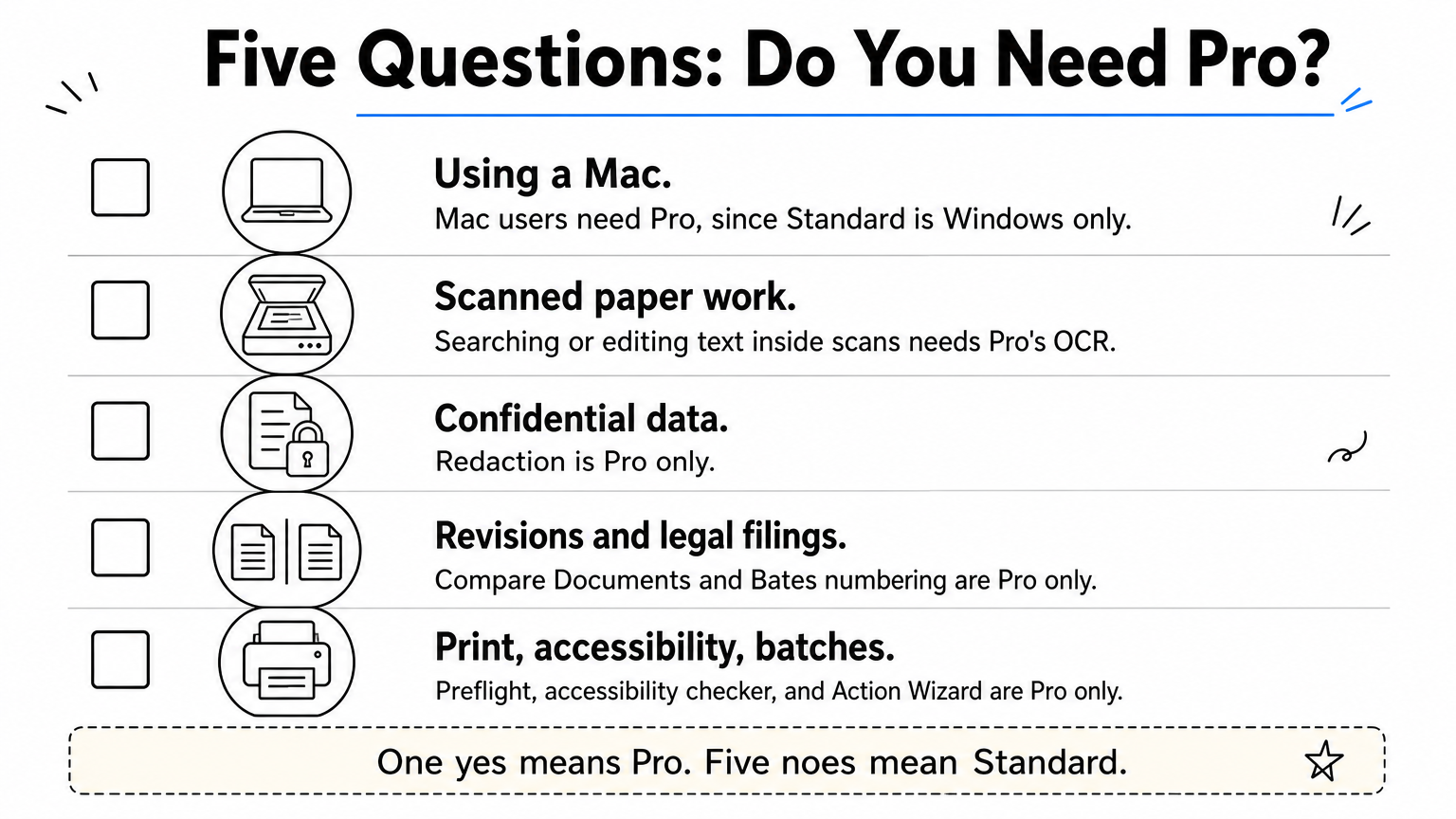
One yes means Pro. Five noes mean you don’t really need Pro, and Standard will cover you.
When Standard is enough
Standard is a real editor, so yes, you can edit with Acrobat Standard. It changes text and images, adds, deletes, reorders, and extracts pages, and adds page numbers, bookmarks, headers, and watermarks. It also exports to Word, Excel, and PowerPoint.
Commenting, form filling, e-signature requests, and password protection are included too. That covers most work done by administrative staff, sales teams, and finance professionals on Windows PCs.
If none of the five questions gets a yes, Standard does the job and saves you $60 a year.
Acrobat Standard vs Pro feature comparison
Pro includes everything in Standard and adds a set of advanced tools. The table shows where the two plans split.
Side-by-side feature table
| Feature | Standard | Pro |
|---|---|---|
| Create PDFs from files and images | Yes | Yes |
| Edit text and images | Yes | Yes |
| Export to Word, Excel, PowerPoint | Yes | Yes |
| Combine, reorder, extract pages | Yes | Yes |
| Comment, markup, fill forms | Yes | Yes |
| E-signature requests and tracking | Yes | Yes |
| Password protection | Yes | Yes |
| OCR for scanned documents | No | Yes |
| Redaction | No | Yes |
| Compare Documents | No | Yes |
| Bates numbering | No | Yes |
| Preflight and PDF/A, PDF/X, PDF/UA checks | No | Yes |
| Accessibility checker and remediation | No | Yes |
| Action Wizard batch processing | No | Yes |
| Platform | Windows | Windows and Mac |
Platform support is the row people miss. Confirm it on Adobe’s page, because it can decide the purchase before features do.
The Pro-only tools worth knowing
Three Pro tools matter most for typical buyers. OCR turns scans into searchable, editable text instead of retyping. Compare Documents reports every change between two versions of a file. Bates numbering stamps sequential identifiers across batches of pages, a routine requirement in legal discovery.
The rest are specialist tools. Preflight checks files against archival, prepress, and accessibility standards. Action Wizard records a sequence of steps and replays it across a folder, such as watermarking hundreds of files. Print production, the Measure tool, and direct export to InDesign, Illustrator, and AutoCAD also sit in Pro. Print shops, legal teams, government offices, and architecture firms use these. Most other readers never touch them.
Pro’s headline extras are OCR, redaction, comparison, and Bates numbering. Everything else is specialist territory.
What Acrobat DC, Acrobat X, and one-time versions mean
"DC" is an older label, not a separate tier. Acrobat Pro DC and Acrobat Pro are the same product line, and so are Standard DC and Standard.
Acrobat DC and Acrobat Pro are the same line
Adobe added "DC," short for Document Cloud, when it moved Acrobat to subscriptions in 2015. It has since dropped the label from its plan names. So "Acrobat Pro vs Pro DC" and "Acrobat DC vs Acrobat Pro" are not a choice between two products. Acrobat Standard DC vs Pro DC is just the Standard vs Pro comparison above. The free viewer, Acrobat Reader, is the only separate product in the family.
Acrobat X and one-time purchases
Acrobat X dates from 2010 and was sold as a one-time purchase. Adobe stopped supporting it long ago, so it gets no security updates, and you should not buy it. Adobe has also sold perpetual editions such as Acrobat 2020 and Acrobat Pro 2024. These cost more upfront than a year’s subscription and come with a fixed support window.
Current Standard and Pro are subscription only. Adobe does not sell a lifetime license for them, so a "lifetime price" for Acrobat Pro DC doesn’t exist on Adobe’s own site.
Treat DC as a legacy name. The real decision is still Standard or Pro.
How to pay less for Acrobat or skip it
You can cut the cost with billing choices, a license you already own, or a cheaper source, or you can pick a different editor.
Ways to lower the price
Start with the annual plan, which saves $120 a year on Pro over month-to-month billing. Check whether you already hold Creative Cloud All Apps, since Pro is included in that subscription. Adobe also offers a free trial, so test your real files before paying.
You can also buy a discounted license. Codesforever sells Adobe subscription licenses, including an Acrobat Pro listing, with email delivery and a money-back guarantee. Report any key problem within 7 days of purchase.
A cheaper Pro-level option: PDF 2027 Pro
If you want Pro’s headline tools without Adobe’s price, look at PDF 2027 Pro. It is a 1-year license for one device and one user, sold at Codesforever for $18, with the activation code sent by email. It processes files locally on your device, so your documents are not uploaded to a cloud service.
| Feature | Acrobat Standard | Acrobat Pro | PDF 2027 Pro |
|---|---|---|---|
| Price | $179.88 per year prepaid | $239.88 per year prepaid | $18 for a 1-year license |
| Edit text and images | Yes | Yes | Yes |
| Export to Word, Excel, PowerPoint | Yes | Yes | Yes |
| E-signatures | Yes | Yes | Yes |
| OCR for scanned documents | No | Yes | Yes |
| Redaction | No | Yes | Yes |
| Compare Documents | No | Yes | Yes |
| Batch processing | No | Yes | Yes |
| Bates numbering | No | Yes | Not listed |
| Preflight and PDF/UA checks | No | Yes | Not listed |
| Platform | Windows | Windows and Mac | Windows and Android. Mac, iPad, and iPhone versions are coming soon. |
For most buyers, the tools that justify Pro are OCR, redaction, and document comparison. PDF 2027 Pro lists all three, plus an AI summarizer and PDF translation, at a fraction of Adobe’s yearly price.
Two limits matter. It does not list Bates numbering or Preflight, so legal and print-production teams should stay with Adobe Pro. And the Mac and iPad versions are not out yet, so Mac users still need Acrobat Pro today. On Windows, if your answers to the five questions were OCR, redaction, or comparison, PDF 2027 Pro covers them for $18.
When another PDF editor is enough
Run the numbers over three years. Prepaid Standard costs $539.64 and Pro costs $719.64. Nitro PDF Pro 14, a lifetime license, costs $68 once. It creates, edits, converts, and signs PDFs, which covers Standard-level work. Check that it handles any OCR or redaction you need first.
If you only view, comment on, and fill in PDFs, free Acrobat Reader may be all you need. Spend money only on the features you will use.
For Standard-level work, a one-time editor can cost a fraction of three years of Acrobat.
Picking the plan and moving on
In the Adobe Acrobat Standard vs Pro decision, Standard covers creating, editing, converting, commenting, and signing PDFs. Pro adds OCR, redaction, document comparison, Bates numbering, and print and accessibility tools. If you use a Mac, you need Pro. DC and X are old names, not extra tiers. Start from the five questions, and buy Pro only when one of them gets a yes.
Once you know which plan you need, check what it costs from a licensed seller. You can compare discounted Adobe and PDF software licenses at Codesforever, and support is there if activation gives you trouble.