

9 Best Affordable AI Tool Subscriptions for Professionals in 2026

AI tools have gone from luxury to necessity, but the subscription costs can stack up fast. Whether you’re a designer, engineer, marketer, or small business owner, paying full retail price for every AI assistant, writing tool, and automation platform isn’t always realistic.
The good news: there are genuinely powerful AI subscriptions available at price points that won’t drain your budget. Some platforms even let you access premium AI capabilities for a fraction of what you’d expect. This list covers the top affordable AI tool subscriptions in 2026, ranked for value, capability, and real-world usefulness, with options for solo professionals, teams, students, and enterprises. Pricing transparency is front and center throughout.
For a broader look at discounted software licenses and digital tools, visit the Codesforever software catalog.
1. Codesforever
Best for: Professionals and teams wanting premium AI tool access at discounted prices
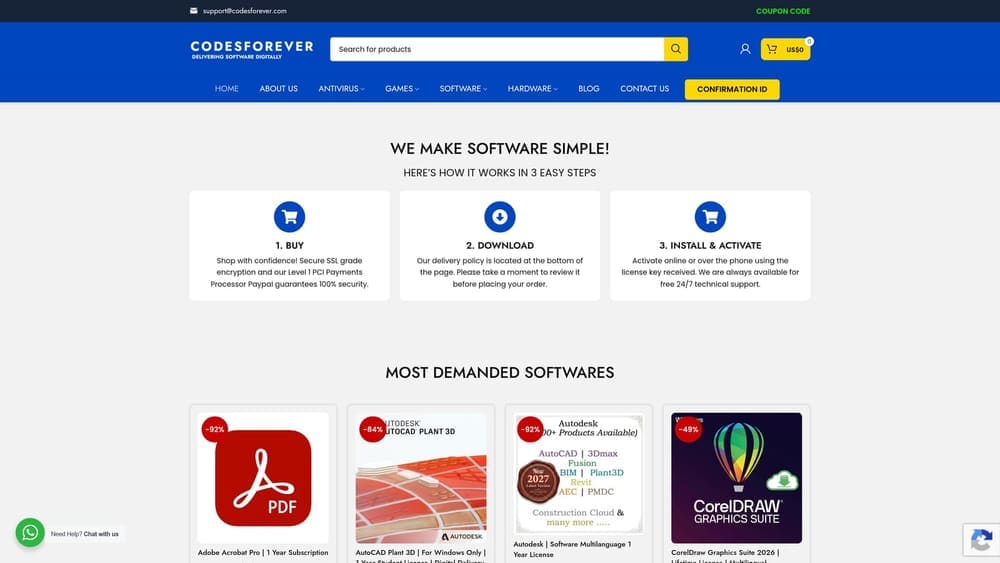
Codesforever is a digital software licensing platform that sells genuine activation codes and discounted subscription licenses for leading AI tools, including Gemini, Claude, Microsoft Copilot, and Perplexity, with immediate digital delivery and well-below-retail pricing.
Where This Tool Shines
If you’re subscribing to multiple AI tools, the monthly costs compound quickly. Codesforever addresses this directly by offering legitimate, discounted licenses for the same premium AI platforms you’d otherwise pay full price for on official sites. It’s not a workaround or a grey-market solution: the licenses are genuine, and delivery is instant.
What makes this particularly useful for professionals is the catalog breadth. You’re not limited to one or two tools. Whether you need a Claude license for writing and analysis, a Copilot license for Microsoft 365 workflows, or a Gemini license for Google Workspace, you can often source them all in one place at reduced cost.
Key Features
Discounted AI Tool Licenses: Access to discounted licenses for major AI tools including Gemini, Claude, Microsoft Copilot, and Perplexity at below-retail prices.
Immediate Digital Delivery: Activation codes are delivered digitally, so there’s no waiting, no shipping, and no delays before you can get started.
Genuine, Legitimate Licenses: All activation codes are authentic, ensuring you get the full functionality and updates of the software you purchase.
Wide Catalog Coverage: Beyond AI tools, the catalog spans productivity, design, security, and enterprise software, making it a one-stop shop for software needs.
Flexible Options: Licensing options are available for individual users, professionals, and business teams, so you can scale your purchases to match your actual usage.
Best For
Codesforever is ideal for budget-conscious professionals, small business owners, and teams who want access to premium AI tiers without committing to full retail subscription rates. It’s especially valuable if you’re managing software budgets across a team or need licenses for multiple tools at once.
Pricing
Pricing varies by product and is typically well below official retail subscription prices. Check current listings directly on the Codesforever website for live pricing on specific tools.
2. Perplexity AI
Best for: Researchers and professionals who need cited, fact-grounded AI answers
Perplexity AI is a research-focused AI assistant that combines large language model reasoning with real-time web search and cited sources, making it one of the most trustworthy options for fact-sensitive professional work.
Where This Tool Shines
Most AI tools have a hallucination problem. Perplexity tackles this head-on by grounding every answer in real-time web sources, then citing those sources inline. For professionals who can’t afford to act on incorrect information, this is a meaningful differentiator.
The interface is clean and focused. There’s no clutter, no unnecessary features competing for attention. You ask a question, you get a sourced, reasoned answer. That simplicity makes it fast to integrate into daily research workflows without a steep learning curve.
Key Features
Real-Time Web Search: Perplexity pulls live information from the web and integrates it with AI reasoning, so answers reflect current data rather than training cutoffs.
Source Citations: Every answer includes inline citations, allowing you to verify claims and trace information back to original sources.
Pro Plan Model Access: The Pro tier unlocks access to more advanced AI models and higher usage limits for power users.
Distraction-Free Interface: The clean UI keeps focus on the query and response, with no unnecessary features cluttering the experience.
Cross-Platform Availability: Available on both web and mobile, so you can use it across devices without friction.
Best For
Perplexity is best suited for researchers, analysts, journalists, consultants, and any professional whose work depends on accurate, verifiable information. It’s also a strong choice for anyone frustrated by AI tools that confidently present inaccurate data.
Pricing
A free tier is available with usage limits. The Pro plan starts at approximately $20/month. Verify current pricing at perplexity.ai. Discounted licenses may be available via Codesforever.
3. Claude (Anthropic)
Best for: Writing, document analysis, and long-context professional tasks
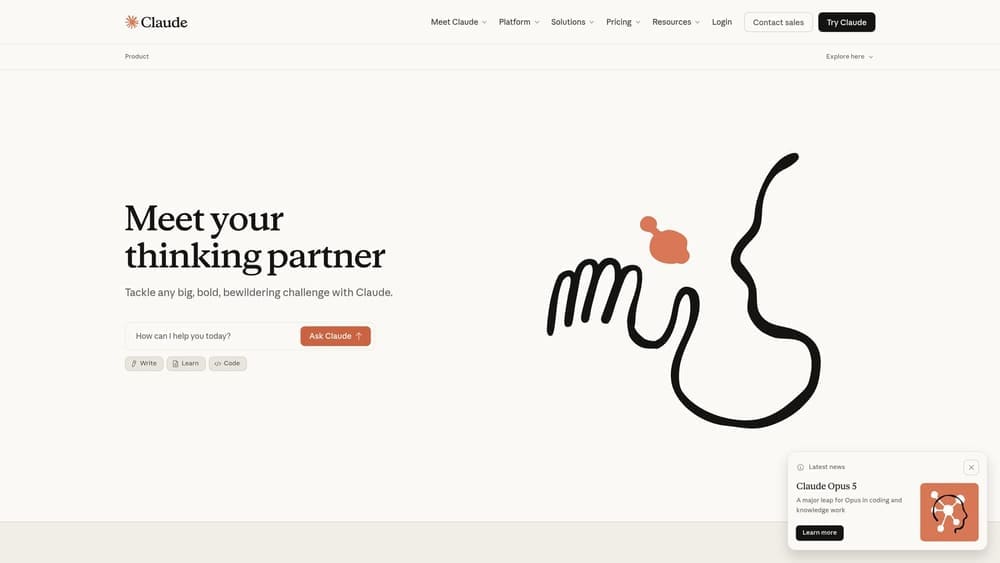
Claude is Anthropic’s AI assistant, known for its large context window, strong reasoning, and reliable performance across writing, analysis, coding, and document review tasks.
Where This Tool Shines
Context window size matters more than most people realize. Claude’s ability to handle very long documents in a single session means you can paste in an entire contract, research paper, or codebase and ask nuanced questions about it without the model losing track of earlier content. This alone makes it stand out for professional document work.
Claude also tends to be notably careful and measured in its responses. It’s less likely to confidently assert something incorrect, and it handles ambiguous instructions well by asking for clarification rather than guessing. For high-stakes writing and analysis tasks, that reliability is worth a lot.
Key Features
Large Context Window: One of the largest context windows available in a consumer AI tool, allowing it to process and reason about lengthy documents in a single session.
Strong Writing and Summarization: Produces high-quality prose and accurate summaries across a wide range of formats and tones.
Claude Pro Model Access: The Pro subscription unlocks access to Anthropic’s most capable models for demanding tasks.
Safety-Focused Design: Anthropic’s research-first approach means Claude is built with reliability and harm reduction as core priorities, not afterthoughts.
API Access: Developers and teams can integrate Claude into their own workflows and applications via Anthropic’s API.
Best For
Claude is an excellent fit for lawyers, consultants, writers, researchers, and developers who regularly work with long documents or need a reliable AI for nuanced, high-stakes tasks. It’s also a strong choice for teams that want an AI assistant with a safety-conscious design philosophy.
Pricing
A free tier is available. Claude Pro starts at approximately $20/month. Verify current pricing at anthropic.com. Discounted licenses may be available via Codesforever.
4. Microsoft Copilot
Best for: Office professionals already working within the Microsoft 365 ecosystem
Microsoft Copilot is Microsoft’s AI assistant built directly into the Microsoft 365 suite, covering Word, Excel, Outlook, Teams, and PowerPoint, making it the most workflow-integrated AI option for office-centric professionals.
Where This Tool Shines
The core value of Copilot is that it meets you where you already work. Instead of switching between your email client and a separate AI tab, Copilot drafts emails inside Outlook, summarizes documents inside Word, and analyzes data inside Excel. The friction of context-switching disappears.
For teams already paying for Microsoft 365, the incremental cost of adding Copilot may represent strong value compared to subscribing to a separate AI tool. The integration depth is something no third-party AI tool can fully replicate within the Microsoft ecosystem.
Key Features
Native Microsoft 365 Integration: Works directly inside Word, Excel, Outlook, Teams, and PowerPoint without requiring any additional setup or tab-switching.
AI Drafting and Summarization: Drafts emails, summarizes documents, generates slide content, and writes formulas on demand within your existing apps.
Flexible Licensing: Available as a standalone subscription or bundled with Microsoft 365 plans, depending on your organization’s setup.
Enterprise-Grade Security: Inherits Microsoft 365’s compliance and security infrastructure, making it suitable for regulated industries.
Continuous Updates: Microsoft regularly adds new Copilot features across the 365 suite as part of its ongoing AI investment.
Best For
Copilot is the natural choice for office professionals, enterprise teams, and organizations already running on Microsoft 365. It’s particularly valuable for roles that involve heavy email communication, document creation, spreadsheet analysis, or frequent meetings in Teams.
Pricing
Copilot is included in some Microsoft 365 plans; standalone and add-on pricing varies by plan and region. Verify current pricing at microsoft.com. Discounted licenses may be available via Codesforever.
5. Google Gemini
Best for: Google Workspace users and professionals working across text, images, and data
Google Gemini is Google’s multimodal AI platform capable of handling text, images, code, and structured data, with deep integration into Google Workspace apps including Docs, Gmail, and Sheets.
Where This Tool Shines
Gemini’s multimodal capabilities set it apart from text-only AI assistants. It can analyze images, interpret charts, work through code, and process structured data, all within the same session. For professionals whose work spans multiple content types, that versatility is genuinely useful.
The Google Workspace integration mirrors what Copilot offers in the Microsoft world. If your team lives in Google Docs, Gmail, and Drive, Gemini adds AI capabilities without forcing you out of your existing environment. For existing Google Workspace subscribers, the value proposition is particularly strong.
Key Features
Multimodal Processing: Handles text, images, code, and structured data in a single interface, making it versatile across different professional workflows.
Google Workspace Integration: Works natively inside Google Docs, Gmail, Sheets, and Drive for in-context AI assistance.
Flexible Plan Options: Available via Google One AI Premium or as part of Google Workspace plans, depending on your existing subscription.
Technical and Creative Range: Performs well on both technical tasks like coding and data analysis and creative tasks like writing and brainstorming.
Continuous Research Updates: Google regularly updates Gemini with capabilities from its latest AI research, keeping the platform competitive.
Best For
Gemini is ideal for Google Workspace users, developers, data-focused professionals, and anyone who regularly works with mixed content types. It’s also a strong pick for teams that want a single AI tool capable of spanning creative, technical, and analytical work.
Pricing
A free tier is available. Google One AI Premium starts at approximately $19.99/month. Verify current pricing at google.com. Discounted licenses may be available via Codesforever.
6. ChatGPT Plus
Best for: General-purpose AI use across writing, coding, data analysis, and creative work
ChatGPT Plus is OpenAI’s premium subscription tier, offering access to GPT-4o and a vast ecosystem of custom GPTs and third-party integrations, making it the most widely adopted AI platform for general professional use.

Where This Tool Shines
ChatGPT Plus benefits from being the most mature AI subscription on the market. The ecosystem of custom GPTs, built by OpenAI and third-party developers, means there’s likely a specialized version of the tool already configured for your specific industry or workflow. That breadth of specialization is hard to match.
GPT-4o handles an impressive range of tasks well: drafting, editing, coding, data interpretation, image generation, and multi-step reasoning. For professionals who want one AI subscription that can cover most of their needs without juggling multiple tools, ChatGPT Plus is the closest thing to a universal option.
Key Features
GPT-4o Access: The Plus tier provides access to OpenAI’s most capable models, delivering strong performance across a wide range of tasks.
Custom GPT Ecosystem: Thousands of custom GPTs are available for specialized tasks, from legal research to marketing copy to software development.
Broad Integration Support: Connects with a wide range of third-party tools and services, extending its utility beyond the ChatGPT interface.
Multi-Format Capability: Handles writing, coding, data analysis, and image generation within a single subscription.
Cross-Platform Access: Available on web, iOS, and Android for seamless use across devices.
Best For
ChatGPT Plus suits professionals who want a versatile, general-purpose AI tool without committing to multiple specialized subscriptions. It’s particularly valuable for marketers, developers, consultants, and creatives who need AI support across varied task types throughout the day.
Pricing
ChatGPT Plus starts at $20/month. Verify current pricing at openai.com.
7. Notion AI
Best for: Teams using Notion for documentation, project management, and collaboration
Notion AI is an AI add-on to Notion’s workspace platform, bringing writing assistance, summarization, and task intelligence directly into your notes, documents, and project management system.
Where This Tool Shines
Notion AI’s advantage is context. Because it lives inside your actual workspace, it can answer questions about your own documents, summarize your meeting notes, and help you draft content that references your existing project data. That’s fundamentally different from asking a standalone AI tool the same questions.
For teams already using Notion as their central hub, adding AI at an incremental cost per member is often more economical than subscribing to a separate AI writing tool. The workflow stays unified, and the AI enhances what’s already there rather than adding another app to manage.
Key Features
In-Workspace AI Writing: AI writing and editing capabilities are built directly into Notion pages and databases, with no need to switch between apps.
Automatic Summarization: Summarizes meeting notes, documents, and project updates automatically, keeping teams aligned without manual effort.
AI-Powered Q&A: Ask questions across your entire Notion workspace and get AI-generated answers drawn from your own content.
Affordable Add-On Pricing: Priced as an add-on to Notion’s already accessible plans, making it cost-effective for teams already on the platform.
Collaboration-First Design: Built for teams, with AI features that enhance shared documentation and project workflows rather than individual use only.
Best For
Notion AI is the right choice for teams that have already adopted Notion as their central workspace. It’s especially useful for project managers, content teams, and knowledge-intensive organizations that want AI to work with their existing documentation rather than in isolation.
Pricing
Notion AI is an add-on to Notion plans, starting at approximately $10/member/month. Verify current pricing at notion.so.
8. Writesonic
Best for: Marketers, bloggers, and agencies with high-volume content needs
Writesonic is a purpose-built AI content platform for marketers and content teams, offering SEO tools, brand voice customization, and bulk content generation at a lower price point than general-purpose AI subscriptions.
Where This Tool Shines
General AI tools can write content, but Writesonic is built specifically for content production at scale. The SEO-focused features, brand voice settings, and bulk generation capabilities are designed for teams that need to produce consistent, optimized content regularly, not just occasionally.
The brand voice feature is particularly valuable for agencies managing multiple clients. Instead of manually adjusting tone and style for each client’s content, Writesonic lets you configure and save brand voices so that output stays consistent without constant manual editing.
Key Features
SEO-Optimized Content Generation: AI content output is designed with search optimization in mind, including keyword integration and structure recommendations.
Brand Voice Customization: Save and apply custom brand voices to ensure consistent tone and style across all content produced for a brand or client.
Bulk Content Generation: Generate multiple articles or copy variations simultaneously, making it practical for high-volume content operations.
Built-In SEO Checker: Includes keyword tools and SEO analysis features so you can evaluate and optimize content without leaving the platform.
Multi-Format Support: Generates blogs, ads, emails, landing pages, and social copy from a single platform.
Best For
Writesonic is best suited for digital marketing agencies, content managers, bloggers, and SEO professionals who need to produce large volumes of content efficiently. It’s a stronger fit for content-specific workflows than a general AI assistant.
Pricing
A free trial is available. Paid plans start at approximately $16/month. Verify current pricing at writesonic.com.
9. Otter.ai
Best for: Professionals in meeting-heavy roles who need automated transcription and summaries
Otter.ai is a specialized AI meeting assistant that automatically transcribes, summarizes, and organizes meeting notes, delivering high-value AI functionality at a price accessible to individuals and small teams.
Where This Tool Shines
Otter.ai solves a specific, universal professional pain point: keeping accurate records of what was said and decided in meetings. Rather than manually typing notes or relying on memory, Otter captures everything automatically across Zoom, Google Meet, and Microsoft Teams, then generates a summary with action items.
The searchable transcript archive is an underappreciated feature. Being able to search across months of meeting recordings to find a specific decision, commitment, or discussion point saves meaningful time for client-facing professionals and project managers who need to reference past conversations.
Key Features
Automatic Meeting Transcription: Transcribes meetings on Zoom, Google Meet, and Microsoft Teams in real time without manual recording or setup.
AI Meeting Summaries: Generates concise summaries and action item lists after each meeting, reducing the time spent on manual follow-up notes.
Searchable Transcript Archive: All transcripts are stored and fully searchable, making it easy to retrieve specific information from past meetings.
Real-Time Captions and Speaker ID: Provides live captions during meetings and identifies individual speakers for clearer, more useful transcripts.
Tiered Plan Options: A free tier covers basic usage, with Pro and Business plans available for higher volume needs.
Best For
Otter.ai is ideal for consultants, account managers, lawyers, recruiters, and anyone in a role where meetings are frequent and accurate records matter. It’s also a practical tool for small teams that want meeting documentation without the overhead of a dedicated note-taker.
Pricing
A free tier is available. The Pro plan starts at approximately $16.99/month. Verify current pricing at otter.ai.
Which AI Subscription Is Right for You?
The honest answer is that the best AI subscription depends on what you actually do every day, not which tool has the most impressive feature list on paper. Here’s a quick way to think through the decision.
If you’re a Microsoft 365 user: Microsoft Copilot is the natural starting point. The integration depth within your existing apps is unmatched, and you may already have access through your current plan.
If you’re a Google Workspace user: Google Gemini offers the same workflow advantage on the Google side, with the added benefit of multimodal capabilities for mixed content types.
If you need reliable, cited answers: Perplexity AI is worth prioritizing, particularly for research-heavy roles where accuracy and source verification matter more than creative output.
If you work with long documents: Claude’s large context window makes it the strongest choice for lawyers, analysts, consultants, and anyone who regularly processes lengthy files.
If you want one versatile tool: ChatGPT Plus covers the widest range of tasks and has the deepest ecosystem of custom GPTs for specialized workflows.
If you’re a content-focused team: Writesonic offers purpose-built features for SEO and brand voice that general AI tools don’t replicate as efficiently.
If you’re meeting-heavy: Otter.ai handles a specific, high-value use case at an accessible price, and it pairs well with any of the other tools on this list.
One practical consideration worth highlighting: Codesforever offers discounted subscription licenses for several of the tools on this list, including Gemini, Claude, Microsoft Copilot, and Perplexity. If you’re planning to subscribe to one or more of these platforms, checking Codesforever’s current listings before purchasing directly could result in meaningful savings, especially for teams managing multiple licenses.
The AI subscription market moves quickly, and pricing changes regularly. Always verify current pricing on official product sites before committing. And if you’re looking to build out your full software stack at reduced cost, from AI tools to productivity and design software, learn more about our services and explore what’s currently available in the catalog.