Introduction
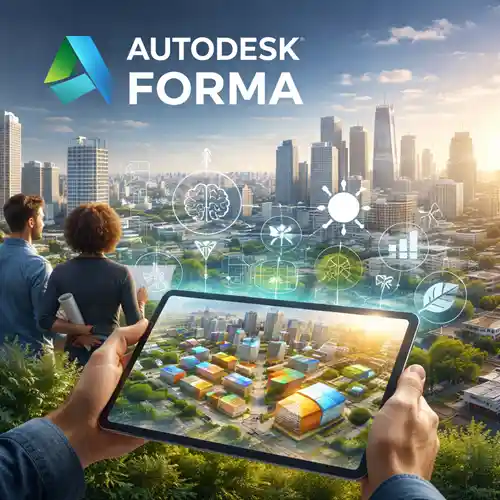
As architecture, design, and urban planning evolve in the digital age, Autodesk Forma stands at the forefront of a transformative revolution. By combining artificial intelligence (AI) with cutting-edge site analysis tools, Autodesk Forma is helping architects reimagine the way they approach concept design and site evaluation. In 2026, Autodesk Forma | AI is becoming a cornerstone for architectural firms and individual professionals who want to enhance their workflows, make data-driven decisions, and optimize their designs for sustainability, functionality, and aesthetic appeal.
In this article, we will explore how Autodesk Forma integrates AI to offer smarter site analysis, streamline concept design, and create a more intuitive process for architects. We will also break down its features, practical uses, and the benefits it brings to the architectural industry. Additionally, we will compare it with other tools in the market to show how Autodesk Forma stands out as the go-to solution for modern architects.
Features of Autodesk Forma
Autodesk Forma | AI is not just another design software; it is a game-changing tool that combines artificial intelligence (AI), machine learning, and advanced data analysis to help architects make smarter decisions. Here’s a closer look at the key features that Autodesk Forma offers:
1. Smart Site Analysis
Autodesk Forma | AI allows architects to perform detailed site analysis more efficiently than ever before. By harnessing AI algorithms, the platform evaluates a range of factors that influence a building’s design, such as topography, climate conditions, sunlight exposure, wind patterns, and even local regulations. This tool helps architects gain an in-depth understanding of the site and its environment, enabling them to make informed decisions early in the design process.
Key Features:
Real-time site analysis based on environmental factors.
AI-driven insights into climatic conditions, solar exposure, and wind flow.
Automatic integration with GIS (Geographic Information Systems) data.
2. AI-Powered Concept Design
AI is revolutionizing the way architects approach concept design. With Autodesk Forma, architects can use machine learning to automatically generate optimized design options based on specific parameters. The tool’s algorithms analyze data to recommend layouts, massing studies, and building shapes that respond to site conditions, making the design process faster and more efficient.
Key Features:
AI-assisted design generation based on site conditions and regulations.
Parametric design capabilities that adjust building forms based on feedback and real-time data.
Integration with Autodesk Revit and AutoCAD for seamless design development.
3. Sustainability & Environmental Impact Modeling
Sustainability is one of the top priorities for architects in 2026, and Autodesk Forma | AI helps ensure that buildings are both energy-efficient and environmentally responsible. With the help of AI-driven analysis, architects can simulate the environmental impact of different design choices, evaluate energy consumption, and adjust designs to meet sustainability standards such as LEED or BREEAM.
Key Features:
Energy simulation for real-time assessment of energy consumption.
Sustainability analytics for evaluating the environmental impact of materials, form, and energy use.
Tools to integrate renewable energy solutions into building designs.
4. Integration with Building Performance Analysis Tools
Autodesk Forma allows for seamless integration with Autodesk’s suite of building performance analysis tools, such as Insight and Revit. This integration allows architects to analyze energy performance, lighting, and HVAC systems in the early design stages, ensuring the building operates efficiently once completed.
Key Features:
Integrated performance modeling tools for energy consumption, thermal comfort, and lighting efficiency.
Ability to visualize the impact of design changes on building performance.
Collaborative design reviews for cross-discipline team feedback.
5. Real-Time Collaboration with Cloud-Based Tools
Architecture projects often require collaboration between multiple stakeholders, including clients, consultants, and contractors. Autodesk Forma enables real-time collaboration through its cloud-based platform, where architects can work with others on the same project simultaneously, make live updates, and instantly share results.
Key Features:
Cloud-based collaboration for instant access to designs and data.
Version control to track changes and ensure all team members are on the same page.
Feedback loops integrated into the design process for improved communication.
Uses of Autodesk Forma | AI in Architecture
Autodesk Forma | AI is primarily designed for architects, but its use cases extend across multiple stages of the design and building process. Here are some of the ways it can be applied:
1. Site Analysis and Planning
When starting a project, the site analysis phase is crucial for ensuring that the design is adapted to the natural environment and follows local regulations. Autodesk Forma | AI uses machine learning to analyze site conditions, such as terrain, sunlight exposure, and wind patterns, to recommend ideal design strategies. This not only saves time but also enables architects to create designs that perform better from a sustainability perspective.
2. Concept Design and Ideation
Architects spend significant time exploring design options before settling on a final concept. With Autodesk Forma | AI, architects can generate multiple design options based on environmental data, user needs, and regulatory constraints. The software helps ideate quickly, making it easier to evaluate different configurations and determine the best design direction.
3. Building Performance Simulation
As sustainability becomes more important, architects must consider the environmental impact of their designs. With Autodesk Forma | AI, building performance can be simulated at the concept stage to optimize factors like energy use, air quality, and thermal comfort. This allows architects to make data-driven decisions on materials, energy sources, and systems integration.
4. Integration with BIM Workflows
The transition from conceptual design to detailed design is smooth with Autodesk Forma | AI’s integration with Building Information Modeling (BIM) tools like Autodesk Revit. After creating the concept design, the AI tool can integrate with BIM data for detailed analysis of building components, energy systems, and infrastructure requirements.
5. Client and Stakeholder Engagement
Autodesk Forma | AI also helps architects engage with clients and stakeholders more effectively. By visualizing environmental data, energy usage, and design options in real time, architects can explain design choices more clearly, improving client communication and collaboration.
Conclusion
Autodesk Forma | AI is undoubtedly revolutionizing the way architects approach site analysis, concept design, and building performance simulation. With AI-driven tools that assist in site evaluation, design ideation, and sustainability modeling, Autodesk Forma provides a comprehensive solution for architects aiming to optimize their workflows and create more energy-efficient, sustainable buildings.
The integration of AI in architectural tools not only improves productivity but also ensures that designs are more responsive to environmental conditions, energy usage, and client needs. Whether you’re a solo architect or part of a large team, Autodesk Forma brings unprecedented power and efficiency to the design process, making it a must-have tool for modern architecture in 2026.
By embracing Autodesk Forma | AI, architects can achieve smarter designs, deliver better performance, and contribute to a more sustainable future. Whether you’re starting a new project or optimizing an existing one, Autodesk Forma offers the tools you need to push the boundaries of creativity while ensuring that your designs meet both aesthetic and functional goals.














Very helpful support team. They answered all my questions and made everything clear.
The product works just as advertised and is a perfect fit for my needs.
Top-quality software with great attention to detail. It runs like a dream.
No issues at all. The payment was quick, and the product was delivered instantly.
The software was exactly what I was looking for, and buying it was simple and fast.