Introduction to Autodesk Golaem Crowd Simulation for Maya
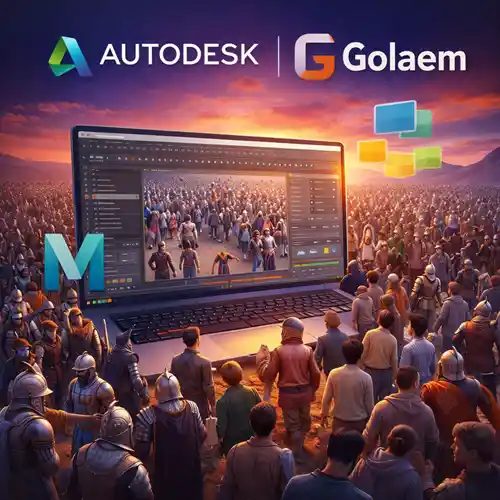
Autodesk Golaem is a powerful crowd simulation plugin for Maya, offering an advanced, yet intuitive solution for animating large-scale crowds in professional productions. Whether you’re creating crowd simulations for blockbuster movies, video games, or VR experiences, Golaem for Maya is designed to help you work smarter, not harder.
What makes Golaem stand out from other crowd simulation tools is its combination of flexibility, ease of use, and high-level automation. It gives users the power to generate and control large crowds, from simple formations to complex behaviors and interactions. With Golaem, animators no longer have to manually animate each character individually, saving time and allowing them to focus on other aspects of their projects.
This powerful toolset integrates seamlessly into Maya, ensuring compatibility with the industry-standard 3D animation software. It simplifies crowd creation for all levels of animation work, whether it’s background extras for a film or interactive characters in a game. With Golaem, you can animate thousands of characters with ease, all while maintaining a high level of realism.
By purchasing the genuine Autodesk Golaem license, users gain instant access to all the features and capabilities of this groundbreaking plugin. Whether you’re working on large-scale productions or smaller projects, Autodesk Golaem can streamline your workflow and enhance the realism of your scenes.
Features of Autodesk Golaem Crowd Simulation for Maya
Autodesk Golaem is packed with a wide array of features designed to make crowd simulation efficient, flexible, and highly realistic.
1. Advanced Crowd Simulation Tools
Realistic Crowd Behaviors: Golaem enables users to simulate realistic crowd behaviors, such as walking, running, fighting, or interacting with the environment. These behaviors can be customized based on the needs of your project, ensuring that the crowd reacts believably to any given scenario.
Character Control: You can create and control individual or groups of characters within your crowd, adjusting their movements and actions according to the scene.
Procedural Animation: Golaem uses procedural animation techniques to generate random but natural-looking movements, making it easy to fill large areas with lively, dynamic crowds.
2. Ease of Use and Integration with Maya
Seamless Maya Integration: As a Maya plugin, Golaem integrates perfectly with the software’s interface. You don’t need to leave Maya to access Golaem’s features, which streamlines your workflow and eliminates the need for external software.
User-Friendly Interface: Golaem is designed with simplicity in mind. The interface is intuitive, allowing both novice and experienced users to generate crowds without extensive learning curves.
3. Crowd Simulation Flexibility
Crowd Type Customization: Users can design different types of crowds based on their project’s needs. Whether you need a crowded city square, a chaotic battle scene, or a peaceful public park, Golaem allows you to customize the type of crowd and their behaviors.
Dynamic Interactions: Golaem can handle dynamic interactions between individual crowd members, enabling characters to react to stimuli, other characters, or objects within the environment.
4. Real-Time Simulation and Rendering
Simulate and Render in Real-Time: Golaem allows real-time simulation and rendering, which gives users immediate feedback on the crowd’s movement and behaviors. This speeds up the overall animation process, saving both time and resources.
Integration with External Systems: For large productions, Golaem can be integrated with external systems, such as RenderMan and Arnold, to improve the rendering process and enhance the quality of the final output.
5. Customizable Animation and Behavior Scripts
Behavior Scripting: Golaem’s flexible scripting interface allows for advanced control over character animation and crowd behavior. You can fine-tune actions and interactions through custom scripts, allowing you to create highly specific movements and reactions.
API Access: Developers and technical artists can use Golaem’s API to create custom tools or integrate the plugin with other systems in their pipeline.
6. Optimized for Large-Scale Productions
Efficient Memory Management: Golaem is optimized for large-scale crowd simulations, managing memory usage effectively even when simulating tens of thousands of characters.
Multi-Layered Crowd Simulation: With the ability to create multi-layered simulations, Golaem allows you to simulate crowds that interact with their environment and each other in complex, believable ways.
Uses of Autodesk Golaem Crowd Simulation for Maya
Autodesk Golaem is used in a wide range of industries, including film production, video game development, architectural visualization, and virtual reality. Below are some of the most common uses of Golaem:
1. Film and Television Productions
In the film and television industry, Golaem is used to simulate crowds for large-scale scenes, such as stadiums, battlefields, protests, and city streets. Golaem’s ability to generate realistic crowd behavior and interaction reduces the need for extra background actors and extras, saving time and production costs.
2. Video Games and Interactive Media
For video game developers, Golaem provides a way to populate game environments with realistic crowds that respond to player actions. Whether creating realistic NPC crowds in urban areas or simulating massive battles, Golaem ensures that the crowd behaviors enhance the immersive experience.
3. Architectural and Urban Visualization
Golaem is used by architects and urban planners to simulate crowds in various architectural designs. It helps visualize how a space or building will function with people moving through it, which is essential for designing public spaces, shopping malls, and transport hubs.
4. Virtual Reality and Simulations
In virtual reality (VR) applications, Golaem can simulate realistic crowds, making it ideal for VR environments like theme parks, museums, or crowded cities. The real-time interaction with the environment enhances the user experience by creating a lively and responsive crowd.
Autodesk Golaem Crowd Simulation for Maya vs. Other Crowd Simulation Tools
| Feature | Autodesk Golaem | Miarmy | Massive Prime |
|---|
| Ease of Use | Very user-friendly integration with Maya | Steep learning curve, complex interface | Advanced but requires technical knowledge |
| Real-Time Simulation | Yes | Yes | Yes |
| Crowd Behavior Control | Advanced control and customization | Extensive but less intuitive | Powerful but can be complex |
| Integration with Maya | Seamless Maya plugin integration | Requires third-party plugin | Can be used with Maya but requires separate system |
| Multi-Character Interaction | Yes | Yes | Yes |
| Rendering Integration | Full integration with major rendering engines (Arnold, RenderMan) | Limited integration options | Full integration with third-party rendering systems |
| API Access for Customization | Yes | Yes | Yes |
Conclusion
Autodesk Golaem Crowd Simulation for Maya is a groundbreaking tool that simplifies and accelerates the process of crowd creation and simulation. It offers highly realistic animations, advanced control over character behaviors, and seamless integration with Maya to deliver stunning results in film, video games, architecture, and VR projects.
With its Lifetime Activation Code, you gain permanent access to all of Golaem’s powerful features, ensuring long-term value without the ongoing costs of subscriptions. Whether you’re working on a small-scale project or a massive production, Golaem gives you the power to bring your crowd scenes to life with ease.















Highly recommended Adobe, it has lots of features and transforms our workflow!
Support was excellent, and I received the help I needed immediately.
Very affordable for what it delivers. I can’t imagine working without it now.
I was surprised at how quickly I could adapt to the software. It’s so straightforward.
Very smooth experience. I paid, and the software was ready for download right away.