Introduction to Autodesk Maya
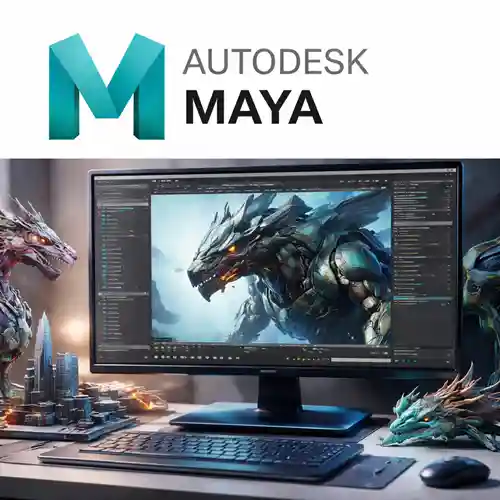
Autodesk Maya is a highly powerful and industry-standard 3D computer animation software used by professionals in the fields of film, television, gaming, and architecture. Known for its versatility and extensive set of features, Maya allows users to create stunning 3D models, animations, simulations, and visual effects. Whether you’re an aspiring artist or an experienced professional, Autodesk Maya offers the tools needed to bring your creative vision to life.
The software is widely respected for its advanced features, such as character rigging, sculpting, and dynamic simulation, making it a go-to tool for animators and 3D artists working on complex visual projects. Maya’s robust suite of modeling and animation tools empowers professionals to create realistic, high-quality content with ease, making it indispensable for high-end 3D production.
In this guide, we’ll dive into the key features, common uses, and a comparison of Autodesk Maya with other similar software tools. This will help you understand why Maya continues to be the leader in 3D modeling and animation software.
Key Features of Autodesk Maya
Advanced 3D Modeling
Maya provides a comprehensive suite of modeling tools that allow users to create intricate 3D objects. With its polygonal, NURBS (Non-Uniform Rational B-Splines), and subdivision surface modeling, Maya supports a wide range of modeling techniques to suit any project.
Character Rigging and Animation
Maya’s character rigging tools are among the best in the industry. The software allows you to create complex character rigs for 3D animation, making it easier to pose and animate characters with realistic movements. Maya’s inverse kinematics and forward kinematics systems enable smooth and efficient rigging.
Simulation and Effects
Maya includes tools for fluid and particle simulations, which help create realistic effects like fire, smoke, and liquids. The software’s Bifrost simulation engine allows users to create and manipulate realistic simulations for various environmental effects.
Texturing and Shading
Maya supports advanced texturing and shading capabilities, allowing you to create realistic materials for 3D models. The software provides integration with Arnold rendering, enabling high-quality ray-traced images that simulate real-world lighting.
Arnold Renderer Integration
Maya’s Arnold renderer produces high-quality, photorealistic images. Arnold supports both CPU and GPU rendering, making it ideal for producing complex animations and visual effects in films, video games, and virtual reality environments.
Motion Graphics and Visual Effects
With Maya’s Motion Graphics Toolkit (MASH), you can create complex procedural animations for visual effects and motion graphics. It’s especially useful in producing dynamic and responsive animations for television, film, and advertising.
Customizable UI and Tools
Autodesk Maya’s user interface is highly customizable, which helps users optimize their workflow. You can create custom shelves, shortcuts, and even scripts to automate tasks, ensuring a more efficient and personalized experience.
Integration with Other Autodesk Products
Maya integrates seamlessly with other Autodesk software such as AutoCAD, Revit, and 3ds Max, allowing users to move between programs without losing project data. This level of integration ensures smoother workflows in multi-software pipelines.
Common Uses of Autodesk Maya
3D Animation for Film and TV
Autodesk Maya is one of the most used tools in the film and television industry for creating 3D animations. Its powerful character rigging, animation, and rendering tools allow animators to produce high-quality content, from animated movies to visual effects.
Video Game Development
Game developers use Maya to create 3D assets for characters, environments, and props. The software’s integration with game engines like Unity and Unreal Engine makes it a vital part of the game development pipeline.
Architectural Visualization
Architects and designers use Maya to visualize their building designs in 3D. It helps to create realistic renderings of architectural structures, enabling clients to better understand designs and make informed decisions.
Product Design and Visualization
Product designers use Maya for 3D modeling, rendering, and prototyping new products. The software’s precise modeling tools help designers craft accurate representations of physical products, which can be used for testing, presentations, and marketing.
Visual Effects and Motion Graphics
Maya is widely used in the creation of visual effects (VFX) for movies, television shows, commercials, and digital content. The software’s tools for fluid dynamics, particles, and simulations enable the creation of realistic explosions, fire, and other environmental effects.
Comparison Table: Autodesk Maya vs. Similar Software
| Software | Best For | Key Features | Pricing Model | Best For |
|---|
| Autodesk Maya | Film, TV, Game Development, Animation | Advanced 3D modeling, character rigging, Arnold renderer, fluid simulations | Subscription | Professionals in 3D animation and modeling |
| Blender | 3D Modeling, Animation, VFX | Free and open-source, polygonal modeling, animation tools | Free | Hobbyists and small studios |
| Cinema 4D | Motion Graphics, VFX | Procedural animation, MoGraph tools, integration with Adobe software | Subscription | Motion graphics and VFX artists |
| 3ds Max | Game Development, Architecture, VFX | Modeling, rendering, simulation, and plugin support | Subscription | Game developers and architecture professionals |
| Houdini | Visual Effects, VFX, Simulation | Procedural generation, fluid dynamics, particle effects | Subscription or Perpetual | VFX studios and advanced 3D artists |
Conclusion
Autodesk Maya is one of the most powerful tools available for 3D modeling, animation, and visual effects. Its versatility, advanced tools for character rigging, simulation, and integration with other Autodesk products make it an invaluable asset for professionals in film, gaming, architecture, and product design. Maya continues to set the standard in the 3D design industry, offering high-quality rendering, dynamic simulations, and efficient workflows.
Whether you’re working on large-scale film projects, developing video games, or creating high-quality visualizations, Autodesk Maya provides the tools and flexibility necessary to achieve exceptional results. If you’re looking to enhance your 3D animation and modeling capabilities in 2025, Autodesk Maya remains the go-to choice for professionals.











This software is perfect for someone who values simplicity without sacrificing functionality.
Great software with exceptional value. The price-to-quality ratio is amazing.
Our technical issues are usually resolved by customer support, which is helpful. Our business’s illiterate users find it easy to use thanks to the user-friendly interface.
A pleasure to use! The layout is intuitive, and I can find everything I need right away.
Everything just works as expected. No frustrating trial and error.