

How to activate Microsoft Office Home & Business Mac | Lifetime Validity

Introduction
Microsoft Office Home & Business for Mac is one of the most popular productivity solutions designed for professionals, entrepreneurs, students, and home users who need reliable tools for creating documents, managing spreadsheets, preparing presentations, and handling professional communication. With a lifetime license, users can enjoy a one-time purchase experience without the need for monthly or yearly subscription payments..
For Mac users, Microsoft Office Home & Business provides powerful applications such as Microsoft Word, Microsoft Excel, Microsoft PowerPoint, and Microsoft Outlook, allowing users to complete everyday tasks efficiently. Whether you are preparing business reports, managing financial data, creating presentations, or organizing emails, Office Home & Business delivers professional-grade tools with smooth performance.
A Microsoft Office Home & Business for Mac Lifetime License is designed for users who prefer owning their software rather than paying recurring subscription fees. Once the license is activated successfully, users can continue using the installed Office applications according to the license terms.
What Is Microsoft Office Home & Business for Mac Lifetime License?
Microsoft Office Home & Business for Mac is a productivity suite developed specifically for Apple Mac computers. It provides essential Office applications required for personal and professional work.
Unlike Microsoft 365 subscription plans, a lifetime license generally refers to a one-time purchase license that allows users to activate Office applications without paying recurring subscription charges.
The Office Home & Business package is commonly used by:
- Small business owners
- Freelancers
- Professionals
- Students
- Home users
- Entrepreneurs
It provides essential applications needed for:
- Document creation
- Data management
- Presentations
- Email communication
- Business planning
After successful activation, users can access the complete features of Office applications installed on their Mac.
Microsoft Office Home & Business for Mac Applications
The package includes several powerful applications designed for productivity.
Microsoft Word for Mac
Microsoft Word is a professional document creation application used worldwide.
Features include:
- Professional document formatting
- Templates for reports and resumes
- Grammar and spelling assistance
- Collaboration tools
- Advanced editing options
- Document protection
Users can create:
- Business documents
- Contracts
- Reports
- Letters
- Research documents
Microsoft Excel for Mac
Excel is a powerful spreadsheet application used for calculations and data analysis.
Key features include:
- Advanced formulas
- Data sorting and filtering
- Charts and graphs
- Financial calculations
- PivotTables
- Data visualization
Businesses use Excel for:
- Accounting
- Budget management
- Inventory tracking
- Sales reports
- Data analysis
Microsoft PowerPoint for Mac
PowerPoint helps users create professional presentations.
Important features:
- Modern presentation templates
- Slide design tools
- Animations
- Transitions
- Multimedia support
It is useful for:
- Business meetings
- Educational presentations
- Marketing campaigns
- Project demonstrations
Microsoft Outlook for Mac
Outlook provides email and calendar management features.
Benefits include:
- Email organisation
- Contact management
- Calendar scheduling
- Meeting planning
- Professional communication
Key Features
1. One-Time Purchase Advantage
The biggest benefit of a lifetime license is avoiding recurring subscription costs.
Users can:
- Pay once
- Activate the software
- Continue using Office applications
This makes it suitable for users who prefer traditional software ownership.
2. Professional Productivity Tools
Office Home & Business provides complete productivity solutions for daily tasks.
Users can:
- Write documents
- Analyze information
- Create presentations
- Manage emails
3. Optimised for Mac Devices
Microsoft Office is designed to work smoothly with Apple hardware.
Compatible with:
- Intel-based Mac computers
- Apple Silicon Macs
- Modern macOS versions
4. User-Friendly Interface
Office applications provide a familiar interface that makes it easy for beginners and professionals.
Features include:
- Simple navigation
- Customizable tools
- Quick access menus
- Professional templates
5. Offline Access
Unlike cloud-only solutions, desktop Office applications allow users to work offline.
Users can:
- Create documents without internet
- Edit files anytime
- Save work locally
6. Enhanced Security
Microsoft Office provides security features such as:
- Protected documents
- Secure file handling
- Privacy controls
- Safe sharing options
Microsoft Office Home & Business Mac Lifetime License Benefits
A lifetime license provides several advantages:
Cost Savings
A one-time license eliminates repeated subscription payments.
Long-Term Usage
Users can continue using Office applications according to license conditions.
Professional Features
Access important Office tools needed for business and personal productivity.
Reliable Performance
Desktop Office applications provide fast and stable performance.
System Requirements for Microsoft Office Home & Business for Mac
Before installation, ensure your Mac meets the required specifications.
Hardware Requirements
Recommended:
- Intel processor or Apple Silicon processor
- Minimum 4GB RAM
- 10GB available storage
- Stable internet connection for activation
For better performance:
- 8GB RAM or higher
- SSD storage
macOS Compatibility
Office versions have different macOS compatibility requirements.
Before installation:
- Check your macOS version
- Update macOS if required
- Remove incompatible Office versions
How to Install Microsoft Office Home & Business for Mac
Follow these steps to install Office successfully.
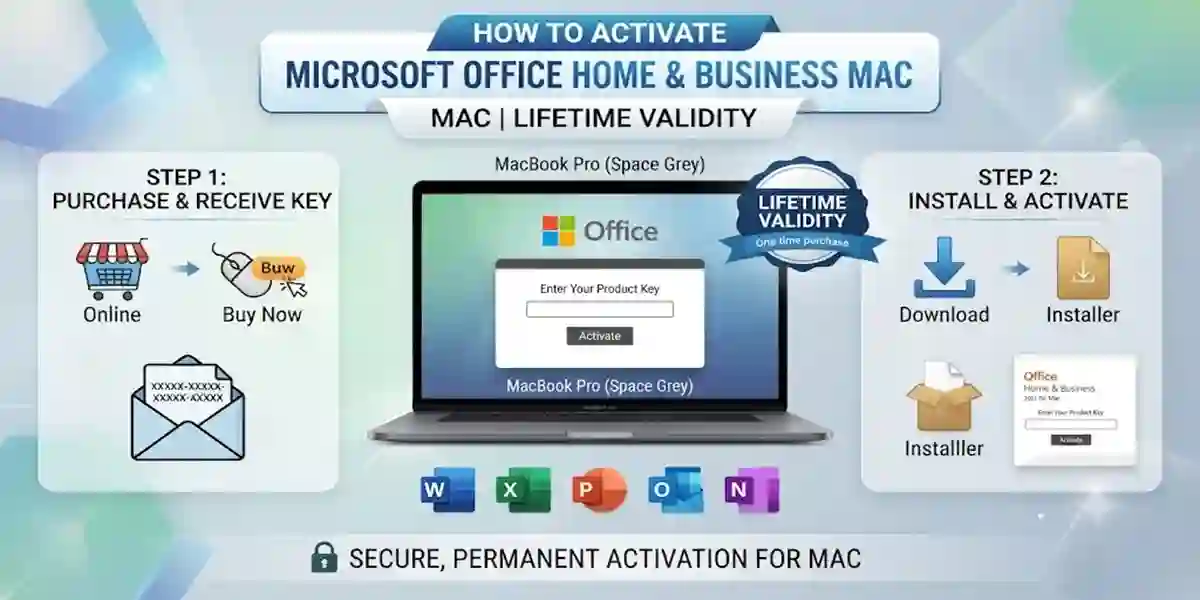
Step 1: Download Office Installer
Download the official Office installation package from your Microsoft account or authorized software provider.
Step 2: Open Installer
After downloading:
- Open the installer file.
- Start installation.
- Accept license agreement.
- Follow setup instructions.
Step 3: Complete Installation
After installation:
- Open Applications folder.
- Launch Word, Excel, PowerPoint, or Outlook.
- Start activation process.
Methods to Activate
There are different activation methods depending on your license type.
Method 1: Activate Using Microsoft Account
This is the recommended activation method.
Steps:
- Open Microsoft Word.
- Click Sign In.
- Enter Microsoft account details.
- Office verifies your license.
- Activation completes automatically.
Advantages:
- Easy license recovery
- Simple reinstall process
- License management
Method 2: Activate Using Product Key
Users with a product key can activate Office manually.
Steps:
- Open any Office application.
- Select Activate Office.
- Enter your 25-character product key.
- Sign in with Microsoft account.
- Complete verification.
Product key format:
XXXXX-XXXXX-XXXXX-XXXXX-XXXXX
Method 3: Activate Through Microsoft Setup Portal
Steps:
- Sign in to Microsoft setup portal.
- Enter product key.
- Link license to account.
- Download Office.
- Install and activate.
Method 4: Reinstall and Reactivate Office
If you reinstall macOS or replace Office:
- Download Office again.
- Install applications.
- Sign in with the same Microsoft account.
- Reactivate license.
Microsoft Office Mac Activation Commands
Advanced users can check Office installation and licensing information using Terminal.
Open:
Applications → Utilities → Terminal
Check Microsoft Office Installation
Command:
ls /Applications | grep Microsoft
This displays installed Microsoft applications.
Check Microsoft Office Files
Command:
ls ~/Library/Preferences | grep Microsoft
Access Office Licensing Folder
Command:
cd /Library/Preferences/com.microsoft.office.licensingV2Remove Old Activation Information
If Office activation is corrupted:
- Close Office applications.
- Remove old licensing information.
- Restart Mac.
- Sign in again.
Common Errors and Fixes
Error 1: Office Activation Failed
Causes:
- Internet connection problem
- Wrong account
- Invalid license
Fix:
- Check internet connection
- Sign out and sign in again
- Verify license ownership
Error 2: Product Key Not Working
Causes:
- Incorrect key entry
- Wrong Office edition
- Already redeemed key
Fix:
Check:
- Product key characters
- License type
- Microsoft account
Error 3: Microsoft Account Cannot Verify License
Causes:
- Wrong account
- License not connected
Fix:
- Visit Microsoft account services.
- Confirm Office purchase.
- Use the correct account.
Error 4: Office Keeps Asking for Activation
Causes:
- Damaged license files
- Previous Office installation
Fix:
Try:
- Remove old Office versions
- Restart Mac
- Install latest Office updates
Error 5: Installation Failed on Mac
Causes:
- Low storage
- Unsupported macOS
- Corrupted installer
Fix:
- Free storage space
- Update macOS
- Download installer again
Error 6: Office Runs in Reduced Functionality Mode
Causes:
- Activation incomplete
- License verification failed
Fix:
Complete activation using:
- Microsoft account
Valid product key
Conclusion
Microsoft Office Home & Business for Mac Lifetime License is an excellent productivity solution for users who want powerful Office applications without recurring subscription payments. With essential tools like Word, Excel, PowerPoint, and Outlook, it provides everything required for professional and personal productivity.
The activation process is simple when you use a genuine license, correct Microsoft account details, and proper installation steps. Understanding activation methods, troubleshooting errors, and using available commands can help users quickly resolve common Office problems.
By following this complete setup and activation guide, Mac users can successfully install Microsoft Office Home & Business, activate their lifetime license, and enjoy a reliable productivity experience.
For the best performance and security, always keep Office updated, maintain your license information safely, and use genuine Microsoft software.
Frequently Asked Questions (FAQ)
It is a one-time purchase license that allows users to activate Office applications on compatible Mac devices.
No. A lifetime license is designed as a one-time purchase instead of a subscription model.
You can activate it by signing in with your Microsoft account or entering a valid product key.
Yes. You can reinstall Office and reactivate it using your linked Microsoft account.
Common reasons include:
- Incorrect product key
- Wrong account
- Internet issues
- Previous Office conflicts