

Microsoft Office Home & Business 2021 for Mac: Lifetime License Guide

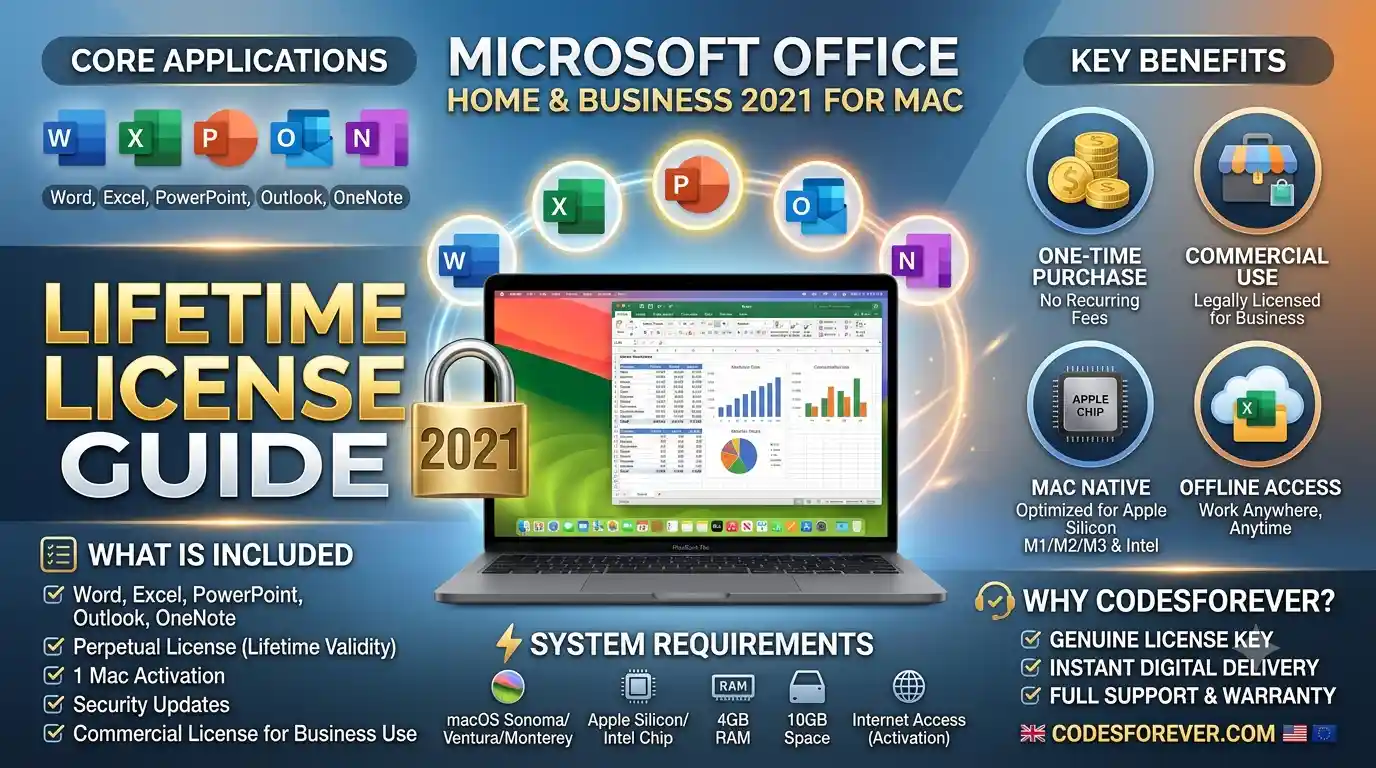
The Ultimate Guide to Microsoft Office Home & Business 2021 for Mac (Lifetime License)
If you use a Mac for work, freelancing, or managing a home business, you know how crucial having reliable office tools is. While cloud subscriptions have become common, millions of Mac users prefer a simple, predictable option: pay once and own the software forever.
That is exactly what Microsoft Office Home & Business 2021 for Mac delivers. Designed specifically to take advantage of macOS and Apple Silicon architecture, this perpetual license gives you lifetime access to essential productivity tools—including Word, Excel, PowerPoint, Outlook, and OneNote—without monthly recurring subscription fees.
Why Choose a One-Time Purchase Over Microsoft 365?
The biggest decision Mac users face today is choosing between a perpetual software license and a monthly Microsoft 365 subscription. Here is why the one-time lifetime license continues to top search trends for budget-conscious professionals:
Zero Subscription Fees: You pay a single upfront price. There are no surprise annual renewals or monthly charges hitting your credit card.
Full Offline Access: Unlike web-based suites, all desktop applications run locally on your Mac. You can draft documents, build financial models, and read emails without an active internet connection.
Apple Silicon Optimization: Office 2021 is built natively as a Universal app, running at peak performance on Intel Macs as well as Apple’s M1, M2, and M3 chips.
Commercial Use License: Unlike Student or Personal editions, the Home & Business license legally permits commercial use, making it ideal for small businesses, contractors, and sole proprietors.
Core Applications Included in Office 2021 for Mac
Microsoft Office Home & Business 2021 includes the full suite of desktop applications tailored for macOS:
1. Microsoft Word 2021
Word for Mac features a sleek Dark Mode canvas that reduces eye strain during late-night writing sessions. Advanced translation tools, improved focus mode, and SVG graphic support make creating polished reports and proposals effortless.
2. Microsoft Excel 2021
Excel 2021 introduces powerful data-analysis features previously reserved for subscription users:
XLOOKUP: Modern replacement forVLOOKUP, allowing faster searching across rows and columns.Dynamic Arrays: Calculate and return arrays of values across multiple cells with a single formula using functions like
FILTER,SORT, andUNIQUE.LETFunction: Assigns names to calculation results to make formulas faster to run and easier to read.
3. Microsoft PowerPoint 2021
Deliver engaging presentations with enhanced visual tools. Features include Morph Transitions, custom slideshow recording with audio and laser pointing, and export capabilities to animated GIFs or 4K video formats.
4. Microsoft Outlook 2021
Manage professional emails, calendars, and contacts in one central hub. Outlook 2021 for Mac brings faster search indexing, actionable email notifications, and seamless multi-account management.
5. Microsoft OneNote
Keep your ideas, meeting notes, project plans, and research organized in digital notebooks that sync effortlessly across your Apple devices.
Microsoft Office 2021 Home & Business vs. Microsoft 365
| Feature | Microsoft Office 2021 Home & Business (Mac) | Microsoft 365 Business Standard |
| Payment Model | One-time payment (Lifetime License) | Monthly or Annual Subscription |
| Core Apps Included | Word, Excel, PowerPoint, Outlook, OneNote | Word, Excel, PowerPoint, Outlook, OneNote + Cloud Services |
| Device Limit | 1 Mac per license | 5 PCs/Macs + 5 Phones/Tablets per user |
| Cloud Storage | Basic OneDrive integration | 1 TB OneDrive cloud storage |
| Feature Updates | Security updates only (stable feature set) | Continuous updates & new AI tools |
| Best For | Individuals, freelancers, budget-conscious businesses | Teams needing cloud collaboration & multi-device access |
System Requirements & macOS Compatibility
Before purchasing your product key, ensure your Mac meets the system hardware and OS requirements:
Operating System: Supported on the three most recent major versions of macOS (e.g., macOS Sonoma, macOS Ventura, macOS Monterey).
Processor: Apple Silicon (M1, M2, M3, M4) or Intel Multi-core processor.
Memory (RAM): Minimum 4 GB RAM (8 GB recommended for complex Excel workbooks).
Disk Space: 10 GB of available hard disk space formatted as APFS or HFS+.
Display: 1280 x 800 screen resolution or higher.
How to Install and Activate Your Office 2021 Mac License
Setting up your lifetime license takes only a few minutes when you follow these steps:
Remove Old Installations: Uninstall any trial or expired versions of Microsoft Office or Microsoft 365 from your Mac.
Redeem Your Key: Visit Microsoft’s official portal at [suspicious link removed].
Sign In: Log in with your personal or business Microsoft Account (e.g.,
@outlook.comor@hotmail.com). Your product key will permanently bind to this account.Enter Product Key: Input your 25-character digital license key provided in your purchase confirmation.
Download & Install: Click Install to download the official macOS installer package (
.pkgfile) and run the installer wizard.Activate: Open Word or Excel, sign in with the same Microsoft account, and your license will activate instantly over the internet.
Where to Buy Genuine Microsoft Office 2021 for Mac
When purchasing a software license, authenticity and instant delivery are paramount. You can buy authentic, 100% digital license keys for Microsoft Office Home & Business 2021 for Mac from verified software distributors like Codesforever.
Purchasing from trusted channels ensures:
100% official Microsoft activation via
setup.office.com.Instant digital key delivery directly to your inbox.
24/7 technical support and full replacement guarantee.
Frequently Asked Questions (FAQ)
Is Microsoft Office 2021 for Mac really a lifetime license?
Yes. Office 2021 Home & Business is a perpetual license. Once activated, you can use the software indefinitely on that Mac without any recurring subscription fees.
Can I transfer my Office 2021 Mac license to another computer?
Perpetual licenses for Office 2021 are bound to a single Mac device. If you upgrade to a new Mac, you can reinstall and reactivate your license by logging into your Microsoft account, provided the software is removed from the old machine.
Does Office 2021 work natively on M1, M2, and M3 Macs?
Yes. Microsoft Office 2021 for Mac is compiled as a Universal application, running natively on both Apple Silicon and Intel-based Mac hardware without needing Rosetta 2 translation.
Summary: Is It Worth It?
If you want a reliable, subscription-free office suite with powerful desktop performance, Microsoft Office Home & Business 2021 for Mac is the smartest choice for Mac users. With essential applications, full Apple Silicon support, and zero recurring fees, it delivers long-term value for home and business use.