

Nitro PDF: What It Is, What It Costs, and How to Download

Nitro PDF is a desktop PDF editor from Nitro Software that lets you create, edit, convert, sign, and secure PDF files. The paid product is Nitro PDF Pro, which older versions call Nitro Pro. You download it from the vendor’s own site, gonitro.com. A free Nitro PDF Reader covers basic viewing and commenting, and the Mac app lists a 14-day free trial of the full editor.
Think of it as a Microsoft Office-style alternative to Adobe Acrobat. It uses a familiar ribbon layout and handles the jobs most people actually need: changing text inside a PDF, merging files, filling forms, signing contracts, and turning scans into searchable text. We sell lifetime license keys for Nitro PDF Pro 14 at Codesforever.
This guide covers what Nitro PDF Pro does, how to download and activate it without picking up a bad installer, what each version costs, and whether it is a good and safe PDF editor.
Why people choose Nitro PDF for editing PDFs
People choose Nitro PDF Pro because it covers the everyday PDF jobs in one program, with an interface that feels like Word or Excel. It is a practical answer if you want a full editor without an Acrobat subscription.
What the software does
The core of Nitro PDF software is editing. You click a text block, type, and the surrounding paragraph and images reflow. You can also reorder, rotate, delete, and extract pages, and add headers, footers, watermarks, and Bates numbering. Those are the tools lawyers, accountants, and office teams rely on.
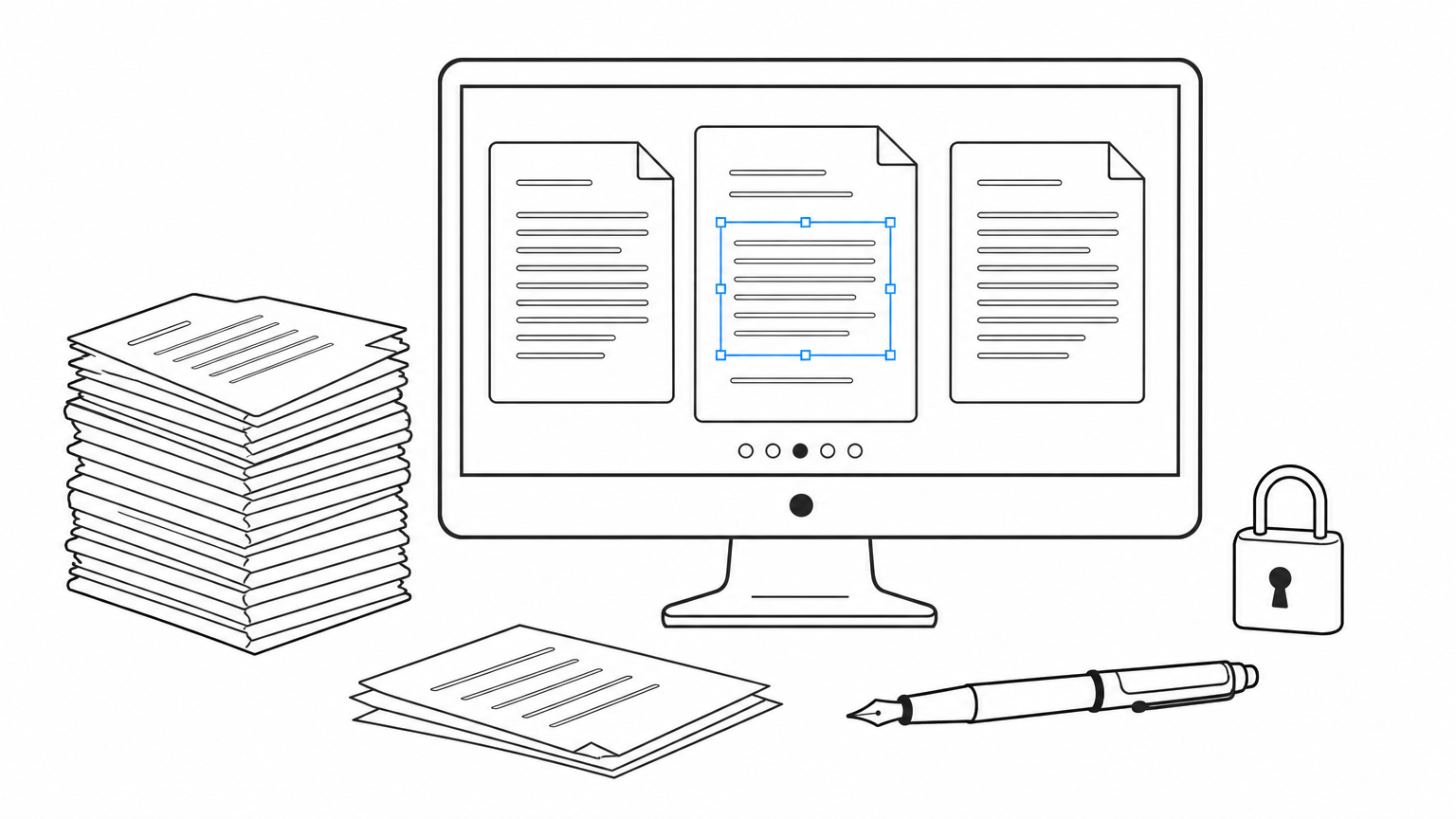
Here is how the main features group together:
| Job | What Nitro PDF Pro offers |
|---|---|
| Create | PDFs from any application, web page, or scan, plus batch creation and one-click PDF creation inside Microsoft 365 |
| Convert | Word, Excel, and PowerPoint to PDF and back, plus JPG, TIFF, and PNG output |
| Edit | Text and image editing with paragraph reflow, page management, interactive forms |
| Review | Highlights, sticky notes, text edits, and side-by-side comparison of two versions |
| Sign | QuickSign for everyday approvals and a built-in electronic signature |
| Secure | Password protection, permissions, permanent redaction, and encryption |
| OCR | Turns scanned pages into searchable, editable text |
Nitro PDF Pro covers the full PDF cycle: create, edit, convert, review, sign, and secure.
Who gets the most from it
It suits freelancers, small offices, and students who handle contracts, invoices, and forms every week. If you only open PDFs to read them, your browser or the free Reader is enough. Once you need to fix a typo in a signed-off document or merge ten scans, a real editor pays for itself in saved time.
Its cloud connections help teams too. It links to Box, Dropbox, Google Drive, OneDrive, and SharePoint, so you can open and save files where they already live. Business editions add license management and single sign-on, which matters only if you manage several seats.
How to download and activate Nitro PDF Pro
The safe way to get Nitro PDF is to download the installer from the vendor’s official site, gonitro.com, then activate it with your license or account. Skip the third-party download portals.
Download from the official source
Go to gonitro.com and pick your platform. Windows and Mac are separate products, and the Mac version also appears on the Mac App Store as Nitro PDF Pro: Edit & Sign. That listing shows a download size of about 283 MB, so expect a few hundred megabytes on Windows too.
Avoid mirror sites that wrap the installer in ads or "download managers". They add risk and no benefit, because the official installer is the same file. A search for "nitro pdf download" returns many of these mirrors, so check the address before you click.
Install and activate
Activation takes a few minutes. These steps work for a Windows license key:
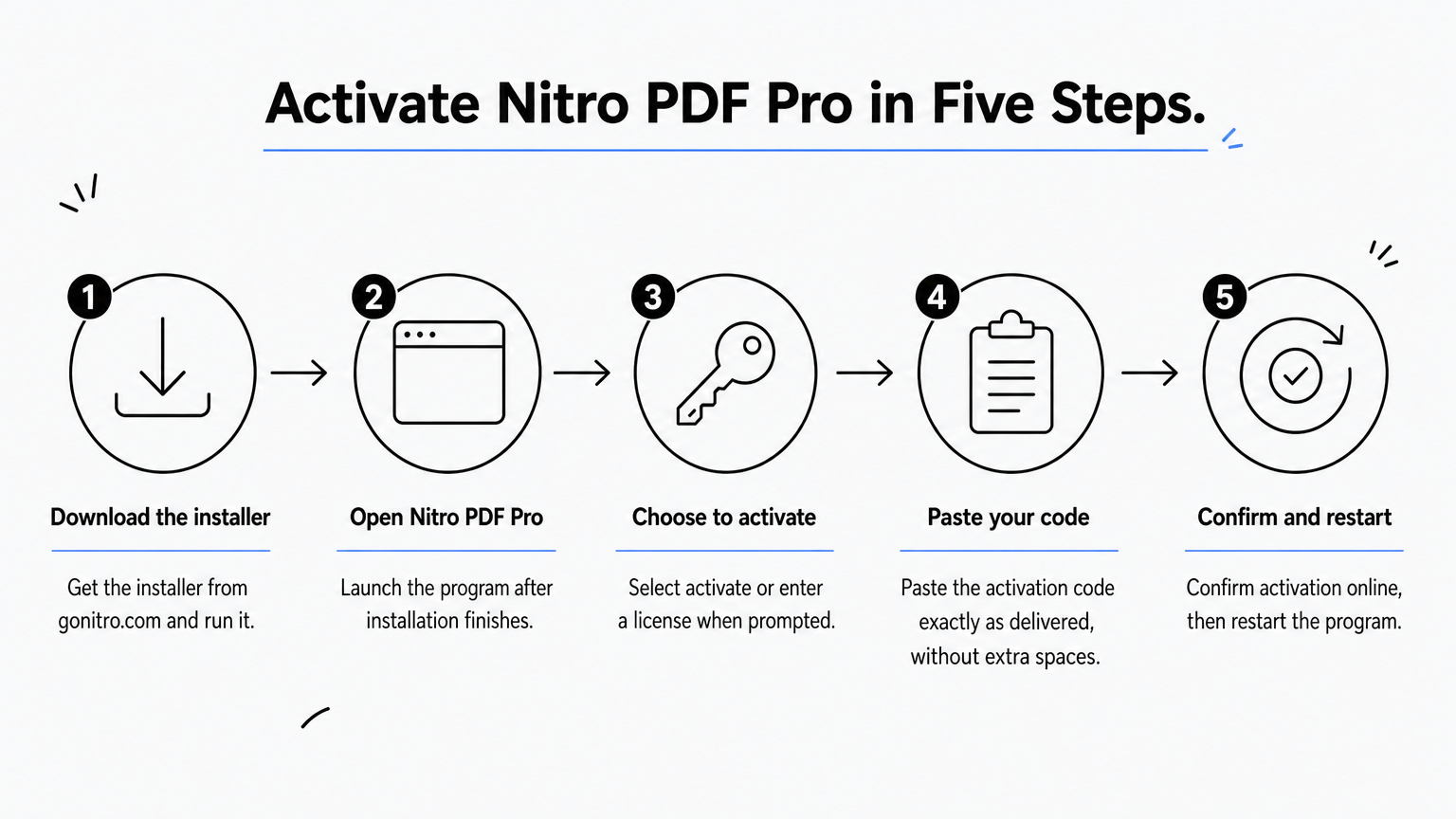
- Download the installer from gonitro.com and run it.
- Open Nitro PDF Pro after installation finishes.
- Choose to activate or enter a license when prompted.
- Paste your activation code exactly as delivered, without extra spaces.
- Confirm activation online, then restart the program.
Our Nitro PDF Pro 14 key is a lifetime license for Windows, so it will not activate the Mac app. Mac users should buy through Nitro or the App Store. If activation fails, contact support right away. Codesforever accepts key issue reports within 7 days of purchase and offers 24/7 support by chat and WhatsApp.
Which version number to expect
Version numbers confuse many buyers. Windows listings show Nitro Pro 14.x, while the Mac app currently carries 26.x numbering. The numbers do not line up across platforms, so judge by feature list and platform, not by which number is bigger. Nitro PDF Pro 14 remains a complete editor for creating, editing, converting, and signing.
Download only from gonitro.com, and match the version to your operating system before you buy a key.
What Nitro PDF costs and whether it is free
Nitro PDF Pro is not free, but you can start free: the Reader costs nothing and the Mac app offers a 14-day trial. The full editor needs a paid license, and the price depends on where and how you buy.
Free options and paid options
This table shows what is free and what is not:
| Option | Cost | What you get |
|---|---|---|
| Nitro PDF Reader (Windows) | Free | Viewing, comments, form filling, text and image extraction, QuickSign |
| Nitro PDF Pro for Mac trial | Free for 14 days | Full editor, then in-app purchase |
| Nitro PDF Pro from Nitro | Paid, see the official pricing page | Full editor, support, admin tools on business plans |
| Nitro PDF Pro 14 lifetime key | One-time payment | Windows editor with lifetime activation |
The Reader is the answer to "is Nitro PDF free?" for light use. It does not offer the advanced editing, OCR, and redaction that define the Pro edition.
Buying a license
Nitro sets its list prices, and they change by plan and seat count, so read the official pricing page before you compare. A lifetime license usually beats a subscription if you plan to use the program for more than a couple of years. A subscription makes more sense when you need the newest features or manage many users.

Reseller keys are priced lower than list. At Codesforever, Nitro PDF Pro 14 is a lifetime license delivered by email, and most orders arrive within 5 minutes. We add no checkout fees. The current price is on the product page.
Compare it against the vendor’s list price for the same version and platform.
If you want a cheaper option, here is how our two PDF editors compare:
| Nitro PDF Pro 14 | PDF 2027 Pro | |
|---|---|---|
| Price | US$68 | US$18 |
| License | Lifetime, one-time payment | 1-year subscription |
| Platforms | Windows | Windows or Android |
| Devices | 1 PC | 1 device, 1 user |
| Editing, convert, OCR, sign, redact | Yes | Yes, all run offline on your device |
| Delivery | Instant by email | Instant by email |
| Buy | Buy Nitro PDF Pro 14 | Buy PDF 2027 Pro |
Choose Nitro PDF Pro 14 if you want to pay once and use it for years. Choose PDF 2027 Pro if you want the lowest upfront cost, or need an editor on Android too.
Start with the free Reader or the trial, and pay only when you need editing, OCR, or redaction.
Is Nitro PDF good and is it safe?
Nitro PDF is a good, capable editor, and it is safe when you download it from the official site and use a legitimate license. It is not perfect, and the Mac version draws more complaints than the Windows one.
Strengths and weaknesses
The clearest strengths are the clean ribbon interface and the editing quality. Text reflow works well, conversion keeps layouts intact, and the signing and review tools are easy to learn. Nitro also lists ISO 27001 and SOC 2 certifications, which matter if you handle client files.
The weaknesses are real. Reviewers describe the Windows program as resource-heavy, especially with OCR on large scans. Mac users on the App Store report fewer features than Windows, such as no layer view, and some report login and support frustrations. The editing is solid but not at the level of Adobe Acrobat Pro for advanced production work. For ordinary office tasks, that gap rarely matters.
Safety checks before you install
Safety comes down to source. Nitro Software, Inc. publishes the official app, and its privacy policy says it may collect contact info, identifiers, usage data, and diagnostics. Read it if you work with confidential documents.
The biggest risk is a cracked or patched copy from a file-sharing site. Those installers often carry malware and cannot receive updates. Buy a genuine key, download the installer from gonitro.com, and run a normal antivirus scan. If you want to verify a seller first, read independent buyer feedback before you pay.
A legitimate key plus the official installer removes almost every real risk with Nitro PDF.
A practical way to get started with Nitro PDF
Nitro PDF is a strong all-round PDF editor with a free Reader for light use, a trial for testing, and paid licenses for full editing. It is safe from the official site, and the Windows edition is the stronger of the two platforms. Test your own documents before you commit.
If Windows is your platform and you want a one-time purchase, our Nitro PDF Pro 14 lifetime license comes with instant email delivery and 24/7 activation help. Report any key problem within 7 days, and we will troubleshoot it and replace the key , if we cannot fix it.
If you mainly need an offline editor and a lifetime license is not a must, look at PDF 2027 Pro. It is a 1-year subscription for Windows or Android, priced at US$18 for one device. It merges, splits, compresses, converts, runs OCR, edits, redacts, and signs PDFs locally, so your files stay on your own machine.