

Buy a Visual Studio Professional 2022 Standalone License

To buy a Visual Studio Professional 2022 standalone license, first confirm that the Community edition does not already cover you. Then pay once for the perpetual license, which Microsoft lists at $499, and enter the product key . You get a license with no renewal and no monthly bill. The trade-off is that you get the IDE only, without the Azure credits, Azure DevOps access and support incidents that subscriptions include.
Ready to buy? See the Visual Studio 2022 license at Codesforever, delivered by email within minutes with free activation support and a replacement if a key fails. On a tighter budget, Visual Studio Professional 2019 is US$30. Check the version and price on the product page before you order.
The buying path is murkier than it should be. Microsoft’s pricing page shows four subscription tiers before it gets to the standalone option. The store listing has moved on to Visual Studio Professional. The word "perpetual" also means two different things depending on which product you are looking at. Many buyers end up paying about $1,200 for a subscription when a one-time license would have done.
This guide walks through the decision in order: what the standalone license is, whether you need it, how its cost compares with subscriptions, where to buy and how to find your key, and how to activate it. It is written from the perspective of Codesforever, a store that sells discounted software license keys, so the buying and activation steps get extra attention.
What a standalone license is and what it costs
A standalone license is a one-time purchase of the Visual Studio Professional IDE that keeps working after you stop paying. Microsoft describes it as perpetual licensing without the other benefits included in subscriptions, and it lists the IDE standalone at $499. Free options exist, and subscriptions cost more over time.
Standalone versus subscription
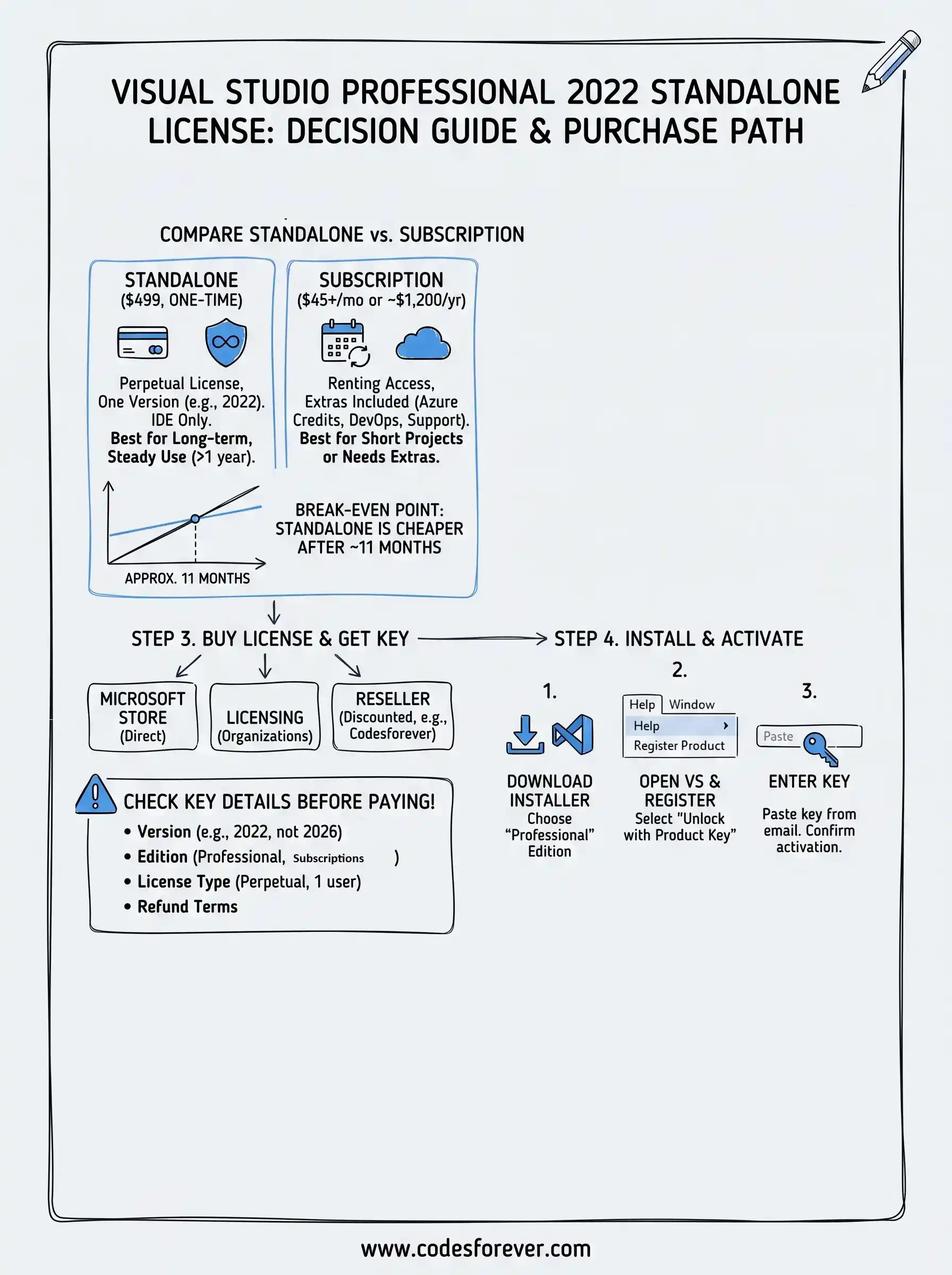
Think of the standalone license as buying a copy of the program. You pay $499 once and receive a product key. The version you bought stays licensed for good. A subscription is closer to renting access with extras attached: Azure DevOps, a monthly Azure credit, training and support incidents. A perpetual license never expires, but it covers one version of Visual Studio, not every future release.
Microsoft also notes that standard subscriptions often include a perpetual license for Visual Studio, so you can keep using the IDE after the subscription ends. That is the second meaning of "Visual Studio perpetual license", and it is why searches for the term return both a $499 product and a roughly $1,200 one. The table sets the options side by side.
| Option | Price | How you pay | Works if you stop paying | Extras |
|---|---|---|---|---|
| IDE standalone | $499 | One time | Yes, perpetual | IDE only |
| Professional monthly | $45 per user per month | Monthly | No | Azure DevOps Basic plan |
| Professional | $99.99 per user per month, paid annually | Yearly | Usually yes, per Microsoft | $50 monthly Azure credit, Azure DevOps Basic, training, 2 support incidents |
A standalone license trades extras for a fixed price: you pay once, and the version you bought is yours.
Version choice: 2022 or 2026
Microsoft’s current store listing is Visual Studio Professional 2026 at $499.00, the same price the standalone IDE carries on the pricing page. So the first decision is whether you specifically need 2022. Choose 2022 when a project, build server or team standard is pinned to it. Otherwise the newer version costs the same.
Treat a 2022 key as a 2022 license. Do not assume it activates 2026. Perpetual licenses normally carry downgrade rights, so a newer license may let you run an older release, but the reverse does not hold. Read the licensing terms or ask the seller before you rely on a cross-version setup.
Step 1. Check whether Community covers you
Visual Studio Professional 2022 is not free. Microsoft’s own comparison shows the two editions are close in features. For many buyers the real difference is the license terms cost $499.
Who can use Community
Microsoft’s terms set the limits. Check them against your situation:
- Individuals: any individual can use Community to build paid apps.
When Professional is worth paying for
Cost is not the only reason to pay. You may want the license for compliance, to keep a client clean, or because your employer’s policy requires a paid edition. If you are a solo developer or a freelancer, the professional edition is also usually the right answer.
If you are developer, you must have to buy paid version which permits paid apps.
Step 2. Compare standalone with subscriptions
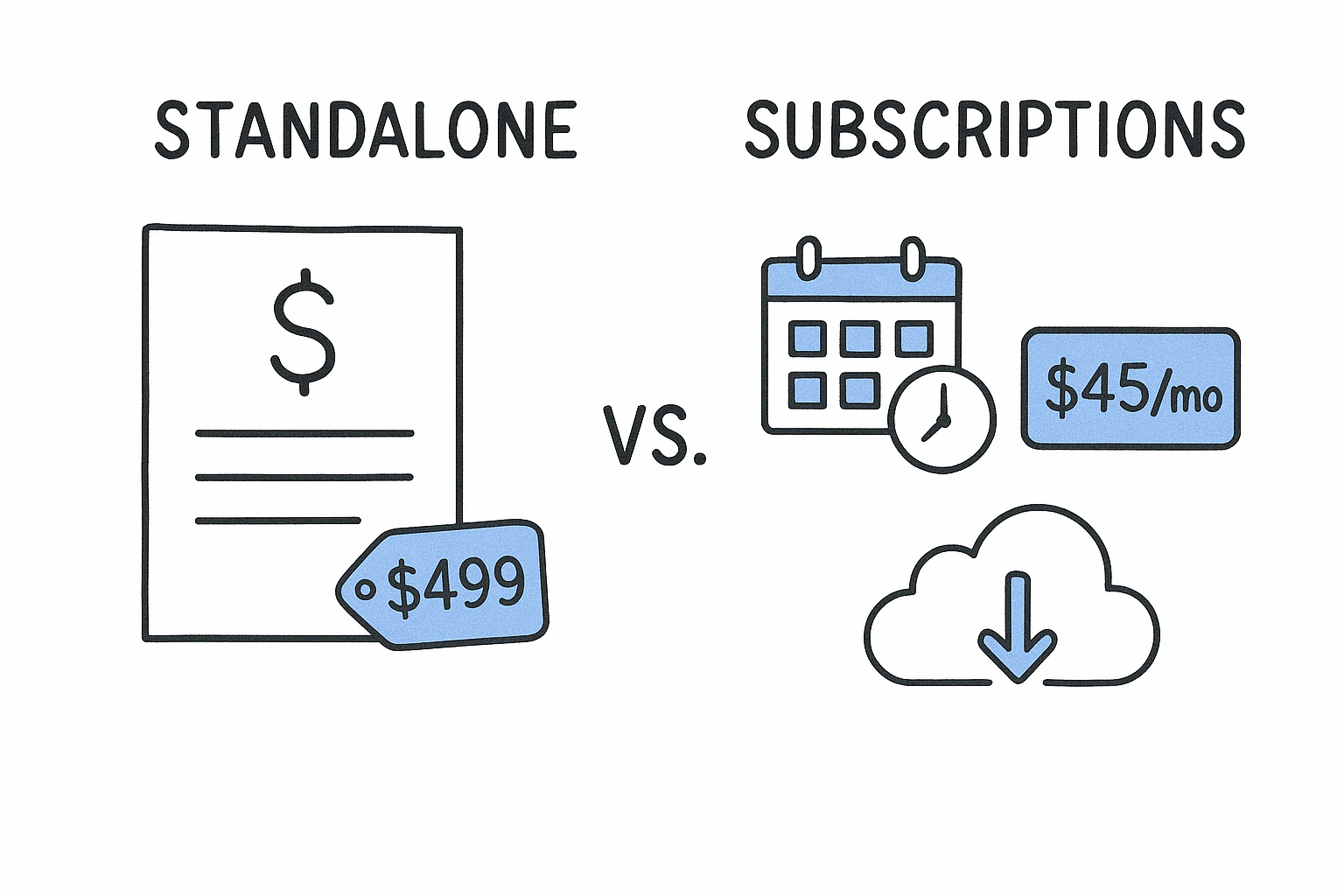
The standalone license wins on cost if you use Visual Studio for a year or longer and do not need the bundled extras. Monthly access wins for short projects. A standard subscription only pays off if you will use the Azure credit, Azure DevOps and support.
Three-year cost side by side
The standalone license costs $499 once. Professional monthly costs $45 a month, so after 11 months you have paid $495, and month 12 pushes you past $499. Professional standard is listed at $99.99 per user per month, paid as one annual payment of about $1,200, and renews at $66.59 per month, about $799 a year. Microsoft’s store note says you must renew within 30 days of expiry to get the renewal price.
| Option | Year 1 | Three-year total |
|---|---|---|
| IDE standalone | $499 | $1299 |
| Professional monthly | $540 | $1,620 |
| Professional standard | $1,199.88 | $2,798.04 |
The three-year standard figure is $1,199.88 plus two renewals at $799.08 each. These are list prices for individual purchases. Volume licensing deals can differ, so check them if you buy through a reseller or agreement.
Which option fits which buyer
Pick the option by how you work, not by the lowest sticker price:
- Standalone: one developer, steady use, no need for cloud benefits. This is the cheapest path past the first year.
- Monthly: a contract of under a year, or a trial before you commit. You can stop at any time.
- Standard subscription: you will use the monthly Azure dev/test credit, Azure DevOps and training, or you need the two support incidents.
Standalone also means no renewal date to miss. Standard subscriptions lose their discounted renewal rate if you let them lapse by more than 30 days.
Past about 11 months of use, the $499 standalone license costs less than paying $45 a month.
Step 3. Buy the license and get your key
You can buy the license from Microsoft, through licensing program, or from an reseller. In every case, your product key arrives with your order, and you should confirm it before you close the tab. Skipping that check is how buyers get stuck.
Buy from Microsoft or a volume channel
The direct route is the Microsoft Store, where the standalone Professional IDE is listed at $499. Organizations have more options. Microsoft recommends the Open Value program for small and midsize organizations with five or more desktop PCs. The Enterprise Agreement suits organizations with 500 or more users or devices. Both go through a reseller licensing partner.
After a direct purchase, look for the key in your confirmation email . Save it somewhere safe right away. If no key appears, contact support before you do anything else, and do not buy a second time. Under licensing, the keys come through your organization’s licensing reseller. Subscription benefits are a separate path, accessed with the email used for the subscription.
Buy from a reseller safely
A reseller can cut the price substantially, but matters more. Before paying anyone, confirm four things:
- Version: 2022, 2026 or an older release, spelled out in the listing.
- Edition: Professional or a subscription.
- License type: perpetual, for one user.
- Terms: need support in product activation.
Codesforever’s Visual Studio listing is Visual Studio Professional 2019 at US$30, with lifetime activation. The listing states that it runs on Windows 10 only. Keys arrive by email. It is an older version than the 2022 license you are researching. That means no 64-bit IDE, which arrived with Visual Studio 2022. It suits you if you maintain 2019-era projects, or if you only need a low-cost Professional license for them. If you need Visual Studio 2022 specifically, check the product page for the current edition and price, or ask the store’s live chat before you assume availability.
Pay for the exact version, edition and license.
Step 4. Install and activate your key
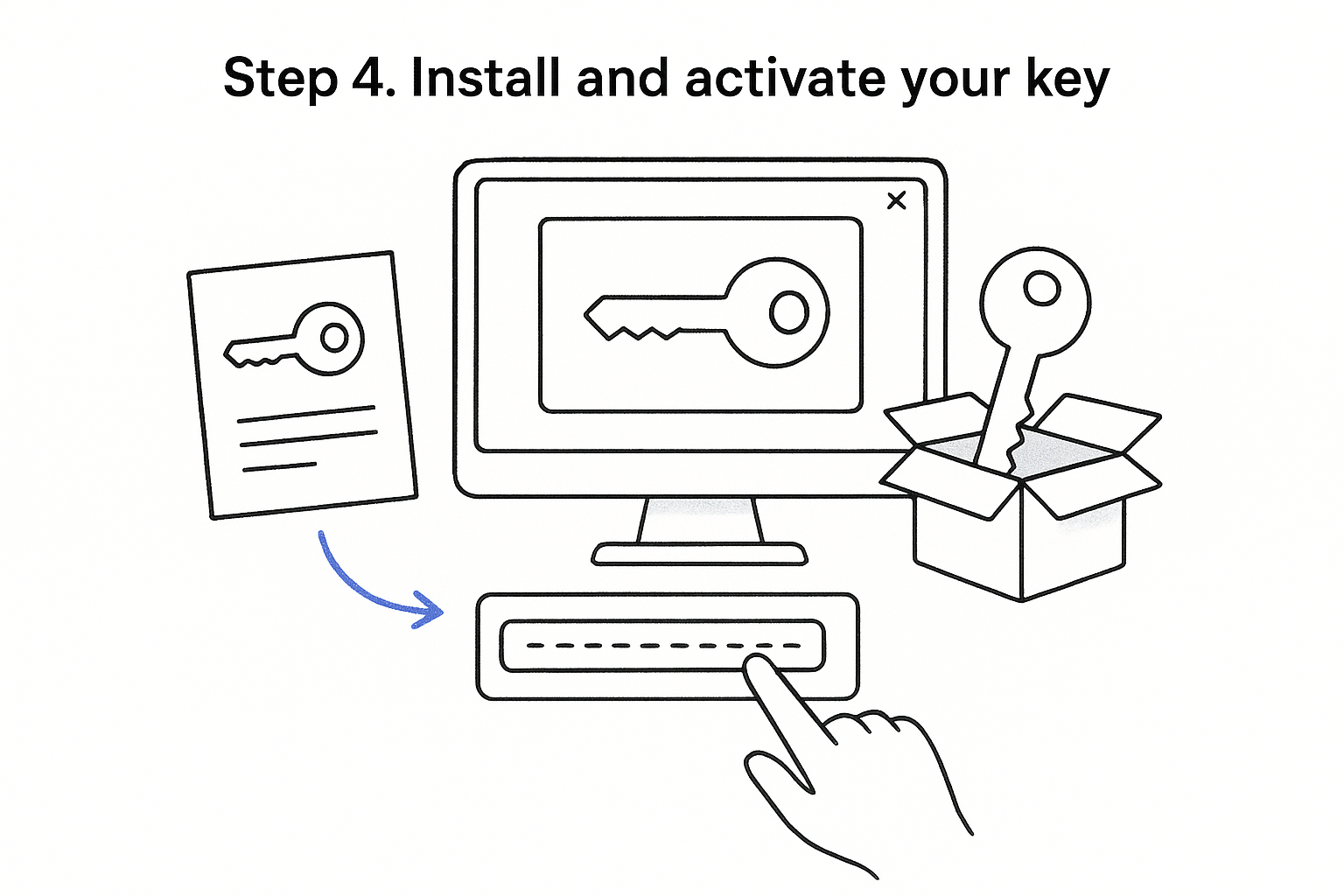
Install the version your license covers, then register the key. The whole process takes a few minutes. Most failed activations come from a mismatch between the key and the installed edition, so start with the right installer.
Install and enter the key
Follow these steps:
- Download the installer. From given download link.
- Choose Professional or subscription and select the workloads you need.
- Enter the activation code.
- Choose the option to unlock with a product key and paste your key.
- Confirm the license status.
Copy the key from your email rather than typing it. If activation fails, check that the key matches the installed version and edition. If you bought from Codesforever, activation works online or over the phone with the key you received. Free support can walk you through it if the key is rejected.
Keep your license safe
A perpetual license is only useful if you can prove and reuse . Store the key, the order confirmation . Note the exact version and edition. The listing is for one user, so check the license terms before installing on several machines or sharing the key.
Test your license after any reinstall, If you ever move to a subscription, remember that a standalone key and a subscription are separate licenses.
Save the key help you if need in future
Quick answers before you buy
How much is a Visual Studio Professional 2022 license?
Microsoft lists the standalone IDE at $499. A subscription costs $45 per month or $99.99 per month on an annual plan. At Codesforever, Visual Studio Professional 2019 is US$30, and the Visual Studio 2022 page shows the current 2022 price.
Where can I buy a Visual Studio license key?
Buy from Microsoft, a licensing partner, or a key seller that names the exact version and edition, delivers by email and offers a replacement or refund. Read buyer reviews first.
Do I need a paid license or is Community enough?
Individuals can use Community to build paid apps, so check Microsoft’s terms against your situation. Buy Professional when your employer or client requires a paid edition.
Ready to buy
Buy $499 standalone license when you need Professional terms for a year or longer and do not need Azure credits or support. Choose monthly access for short projects and a standard subscription only when you will use the extras. Decide on the version first, since a 2022 key is a 2022 license, and verify the key.
If an older release or a lower price fits your project, Codesforever sells discounted software license keys with email delivery and a money-back guarantee. You can see the Visual Studio 2022 license, browse Visual Studio Professional 2019 and other software license keys at Codesforever, and ask support about the version you need.