

Windows Server 2022 License Cost: Standard vs. Datacenter Pricing

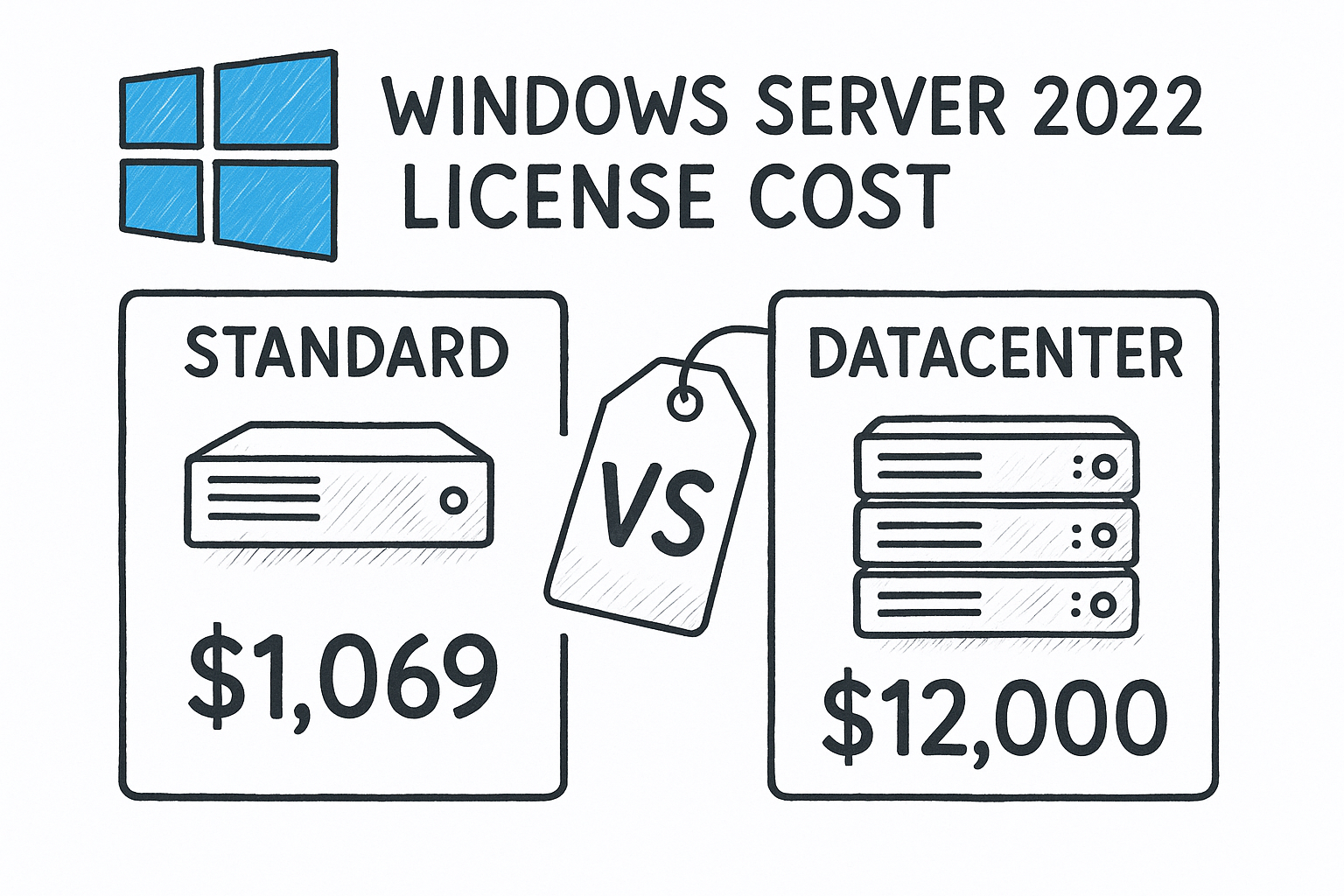
Pricing out a server upgrade shouldn’t require a call to a Microsoft licensing rep and three days of waiting. If you’re trying to nail down the windows server 2022 license cost before you commit budget to a project, you’ve probably noticed that Microsoft’s official pricing pages are vague at best and confusing at worst, especially once core counts enter the picture.
Here’s the short answer: pricing depends entirely on which edition you need and how many cores your hardware runs. A windows server 2022 standard 16 core license covers small to mid-sized deployments with limited virtualization, while Datacenter edition costs more but pays for itself fast if you’re running unlimited virtual machines on the same hardware. Below, we break down real numbers for both editions across common core counts, so you’re not guessing at what your invoice should look like.
We’ll walk through Standard vs. Datacenter pricing side by side, explain how core-based licensing actually works, and show where you can find genuine license keys for a fraction of Microsoft’s list price without cutting corners on legitimacy or support.
Why Windows Server 2022 license costs vary so much
Microsoft stopped selling Windows Server by the box years ago. Now every license ties to physical processor cores, not devices or users, so your windows server 2022 license price depends on how much hardware you’re actually licensing. A two-socket server with 8 cores per socket needs more license coverage than a single 4-core box, even if both run the exact same edition. That’s the first variable, and it catches a lot of buyers off guard when they compare a quote against an old per-server price they remember from Server 2012 or 2016.
Core count and licensing packs
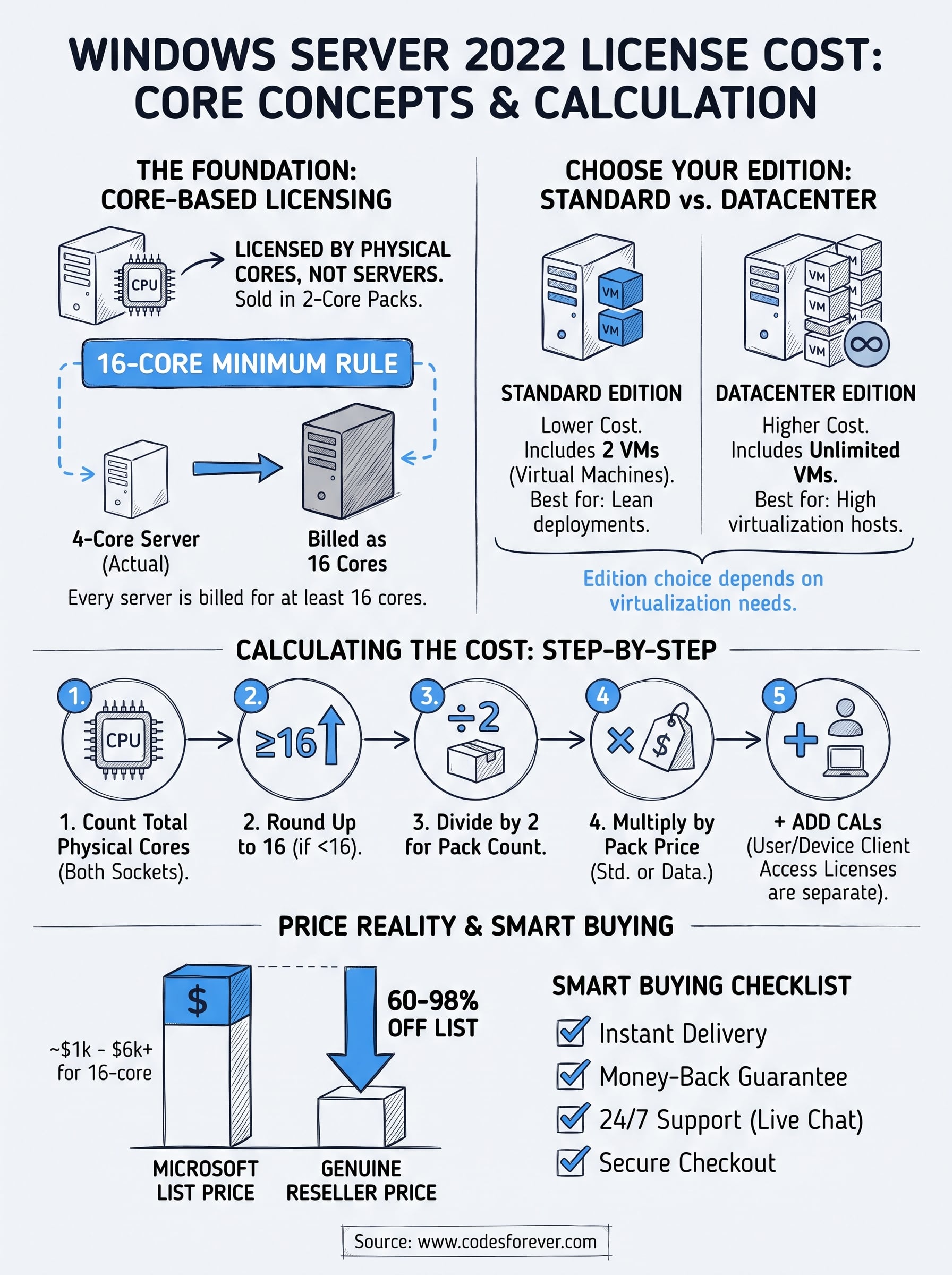
Microsoft licenses Standard and Datacenter in 2-core packs, with a 16-core minimum per server regardless of how few cores you actually have. So even a lean 4-core mini server gets billed as if it had 16 cores. This minimum is the single biggest reason two people researching the same edition end up with wildly different numbers, one is pricing a small office server and the other a dense virtualization host.
The core count on your hardware, not the edition name, is what actually drives your final invoice.
Edition choice changes the math
Standard and Datacenter cost different amounts per core pack because they include different virtualization rights. Standard grants two virtual machines per license; Windows Server 2022 Datacenter edition grants unlimited VMs on the same licensed hardware. If you’re only running one or two workloads, Standard wins on price every time. If you’re stacking a dozen VMs on a hypervisor host, Datacenter’s higher per-core price gets absorbed fast, sometimes within the first year of licensing.
Client Access Licenses stack on top
Beyond the server license itself, most environments need Windows Server 2022 user and device CALs for every user or device connecting to the server, and these are sold separately from the core license. Retailers and resellers price CALs independently, so two “complete” quotes for the same server can differ just based on how many CALs got bundled in. Add in optional Remote Desktop Services CALs for terminal server setups, and you can see why a simple search for windows 2022 server license cost rarely returns one clean number.
How to calculate your license cost step by step
Grab your server’s core count before you do anything else. Counting physical cores correctly is the foundation of every quote you’ll get, and rounding up to the 16-core minimum happens automatically once you plug numbers into a licensing calculator or vendor cart.
Follow this sequence to land on an accurate number instead of guessing:
- Count total physical cores on the server (both sockets combined).
- Round up to 16 if your server has fewer cores, since that’s the licensing floor.
- Divide by 2 to determine how many 2-core license packs you need.
- Multiply by the per-pack price for Standard or Datacenter to get your base cost.
- Add CALs for every user or device connecting to the server.
Skip step two and your quote will be wrong before you even pick an edition.
Here’s a quick example: a 12-core single-socket server running Standard rounds up to 16 cores, meaning eight 2-core packs. That’s the same windows server 2022 standard license cost you’d pay for a fully populated 16-core box, which surprises a lot of first-time buyers pricing a smaller machine. Once you’ve got your pack count, comparing editions side by side becomes a simple multiplication problem rather than a guessing game.
Standard vs. Datacenter pricing by core count
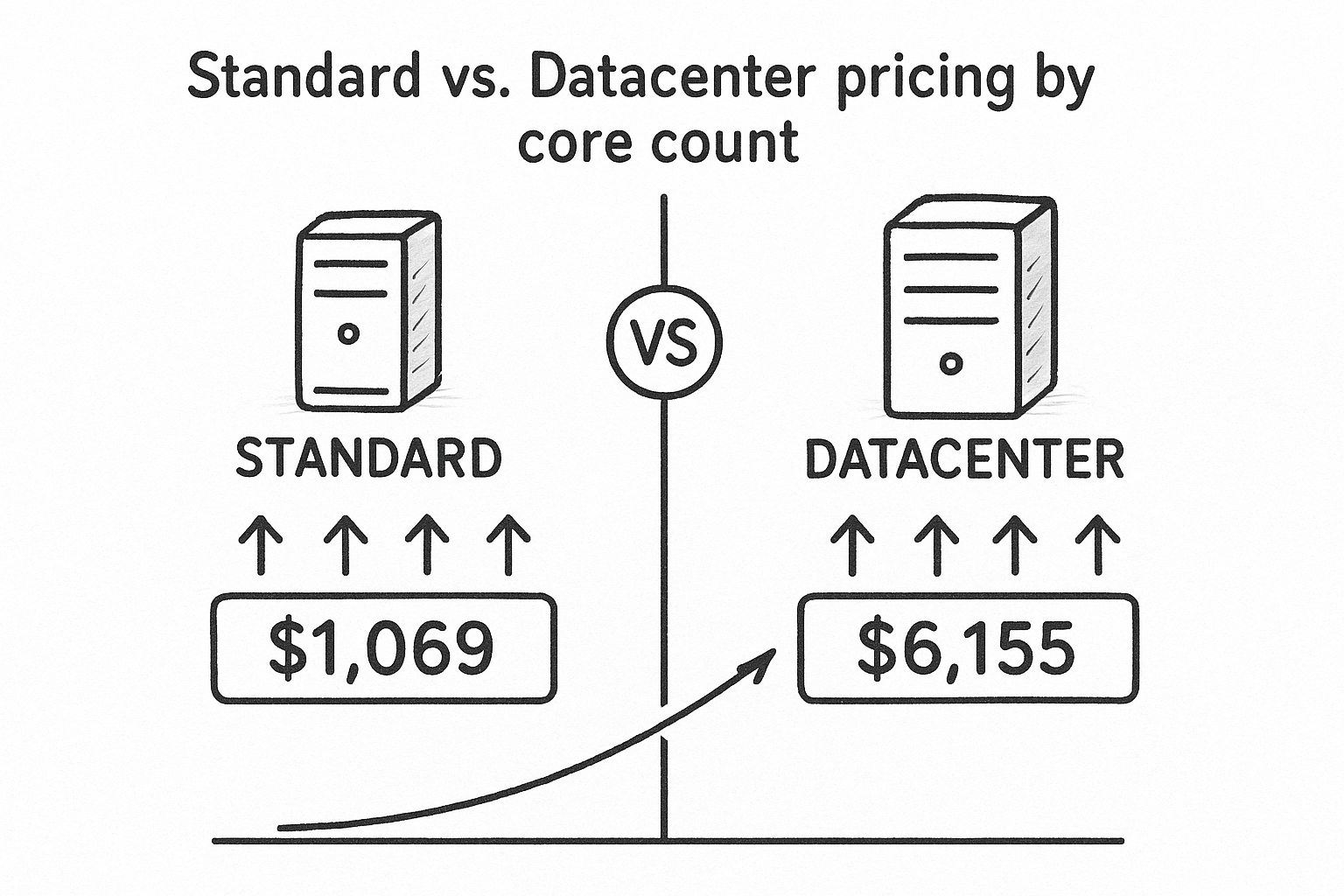
Once you’ve settled on your core count, the actual windows server 2022 standard license cost versus Datacenter comparison gets a lot clearer. Microsoft prices both editions in 2-core packs, and the gap between them widens fast as core counts climb, which is exactly why matching the edition to your virtualization needs matters more than shaving a few dollars off the base price.
Datacenter looks expensive until you count the third virtual machine, then Standard suddenly looks like the wrong choice.
| Core Count | Standard List Price | Datacenter List Price |
|---|---|---|
| 16 cores (minimum) | ~$1,069 | ~$6,155 |
| 24 cores | ~$1,604 | ~$9,233 |
| 32 cores | ~$2,139 | ~$12,310 |
These figures reflect Microsoft’s published list pricing structure and scale linearly with core packs, so a 48-core host simply triples the 16-core baseline. If you’ve been searching for a windows server 2022 enterprise license cost, note that Microsoft retired the Enterprise edition years ago. Everything above Standard now falls under Datacenter, so any quote mentioning
Where to buy a genuine license for less
Microsoft’s list pricing is just the starting point, not what most businesses actually pay. Retailers and volume licensing partners routinely discount both editions well below MSRP, and the gap between list price and real-world price is where most of your savings sit. Codesforever sells genuine Windows Server 2022 license keys at 60-98% off Microsoft’s published rates, covering Standard and Datacenter across common core counts, so the windows server 2022 datacenter license cost you actually pay looks nothing like the sticker price above.
Genuine doesn’t mean expensive, but it does mean verifiable. Before you buy from any reseller, confirm the license activates cleanly through Microsoft’s own activation servers and that the seller offers real support if something goes sideways during setup.
A discounted license is only a deal if it activates and stays activated; anything less is just a cheaper way to get burned.
Check for these before you hand over payment details:
- Instant email delivery of the key after checkout, no multi-day wait
- Money-back guarantee or replacement if the key fails to activate
- 24/7 support via live chat or WhatsApp for installation help
- Secure checkout through SSL encryption and a PCI-compliant processor like PayPal
Skip marketplaces with no support channel and no return policy. A license that saves you 80% but leaves you stuck mid-activation with nobody to call isn’t actually cheaper once you count your own time.
Budgeting for your next Windows Server upgrade
Core counts, not editions, drive your final number. Once you know how many physical cores you’re licensing and whether your workload needs two VMs or twenty, the windows server 2022 license cost stops being a mystery and becomes basic math: count cores, round to 16, pick your edition, add CALs. Standard covers lean deployments cheaply; Datacenter earns its higher price the moment you stack more than a couple of virtual machines on one host.
Don’t let Microsoft’s list pricing set your budget expectations. Real invoices, from resellers offering genuine keys at steep discounts, look nothing like the sticker prices published above. Run your own numbers using the steps in this guide, then shop around before committing to a purchase order.
Ready to lock in a number instead of guessing? See what a Windows Server 2022 Standard 16-core license with 50 user and device CALs actually costs, and lock in your core count and edition today.