

Office Home & Student 2024: Price, Apps, and License Terms

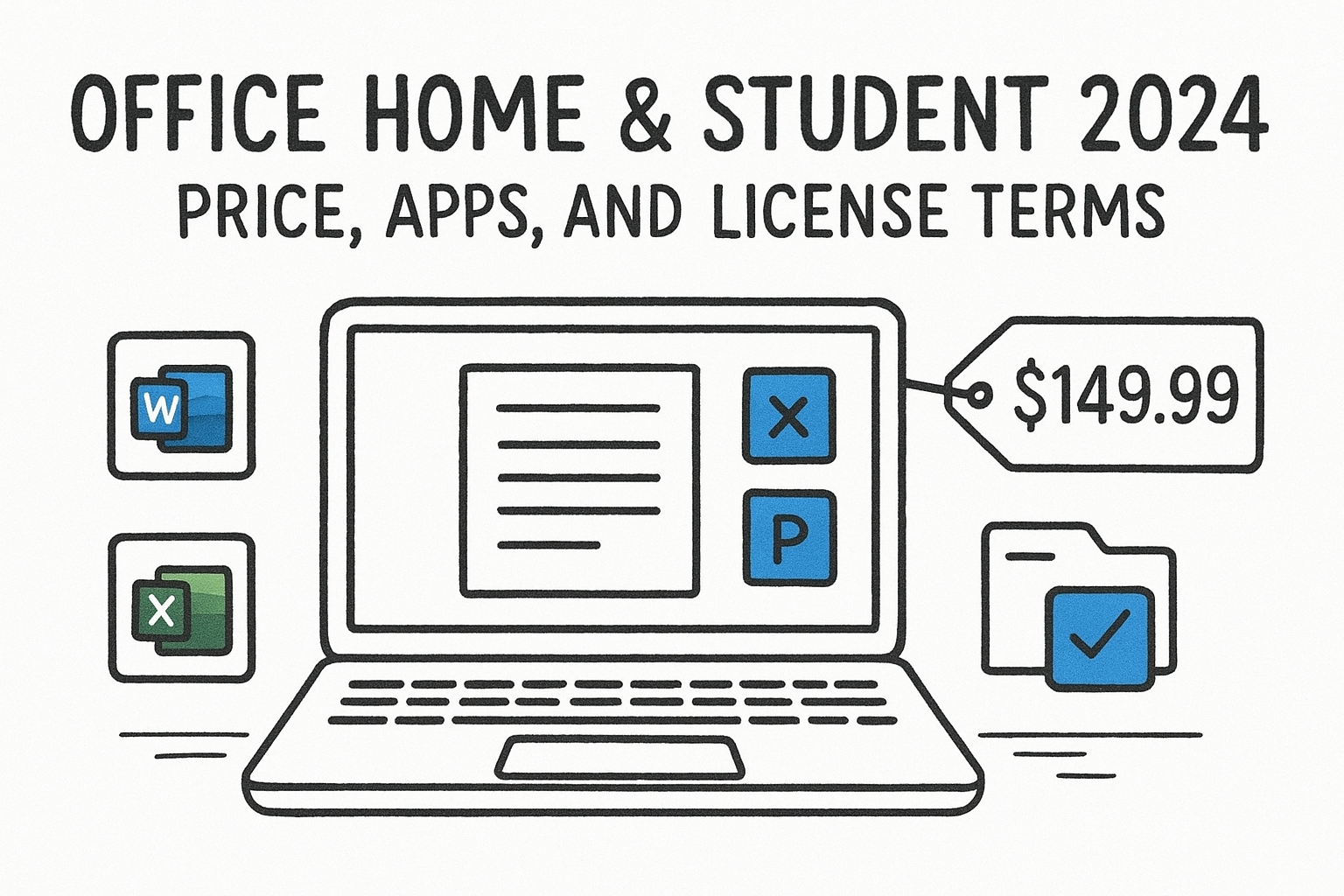
Office student and home is the everyday name for Microsoft’s one-time-purchase Office suite for families and students. Microsoft now sells it as Office Home 2024. You pay once, install Word, Excel, PowerPoint and OneNote on one PC or Mac, and keep using them with no subscription. Microsoft’s list price in the US is $149.99.
The word "Student" is a leftover from older versions. Retailers and search results still use both names for this tier, so "Home & Student 2024" and "Home 2024" point to the same kind of product. What matters is the edition, the platform, and the license terms, not the label on the box.
This guide covers why a one-time license still makes sense, which apps you get, what the suite costs, and what "lifetime" and "one device" mean in practice. It ends with a safe way to buy and activate a digital copy. Codesforever sells discounted Office 2024 license keys, so you will also see where a reseller key fits and where it does not.
Why a one-time Office license still makes sense
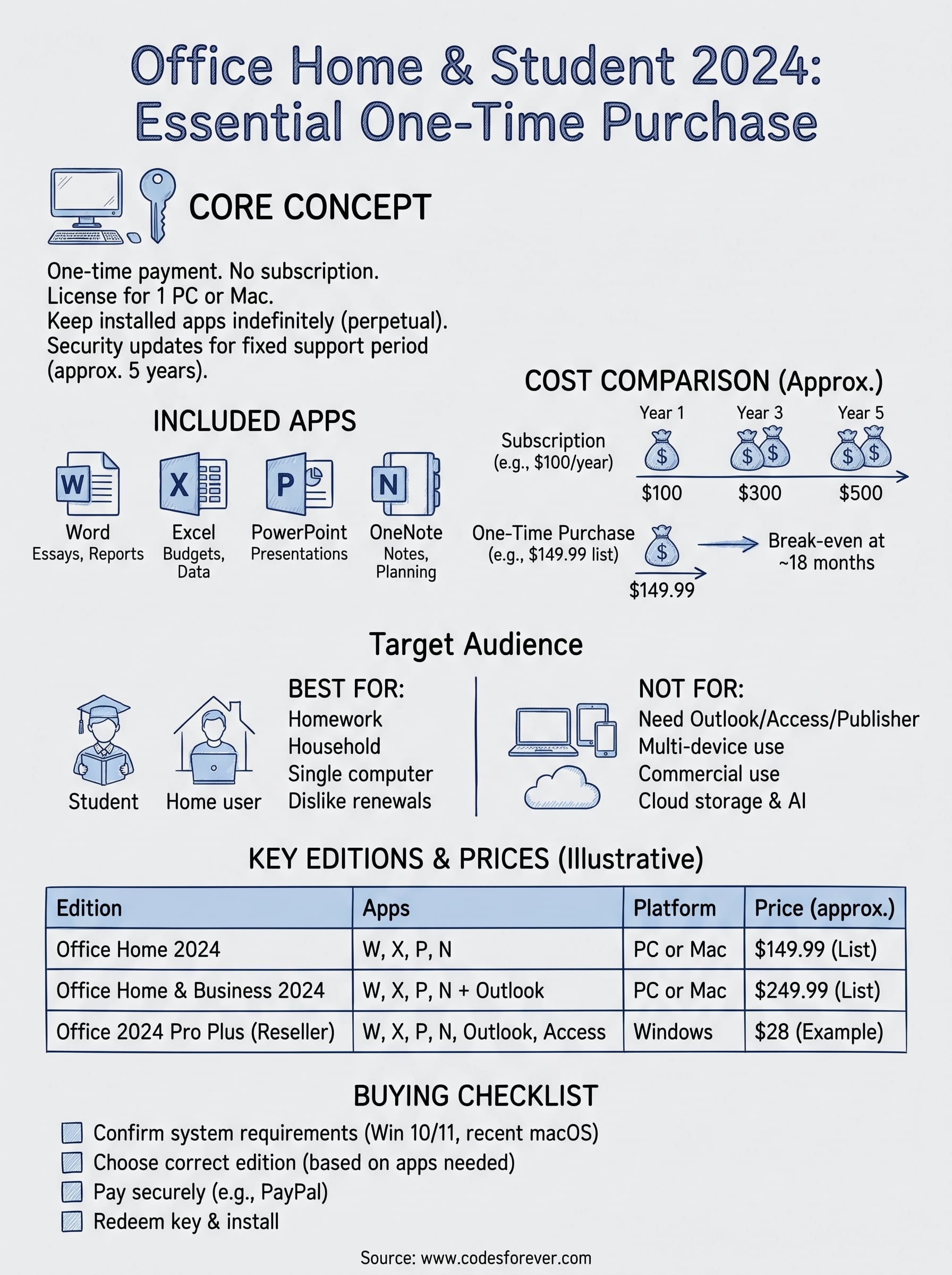
A one-time license makes sense when you use Office on one computer for more than about a year and a half. After that, a recurring subscription costs more than the single payment.
The cost math against a subscription
The break-even point is easy to calculate. The table below uses an illustrative subscription of $100 a year against the $149.99 list price of Office Home 2024.
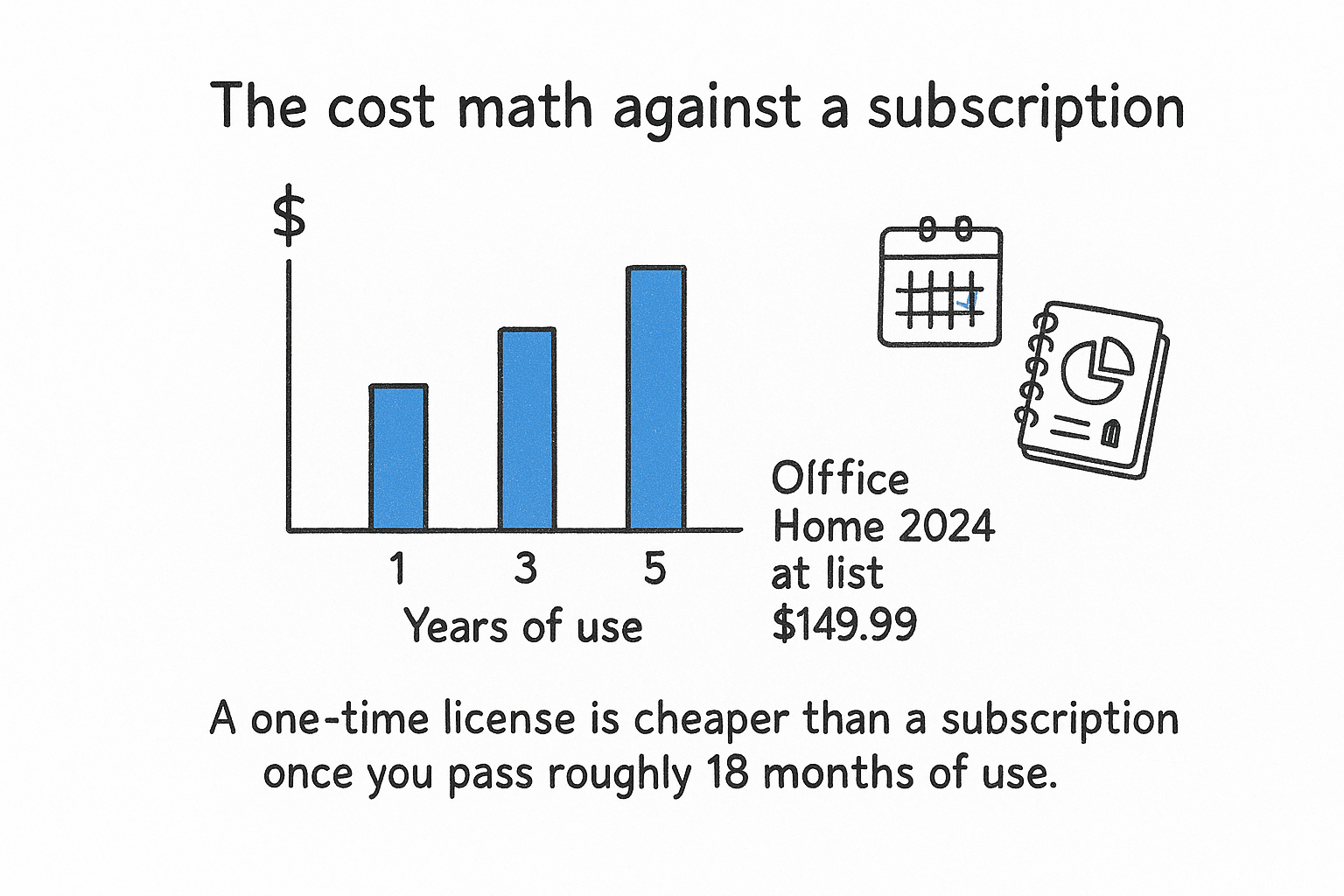
| Years of use | Subscription at $100 a year | Office Home 2024 at list |
|---|---|---|
| 1 | $100 | $149.99 |
| 3 | $300 | $149.99 |
| 5 | $500 | $149.99 |
At that rate the one-time purchase pays for itself in 18 months. Over five years you keep about $350 in your pocket.
A one-time license is cheaper than a subscription once you pass roughly 18 months of use.
Who it fits and who should skip it
Office Home 2024 suits homework, household budgets, résumés and slideshows on a single computer. It also suits anyone who dislikes yearly renewals.
Skip it if you need Outlook, run Office on several devices, or want cloud storage and AI features bundled in. Those belong to a Microsoft 365 plan, not to a perpetual license.
What Office Home & Student 2024 includes
The suite includes four apps: Word, Excel, PowerPoint and OneNote. Nothing else ships in the box, which is the most common surprise for first-time buyers.
The four apps
Each app covers a clear job, and together they handle most home and school work.
| App | Typical use |
|---|---|
| Word | Essays, letters, reports |
| Excel | Budgets, grade trackers, data tables |
| PowerPoint | Presentations and class projects |
| OneNote | Notes, lecture records, planning |
What is left out and which edition to pick instead
Outlook, Access and Publisher are not included. If you need email and calendar, step up to Home & Business. Home & Student licenses also cover personal, non-commercial use, so freelancers who bill clients should look at a business-capable edition.
| Edition | Apps | Platform |
|---|---|---|
| Office Home 2024 | Word, Excel, PowerPoint, OneNote | PC or Mac |
| Office Home & Business 2024 | Adds Outlook | PC or Mac |
| Office 2024 Professional Plus | Word, Excel, PowerPoint, Outlook, OneNote, Access | Windows |
If you need Outlook or commercial use, Home & Student is the wrong edition no matter how low the price is.
Office Home & Student 2024 price
Microsoft lists Office Home 2024 at $149.99 and Office Home & Business 2024 at $249.99. Resellers sell Office 2024 keys for less, but each edition differs, so compare like with like.
List price against reseller prices
Here is how the 2024 editions line up. The Codesforever rows are its current Office 2024 listings.
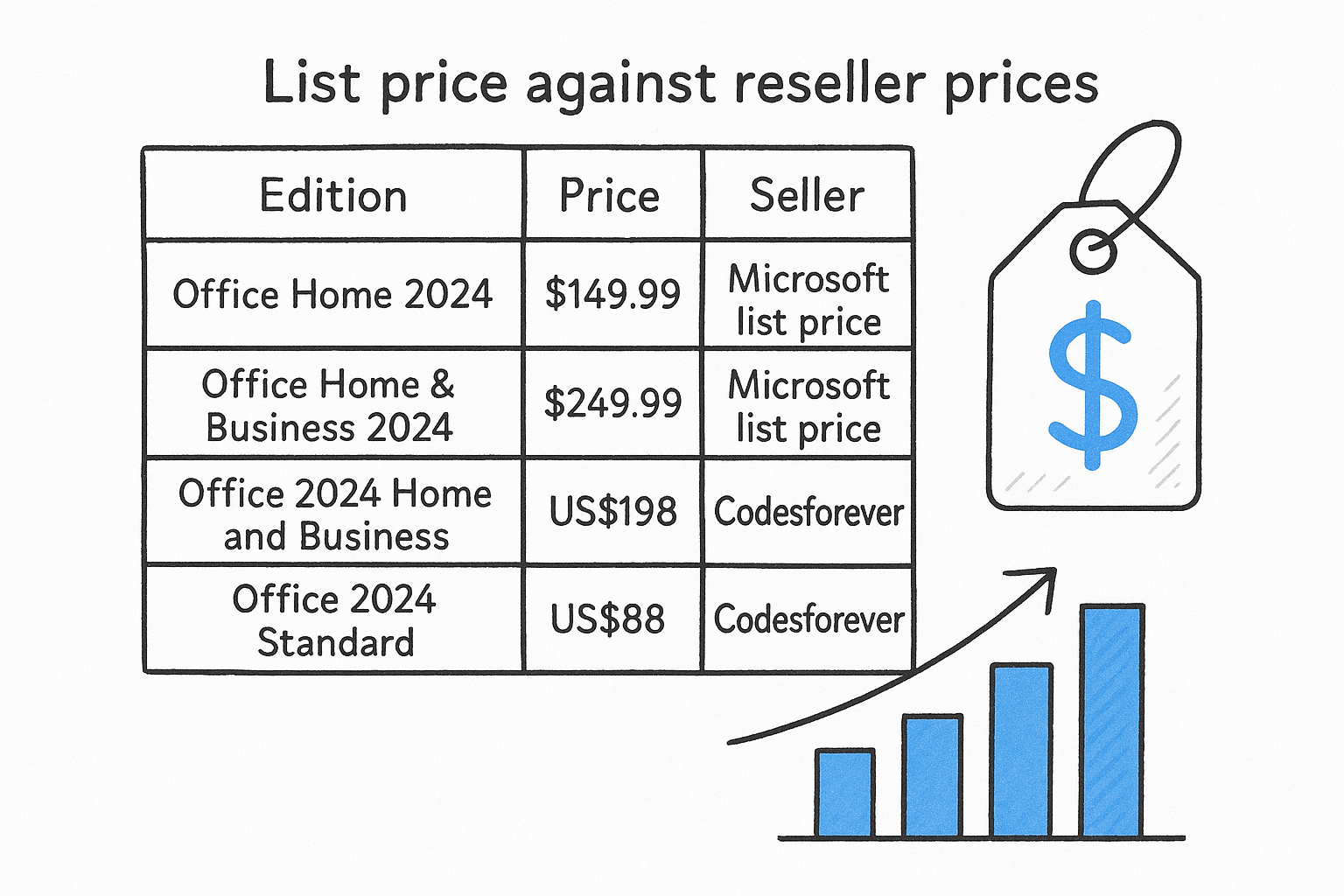
| Edition | Price | Seller |
|---|---|---|
| Office Home 2024 | $149.99 | Microsoft list price |
| Office Home & Business 2024 | $249.99 | Microsoft list price |
| Office 2024 Home and Business (Windows or Mac) | US$198 | Codesforever |
| Office 2024 Standard (Windows) | US$88 | Codesforever |
| Office 2024 Professional Plus (Windows) | US$28 | Codesforever |
A Windows user who needs Word, Excel and PowerPoint gets all three, plus Outlook, OneNote and Access, in Professional Plus for $28. That is $121.99 less than Microsoft’s Home price, about 81% off, for a larger app set.
Why prices differ between sellers
Four things move the price. The first is the edition and app count. The second is PC-only against PC-and-Mac support. The third is whether you get a physical box, a retail download, or a digital key by email. The fourth is the refund and support terms.
Always read the product page for the exact edition, platform and delivery time before you compare a $28 listing with a $149.99 one.
Compare editions and platforms first, then compare prices.
Is the license lifetime and limited to one device?
Yes to both, with limits. The license never expires, but it covers one device, and the suite stops receiving updates after its support period.
What lifetime means here
"Lifetime" means perpetual: you can keep using the installed apps indefinitely, with no yearly fee. It does not mean permanent updates. Office 2024 gets security updates for a fixed support window of about five years, with no new features after launch. Later Office versions require a new purchase.
The one-device rule
The key covers one PC or one Mac. You can reinstall on that same machine, but you cannot run the same key on a second computer.
Moving the license after a hardware failure is the weak point. Microsoft’s terms for the current Home tier are stricter than for older versions, and buyers report that the license stays with the first computer. Plan on that, and read the license terms before you pay.
Check your system too. Office 2024 needs Windows 10 or 11, or a recent macOS release. Older operating systems will not install it.
One key, one computer: if the machine dies, assume you may have to buy again.
How to buy Office Home 2024 digitally and activate it
Buy from a seller that names the exact edition, platform and delivery time, then activate with the seller’s instructions. Most digital purchases take minutes once the key arrives.
Step-by-step checklist
- Confirm your device is a PC or Mac that meets the system requirements.
- Choose the edition by the apps you need, using the table above.
- Check the product page for the version (2024), platform, and delivery time.
- Pay with a traceable method such as PayPal.
- Redeem the key as the seller instructs. For a Microsoft retail key, that usually means signing in at setup.office.com.
- Install the apps, then save your key and order email.
Red flags and what protection to expect
Walk away from listings that skip the edition name, claim multi-device use on a one-device license, or show no refund policy or support contact. Check compatibility before you pay, because many sellers refuse refunds for products that do not match your hardware or software.
Codesforever backs its keys with a 100% money-back guarantee. You can report a key problem within 7 days of purchase, and troubleshooting steps follow within 24 hours. Support runs 24/7 by live chat and WhatsApp. Its Office 2024 Professional Plus listing is for Windows, one user, delivered by email and WhatsApp within 24 hours.
A trustworthy seller names the exact edition, the device limit, and its refund terms up front.
Buying Office Home 2024 with confidence
Office Home & Student 2024 is a fair deal for one household computer. You get Word, Excel, PowerPoint and OneNote for a single payment, with security updates for a fixed period and no renewals. The limits are one device, no Outlook, and personal use only.
If those limits fit you, buy it. If you are on Windows and want more apps for less money, the Microsoft Office 2024 Professional Plus lifetime license is $28 for one user.