

Windows Server License: Editions, Cores, CALs, and Cost

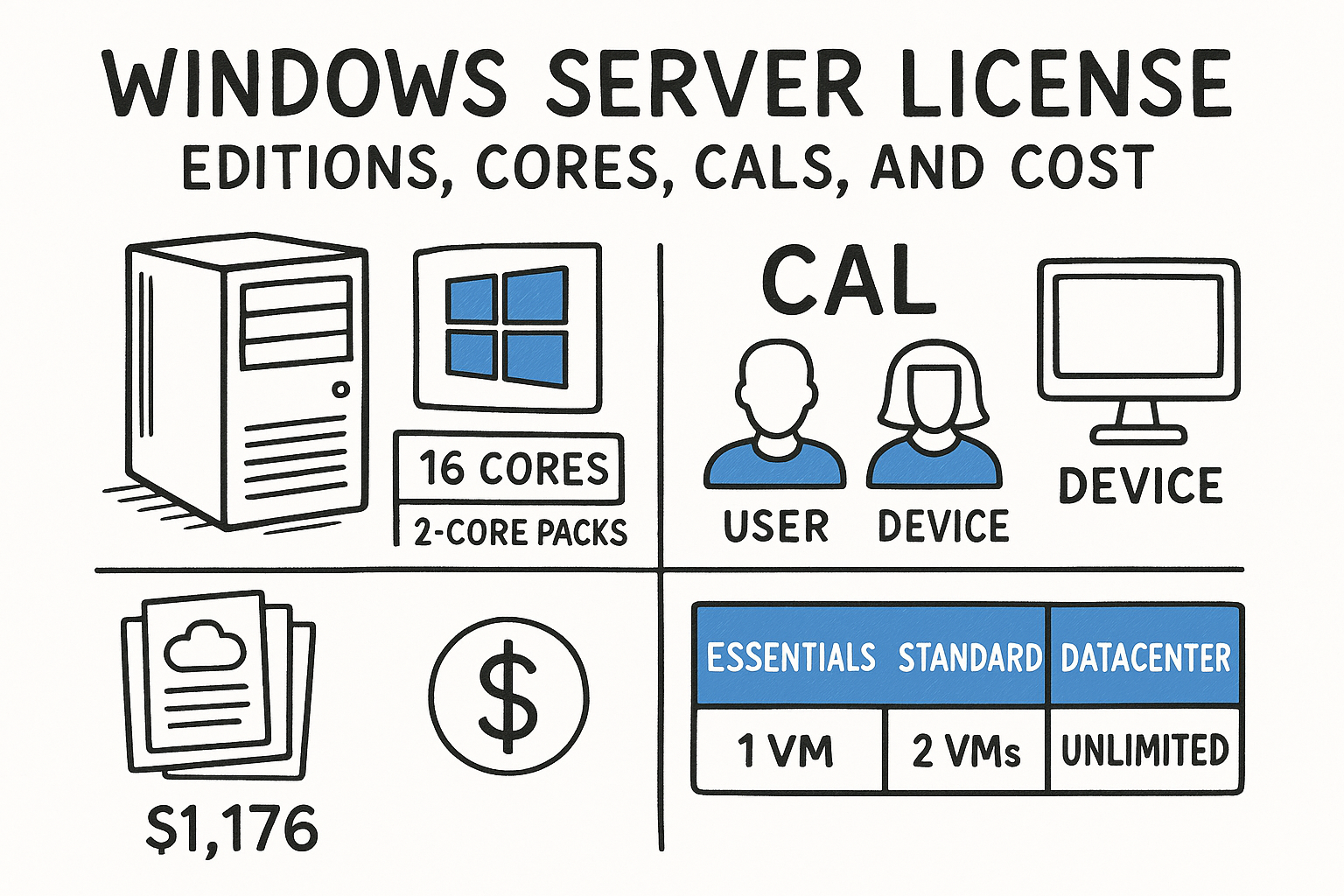
A Windows Server license is the right to run Windows Server on a physical machine. You buy it in two parts: core licenses for the server’s processors, with a minimum of 16 cores per server, and Client Access Licenses (CALs) for every user or device that connects. Microsoft’s list prices are $1,176 for Standard and $6,771 for Datacenter, each covering 16 cores. CALs are extra.
That two-part model is where most buyers go wrong. They buy the edition, forget the CALs, or count the wrong number of cores. This guide explains how per-core licensing works, how to count CALs, how to choose between Standard, Datacenter, and Essentials, and what each option costs, with worked examples you can reuse for your own server.
Codesforever sells Windows Server keys for several versions and editions. Where our own products help as an example, we mention them. The licensing rules themselves apply no matter where you buy.
Why the right Windows Server license matters
You need to get the license right because Windows Server is licensed by what the hardware can do and who connects to it, not by a single key. A mismatch means you either pay for capacity you never use or run unlicensed.
Two parts, one total cost
Every Windows Server deployment needs core licenses that cover all physical cores in the host, plus CALs that cover each user or device accessing the server. The edition price you see on a product page is only the first part.
Windows Server Essentials is the exception. It supports up to 25 users and 50 devices and is built for small businesses, so it is the one edition where you do not count CALs.
What under-licensing costs you
Under-licensing means you pay the gap later, at list price, plus the time spent fixing the setup. The most common mistake is treating evaluation copy as a license. Evaluation versions are for testing and stop being usable for production work.
Over-licensing is the quieter problem. Buying Datacenter for a server that runs two virtual machines wastes thousands of dollars.
Count cores and CALs before you compare prices, because the edition price is only part of the bill.
How to count cores and CALs for your server
Count every physical core in the host, apply Microsoft’s minimums, and then add one CAL for each user or device. Virtual cores, hyperthreads, and the Server Core install option do not change the count.
Count cores with the minimums
Microsoft sets three rules for core licensing:
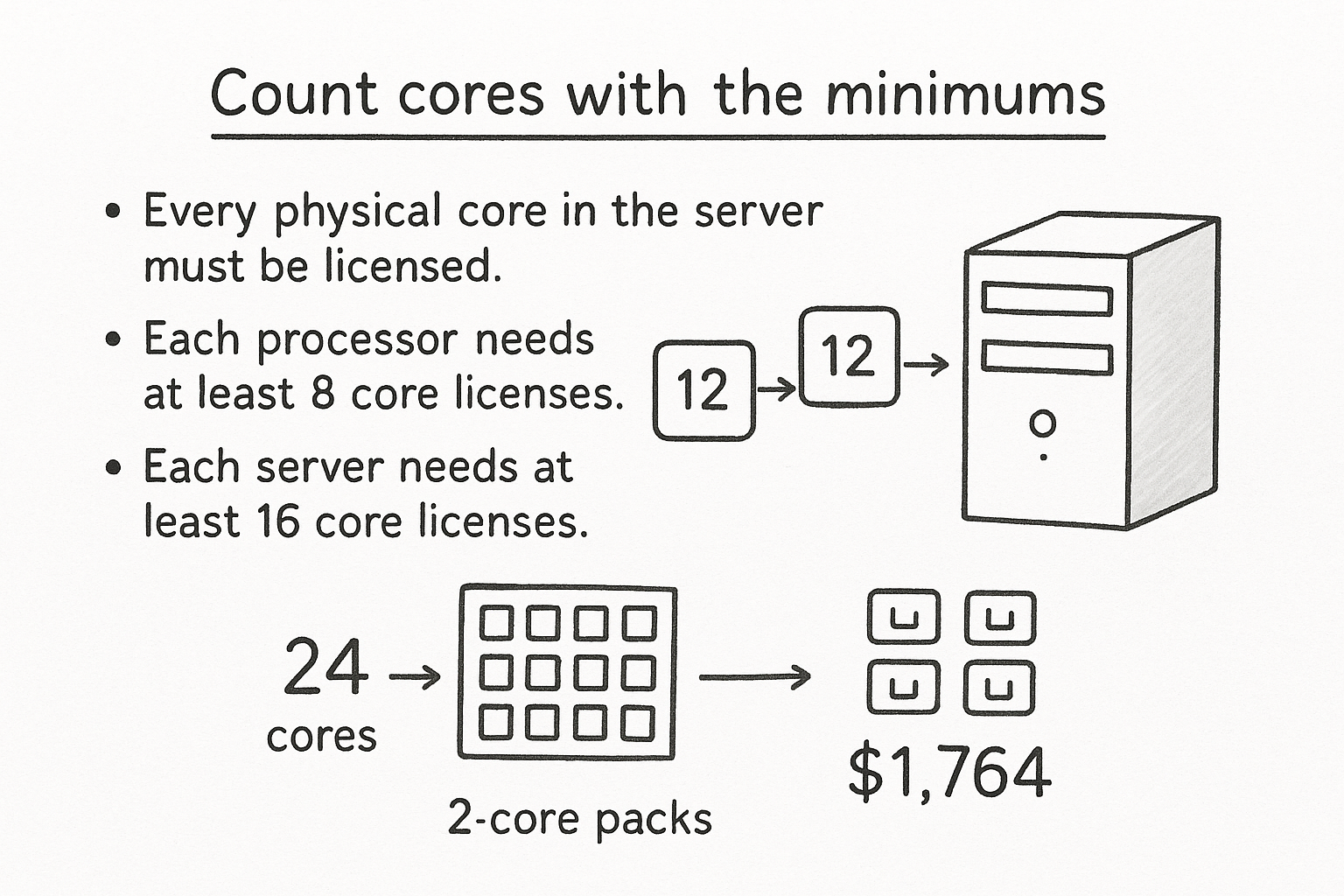
- Every physical core in the server must be licensed.
- Each processor needs at least 8 core licenses.
- Each server needs at least 16 core licenses.
Core licenses come in 2-core packs, and the price of a pack is one eighth of the 16-core price. Take a server with two processors of 12 cores each. That is 24 cores, or 12 two-core packs. At the Standard list price of $73.50 per core, the total is $1,764 (24 × $73.50). A single-processor server with 6 cores still needs the 16-core minimum.
Choose between user and device CALs
A user CAL covers one person on any number of devices. A device CAL covers one device used by any number of people. Pick whichever gives you the smaller count.
Say 45 workers on three shifts share 15 PCs. Buy 15 device CALs instead of 45 user CALs. If 30 office staff each use a laptop and a phone, buy 30 user CALs instead of 60 device CALs. Your CALs must be the same version as your newest server or higher. Remote Desktop Services needs its own RDS CALs on top of these.
What a license server actually is
A “license server” in Windows is not something you buy. It is the Remote Desktop Licensing role, which stores and issues RDS CALs to your session hosts. The Windows Server license covers the operating system, and the RDS license server tracks the extra RDS CALs. Searches for “windows license server” usually mean this role.
A license server stores your CALs, but it does not replace the core licenses or the CALs you still have to buy.
Standard, Datacenter, or Essentials: which edition fits
Choose Standard for physical servers or hosts with one or two virtual machines, Datacenter for hosts with many virtual machines, and Essentials for small offices under its user cap. The deciding factor is almost always how many VMs you run per host.
Edition comparison
| Edition | Virtualization rights | Limits | Best for |
|---|---|---|---|
| Essentials | Not designed for virtualization | Up to 25 users and 50 devices, no CALs needed | Small offices with a single server |
| Standard | 2 VMs per fully licensed host | CALs required | Physical servers, light virtualization |
| Datacenter | Unlimited VMs | CALs required, adds features such as Storage Spaces Direct | Dense virtualization, private cloud |
Where Datacenter becomes cheaper
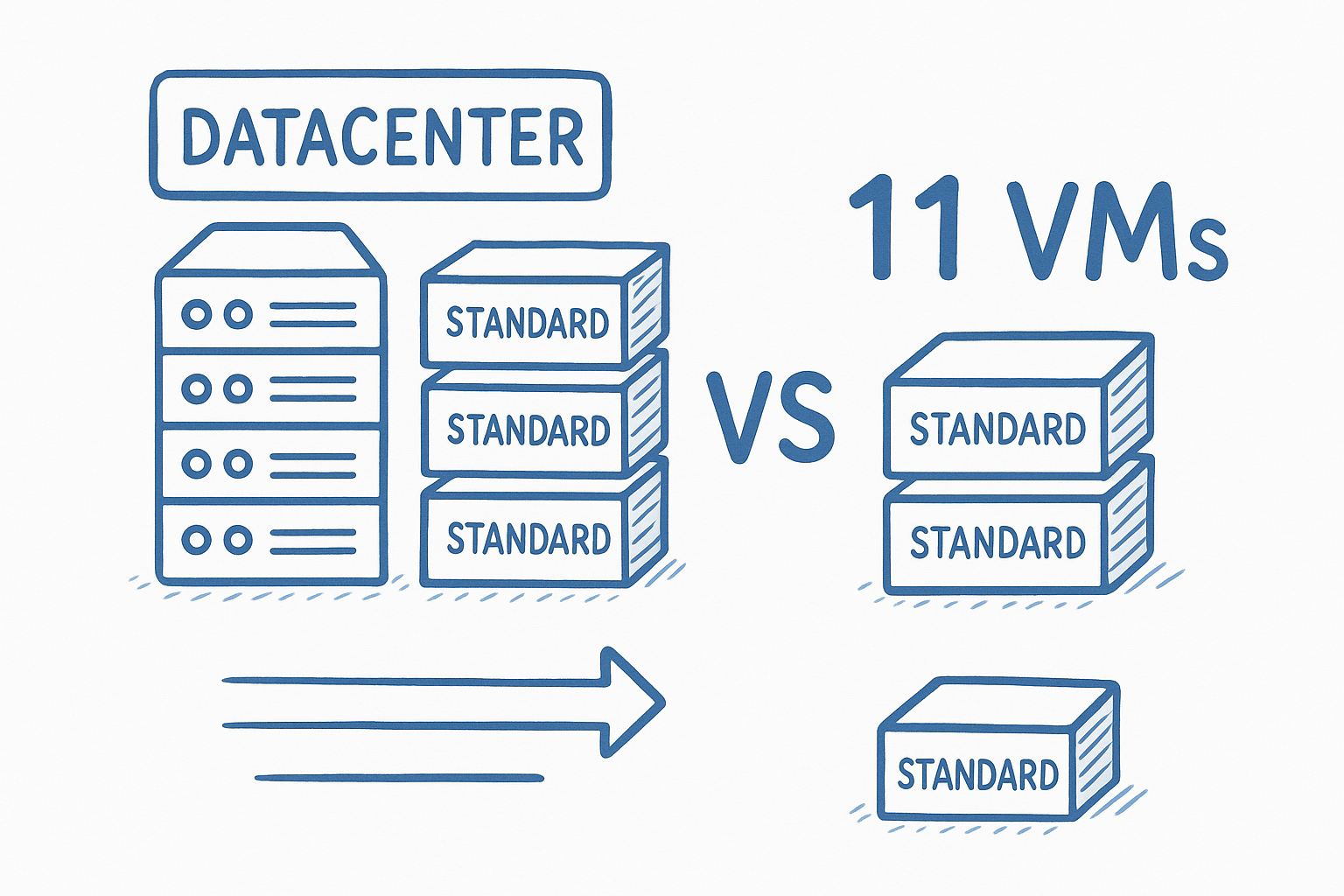
You can stack Standard licenses to cover more VMs, but each stack adds the full per-host price. On a 16-core host, ten VMs need five Standard licenses, which is $5,880. Eleven or twelve VMs need six, which is $7,056, more than Datacenter’s $6,771. So Datacenter wins from 11 VMs upward. Below that, stacked Standard is cheaper unless you need Datacenter-only features. CALs cost the same on both editions.
Version choice
Windows Server 2025 is the current release, and the 2022 and 2019 versions are still common in production. The core and CAL rules are the same across these versions. Buy CALs that match or exceed the newest server version you run. Check that your applications support the version before you buy.
Eleven VMs on one 16-core host is the point where Datacenter beats stacked Standard licenses.
What a Windows Server license costs and how to pay less
At Microsoft’s list prices, a 16-core Windows Server license costs $1,176 for Standard and $6,771 for Datacenter, before CALs. Cheaper routes exist, but you should check what each offer includes.
List prices for common setups
| Host configuration | Standard | Datacenter |
|---|---|---|
| 16 cores (minimum) | $1,176 | $6,771 |
| 24 cores | $1,764 | $10,156.50 |
These figures are Microsoft’s suggested prices and exclude CALs. Large organizations with volume agreements often pay differently. For a big or heavily regulated environment, confirm the final terms with Microsoft or a licensing partner.
How to find a cheap Windows Server license
For a cheap Windows Server license, compare discounted keys from resellers, and verify five things before you pay:
- The exact version and edition, such as 2022 Standard or 2019 Datacenter.
- The core count covered, usually up to 16.
- How many devices the key activates. Most single keys cover one.
- Whether CALs are included or sold separately.
- The refund or replacement terms if the key fails.
Codesforever lists keys well below list price. Windows Server 2022 Datacenter for up to 16 cores with 50 user and device CALs is US$76 as a lifetime license. Windows Server 2019 Standard for up to 16 cores is US$88, and Windows Server 2019 Datacenter is US$91. Delivery is by email, and Codesforever accepts reports of key issues within 7 days of purchase and offers a replacement or full refund if troubleshooting fails.
The cheapest Windows Server license is the one whose edition, core count, and CALs match your server, not the one with the lowest sticker price.
Pick your license before you buy
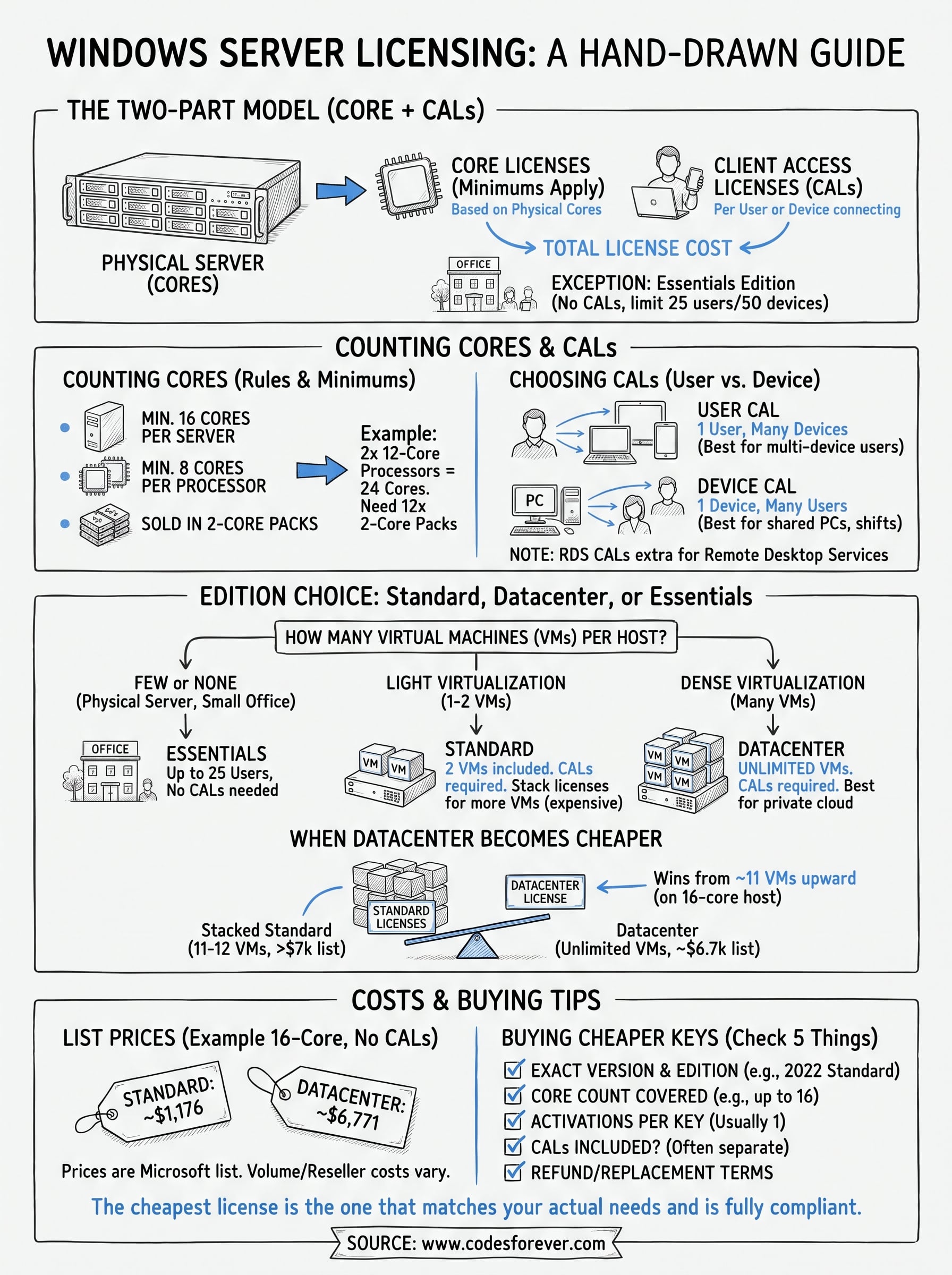
A Windows Server license is core licenses plus CALs. Count physical cores with the 8-per-processor and 16-per-server minimums. Pick user or device CALs by whichever count is smaller. Choose Standard for light virtualization, Datacenter from around 11 VMs per host, and Essentials for small offices under its user cap.
If you want a Windows Server 2022 Datacenter key for up to 16 cores with 50 user and device CALs, you can buy the Windows Server 2022 Datacenter license with 50 CALs and activate it yourself. If you need help with installation or activation, our support team is available 24/7 by live chat and WhatsApp.