

Autodesk Mudbox is a professional-grade 3D sculpting and painting software designed for digital artists and designers. With its advanced sculpting tools and intuitive interface, Mudbox allows users to create detailed, high-quality 3D models and textures for a wide range of industries, including gaming, film, animation, and visual effects. The software provides artists with powerful capabilities for digital sculpting, painting, and texturing, making it an essential tool for creating realistic characters, environments, and assets. Whether you’re working on a character model for a game or designing intricate textures for a 3D animation, Autodesk Mudbox delivers the precision and creative freedom needed to bring your ideas to life.
-85%
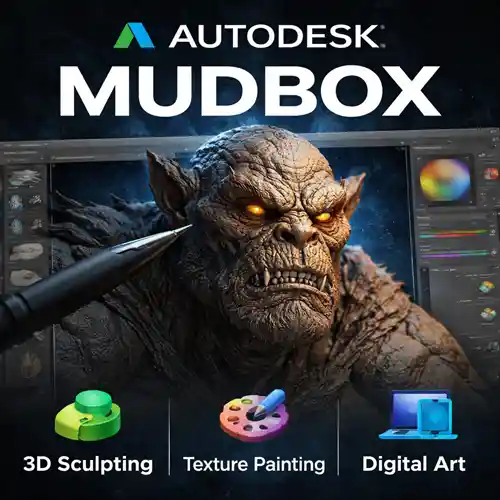
Autodesk Mudbox | Professional 3D Sculpting & Painting Software for Artists
Original price was: Rs 16,086.Rs 2,396Current price is: Rs 2,396.
22
Items sold in last 3 minutes
6 in stock
341
People watching this product now!
Description
Reviews (10)
10 reviews for Autodesk Mudbox | Professional 3D Sculpting & Painting Software for Artists
1-5 of 10 reviews
Add a review
Currently, we are not accepting new reviews
Must Read Before Purchasing
📋 Product Overview: Autodesk Subscription (1-Year)
- Duration: 1-Year Subscription
- Device Limit: 1 Device Only
- Compatibility: Version years 2023 through 2027 for all Autodesk products (AutoCAD, Revit, 3ds Max, etc.).
- Edition Type: Educational version with full functionality and all features unlocked.
- No brand name watermark and no educational wording on output documents.
- Delivery Method: Digital delivery via Email Only (takes 0 to 24 hours maximum, usually much faster).
- Older Versions Available: Support for editions like 2020, 2021, 2022, 2024, or 2025. Contact via WhatsApp or email at [email protected].
⭐ Why Choose This Offer?
- 100% Genuine License: Authentic Autodesk subscription.
- Official Download: Secure, direct download straight from the official Autodesk website (no sketchy third-party links).
- Elite 24/7 Support: Free, expert technical assistance available 7 days a week.
- Top-Rated Reliability: Backed by a stellar 4.9/5 average rating from thousands of satisfied users.
- Certified Expertise: Official partner for global giants (Microsoft, McAfee, Parallels, Kaspersky, etc.many more).
- Unbeatable Pricing: Legally reselling verified, "pre-owned" licenses in compliance with the CJEU ruling of 3 July 2012.
🛠️ How to Choose Your AutoCAD Edition (2024–2027)
- Match Your Hardware:
- Older Systems: Choose AutoCAD 2024 for smooth, optimized performance without lag.
- Modern Workstations: Select AutoCAD 2025, 2026, or 2027 to leverage enhanced processing speeds and advanced features.
- Check Feature Updates: Review Autodesk’s official release notes to find smarter workflows, cloud integrations, and toolsets matching your daily tasks.
- Coordinate with Your Team: Confirm requirements with clients, subcontractors, or collaborators to prevent file compatibility friction across shared projects.
🚀 Getting Started in 3 Easy Steps
- Purchase: Complete your order.
- Receive Email: Wait for your digital delivery details.
- Start Designing: Select your edition, Download, log in, and activate instantly.
❓ Frequently Asked Questions (FAQ)
- How will I receive my license after purchase?
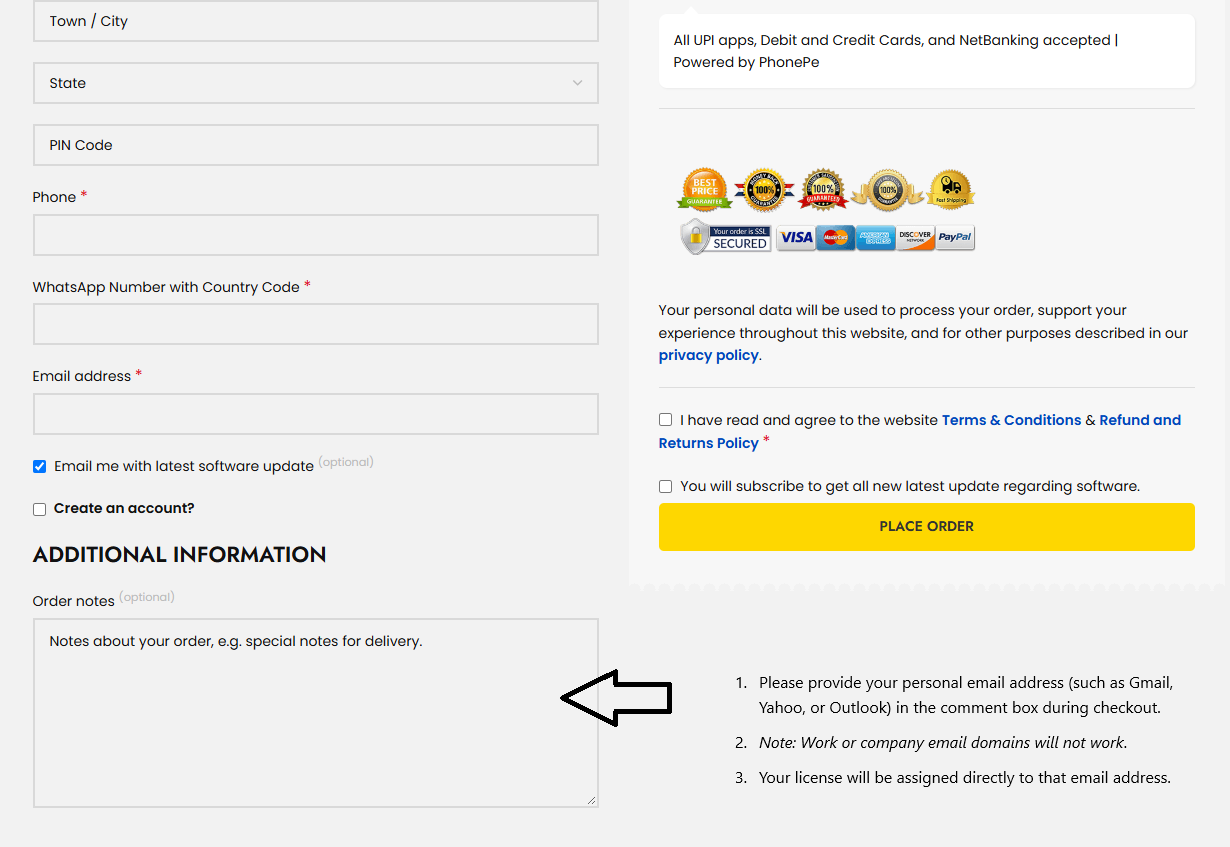
- Enter your email at checkout: Provide a personal email address (e.g., Gmail, Yahoo, Outlook) in the additional information - Order note box. (Note: Work or company email domains will not work).

- License assignment: Your license will be assigned directly to that email address.
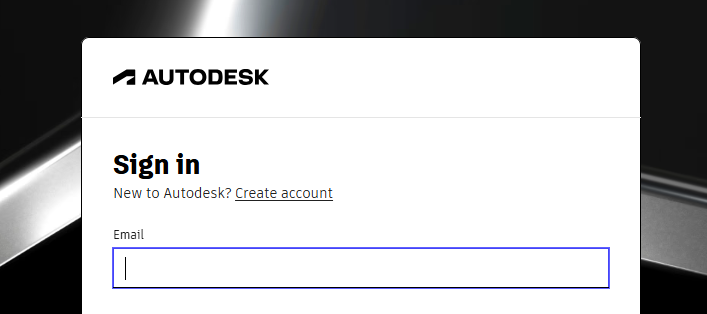
- Access software: Log in to the official Autodesk website using the same email to download and install.
- Tip: If you do not have an Autodesk account with that email, visit autodesk.com, click Login, and select Sign Up to create a new account.
- What should I do if I run into activation issues?
- Contact the free technical support team with a quick description and screenshots of the issue for a fast resolution.
- Can I buy a permanent (perpetual) Autodesk license?
- No. Autodesk has permanently transitioned to a subscription-only model (monthly, annual, or multi-year terms) to ensure ongoing access to security patches, feature updates, cloud services, and technical support. please note : Special term and condition applicable to this product . this product is non returnable , non refundable , non transferable under any situation. if you buy still buy this product it means you agree with this term and condition
For Commercial Version Click here - https://codesforever.com/autodesk-commercial/
Frequently bought together
-85%
Autodesk Mudbox | Professional 3D Sculpting & Painting Software for Artists
Original price was: Rs 16,086.Rs 2,396Current price is: Rs 2,396.
-95%
Microsoft Office 2024 Professional Plus License for Windows ( 1 User, Lifetime Validity )
Original price was: Rs 11,588.Rs 588Current price is: Rs 588.
-88%
Nuance Power PDF Advanced V2.1 | 1PC -1User | windows (Edit, Convert, Secure, Fill, Sign and Share)
Original price was: Rs 8,470.Rs 998Current price is: Rs 998.
-85%
Autodesk Mudbox | Professional 3D Sculpting & Painting Software for Artists
Original price was: Rs 16,086.Rs 2,396Current price is: Rs 2,396.

-98%
Power BI Desktop | 1PC 1 User 1 Year License
Original price was: Rs 84,709.Rs 1,800Current price is: Rs 1,800.
Related products
-82%
autodesk 3ds Max | Download | Windows | Multilanguage | 1 Year – Student Version
Original price was: Rs 8,471.Rs 1,540Current price is: Rs 1,540.
Select options
This product has multiple variants. The options may be chosen on the product page
-85%
Autodesk AutoCAD for Mac | Download | Mac OS | Multilanguage | 1 Year – Student Versio
Original price was: Rs 10,268.Rs 1,540Current price is: Rs 1,540.
Select options
This product has multiple variants. The options may be chosen on the product page
-84%
Autodesk AutoCAD Architecture for Windows | Download | Windows | Multilanguage | 1 Year – Student Version
Original price was: Rs 9,412.Rs 1,540Current price is: Rs 1,540.
Select options
This product has multiple variants. The options may be chosen on the product page
-84%
Autodesk AutoCAD Civil 3D for Windows | Download | Windows | Multilanguage | 1 Year – Student Version
Original price was: Rs 9,583.Rs 1,540Current price is: Rs 1,540.
Select options
This product has multiple variants. The options may be chosen on the product page
-87%
Autodesk Civil3D | For Windows | 1 Year Student License | Digital Delivery
Original price was: Rs 11,808.Rs 1,540Current price is: Rs 1,540.
Select options
This product has multiple variants. The options may be chosen on the product page

-84%

Autodesk Inventor Pro | For windows | 1 year Student License | Digital Delivery
Original price was: Rs 9,412.Rs 1,540Current price is: Rs 1,540.
Select options
This product has multiple variants. The options may be chosen on the product page
-84%
Autodesk MAYA | For Windows | 1PC- 1 year Student License
Original price was: Rs 9,412.Rs 1,540Current price is: Rs 1,540.
Select options
This product has multiple variants. The options may be chosen on the product page
-77%
Civil 3D | For Windows | 1Year Student License | Digital Delivery
Original price was: Rs 6,674.Rs 1,540Current price is: Rs 1,540.
Select options
This product has multiple variants. The options may be chosen on the product page
Very happy with how well it works. I’m getting more done thanks to this software.
The pricing is really fair for the amount of value it provides. Great deal!
It’s an amazing tool—easy to use, and the results speak for themselves.
Worth every penny! The software has completely transformed my workflow.
Simple process, instant access, and a great product. Very pleased.