

Microsoft Office 2024 Professional Plus vs Home & Business

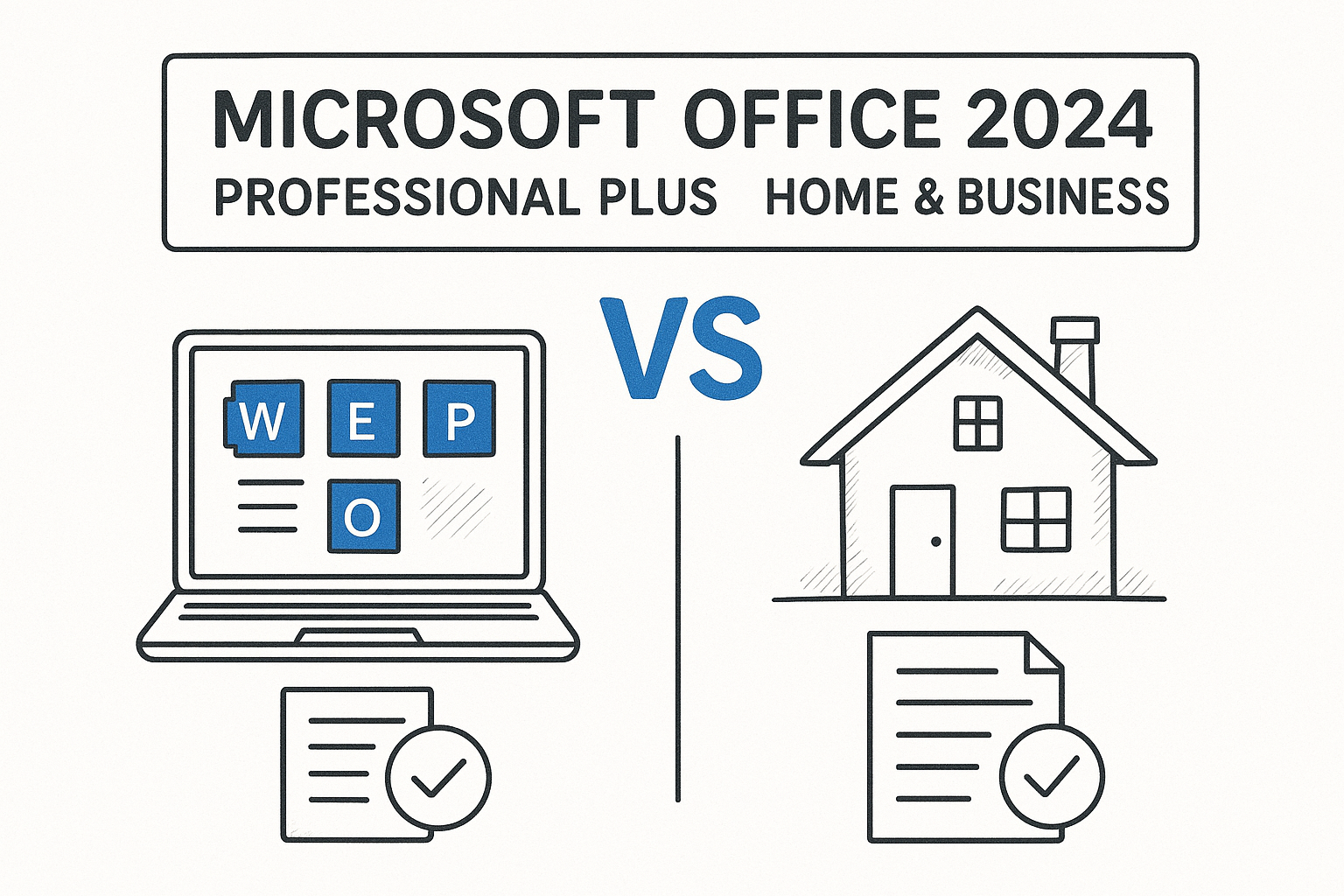
In the Microsoft Office 2024 Professional Plus vs Home and Business comparison, the daily apps are identical: Word, Excel, PowerPoint, Outlook, and OneNote. Professional Plus adds Access and is sold through volume licensing for Windows PCs that an organization manages. Home & Business is a retail, one-time purchase for a single PC or Mac, with commercial use rights included. Both licenses are perpetual, so you pay once and never face a renewal.
Office 2024 Standard sits in the middle. It has the same five apps as Home & Business but arrives through volume licensing, just like Professional Plus. The real split is how the software is licensed and deployed, not how many tools you get.
This guide explains why the edition matters, how to choose, what each one costs and how long it lasts, and how to buy and activate a key without surprises. Codesforever sells discounted Office license keys, so these are questions we answer for buyers all the time.
Why the edition you pick matters
When you weigh Office 2024 Professional Plus vs Home and Business, the license type matters more than the app list. The wrong choice leaves you unable to deploy Office the way you planned, or paying for features you never open. The editions also differ in platform, activation, and how an admin can manage them.
The apps barely differ. The way you license and deploy them does.
Retail and volume licenses are different products
Home & Business is a retail license. You get one product key, install it on one PC or one Mac, and the license stays with that device. Professional Plus and Standard are volume licenses, built on the LTSC release. They activate with a MAK or KMS key and install through the Office Deployment Tool. Professional Plus runs on Windows only. An IT admin can roll the same build out across an office, which a retail key does not support.
Both families allow commercial use. That is the line between them and Office Home 2024, which is licensed for personal, non-commercial use and leaves out Outlook.
Side-by-side comparison
This table lines up the three editions buyers compare most, so you can scan the differences in one pass.
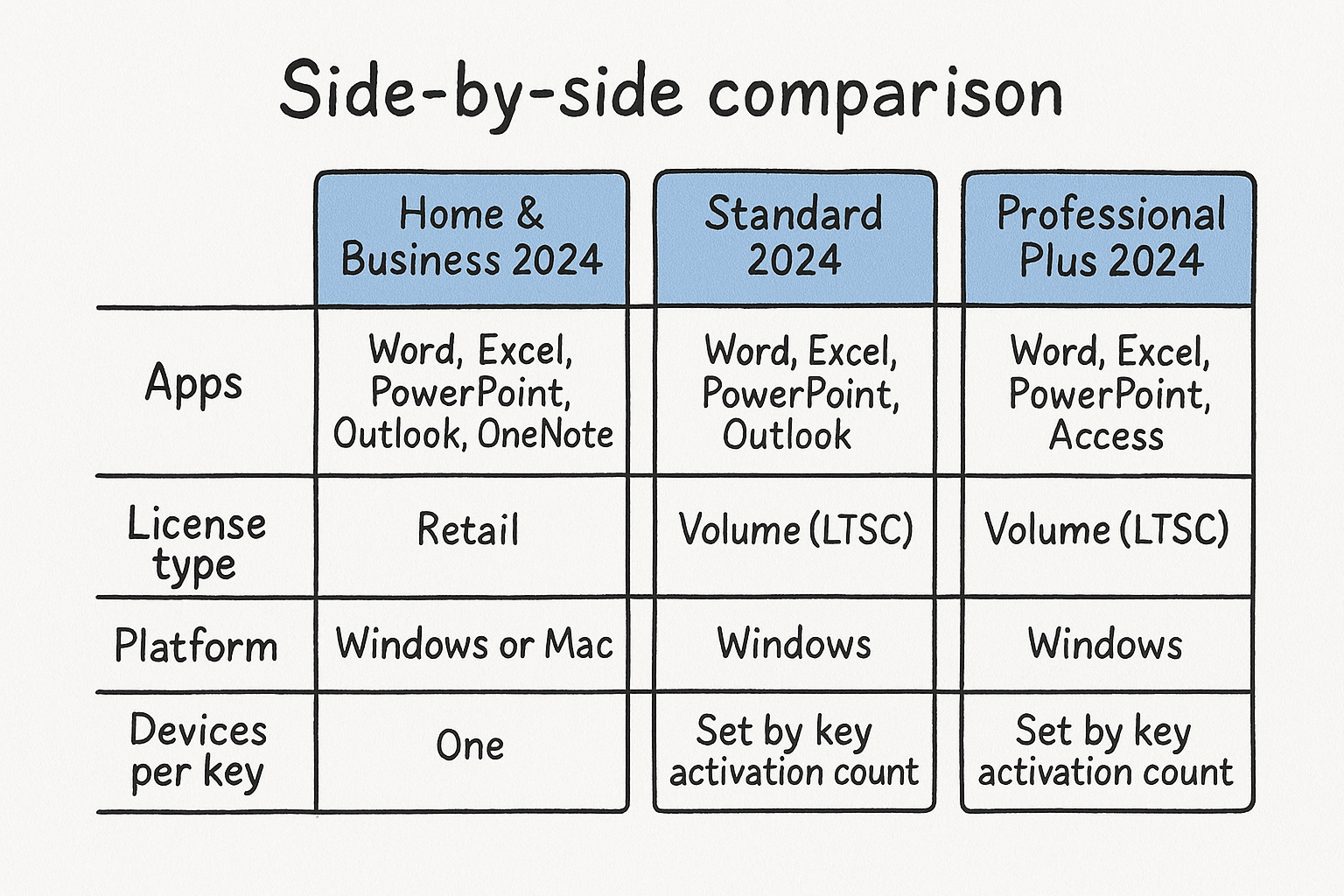
| Feature | Home & Business 2024 | Standard 2024 | Professional Plus 2024 |
|---|---|---|---|
| Apps | Word, Excel, PowerPoint, Outlook, OneNote | Same five apps | Same five plus Access |
| License type | Retail | Volume (LTSC) | Volume (LTSC) |
| Platform | Windows or Mac | Windows, separate Mac build | Windows only |
| Devices per key | One | Set by key activation count | Set by key activation count |
| Commercial use | Yes | Yes | Yes |
| Central deployment | No | Yes | Yes |
| Feature updates | Security only | Security only | Security only |
How to choose the right Office 2024 edition
Choose Home & Business if you need Office on one or a few devices, including a Mac. Choose Professional Plus only if you need Access or central deployment across many Windows PCs. Standard fits the gap between them.
If you will not open Access and nobody deploys your PCs centrally, Home & Business is enough.
Four questions to answer before you buy
Work through these in order. Your answers usually settle the decision by the third question.
- How many devices need Office? A Home & Business key covers one device. For a handful of PCs you can buy one key per machine. For a larger fleet, volume keys are easier to manage.
- Do you use a Mac? Home & Business is the simplest Mac option. Professional Plus is Windows only.
- Do you build or use Access databases? Only Professional Plus includes Access. If you do not know what Access is, you do not need it.
- Will someone deploy and manage PCs centrally? If yes, a volume edition fits. If you install Office yourself, retail is simpler.
Standard beats Home & Business only when you want volume activation across several Windows PCs and have no use for Access.
Quick picks by buyer
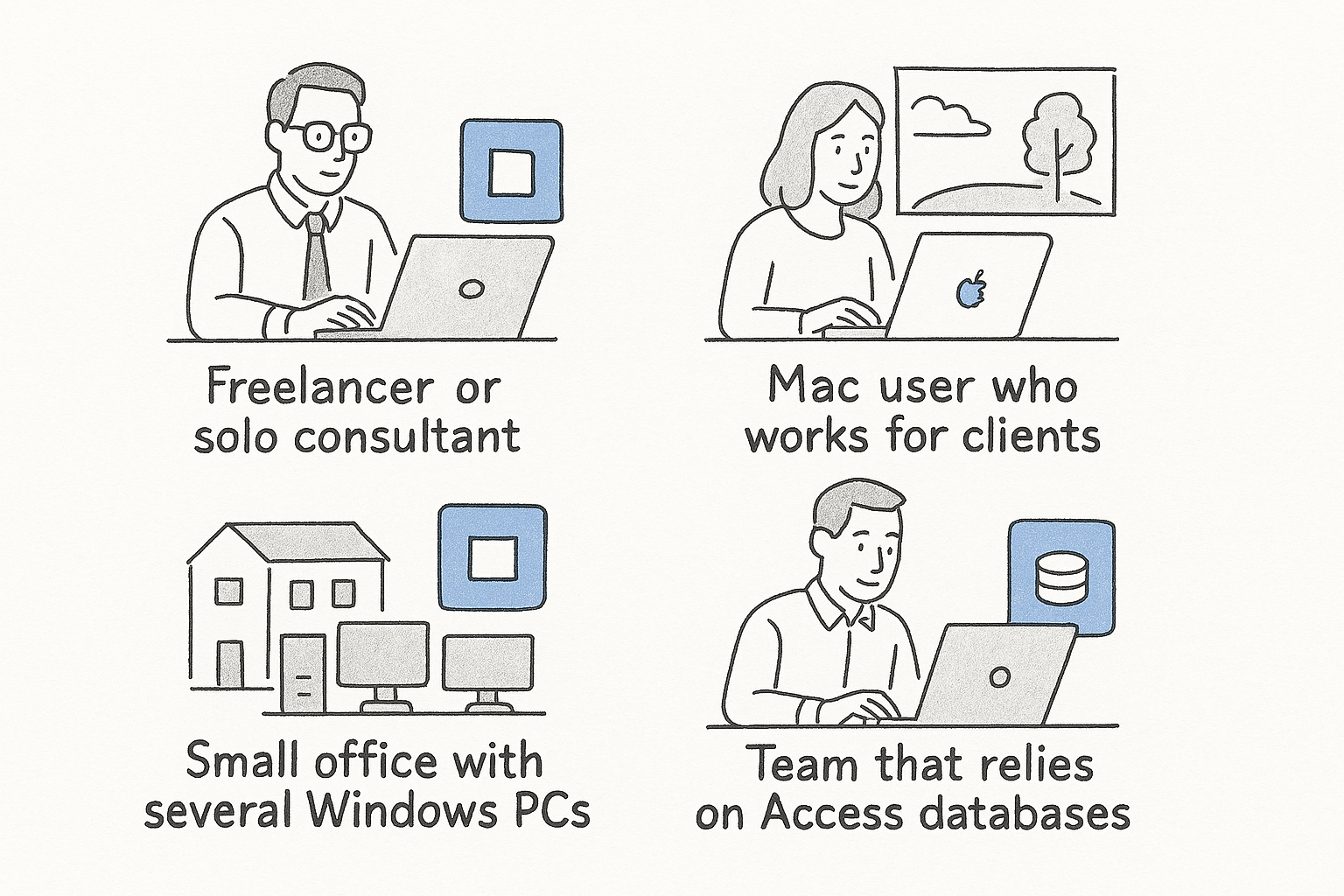
- Freelancer or solo consultant: Home & Business.
- Mac user who works for clients: Home & Business.
- Small office with several Windows PCs: Standard, or one Home & Business key per PC.
- Team that relies on Access databases: Professional Plus.
- Home user with no business use: Office Home 2024, which costs less but has no Outlook or commercial rights.
Some listings sell a plain “Professional” edition. Confirm exactly which apps it includes before you pay, because sellers use the name loosely.
Price, lifetime validity, and what you won’t get
Both editions are one-time purchases, so the price you pay is the only price and the license does not expire. Microsoft lists Office Home & Business 2024 at $249.99 for one device, while volume editions have no single list price.
A perpetual license never expires, but it also never gains new features.
What each edition costs
Microsoft’s list prices are $249.99 for Home & Business and $149.99 for Office Home 2024. Volume pricing depends on the reseller, the quantity, and the edition. Professional Plus costs more than Standard because it adds Access. Authorized resellers and discounted key sellers price below list, so compare the per-device cost, not the headline figure, and make sure the license type matches what you need.
Is Office 2024 valid for life?
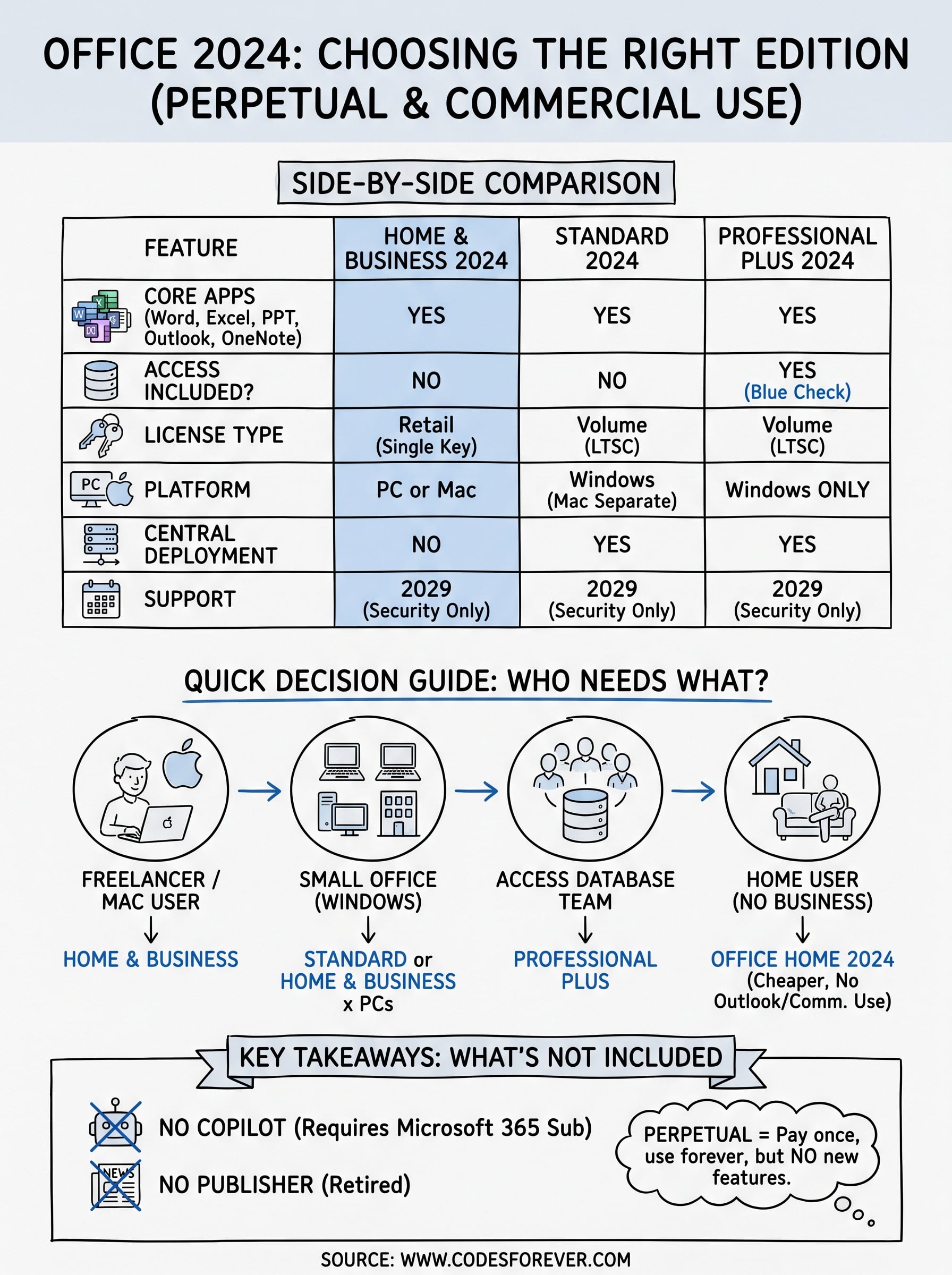
Yes. Your key does not expire, and you can keep using the installed version as long as it runs on your hardware. Two limits apply. You receive security updates only, with no new features, and Microsoft supports Office 2024 through October 2029. Microsoft’s own comparison of Microsoft 365 and Office 2024 also notes that upgrading to the next major release means paying full price.
Office 2024 may ask you to reactivate periodically, and swapping hardware can trigger it. Keep your key somewhere safe.
Copilot, Teams, and Publisher
Neither edition includes Copilot. Microsoft ties it to Microsoft 365 subscriptions, so a listing that promises Copilot in a perpetual Office 2024 key is wrong. Publisher is not part of the 2024 editions either, as Microsoft is retiring the app, so treat that promise as a red flag too. Teams is a separate download, which makes it no reason to pay extra for Professional Plus.
How to buy and activate your license safely
Buy the license type that matches your plan, then install and activate right away so any problem shows up while you are still covered. A key that fails on day one is easy to replace. A key that fails months later is not.
Test your key the day you buy it, while the seller’s guarantee is fresh.
What to check before you pay
- License type: Retail for Home & Business, volume (MAK or KMS) for Standard and Professional Plus.
- Edition and platform: Confirm the exact year, edition, and Windows or Mac support.
- Delivery and support: Look for instant email delivery and a way to reach a person during setup.
- Guarantee: The seller should offer a refund or replacement for an invalid key.
How to activate the key
- Install Office, using the Office Deployment Tool for volume editions or your Microsoft account for retail.
- Open Word or Excel and enter the product key when prompted.
- Stay online until activation completes.
- Open File, then Account to confirm the product shows as activated.
If activation fails, contact the seller’s support with the key and the exact error message. Codesforever offers live chat and WhatsApp help for installation and activation.
Making the final call
Home & Business is the right pick for most freelancers, small teams, and Mac users. Standard suits Windows offices that want volume activation. Professional Plus makes sense only if you need Access or manage many PCs centrally. All three are perpetual, allow commercial use, and skip Copilot, so the decision rests on licensing and deployment.
Match the edition to your devices and workflow, then buy a key that fits that license type. When you are ready, you can browse discounted Office 2024 license keys at Codesforever and activate yours in minutes.