

365 Office Price: 5 Ways to Pay for Microsoft 365 in 2026

The 365 office price depends on who the plan is for. Microsoft 365 Personal costs $99.99 per year. and Family costs $129.99 per year. Business plans start at $17.00 per user per month, and a one-time Office 2024 license starts at $149.99. A discounted license key from a reseller can undercut all of them.
Skip the list price. Get an Office 365 subscription for Windows, Mac and Android with 1 TB of cloud storage at Codesforever for US$26. Prefer to pay once? Get a lifetime Office 2024 Professional Plus license for US$28. Both arrive by email.
The confusion is real. Office 365 was renamed Microsoft 365 in 2020, so you will see both names. Prices are also split across consumer pages, business pages, and retailers, and each one quotes monthly and yearly figures differently. This article gives you five ways to pay, each broken down the same way: what it costs, what you get, and who it suits.
Codesforever sells discounted Microsoft Office license keys and subscriptions, so we list that route first. We then compare it plainly against Microsoft’s own plans, so you can match the price to how you actually work.
1. Discounted license key from Codesforever
A discounted key is the lowest-cost way to cover the 365 office price, because you skip list price entirely. Codesforever sells Office licenses and Office 365 subscriptions delivered by email, with no Microsoft checkout involved.
What it costs
Prices run 60% to 98% below list, depending on the product and edition. The exact figure sits on each product page, so compare it against Microsoft’s price before you pay. Most products come as either a lifetime one-time key or an annual subscription, so you choose the billing style you prefer.
What you get
You buy the key and receive it by email within moments. Then you activate the software yourself in three steps:
- Pay at checkout, which uses SSL encryption and PayPal.
- Download the software.
- Enter the key to activate.
If activation stalls, 24/7 live chat and WhatsApp support walk you through installation. A money-back guarantee or replacement covers any key that turns out defective or invalid.
The lowest 365 office price usually comes from a discounted key, not from Microsoft’s own checkout.
Who it suits
This route suits price-conscious buyers: students, freelancers, small business owners, and IT admins who want genuine Office without paying list price. If you need a managed business tenant with per-user email and Teams, look at item 4 instead.
2. Microsoft 365 Personal subscription
Microsoft 365 Personal costs $99.99 per year for one person. It is the standard answer when someone asks how much a Microsoft Office 365 subscription costs for home use.
What it costs
Paying monthly adds up to $119.88 over a year. The annual plan saves you $19.89, so choose monthly only if you need the subscription for a few months, such as a single school term. Microsoft also sells a cheaper Microsoft 365 Basic plan for one person, built around 100 GB of cloud storage and ad-free Outlook rather than the full desktop apps.
What you get
You get Word, Excel, PowerPoint, Outlook, and OneNote on your devices, plus 1 TB of OneDrive storage and Microsoft’s AI features. The apps install on both Windows and Mac. The subscription does not include a Windows license, so the Windows office 365 price is simply this same figure and your PC needs its own Windows key.
Personal pays for itself only if you use the desktop apps and the 1 TB of storage.
Who it suits
Personal fits one user for private use, such as a student, a remote worker with personal projects, or anyone who wants automatic updates. It is licensed for non-business use, so a company laptop should run a business plan.
3. Microsoft 365 Family subscription
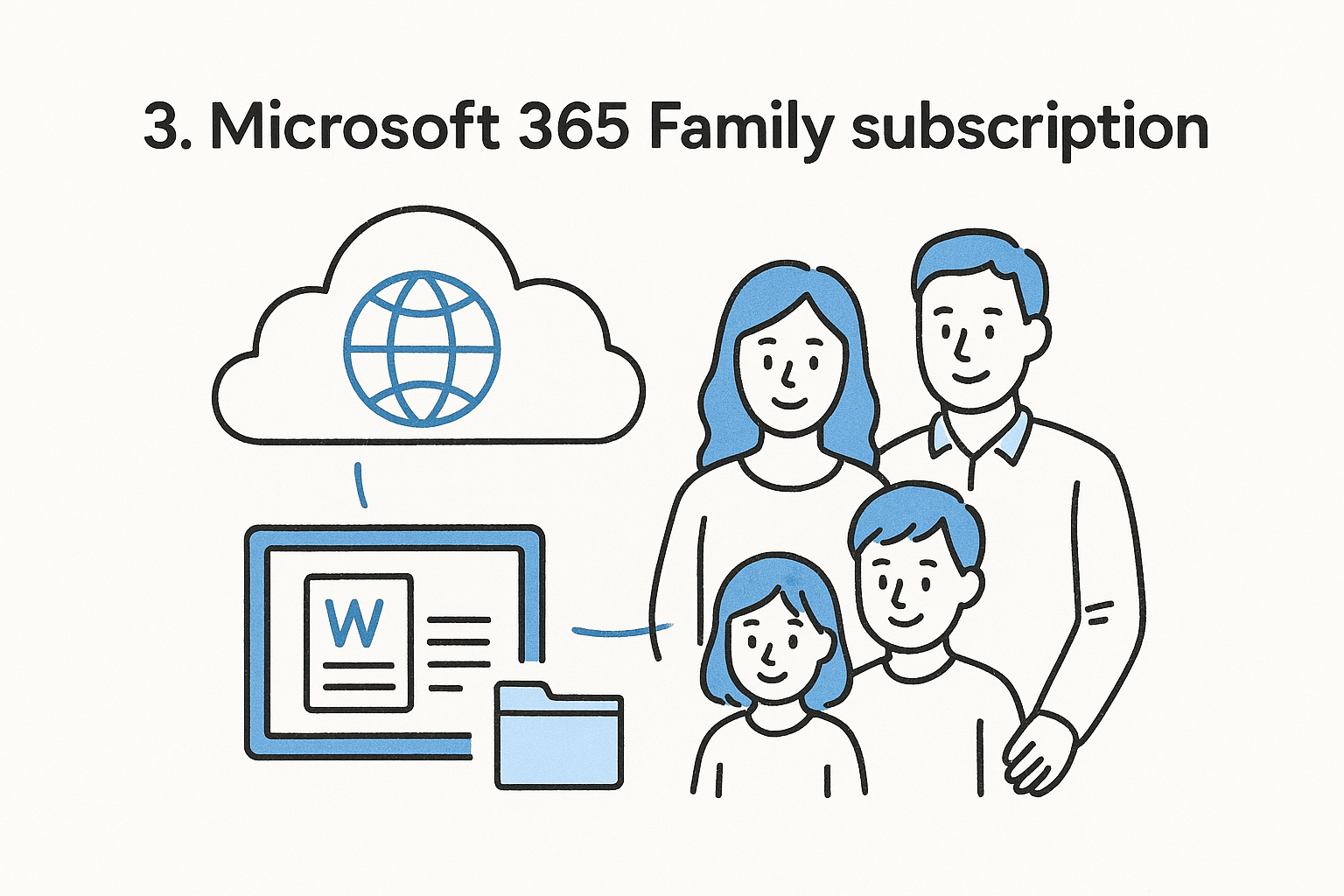
Microsoft 365 Family costs $189.99 per year or $32.99 per month and covers up to six people. At that price, the 365 office price per person drops sharply once you share it.
What it costs
Monthly billing totals $155.88 a year, so the annual plan saves $25.89. Here is how the two consumer plans compare:
| Personal | Family | |
|---|---|---|
| Monthly price | $9.99 | 12.99 |
| Yearly price | $99.99 | $189.99 |
| People covered | 1 | Up to 6 |
| Cost per person per year (full plan) | $99.99 | About $42.67 |
What you get
Every member gets the same Office apps and 1 TB of OneDrive storage each. Each person signs in with their own Microsoft account, so files and email stay separate. The plan owner manages who is in the group.
Two people already save money on Family, because two Personal plans cost $199.98 a year.
Who it suits
Family suits households, couples, and roommates who trust each other with one billing account. It makes no sense for a single user. Like Personal, it is meant for private use, not business.
4. Microsoft 365 business plans
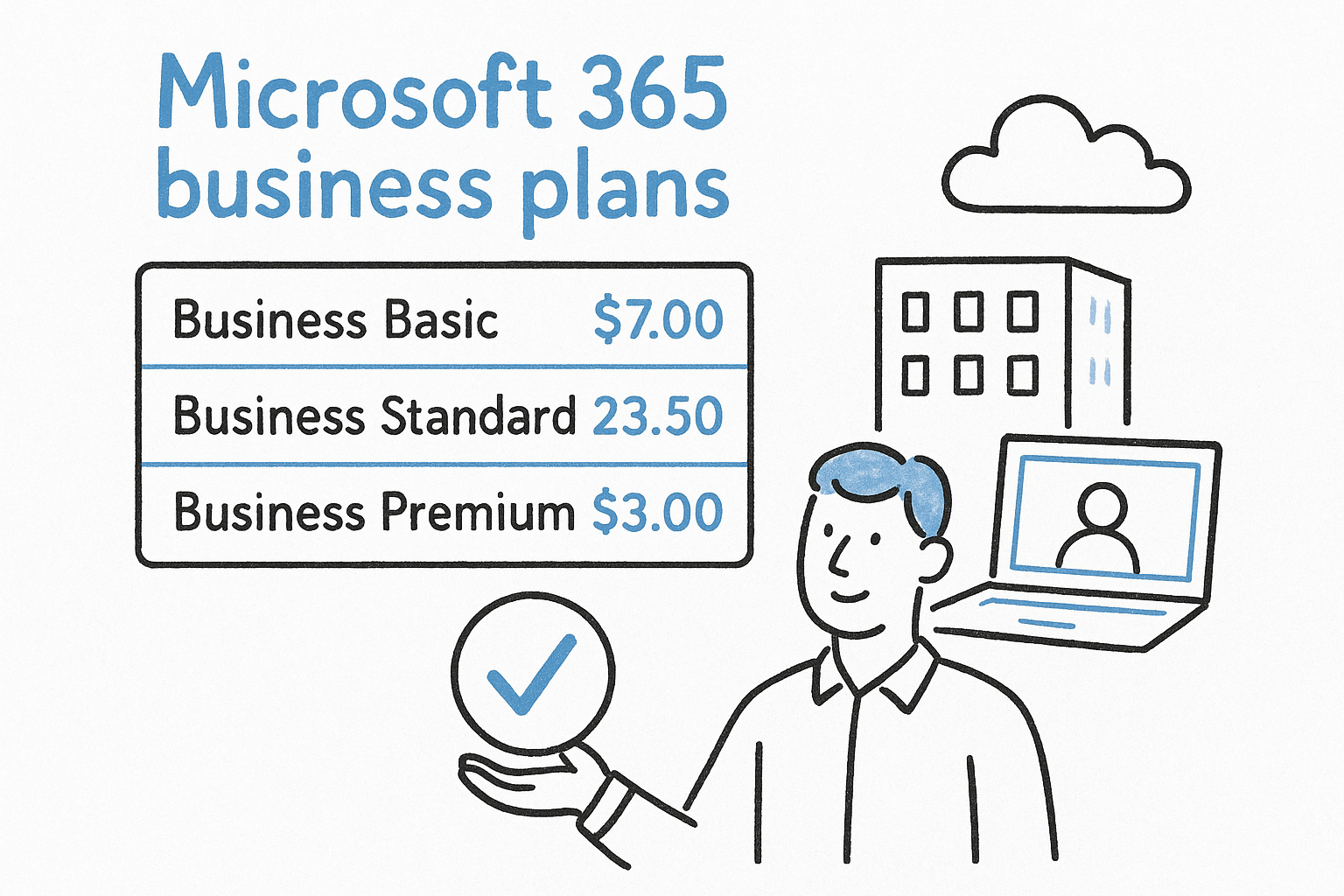
Business plans are priced per user per month, starting at $7.00 for Business Basic. The Microsoft office 365 subscription fee rises with each tier, mostly for desktop apps and security.
What it costs
Microsoft publishes these on its business pricing page.
| Plan | What it adds | Price per user per month |
|---|---|---|
| Business Basic | Web and mobile apps online use only , Exchange email, Teams, 1 TB OneDrive | $7.00 |
| Business Standard with Copilot | Desktop Office apps | $23.50 |
| Business Premium with Copilot | Advanced security and device management | $32.00 |
Microsoft also sells Standard and Premium without Copilot at lower prices. In 2025 those were listed at $12.50 and $22.00, so check which version a quoted price refers to. Annual commitments are cheaper than paying month to month.
What you get
Basic is cloud-only, with no installed desktop apps. Standard adds them. Premium adds device management and threat protection, which matters if staff use phones and laptops to reach company data. All three cap at 300 users.
Buy Basic if your team lives in a browser, and Standard if anyone needs desktop Excel.
Who it suits
Basic suits startups and small teams using email and Teams. Standard suits offices that work in Excel and Outlook daily. Premium suits businesses handling client data or regulated information. Larger organizations move to the Enterprise plans.
5. One-time Office 2024 purchase
You cannot buy Microsoft 365 as a one-time purchase, because it is subscription-only. The permanent alternative is Office 2024, which you pay for once and keep.
What it costs
Office Home 2024 costs $149.99, and Office Home & Business 2024 costs $249.99. Compare that with Personal: $149.99 equals about a year and a half of Personal, and over three years Personal costs $299.97. A one-time license pulls ahead if you keep it longer than two years.
What you get
You get the core apps for one PC or Mac, with no recurring fee. Home & Business adds Outlook. You also get no new features after release and no bundled 1 TB of cloud storage. A lifetime key from a discounted seller, as in item 1, is the cheaper way to get the same one-time license: see the Office 2024 Professional Plus lifetime license at Codesforever.
A one-time license wins on price over time, and a subscription wins on updates and storage.
Who it suits
This fits one-computer users who dislike renewals and only need standard apps. It does not suit anyone who shares files across many devices or wants the latest features.
Picking the right plan
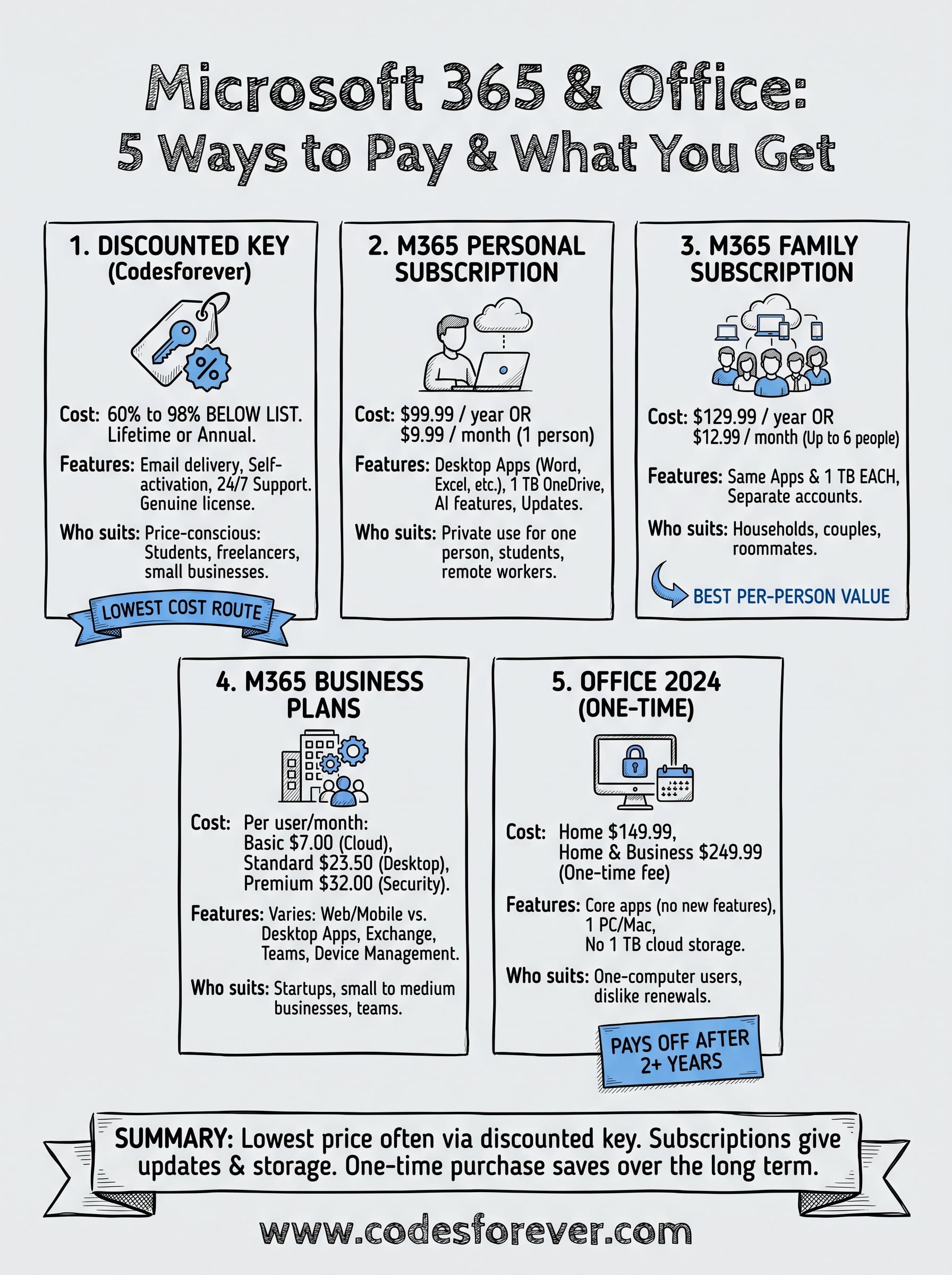
Your best 365 office price depends on how many people use it and for how long. One person who wants updates and storage takes Personal. A household takes Family. A team takes a business plan. Someone who wants to pay once takes Office 2024. The yearly option beats monthly billing on every Microsoft plan.
If your priority is the lowest cost, compare each of those figures against a discounted key first. You can get an Office 365 subscription at Codesforever for US$26 or a lifetime Office 2024 license for US$28, and activate in minutes.