

What Is an Office 2024 Perpetual License? Editions and Cost

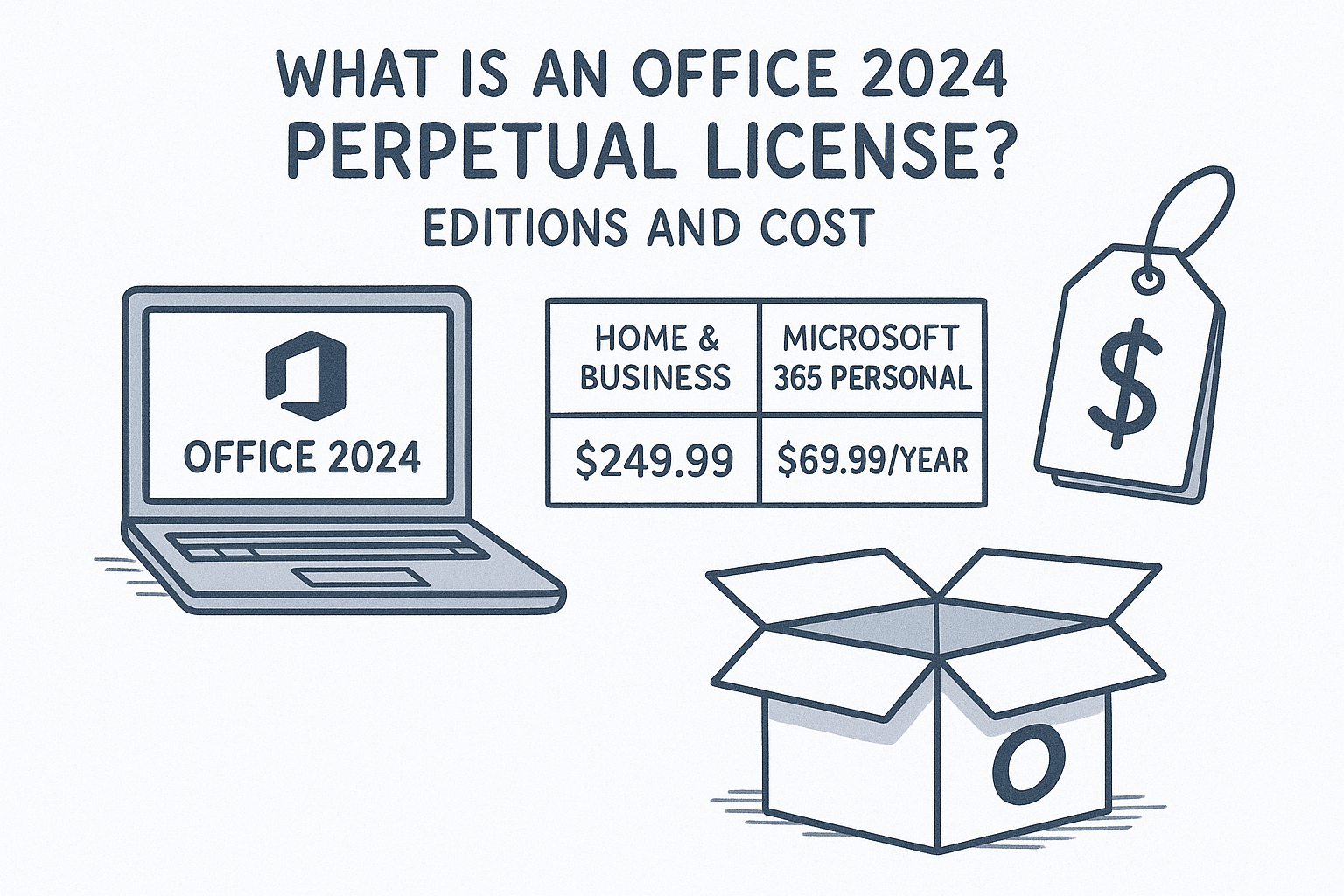
An Office 2024 perpetual license is a one-time purchase that lets you install Office 2024 on a single computer and use it for as long as you want, with no monthly or yearly fee. Microsoft still sells it. Office Home 2024 lists at $179.99 and Office Home & Business 2024 at $249.99, each covering one PC or one Mac. You get the classic desktop apps as they ship today, and you do not get new features later.
This guide explains why a perpetual license can beat a subscription, which edition fits your work, how to buy and activate it, and what you give up compared with Microsoft 365. It also clears up the naming. “Perpetual,” “lifetime,” and “one-time purchase” all describe the same deal.
Codesforever has sold software licenses online for over ten years, and Office 2024 keys are part of that catalog. You will see where those keys fit, and where a subscription is the smarter pick. The goal is a decision you can make without opening another search tab.
Why an Office 2024 perpetual license can save you money
A perpetual license matters because the cost ends with the first payment. A Microsoft 365 plan bills you every month or year for as long as you use it, and Office 2024 does not.
What perpetual, lifetime and one-time mean
Perpetual means you buy the right to use one specific version indefinitely. Microsoft calls it a one-time purchase, while resellers usually say lifetime license. The words differ, but the deal is identical. The “lifetime” belongs to the version you bought, not to you and not to the PC.
Microsoft states that one-time purchases have no upgrade path. If you want the next major release, you pay full price again. Office 2024 keeps working after a new version appears, but it stays frozen as the version you installed.
What it costs over five years
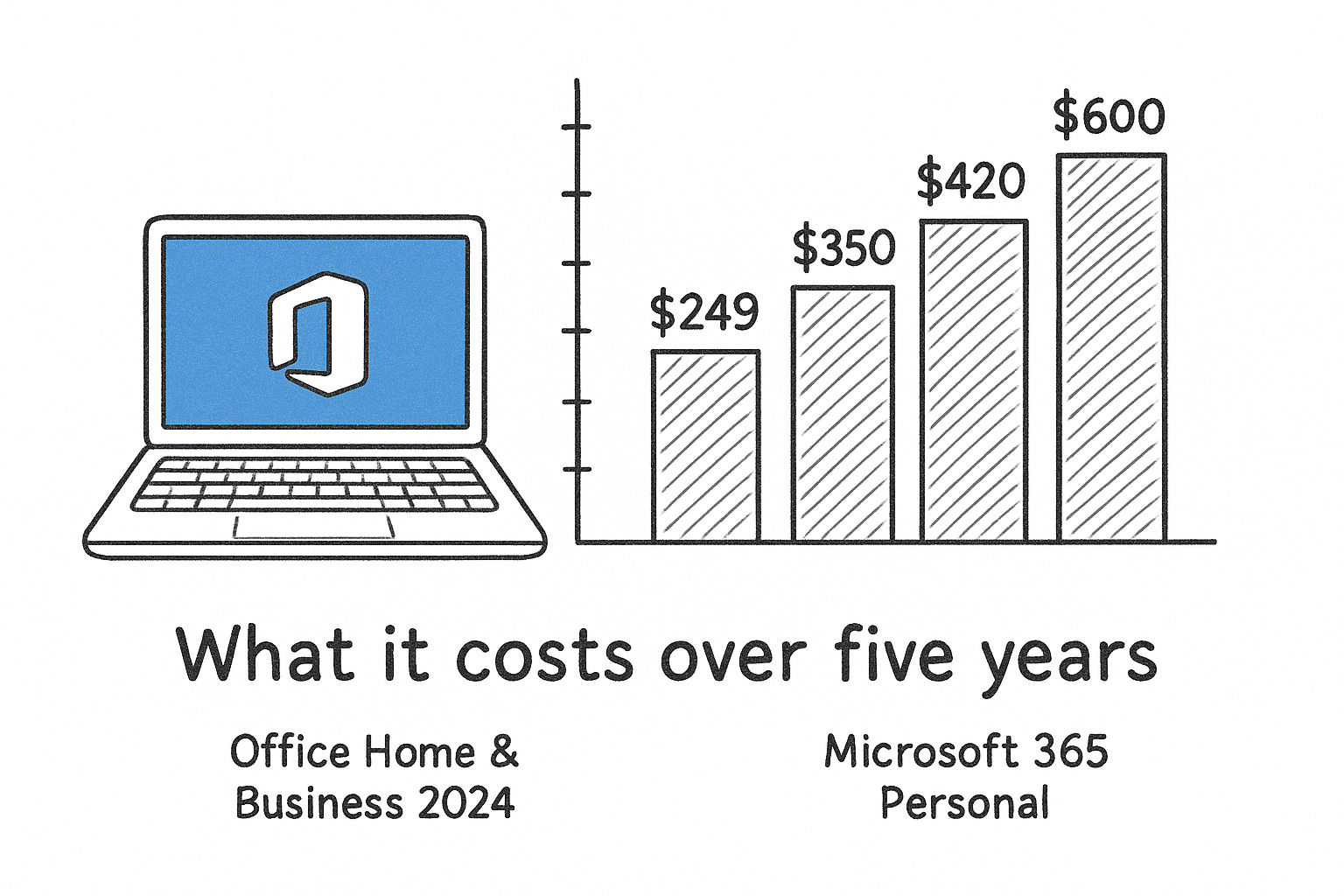
The break-even point depends on which subscription you compare against. The table assumes Microsoft 365 Personal at about $70 a year when billed yearly, or $9.99 a month when billed monthly. Subscription prices change, so check the current figure before you decide.
| Option | Year 1 | After 3 years | After 5 years |
|---|---|---|---|
| Office Home & Business 2024, Microsoft price | $249.99 | $249.99 | $249.99 |
| Office Home & Business 2024, Codesforever price | $198 | $198 | $198 |
| Microsoft 365 Personal, billed yearly | about $70 | about $210 | about $350 |
| Microsoft 365 Personal, billed monthly | $119.88 | $359.64 | $599.40 |
Take a freelancer who needs Word, Excel, and Outlook on one Windows PC for five years. A $198 license costs $152 less than the yearly subscription and $401.40 less than the monthly one. Even at Microsoft’s own $249.99, the one-time license comes out about $100 ahead of the yearly plan by year five.
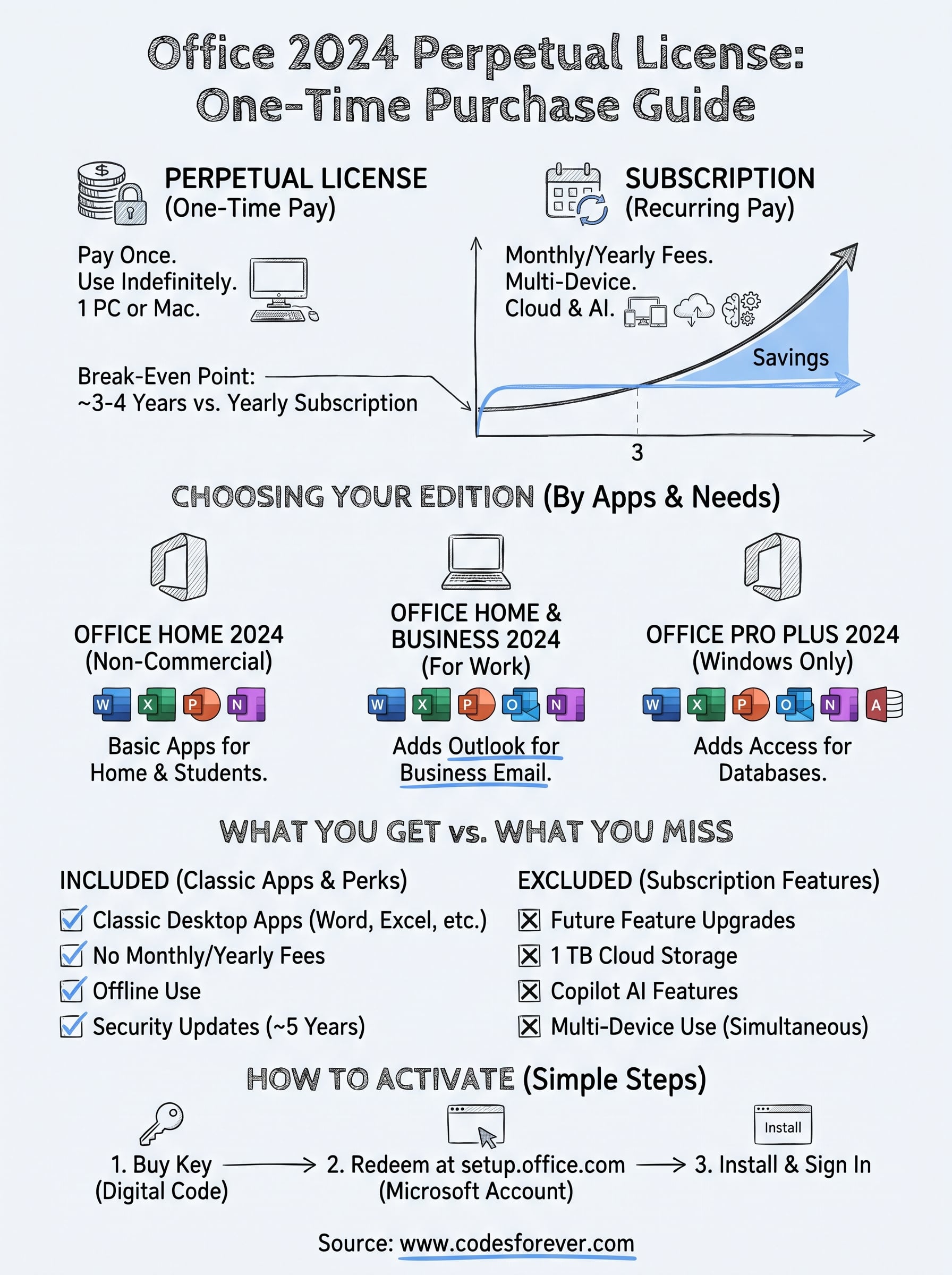
A perpetual license pays for itself after about three to four years against a yearly Microsoft 365 plan, and sooner against monthly billing.
How to choose the right Office 2024 edition
Choose by the apps you need and by how you will use them. Office Home 2024 covers Word, Excel, PowerPoint, and OneNote for non-commercial use. Office Home & Business 2024 adds Outlook and is the edition for work.
What Home & Business includes
Office Home & Business 2024 includes Word, Excel, PowerPoint, Outlook, and OneNote. It installs on one PC or one Mac. On Windows, that means Windows 11 or Windows 10. Outlook is the real difference from the Home edition, and it is the reason most small business owners pick this one.
You may see “Home & Student” in searches. That was the older name. The 2024 version is sold as Office Home 2024, still aimed at students and families, and Microsoft marks it for non-commercial use. If you invoice clients or run a business from the PC, buy Home & Business, not Home.
How the editions compare
The table sets Microsoft’s two retail editions beside the Office 2024 listings that Codesforever carries. Each listing is a single-device, lifetime license.
| Edition | Seller | Apps | Platform | Price |
|---|---|---|---|---|
| Office Home 2024 | Microsoft | Word, Excel, PowerPoint, OneNote | PC or Mac | $179.99 |
| Office Home & Business 2024 | Microsoft | Word, Excel, PowerPoint, Outlook, OneNote | PC or Mac | $249.99 |
| Office Home & Business 2024 | Codesforever | Word, Excel, PowerPoint, Outlook, OneNote | Windows 11 and 10 | $198 |
| Office Home & Business 2024 | Codesforever | Word, Excel, PowerPoint, Outlook, OneNote | Mac | $198 |
| Office 2024 Standard | Codesforever | Word, Excel, PowerPoint, Outlook | Windows | $88 |
| Office 2024 Professional Plus | Codesforever | Word, Excel, PowerPoint, Outlook, OneNote, Access | Windows 10 and later | $28 |
Use a simple rule to pick. If you only write documents and spreadsheets at home, Home is enough. If you need Outlook for work email, take Home & Business. If you need Access for databases, only Professional Plus has it, and it is Windows only.
The Windows Home & Business license from Codesforever costs $51.99 less than Microsoft’s $249.99 list price, a discount of about 21%.
Pick the edition by the one app you cannot work without: Outlook means Home & Business, Access means Professional Plus.
How to buy and activate Office 2024 with a one-time license
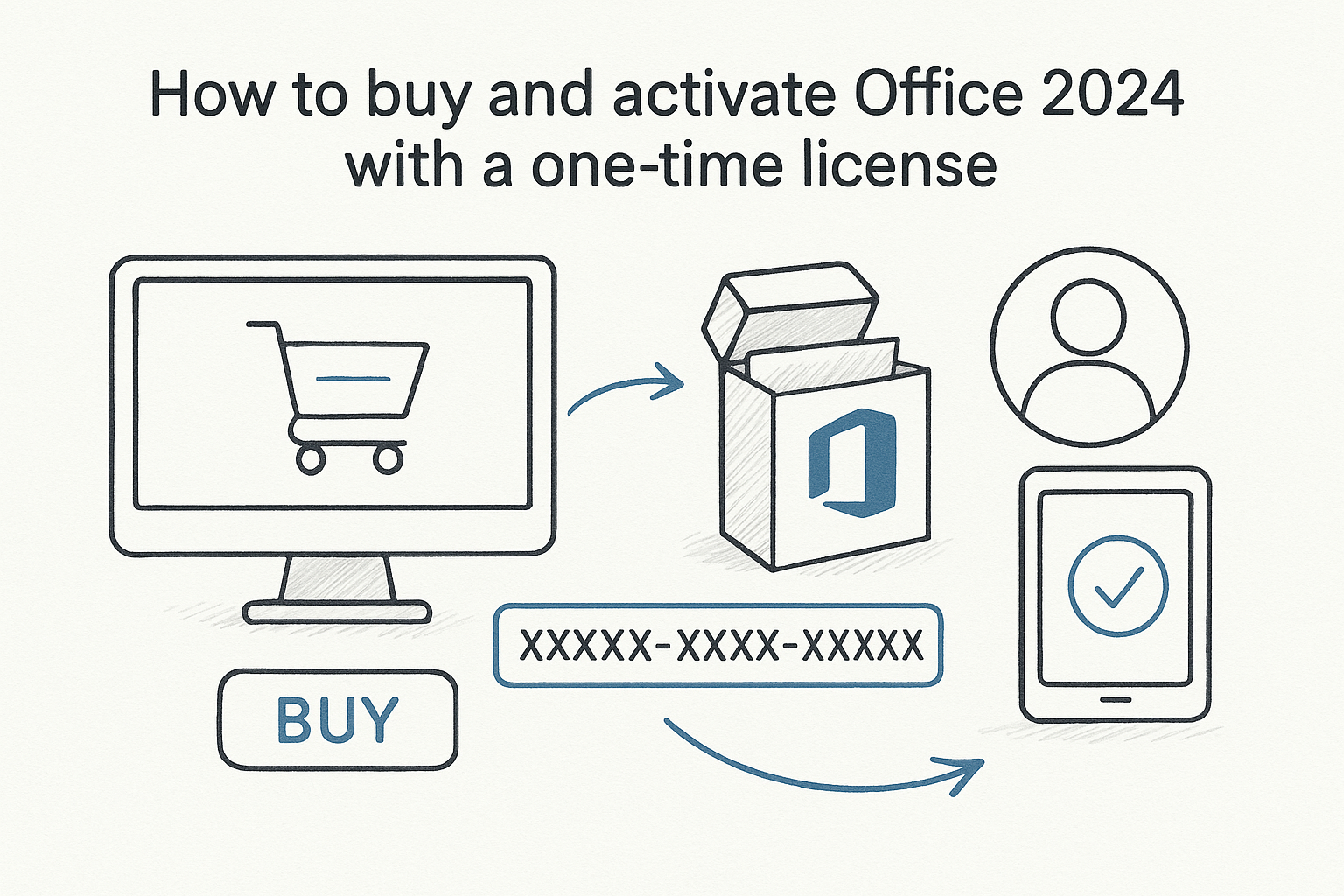
You buy a license, receive a 25-character product key, redeem it with a Microsoft account, and install Office from that account. The whole process takes minutes once you have the key.
Where to buy
You can buy directly from Microsoft, from large retailers that stock boxed or digital Office 2024, or from a key reseller. Direct and retail prices cluster around Microsoft’s list price. Resellers sell the same type of product key for less.
Codesforever is one such reseller. It delivers the Home & Business license as a digital activation code by email, and its listings state delivery windows, up to 24 hours on several Office 2024 products. It offers a 100% money-back guarantee, and you can report a problem with a key within 7 days of purchase. Support is free around the clock by live chat or WhatsApp. If you want a reputation check first, the store’s reviews page draws on 16,055 customer reviews.
Check before you pay
Most failed purchases come from a mismatch between the key and the machine. Confirm these five points first:
- Platform: Windows keys do not work on a Mac, and Mac keys do not work on Windows.
- Windows version: Office 2024 needs Windows 11 or Windows 10.
- Hardware: a 1.6 GHz dual-core processor, 4 GB of RAM for 64-bit Windows or Mac, and 4 GB of free disk space on PC (10 GB on Mac).
- Display: at least 1024 x 768 on PC, or 1280 x 800 on Mac.
- Account and internet: you need a Microsoft account, and internet access to install and activate.
Codesforever does not refund products that are incompatible with your device, or that you bought by mistake. A two-minute check beats a lost purchase.
Activate it step by step
Redemption follows the same path for every retail-style key. Have your Microsoft account details ready.
- Go to setup.office.com and sign in with your Microsoft account. Create one if you do not have it.
- Enter the 25-character key, in the format XXXXX-XXXXX-XXXXX-XXXXX-XXXXX.
- Pick your country and language, then confirm.
- Open the Services & subscriptions section of your Microsoft account and select Install.
- Run the installer, open Word or Excel, and let activation finish.
Once installed, you do not need an internet connection to use Word, Excel, or PowerPoint. Keep the product key somewhere safe. Microsoft recommends it as proof of purchase, and support teams can use it to trace your license.
Redeem the key on the Microsoft account you plan to keep, because your Office install and license will be managed from that account.
What a perpetual license leaves out, and when a subscription wins
An Office 2024 perpetual license leaves out upgrades, bundled cloud storage, Copilot, and multi-device use. If you need any of those, a Microsoft 365 plan fits better.
What you give up
The gap shows up in a handful of practical areas. This comparison uses Microsoft’s published plan details.
| Feature | Office 2024 one-time license | Microsoft 365 Personal or Family |
|---|---|---|
| Payment | Once | Monthly or yearly, renews automatically |
| Devices | 1 PC or Mac | Up to five devices at a time per person |
| Cloud storage | None bundled | 1 TB per person |
| Copilot AI features | Not included | Included, with usage limits |
| New features | None after release | Added continuously |
| Next major version | Full price | Included while subscribed |
Family costs $12.99 a month for up to six people, and Personal costs $9.99 a month for one. Support also has an end date. Microsoft supports Office 2024 for five years from its late-2024 release, so plan to reassess around the end of 2029.
When each option makes sense
Choose the one-time license when you work on a single PC or Mac, your needs are stable, and you would rather pay once. It also suits small business owners who mainly need Outlook, Word, and Excel and do not care about AI features. Offline use is a plus, because the installed apps run without a connection.
Choose a subscription when you work across a laptop, a tablet, and a phone, or when you share Office with a household of up to six people. It also wins if you rely on 1 TB of cloud storage or want Copilot inside Word and Excel. Be honest about your habits. If you will install Office on a second computer within a year, a single-device key already costs you more than it saves.
Buy a perpetual license for one stable machine, and a subscription for many devices, cloud storage, or AI features.
Making the call on Office 2024
An Office 2024 perpetual license gives you Word, Excel, PowerPoint, and, in Home & Business, Outlook and OneNote, for one payment and one device. It beats a subscription within roughly three to four years of normal use, and sooner when you buy it at a discount. Its limits are real: no upgrades, no Copilot, no bundled storage, and security support ending around 2029.
Pick Home for personal use, Home & Business for work, and Professional Plus if you need Access on Windows. Check your platform and hardware before you pay, then redeem the key on your own Microsoft account. If a one-time license fits how you work, you can compare Office 2024 lifetime license keys and have yours delivered by email.