

MS Office Home 2024: What You Get, Cost, and Mac Support

MS Office Home 2024 is Microsoft’s one-time-purchase edition of Office for personal use. You pay once and install classic desktop versions of Word, Excel, PowerPoint, and OneNote on one Windows PC or one Mac. There is no subscription and no renewal. Microsoft lists it at $179.99, and it replaced the older Office Home & Student edition.
This guide covers the questions buyers ask before checking out. Why does a one-time license still make sense, and how does its cost compare with Microsoft 365? How do you buy, install, and activate it? What does it include, and how do the Home, Home & Business, and Standard editions differ? How does it work on a Mac, and what limits should you know about first?
Codesforever sells Office 2024 license keys, including Home and Home & Business editions for Windows and Mac. This guide is written for buyers who want the facts first, whichever store ends up with the order.
Why a one-time license still makes sense
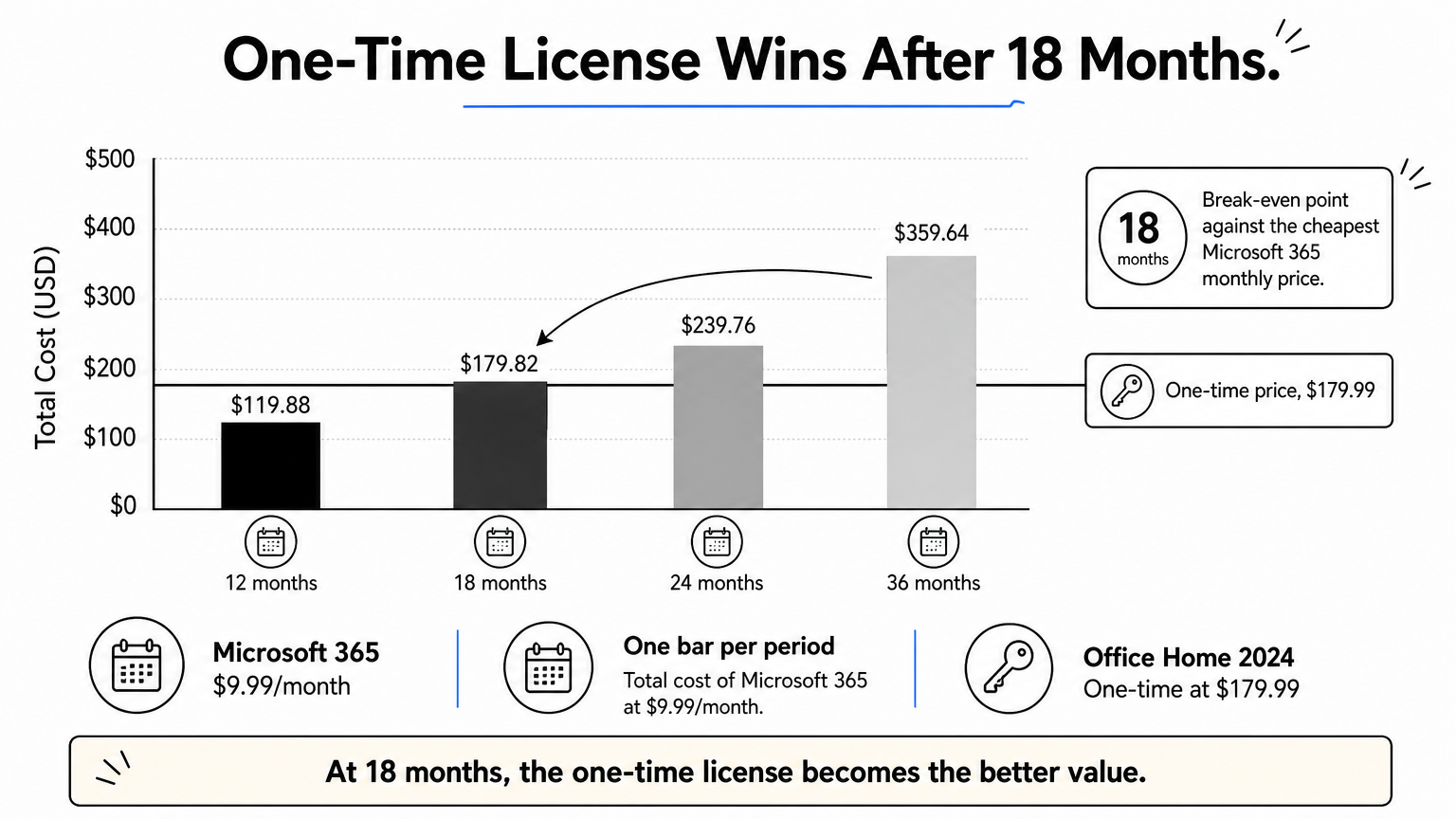
Office Home 2024 makes sense when you use one computer for documents, spreadsheets, and slides and would rather pay once than renew every year. At the cheapest Microsoft 365 monthly price, it costs less once you pass about 18 months of use.
What "one-time purchase" and "lifetime" mean
A one-time purchase is a perpetual license. You pay once, and the apps keep opening and saving files for as long as your computer can run them. Nothing expires and nothing drops into read-only mode. "Lifetime" describes the license, not the support. Microsoft supports Office 2024 until October 9, 2029. After that date the apps still work, but they stop receiving security updates, which matters for any app that opens files from strangers.
Two more catches apply. Office 2024 gets security and bug fixes, but new features only arrive in the next full release. Microsoft also offers no upgrade pricing, so moving to the next version means buying it at full price. Subscribers receive new features as they ship.
A one-time license never expires, but its security updates do, so plan on roughly five years from release.
The cost against Microsoft 365
Microsoft lists Office Home 2024 at $179.99 and Microsoft 365 plans starting at $9.99 a month. The table uses those two figures.
| Time of use | Office Home 2024 (one-time) | Microsoft 365 at $9.99/month |
|---|---|---|
| 12 months | $179.99 | $119.88 |
| 18 months | $179.99 | $179.82 |
| 24 months | $179.99 | $239.76 |
| 36 months | $179.99 | $359.64 |
The break-even point sits just past 18 months. Take a student who needs Word and Excel on one laptop for three years. The one-time license costs $179.99 against $359.64 for the subscription, a saving of $179.65. Discounted keys from resellers lower the left column further. Microsoft 365 Family covers up to six people, so a household splitting one plan changes the math. Check current prices before you decide.
When the subscription is the better choice
Match the product to how you work, not to the lowest sticker price.
- Choose Office Home 2024 if you use one PC or Mac, work mostly offline, want no renewals, and only need the four core apps.
- Choose Microsoft 365 if you want Copilot AI features, cloud storage, apps on phones and tablets, several devices per person, or the newest features as they arrive.
- Choose a business edition if the documents earn you money, because Home is licensed for non-commercial use only.
How to buy, install, and activate Office Home 2024
You buy a product key or digital license, redeem it on a Microsoft account, download the installer, and open an app to activate. The whole process takes about 20 minutes on a normal connection.
Where to buy a legitimate license
You can buy from Microsoft’s own store, from large retailers, or from key sellers who sell at a discount. Whichever you pick, check the same things before paying:
- Platform: a Windows listing and a Mac listing are often separate products.
- Edition: Home has four apps, and Home & Business adds Outlook.
- Key type: you want a new, single-use, unredeemed key.
- Delivery: email delivery within minutes, with an install guide.
- Recourse: a stated refund or replacement policy and real activation support.
At Codesforever, each order delivers a new single-use key and a download guide by email. Most orders arrive within minutes, and you can report a key problem within 7 days for troubleshooting, a replacement, or a refund.
Redeem, install, and activate step by step
These steps follow Microsoft’s own install process for Office 2024.
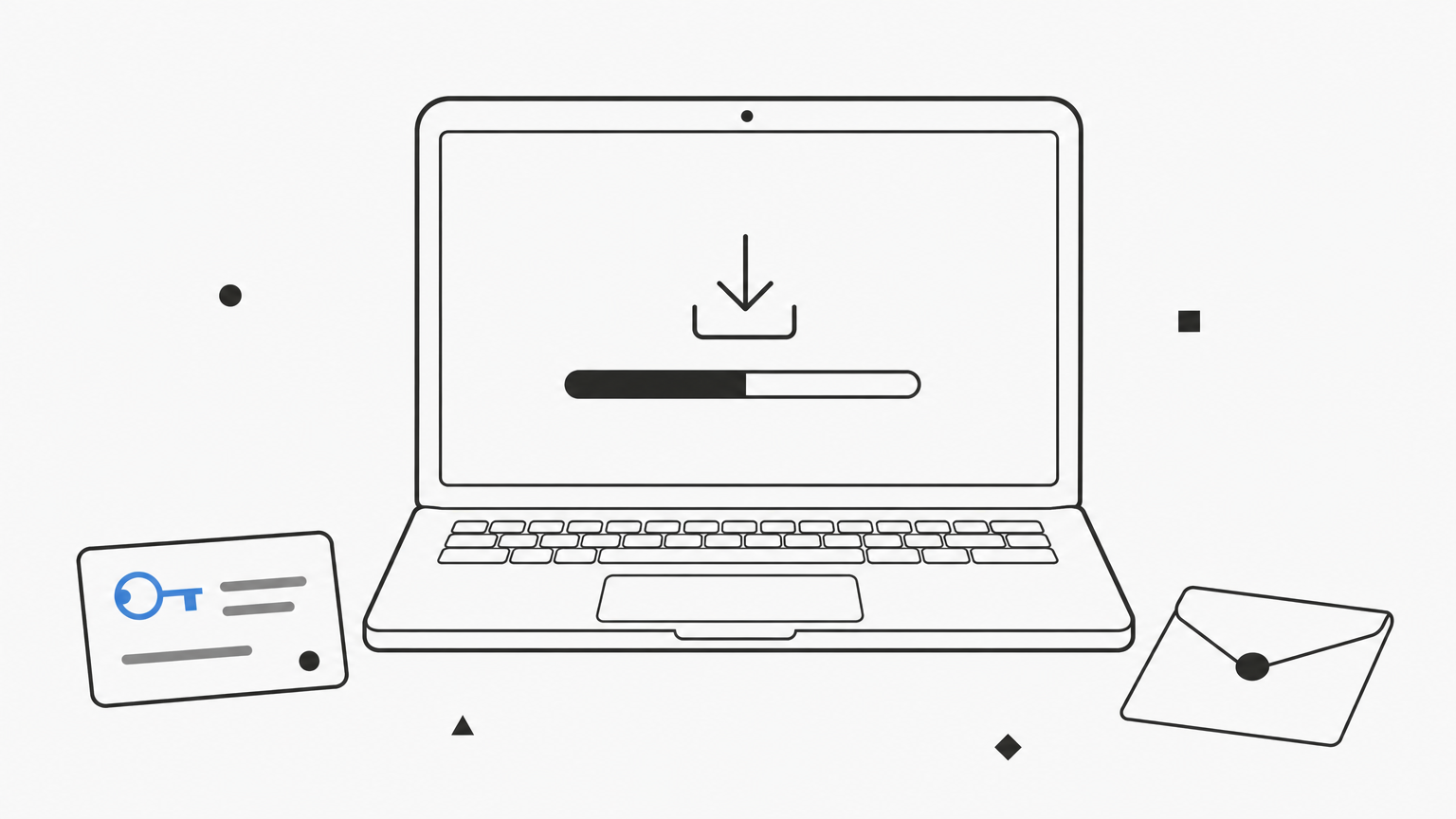
- Go to microsoft365.com/setup, sign in with a Microsoft account (create one if needed), and enter the 25-character product key. You redeem each key once, and it adds the license to that account.
- Sign in at m365.cloud.microsoft/apps and select Install apps.
- On Windows, run the downloaded file and allow the User Account Control prompt. You need administrator rights. On a Mac, open Finder, go to Downloads, double-click the Microsoft Office installer .pkg file, then select Continue, Agree, and Install. Enter your Mac password when asked.
- Open Word from the Start menu or Launchpad and accept the license agreement. On a Mac, click Get Started on the What’s New window.
Always sign in with the same Microsoft account when you reinstall, because the license lives there. Internet access is required to install and activate Office, but not to use the apps afterward. If macOS blocks the installer as coming from an unidentified developer, Control-click the file and choose Open. When you buy from Codesforever, register your email address with the product key during Microsoft’s activation step, as the store advises.
Redeem the key on a Microsoft account you will keep, because that account is your proof of ownership for every reinstall.
What Office Home 2024 includes and what it leaves out
Office Home 2024 includes Word, Excel, PowerPoint, and OneNote. It leaves out Outlook, Access, commercial-use rights, and the Copilot AI features that come with subscriptions.
The four apps and what changed in 2024
Word 2024 handles documents, Excel 2024 handles spreadsheets, PowerPoint 2024 handles presentations, and OneNote handles notes. Word 2024 comes inside the suite. If Word is all you need, free Word for the web covers basic editing, so check whether a standalone license is worth the money for your case.
Compared with Office 2021, the 2024 release brings a refreshed visual design, an Accessibility ribbon that gathers the accessibility tools in one tab, and OpenDocument 1.4 support for better compatibility with other office suites. Excel gains newer functions such as TEXTSPLIT, and LAMBDA lets you build custom reusable functions. Copilot is not part of the package, because Microsoft restricts its AI features to subscription owners.
Home, Home & Business, Standard, and Professional Plus
Searches for "Office 2024 Standard" often land on Home, but they are different products. Home is a consumer edition. Standard and Professional Plus are business editions sold on volume-style licenses for commercial use.
| Edition | Apps | Commercial use | Best for |
|---|---|---|---|
| Home 2024 | Word, Excel, PowerPoint, OneNote | No | Students and families |
| Home & Business 2024 | Home apps plus Outlook | Yes | Freelancers, sole traders |
| Standard 2024 (LTSC) | Core apps plus Outlook | Yes | Organizations |
| Professional Plus 2024 (LTSC) | Standard apps plus Access | Yes | Power users on Windows |
Check the exact app list on the product page before buying a Standard or Professional Plus key. Outlook is the dividing line for most buyers. If you need a mail client or work for pay, skip Home and start at Home & Business.
Pick your edition by two questions: do you need Outlook, and is any of the work commercial?
Office Home 2024 for Mac
Office Home 2024 is sold for Mac as a one-time purchase, with the same four apps as on Windows. Microsoft’s listing covers one PC or one Mac, and reseller listings are often platform-specific, so confirm which one you are buying.
Mac requirements next to Windows
Microsoft publishes these minimums. For macOS, it asks only for a recent version, so check its system requirements page for the exact releases supported.
| Requirement | Windows PC | Mac |
|---|---|---|
| Operating system | Windows 11 or Windows 10 | Recent macOS |
| Processor | 1.6 GHz, 2-core | Recent Mac |
| Memory | 4 GB (64-bit), 2 GB (32-bit) | 4 GB |
| Disk space | 4 GB | 10 GB |
| Display | 1024 x 768 | 1280 x 800 |
| Graphics | DirectX 10 card | Not listed |
| Also needed | Internet access, Microsoft account | Internet access, Microsoft account |
Notice the disk gap. A Mac needs 10 GB free against 4 GB on a PC, so clear space before the download.
How the Mac version differs
Microsoft builds each version for its platform, so version numbers and features can differ between Mac and PC. You cannot install the Mac edition on a Windows PC or the reverse. Access is not available on a Mac. Outlook for Mac comes only with Home & Business or a subscription. Language lists also differ slightly between platforms.
Files move between systems without trouble. A Word or Excel document made on a Mac opens on a PC and the other way round, and Office 2024 opens files from versions back to 2007. If you want an Office 2024 for Mac license, the practical options are Home and Home & Business. Codesforever lists Home and Student 2024 for Windows and Mac, plus Home & Business 2024 versions for both platforms.
On a Mac, treat the platform and edition as two separate choices, and confirm both before you pay.
Limits to check before you buy
Office Home 2024 limits you to one computer, non-commercial use, and no upgrade path. Check these four constraints and the quick answers below before you buy.
Restrictions that catch buyers out
One device is the main rule. The license installs on a single computer. Microsoft allows you to transfer it to another computer you own if the hardware fails or you buy a new machine. You cannot share it across a household, and you cannot run it on a phone or tablet the way a subscription allows.
The second rule is non-commercial use. Microsoft states that Home is for home and school. Freelancers, consultants, and small businesses need Home & Business or a commercial edition. The last two constraints are the missing Copilot features and the lack of an upgrade discount, both covered above.
Quick answers to the common questions
Is it free? No. Microsoft sells it for a one-time fee, and discounted keys exist but still cost money. Free alternatives are Word, Excel, and PowerPoint in a browser, and Office 365 Education for eligible students and teachers at accredited schools.
Is it still available? Yes. Office 2024 is the current one-time version, and Microsoft sells it directly and through retailers.
Is it worth buying? It is worth it if you use one computer, can live with the four core apps, and plan to use it for more than 18 months at Microsoft’s prices. It is not worth it if you want AI tools, multi-device sync, or commercial rights.
If your needs fit on one computer and four apps, Office Home 2024 is the cheaper long-term choice.
Choosing your Office edition
Office Home 2024 is the right pick when you want Word, Excel, PowerPoint, and OneNote on one PC or Mac, you want to pay once, and the work is personal or for school. If you need Outlook, commercial rights, or AI features, step up to Home & Business or a subscription. Check the platform, redeem the key on a Microsoft account you will keep, and remember that security updates run until October 2029.
If you work on Windows and need a business-licensed edition, the Office 2024 Professional Plus lifetime license is US$28 for one user with instant email delivery. For Home and Home & Business keys for Mac, browse the Office catalog at Codesforever. Support is available around the clock if activation gives you trouble.