

Cheap Windows 11 Key: 6 Legitimate Places to Get One

The best Windows 11 key is one that activates permanently, matches your edition, and costs less than Microsoft’s list price without risking a revoked license. For most buyers, that means a discounted key from a seller with a replacement guarantee, such as Codesforever. If you already run Windows 10, the free upgrade beats everything else. If you manage a company, volume licensing wins. Pay full price at the Microsoft Store when you want the cleanest paper trail.
The trouble is that a search for a Windows 11 product key mixes three things: official Microsoft pages, marketplaces listing keys for a few dollars, and forum threads where nobody agrees on what is safe. You are left guessing which key is real, which edition you need, and whether free keys exist at all.
This guide ranks six legitimate ways to get a key. Then it covers Home versus Pro, why prices swing so widely, how to spot a fake, and how to find a key you already own. Codesforever sells discounted Windows license keys, so we list ourselves first and say where every option falls short.
1. Codesforever
Codesforever is the best pick when you want a genuine Windows 11 Pro key at a steep discount and need it within minutes. It is an online store for discounted license keys, so the whole purchase happens through checkout and email, with no shipping and no waiting.
How it works
The process has three steps: buy, download, activate. Checkout is SSL-encrypted and runs through PayPal as the payment processor. The key arrives by instant email delivery, because fulfillment is automated around the clock.
- Choose Windows 11 Home or Pro and pay at checkout.
- Open the delivery email and copy the 25-character key.
- On an existing PC, go to Settings > System > Activation > Change product key and paste it. On a fresh build, download the installer from Microsoft’s Windows 11 page and enter the key during setup.
A discounted key is only a bargain if you can activate it in five minutes and reach a human when it fails.
Who it suits
Codesforever fits price-conscious buyers: home builders, freelancers, students, and small business owners who want Pro features such as BitLocker and Remote Desktop without paying a $199 list price. It also suits IT professionals who buy several licenses and want a fast, repeatable process.
It is a weaker fit if your employer already provides licenses, or if accounting needs a Microsoft-issued invoice. In those cases the Microsoft Store or volume licensing is cleaner.
Cost and catches
Prices across the catalog sit 60% to 98% below list, and Windows keys are sold as one-time lifetime licenses. Support runs through 24/7 live chat and WhatsApp, and a money-back or replacement policy covers defective or invalid keys.
One catch: Codesforever is a third-party seller, so the purchase will not appear in your Microsoft account order history. Save the delivery email and screenshot the activation page. Also confirm the edition before you pay, because a Home key will not activate Pro.
2. Microsoft Store
The Microsoft Store is the safest source of a Microsoft Windows 11 key, and also the most expensive. You pay list price, roughly $139 for Home and $199 for Pro, and in return nothing about the license is ever in question.
How it works
There are two routes. Inside Windows, open Settings > System > Activation and choose the Store option. That purchase gives you a digital license tied to your hardware and Microsoft account, so there is no key to type.
Buying on Microsoft’s website instead gives you a product key in the confirmation email. Microsoft keeps a record of keys only for purchases made in its online store, and you can check them in your Microsoft account’s order history.
Buy from Microsoft and the license record lives in your account, not in an email you might lose.
Who it suits
The Store works best for buyers who value certainty over savings. That usually means:
- Business owners who need a proper invoice
- Buyers purchasing a Windows 11 key as a gift or for a relative’s PC
- Anyone who has been burned by a bad key before
Cost and catches
Price is the only real drawback. Microsoft does not discount the standard editions, so a Pro license costs the same on a quiet Tuesday as at any other time.
A digital license also follows your hardware. After a major change such as a new motherboard, you reactivate through the Activation troubleshooter, and that only works if you linked the license to your Microsoft account first.
3. Authorized retailers
Authorized retailers such as Amazon, Best Buy, and Newegg carry boxed and digital copies at prices close to Microsoft’s. Their return policies are stronger than a small reseller’s, which is why this is the middle road for a Windows 11 pro retail key.
How it works
A boxed copy has the product key on a label or card inside the box. A digital copy delivers the key in a confirmation email or in a digital locker on the retailer’s website. Both are 25-character keys, and both give you a retail license.
A USB drive in the box is only the installer. If you buy a digital copy, you can make your own drive for free with Microsoft’s installation media guide.
A retail box is worth paying for only if you want the return window and the physical card.
Who it suits
Shoppers who like a physical copy or a familiar return process get the most from this route. It also suits builders who plan to move the license to a future PC, since a retail license can be transferred to a new device, one at a time.
Cost and catches
Expect prices near Microsoft’s, with occasional sales. The main catch is third-party sellers on large marketplaces. A listing can sit on a famous site and still be sold by an unknown seller. Check that the retailer itself sells and ships the item, and compare the packaging against Microsoft’s genuine software guide.
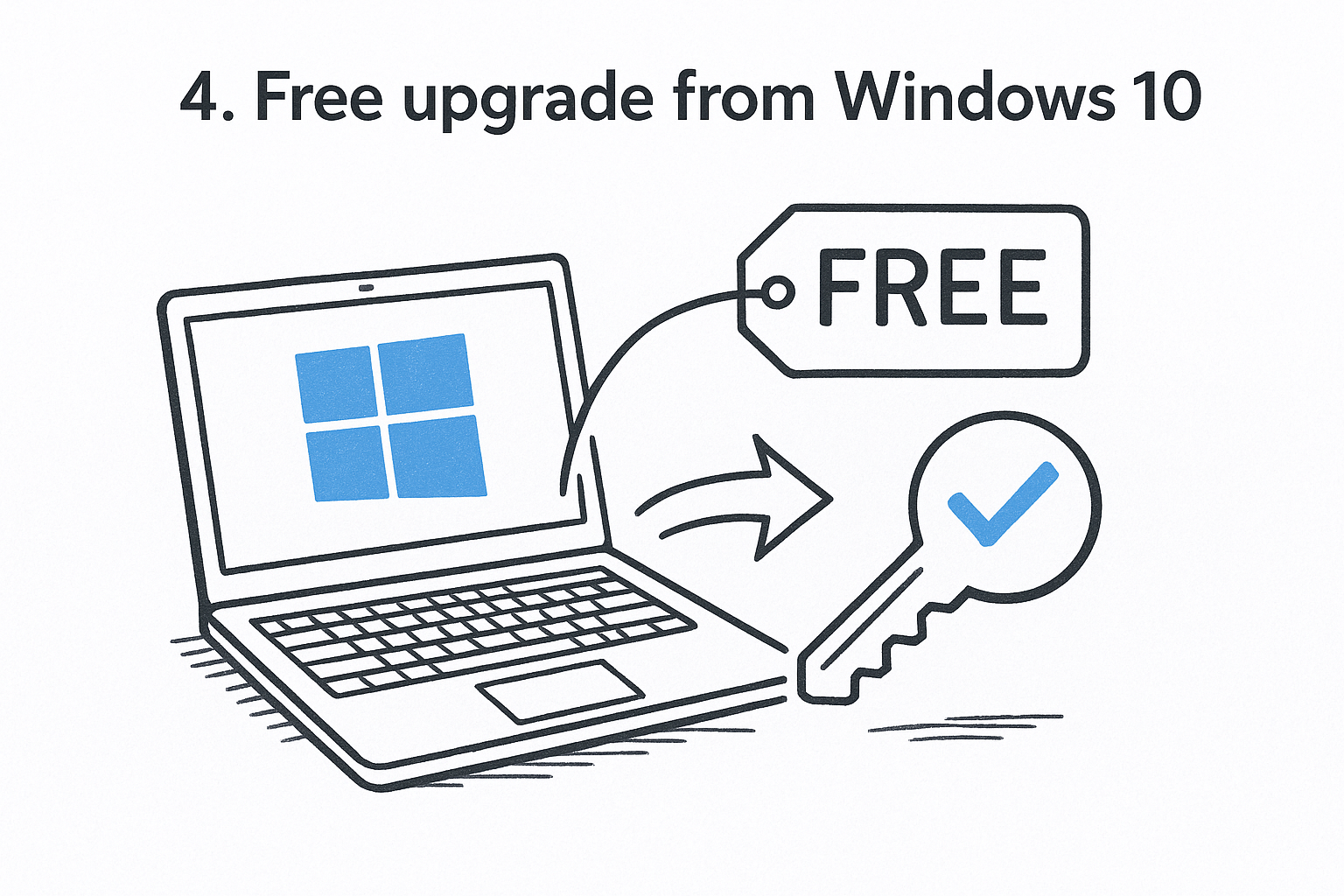
4. Free upgrade from Windows 10
If you have an activated copy of Windows 10 on a compatible PC, the cheapest Windows 11 key is no key at all. Microsoft’s free upgrade carries your existing license across as a digital license.
How it works
Open Settings > Windows Update and look for the Windows 11 offer. If it does not appear, download the installer from Microsoft and choose I don’t have a product key when asked. Windows 11 activates online after setup, as long as the edition matches your old one.
Many buyers also report that a genuine Windows 10 key still activates a clean Windows 11 install. Microsoft’s documentation only guarantees the upgrade path, so treat that as a bonus rather than a plan.
Who it suits
This route suits anyone with a Windows 10 PC that meets the Windows 11 requirements. PCs from about 2018 onward are usually compatible. Windows 10 reached end of support in October 2025, so staying put is no longer a safe default.
Your PC needs:
- A 64-bit processor, 1 GHz or faster, with at least 2 cores
- 4 GB of RAM and 64 GB of storage
- UEFI firmware with Secure Boot, and TPM 2.0
The free upgrade is the only route where the right Windows 11 key costs exactly nothing.
Cost and catches
The cost is zero, but the catches are real. A PC that fails the hardware check will not upgrade through the normal route. Home upgrades to Home and Pro to Pro, so you cannot jump editions for free. And a digital license from an upgrade stays with that PC, so a new build still needs a purchased key.
5. Volume licensing, school, or employer programs
Organizations can hand out a Windows 11 license key for free or at a negotiated rate, which makes this the best route if you work for a company or study at a school that participates. You never pay retail, and you never hunt for a seller.
How it works
For Volume Licensing agreements and MSDN subscriptions, Microsoft says the product key is available through the web portal for your program. Some Microsoft 365 business plans also include Windows business upgrade rights. Your IT team can tell you which applies to you.
Who it suits
This route suits IT administrators, employees whose companies run a licensing program, and students at schools that provide software. If you manage a small business, ask whether your current Microsoft plan already includes Windows rights before you buy anything separately.
Check what your workplace or school already licenses before you spend a dollar on a key.
Cost and catches
The cost is usually bundled into a plan you already pay for. The catch is ownership. The license belongs to the organization, and you may lose it when you leave. Do not assume it covers a personal PC unless your program says so in writing.
6. A new or refurbished PC with Windows 11
Buying a PC with Windows 11 already installed is a legitimate way to get a product key for Windows 11 without ever handling it. It only makes sense if you need the hardware anyway.
How it works
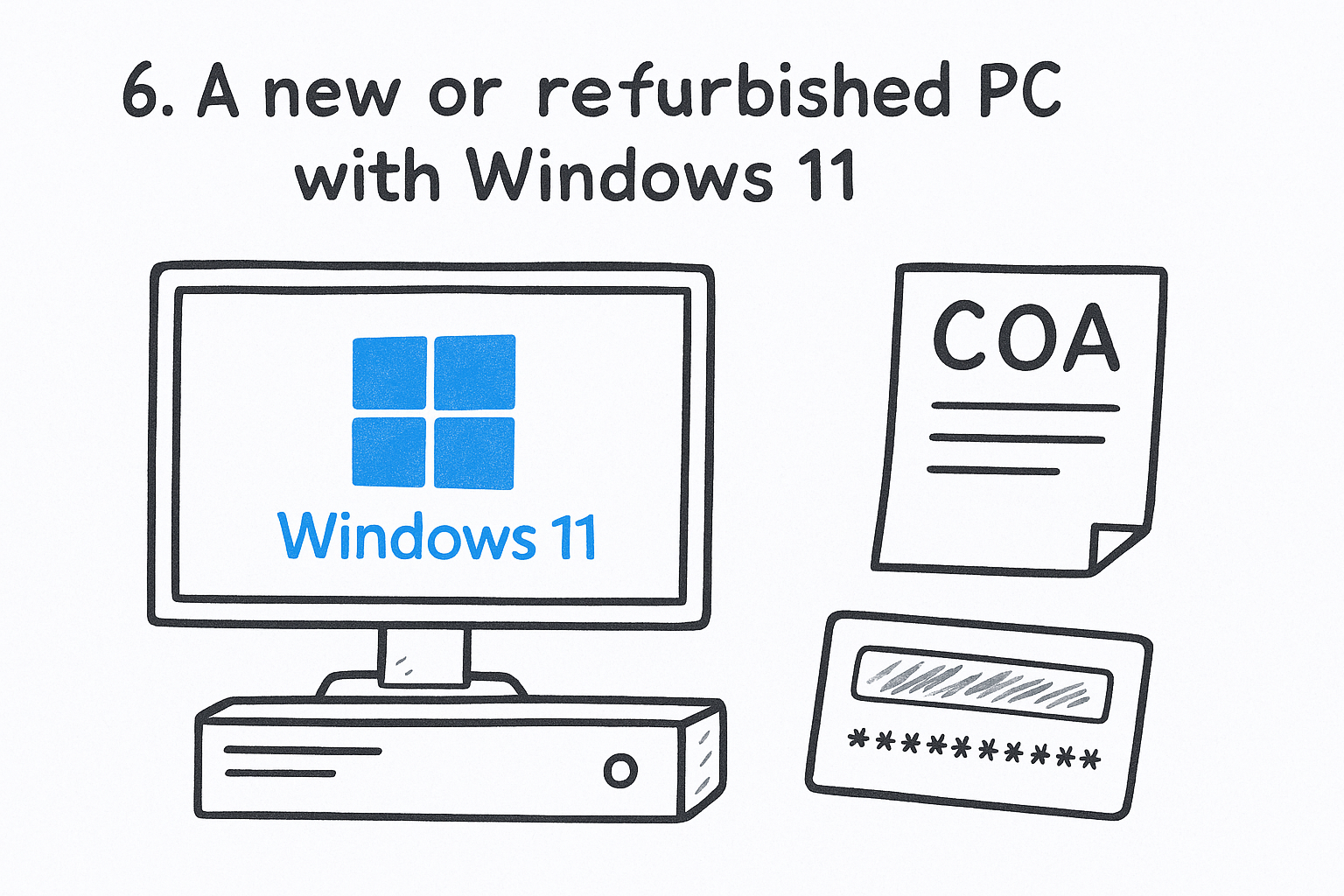
Per Microsoft, the key is either preinstalled on the PC, included with the packaging, or printed on the Certificate of Authenticity (COA) attached to the device. Most modern PCs store it in firmware, and Windows reads it automatically during setup.
For a refurbished PC, the refurbisher, not Microsoft, must provide the key. Ask for the COA or the key in writing before you pay. If the maker replaces the motherboard, the PC should reactivate on its own. If not, a COA card may carry a 25-character key under a gray scratch cover.
Who it suits
This route suits anyone shopping for a laptop or prebuilt desktop. It does not suit PC builders, because an OEM license is tied to the device it came with and generally cannot move to another machine.
An OEM key is cheap because it comes with one PC and stays with that PC.
Cost and catches
The license cost is folded into the PC price, so you never see a line item. The catches are the motherboard tie and refurbished sellers who skip the paperwork. If the seller cannot show a COA or a valid key, treat the Windows license as missing and price the deal accordingly.
Home or Pro, retail or OEM: choosing the right Windows 11 key
Pick Home if you game, browse, and work on a personal PC. Pick Pro if you need remote access, virtualization, or workplace management. Then choose retail if the license may change PCs and OEM if it will stay on one machine.
Windows 11 Home or Pro
A Windows 11 professional key unlocks features Home leaves out. The edition must match your license, so a Home key will not activate Pro.
| Feature | Home | Pro |
|---|---|---|
| Remote Desktop (host) | No | Yes |
| Hyper-V virtualization | No | Yes |
| Group Policy and domain join | No | Yes |
| Windows Sandbox | No | Yes |
| BitLocker | Device encryption on supported hardware | Full BitLocker management |
| Maximum RAM | 128 GB | 2 TB |
| CPU sockets | 1 | 2 |
If you start on Home, you can move to Pro later by entering a Pro key under Settings > System > Activation > Change product key. You do not need to reinstall.
Retail, OEM, and what “CD key” means
A “CD key” and a “product key” are the same thing: a 25-character code. No disc is involved anymore. The real difference is the type of Windows license. A retail license can move to a new PC, one at a time. An OEM license is tied to the first device. A volume license belongs to an organization.
Your key also does not bypass the hardware rules. A PC that fails the TPM 2.0 and Secure Boot checks will not run Windows 11 properly, whatever you paid.
How the six sources compare
| Source | Typical cost | What you get | Best for |
|---|---|---|---|
| Codesforever | Deep discount | Key by email | Budget Pro or Home |
| Microsoft Store | List price | Digital license or emailed key | Zero doubt |
| Authorized retailer | Near list | Boxed or emailed key | Physical copy, returns |
| Windows 10 upgrade | Free | Digital license | Existing Windows 10 PCs |
| Volume, school, employer | Included | Key from a portal | Organizations |
| New or refurbished PC | Built into PC price | Firmware key or COA | Buyers needing a PC |
Match the license type to your plans for the PC, and the price takes care of itself.
Why cheap Windows 11 keys exist and how to avoid bad ones
Cheap is not automatically fake. Keys vary in price because of how they reach resellers, but the price gap also attracts bad sellers. The safest cheap Windows 11 key comes from a seller that backs it with a replacement or refund policy.
Why prices vary so much
The list price is not what every license costs to produce. Several factors push resale prices down:
- Resellers buy licenses in volume and pass part of the saving on
- OEM licenses are priced for PC makers, not for retail shelves
- Regional pricing differs between markets
- Some sellers simply move stock fast at thin margins
The same gap also attracts fraud, so it helps to spot a fake product key before you buy. A few listings sell keys that Microsoft later blocks. Microsoft’s licensing terms also limit how OEM and volume keys may be resold, so ask the seller which key type you are buying.
Warning signs and good signs
| Warning sign | Good sign |
|---|---|
| Pro key for a couple of dollars | Price that is low but plausible |
| No refund or replacement policy | Written money-back or replacement terms |
| Payment by crypto or bank transfer only | PayPal or card with buyer protection |
| No contact option | Live chat or messaging support |
| Key type not stated | Edition and license type clearly labeled |
What to do in the first hour
Activate the key the day you buy it, not months later. Replacement windows are finite, and a problem key is easiest to fix while you can still claim it. Then:
- Check your activation status under Settings > System > Activation.
- Screenshot the page and keep the delivery email.
- Link your Microsoft account so the license survives a hardware change.
- If activation fails, contact the seller with the key and the exact error text.
Activate on day one, because a replacement guarantee is worth little after it expires.
Can you get a Windows 11 key for free?
Yes, but only through narrow, legitimate routes. A free Windows 11 key does not come from a list on the internet. It comes from an upgrade, a workplace, or a school.
Legitimate free routes
These are the real options:
- The free upgrade from an activated Windows 10 PC that meets the requirements
- A key through your employer’s or school’s licensing program
- Windows Insider builds, which stay activated if the PC was activated before you joined the program
Each of these gives you a license you are entitled to use. None of them gives you a key you can pass around.
Why free key lists and activators fail
Public lists of keys, including those on code-sharing sites, contain generic installation keys. Their job is to select an edition during setup. They do not activate Windows, and a key that works for one person’s session will not carry over to yours.
Third-party activation tools are worse. They break Microsoft’s license terms, and they are a common way to pick up malware on a PC you will use for banking and email. We do not recommend them.
Running Windows 11 without a key
Windows 11 installs without a key and keeps running. You will see a watermark, and personalization settings stay locked. That is workable for testing, but not for a PC you depend on. A discounted key is a better long-term answer than living with an unactivated install.
A free key is a license you qualify for, never a code from a list.
How to find and activate the Windows 11 product key you already own
Your key is wherever you bought Windows. A PC maker may have embedded it in firmware, a retailer may have emailed it, or you may hold a digital license with no key at all. Find it first, then activate.
Where your key lives
| How you got Windows | Where to look |
|---|---|
| New PC | Packaging, COA label, or firmware |
| Boxed copy | Label or card inside the box |
| Digital copy from a retailer | Confirmation email or digital locker |
| Microsoft online store | Email and Microsoft account order history |
| Free upgrade or Store app | No key, since you hold a digital license |
| Volume or MSDN program | Your program’s web portal |
Settings > Activation does not show your full key. For a key embedded in the firmware, open PowerShell and run:
(Get-CimInstance -ClassName SoftwareLicensingService).OA3xOriginalProductKey
If the output is blank, your PC has no embedded key. Microsoft’s guide to finding your Windows product key covers every other case.
How to activate it
To redeem your product key, open Settings > System > Activation > Change product key, enter the 25 characters, and follow the prompts. During a fresh install, you can enter the key on the setup screen instead. Activation happens online, so connect to the internet first.
If you see an error, Microsoft’s page on activation errors explains the codes.
Reinstalls and hardware changes
If Windows is already activated with a digital license, you can reinstall the same edition and choose I don’t have a product key. It reactivates automatically. Link your Microsoft account under Settings > System > Activation so you can run the Activation troubleshooter after a major hardware change.
Link your Microsoft account now, and a motherboard swap later costs you five minutes instead of a new license.
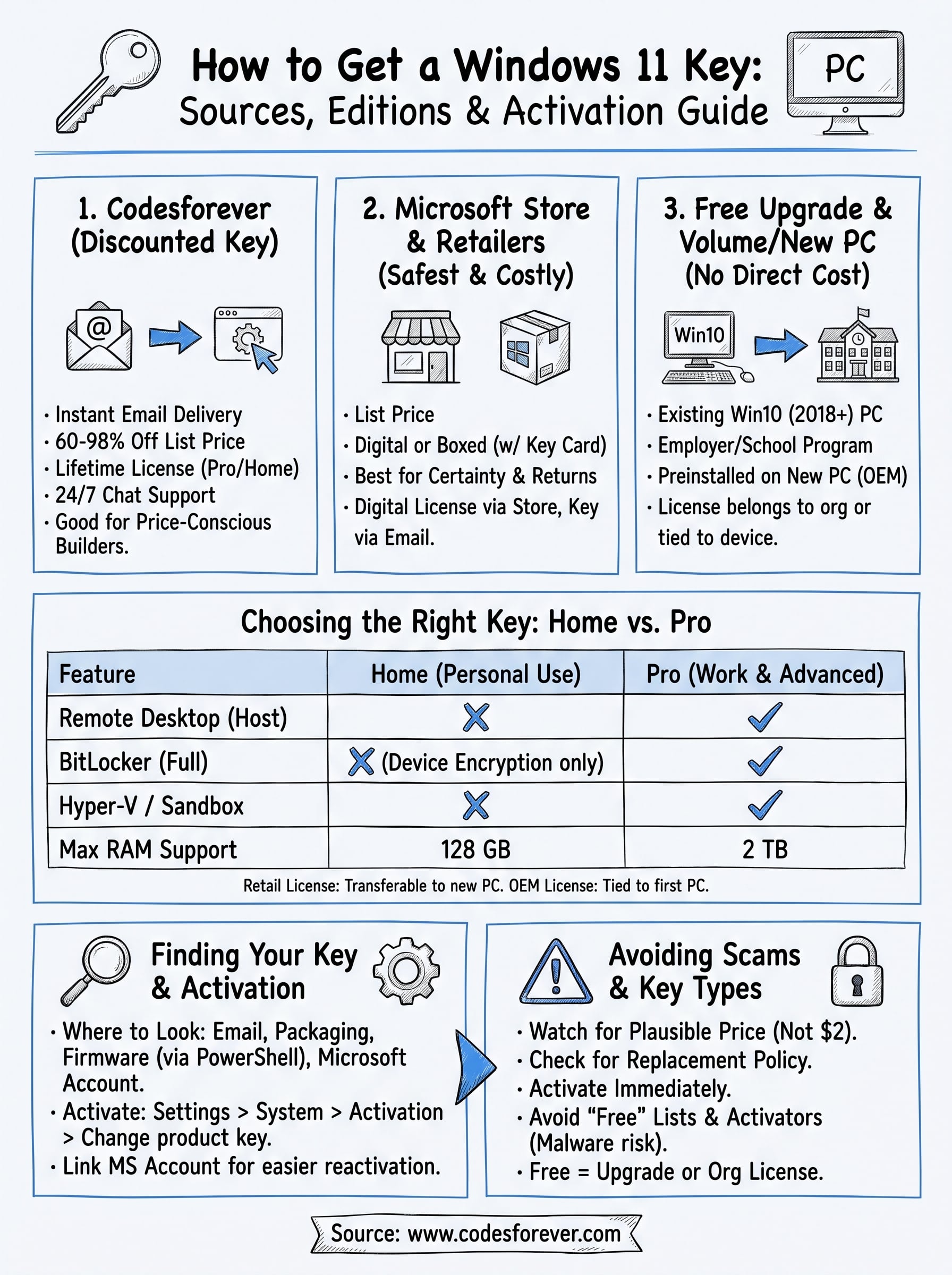
Pick the source that fits your PC
Your best Windows 11 key depends on your situation. Use the free upgrade if you have a compatible Windows 10 PC, volume licensing if your employer offers it, and the Microsoft Store or a major retailer if you want full price and no questions. If you want Pro at a real discount, use a seller that publishes its replacement terms and answers when you ask.
Whatever you choose, match the edition, activate on day one, and keep the key email. If you are ready to buy, you can get your Windows 11 key at Codesforever and activate it in minutes.