

Microsoft Office Home & Business 2024: What It Includes

Microsoft Office Home & Business 2024 is a one-time purchase of the classic desktop Office apps: Word, Excel, PowerPoint, Outlook, and OneNote. You pay once and install it on a single Windows PC or a single Mac. There is no subscription. A major retailer lists it at $249.95, and unlike the cheaper Home edition, it is licensed for small business use.
Ready to buy? Get Microsoft Office Home and Business 2024 for Windows at Codesforever for US$198, a lifetime key for 1 PC delivered by email. A Mac edition is also US$198. Support is free , and a defective key is replaced.
This guide explains why the one-time model still makes financial sense, how to buy, install, and activate the suite, and what is inside it. It also compares the edition with Home, Professional Plus, and Microsoft 365, and spells out what "lifetime" and "support" mean in practice.
Codesforever has sold software license keys online for over ten years, and the setup steps below follow Microsoft’s own installation process. Use the guide to decide whether this edition fits your computer, your work, and your budget before you spend anything.
Why a one-time Office purchase still pays off
Office Home & Business 2024 pays off when one computer does your Office work for more than about two years. You buy it once, while a Microsoft 365 plan bills you every year for as long as you use it. For a home desk or a small-business laptop, that math is easy to run.
What you stop paying for
With a subscription, the apps stop working properly when you stop paying. With Office 2024 Home and Business, you make one up-front payment and the apps keep running with no renewal. Microsoft says you need internet access to install and activate Office, but not to use Word, Excel, and PowerPoint afterward.
The trade-off is that you get a fixed set of features. Microsoft 365 subscribers receive new features as they ship, while a one-time version gets security fixes and bug fixes only. When the next major Office release arrives, you pay full price again if you want it.
A five-year cost example
Take a freelancer who works on one laptop and keeps the same Office version for five years. Microsoft 365 Personal costs $99.99 per year on Microsoft’s own price list, and the Family plan costs $129.99. The table adds those up.
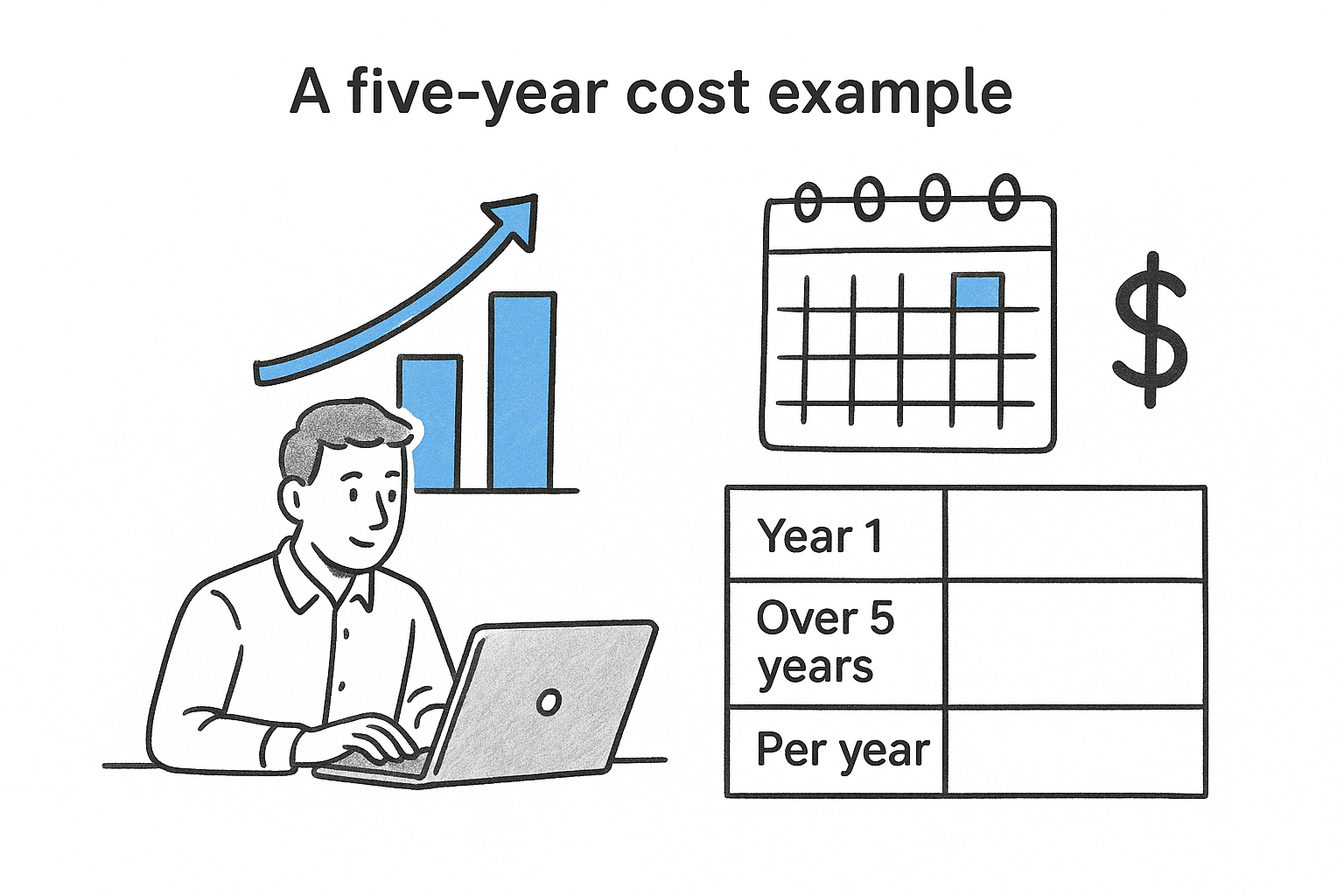
| Option | Year 1 | Over 5 years | Per year |
|---|---|---|---|
| Office Home & Business 2024 at the $249.95 retail listing | $249.95 | $249.95 | $49.99 |
| Office Home & Business 2024 at Codesforever, US$198 | $198.00 | $198.00 | $39.60 |
| Microsoft 365 Personal | $99.99 | $499.95 | $99.99 |
| Microsoft 365 Family | $129.99 | $649.95 | $129.99 |
At the retail listing, the one-time edition breaks even against Personal in about 2.5 years. At US$198, it breaks even in just under two years. After that, every year is free.
Who should buy it and who should skip it
Buy it if you use Office on one computer, you want Outlook for business email, and you do not care about new features. Skip it if your situation matches any of these:
- You work across a PC, a phone, and a tablet and want the full apps on all of them.
- You want cloud storage or other features.
- Several people in your household need Office, which is what the Family plan is for.
- You expect to replace your computer often, since the license covers one device.
Buy once if one computer does all your Office work, and subscribe if your work follows you across devices.
How to buy, install, and activate Office Home & Business 2024
The process takes three steps: buy the edition that matches your operating system, redeem the key on your Microsoft account, and install the apps from your account page. It usually takes under 30 minutes, most of it spent on the download.
Choose the right edition for your computer
Windows and Mac are separate products, and a key for one will not install the other. Microsoft Office 2024 Home and Business for Windows runs on Windows 11 and Windows 10. The Mac edition is a separate download with its own key. If you try to install the wrong one, you will see an unsupported operating system error.
Codesforever lists the Windows edition at US$198 as a digital activation code for one PC. The Mac edition, also US$198, is delivered within 24 hours of purchase, and most products in the store arrive within five minutes. Check Microsoft’s system requirements before you order, because a key that does not fit your hardware or software is not refundable under our policy.
Redeem, install, and activate step by step
These steps follow Microsoft’s own installation process:
- Go to microsoft365.com/setup, sign in with an existing Microsoft account or create one, and enter your product key. You redeem a key only once, and it adds the license to your account.
- Go to m365.cloud.microsoft/apps, sign in with the same account, and select Install apps.
- On Windows, run the downloaded installer and select Yes at the User Account Control prompt. On a Mac, open the Microsoft Office installer.pkg file from your Downloads folder, click through the prompts, and enter your Mac password when asked.
- Open Word. On Windows, accept the license agreement and Office is activated. On a Mac, click Get Started in the What’s New window and sign in.
Windows installs the 64-bit version by default, unless it finds an existing 32-bit Office. After redemption, you sign in with your account to reinstall later, and you no longer need the key.
Fixing the most common install problems
You must be an administrator on your PC to install Office. If the install seems frozen, a slow connection, firewall, or antivirus is the usual cause, and Microsoft’s offline installer avoids the problem. If you see no Install option after signing in, you probably signed in with a different account than the one you used to redeem the key.
If the key itself fails, contact support. Codesforever offers free 24/7 support through live chat, email, and WhatsApp. You can also activate over the phone with your key. Report a key problem within 7 days, and we send troubleshooting steps within 24 hours. If that does not fix it, you get a replacement key.
Redeem the key once on a Microsoft account you control, then install from that account whenever you need to.
What is included in Microsoft Office Home & Business 2024
The edition includes five desktop apps: Word, Excel, PowerPoint, Outlook, and OneNote. It has no subscription extras. Outlook is the app that separates it from the Home edition.
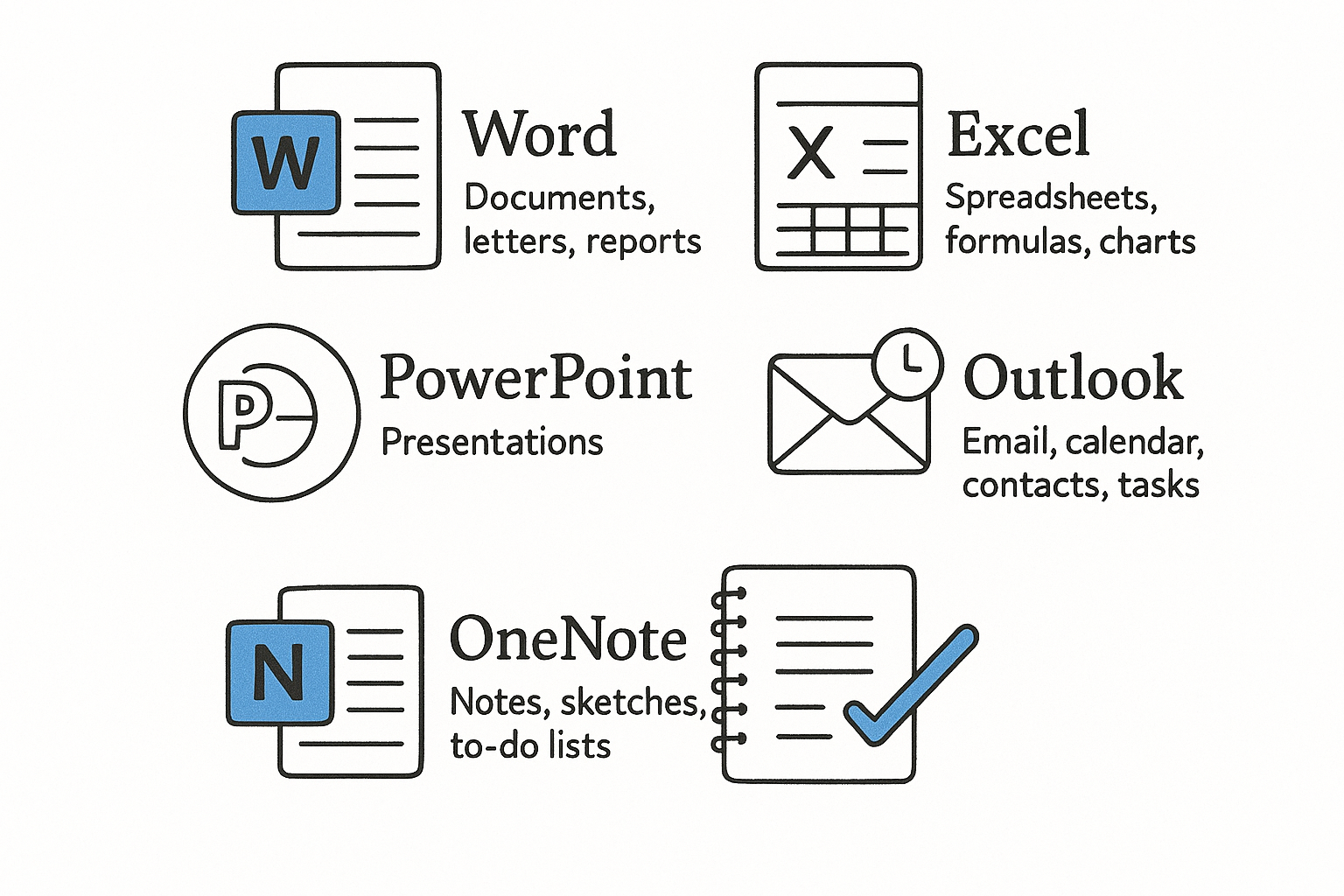
The five apps and what each one does
| App | What it does | Worth knowing in 2024 |
|---|---|---|
| Word | Documents, letters, reports | Templates and real-time co-editing with others |
| Excel | Spreadsheets, formulas, charts | You can insert pictures directly into cells |
| PowerPoint | Presentations | Cameo puts your live camera feed on a slide |
| Outlook | Email, calendar, contacts, tasks | The reason small businesses pick this edition |
| OneNote | Notes, sketches, to-do lists | Tabs, ink, and attached files |
Co-editing and sharing work through OneDrive, so you still need a free Microsoft account for those. Real-time collaboration needs the file saved to OneDrive.
What the edition does not include
This edition does not include cloud storage that Microsoft 365 Personal gives you, or Access. Access is part of Microsoft 365 on PC and of Professional Plus. It also does not give you the full apps on your phone or tablet, because the license covers one computer.
There is a free fallback. Anyone with a Microsoft account can use Word, Excel, PowerPoint, and OneNote in a web browser at no cost. That helps when you are away from your licensed computer and need to open or lightly edit a file.
You get the five classic desktop apps on one computer, and nothing else: no AI, no cloud storage, no extra devices.
How it compares with other Office editions
The edition sits in the middle of Microsoft’s one-time lineup. It adds Outlook and business use to Home, and it has fewer apps than Professional Plus. The comparison below uses the app lists that matter most.
Home & Business vs Home
Office Home 2024 costs $179.99 on Microsoft’s site and covers Word, Excel, PowerPoint, and OneNote. It leaves out Outlook and is meant for personal and family use. Home & Business adds Outlook and the right to use the suite for small business work. Pay the extra if you send business email from a desktop client or run a one-person company.
Home & Business vs Professional Plus and Standard
Searchers often ask how Office 2024 Home & Business and 2024 Pro Plus differ. The main differences are the app list and the intended buyer. Microsoft designs Professional Plus and Standard for organizations, and Professional Plus is the only one here with Access.
| Edition | Apps | Best for |
|---|---|---|
| Home 2024 | Word, Excel, PowerPoint, OneNote | Personal and family use |
| Home & Business 2024 | Word, Excel, PowerPoint, Outlook, OneNote | Individuals and small businesses |
| Standard 2024 | Word, Excel, PowerPoint, Outlook | Organizations that skip OneNote and Access |
| Professional Plus 2024 | Word, Excel, PowerPoint, Outlook, OneNote, Access | Organizations that need databases |
Codesforever sells Standard 2024 for Windows at US$88 and Professional Plus 2024 for Windows at US$28, both as lifetime keys for one user and one device. Their prices are lower than Home & Business at US$198, but price should not drive the choice. Compare the app list and whether you need a Mac version, because those two are Windows-only.
Home & Business vs Microsoft 365
Microsoft 365 is a subscription. It includes the desktop apps plus Copilot features, cloud storage, and use on up to five devices at once per person. Office Home & Business 2024 is the opposite: one device, no extras, no renewals. If you want one stable install, buy the one-time Office 2024 edition. If you want flexibility, pick a plan. Codesforever also lists one-year Office 365 keys, starting at US$14 for five devices, if you prefer a subscription at a lower price.
Pick Home & Business 2024 when you need Outlook on one computer, and move up only if you need Access or multiple devices.
Support, updates, and what lifetime means
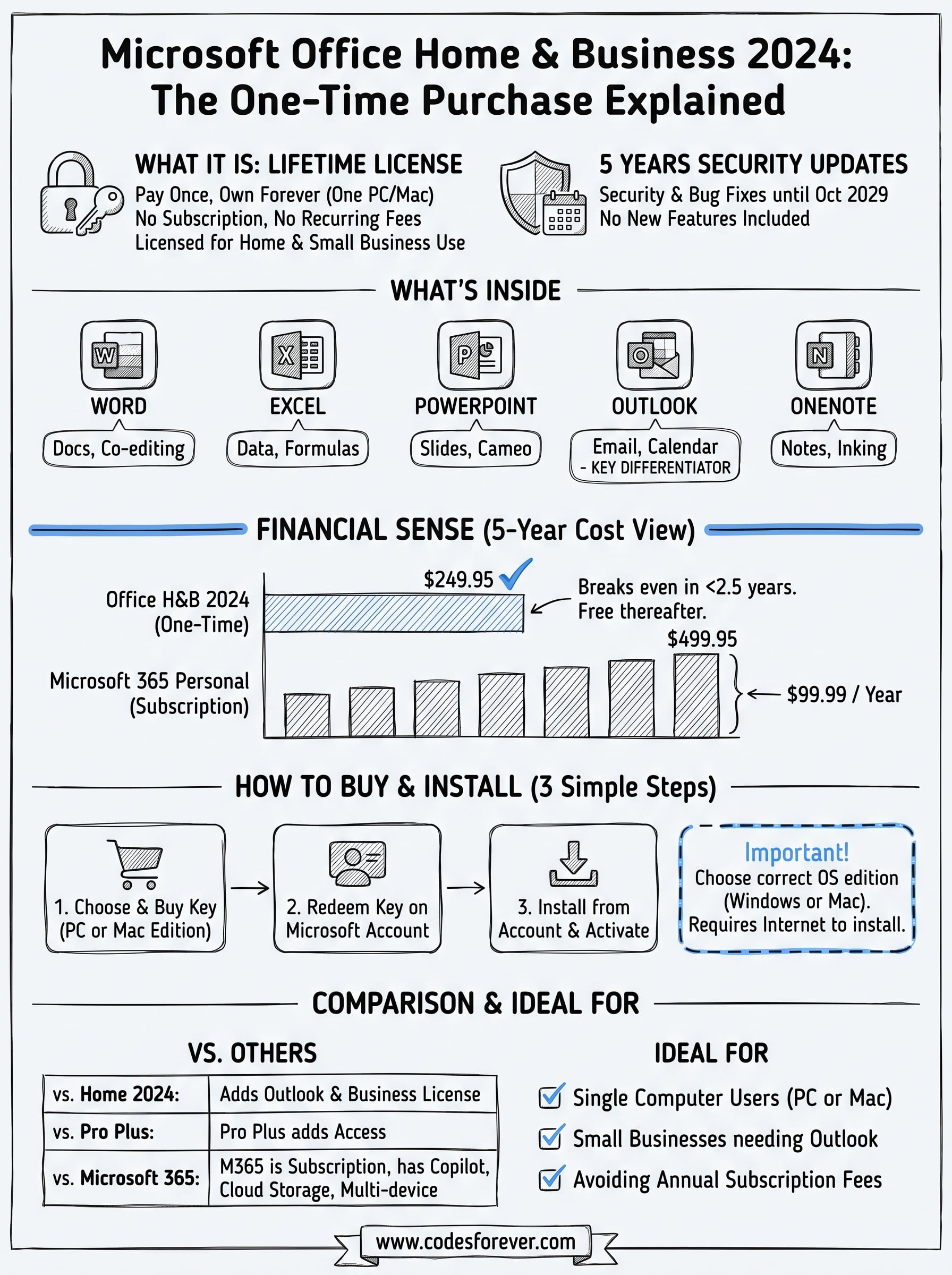
Microsoft supports Office 2024 for five years from its October 2024 release, which means security updates run until October 2029. "Lifetime" means your key never expires, but it does not mean Microsoft updates the software forever.
How long Microsoft supports Office 2024
Office 2024 follows a fixed support policy. For five years you receive security and quality fixes through Windows or Mac update tools. You do not get new features. After the end date, the apps keep opening and working, but Microsoft no longer patches security holes. For anything that handles client data or opens email attachments, plan to upgrade by then.
You can check for updates yourself. On Windows, open any app, go to File, then Account, and choose Update Options, then Update Now. On a Mac, open an app and choose Help, then Check for Updates.
What lifetime validity covers
A lifetime license means you pay once and never renew. The version you bought keeps activating on your device, even if you reinstall. It does not cover future major releases, which cost full price. Think of it as owning a specific version rather than renting access.
Limits on devices and accounts
The license is tied to a single Microsoft account and covers one computer. Microsoft’s license terms allow you to move Office to another computer you own only after a hardware failure or when you buy a new computer. Do not plan to share one key between a desktop and a laptop. If you need a second install, buy a second license or choose a subscription.
Lifetime means no renewal fee, not endless updates, so budget for a replacement around the end of 2029.
Quick answers before you buy
How much is Office Home & Business 2024?
A major retailer lists it at $249.95. At Codesforever the Windows and Mac editions are each US$198 as a one-time lifetime key.
Where can I buy Office Home & Business 2024 cheaper?
A key seller with a refund policy is the cheapest legitimate route. Codesforever’s Windows edition arrives by email within minutes and is covered by a replacement if the key fails.
Does it include Outlook?
Yes. Outlook is the app that separates Home & Business from the Home edition.
Is it a one-time purchase or a subscription?
It is a one-time purchase for one computer, with no renewal fee.
Is it the right Office for you?
Microsoft Office Home & Business 2024 suits you if you want Word, Excel, PowerPoint, Outlook, and OneNote on one computer without a yearly bill. It is licensed for small business use, works on Windows 10 and 11 or on a Mac, and gets Microsoft security updates until October 2029. If you need apps, storage, Copilot, or several devices, a Microsoft 365 plan fits better.
Choose the edition that matches your operating system, redeem the key on a Microsoft account you own, and install from your account page. If you hit a problem, support is free and available around the clock. When you are ready, get Microsoft Office Home and Business 2024 for Windows at Codesforever, or pick the Mac edition that matches your computer.